

Random Wire 169: ChatGPT caricatures, hang out with HRWB on AllStar, DVstick 30 with BlueDV, BAOFENG UV-5R Mini, BTECH DA-7X2, ORICO M.2 docking station, and the Short Stack
February 13, 2026: Friday the 13th! There is RF radio, digital radio, and some interesting tech in Random Wire issue 169.

Notice: Newsletter Platform Substack Notifies Users of Data Breach
As reported this week on Bleeping Computer on February 5: Newsletter platform Substack notifies users of data breach. Lifehacker then picked up the story and added some additional information on February 6: This Substack Data Breach May Have Compromised Nearly 700,000 User Records.
I did not get notified on any address I use to subscribe to the Random Wire, so I am assuming that Random Wire subscribers were not affected. Without more information from Substack, I have no way of really knowing.
If your information was part of the tranche of data taken, there should be a notice from Substack CEO Chris Best in your inbox. Allegedly, no credentials or financial information were taken and the hole is patched. I share this just in case you were part of the breach. Check your inbox, folks!

ChatGPT Caricatures
Say what you will about AI, the ChatGPT caricatures floating around on social media are actually rather fun. I loaded one up with my two websites, my AllStar “node in the cloud”, and my M17 server. In real life, I don’t look nearly as good as the fellow in the caricature. Nevertheless, I think the graphic is not bad. It might be fun to make a QSL card this way.
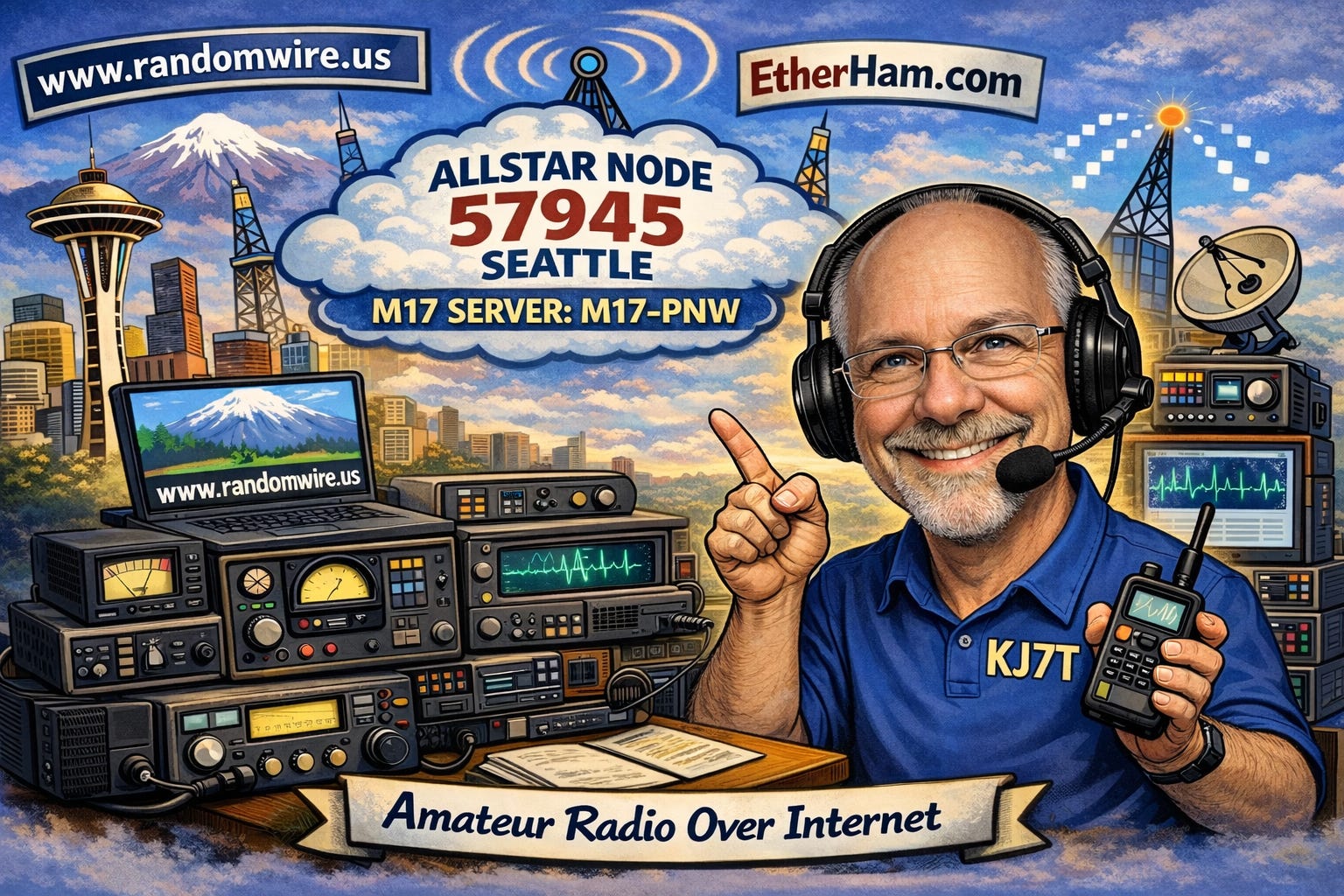
The intersection of privacy and AI is, of course, a concern, but since I choose to be published on the internet, I accept that some amount of information about me is already irretrievably “out there.”
A more interesting thought is developing an AI engine dedicated to amateur radio. There exists a treasure trove of amateur radio information at DLARC (Digital Library of Amateur Radio & Communications). At minimum, a dedicated AI would provide radio-focused search on steroids. At best, we’d see synthesized answers to questions asked by hams, founded on decades of published research and experimentation. Maybe this is already underway. I sure hope so. It would be a positive, productive way to utilize AI to benefit our hobby and the people who enjoy it and benefit from it. It would also honor all those pioneers, makers, and scientists who came before us in this hobby.
By the way, if you’ve never visited the DLARC, it’s worth some time. From their home page:
The Digital Library of Amateur Radio and Communications is a library of materials and collections related to amateur radio and early communications. The DLARC is funded by a significant grant from Amateur Radio Digital Communications, a private foundation, to create a digital library that documents, preserves, and provides open access to the history of this community.
Looking for an old two-tube transmitter design? You’ll find it there, and much, much more. Fair warning: once you dive in, it may be a while before you come up for air!
Connect to the Ham Radio Workbench AllStar Node
Yesterday morning, I was listening to the latest Ham Radio Workbench podcast. This is always an enjoyable indulgence for me. I love the learning and the joyful spirit of the regulars on the show. It’s long, but I find it perfect for my drives between Olympia, Washington and Portland, Oregon.
I’ve always been fascinated (and truthfully, a bit intimidated) by vacuum tubes, aka thermatrons. This HRWB episode sounded perfect for taking my mind places I had hitherto found too overwhelming: HRWB 256 - Tube Gear with Grayson Evans KJ7UM. It’s a very interesting conversation. I recommend it if you have any interest in radios that glow in the dark.
During the conversation, when George KJ6VU spoke of the several ways you can connect with the HRWB team and with other listeners, he mentioned that their AllStar node is underutilized. He’d like to see their node get used more. I’m going to make a point of connecting to node 55915 more often. That will also give me a good way to continue testing my Ampersand-ASL Server platform (node 578499).
This item is high up in the Random Wire list today as an encouragement to spend some time “hanging out at the water cooler” with the great HRWB folks on AllStar node 55915.
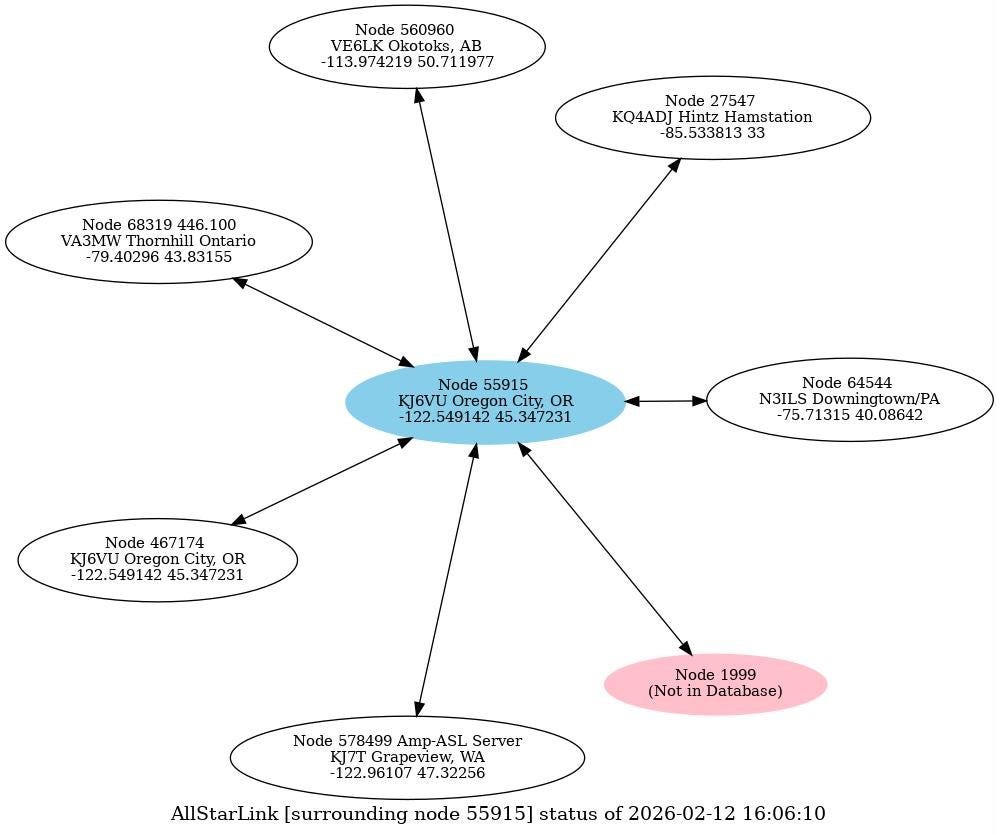
There aren’t a lot of folks connected to node 55915 as I type this, but I’m sure that will change as HRWB 256 is heard by more hams over the next few weeks.
DVstick 30 and BlueDV
The EtherHam tag line is Amateur Radio Over Internet. Meet the DVMEGA DVstick 30, a device that certainly meets that short description. This little device is the size of a USB thumbdrive. Paired with BlueDV software, you get DMR, D-STAR, Fusion, and NXDN digital voice modes on your computer. Use your computer, microphone, and speakers or headphones for audio I/O. It’s pretty amazing that you can get so much capability in such a small device for just $110.
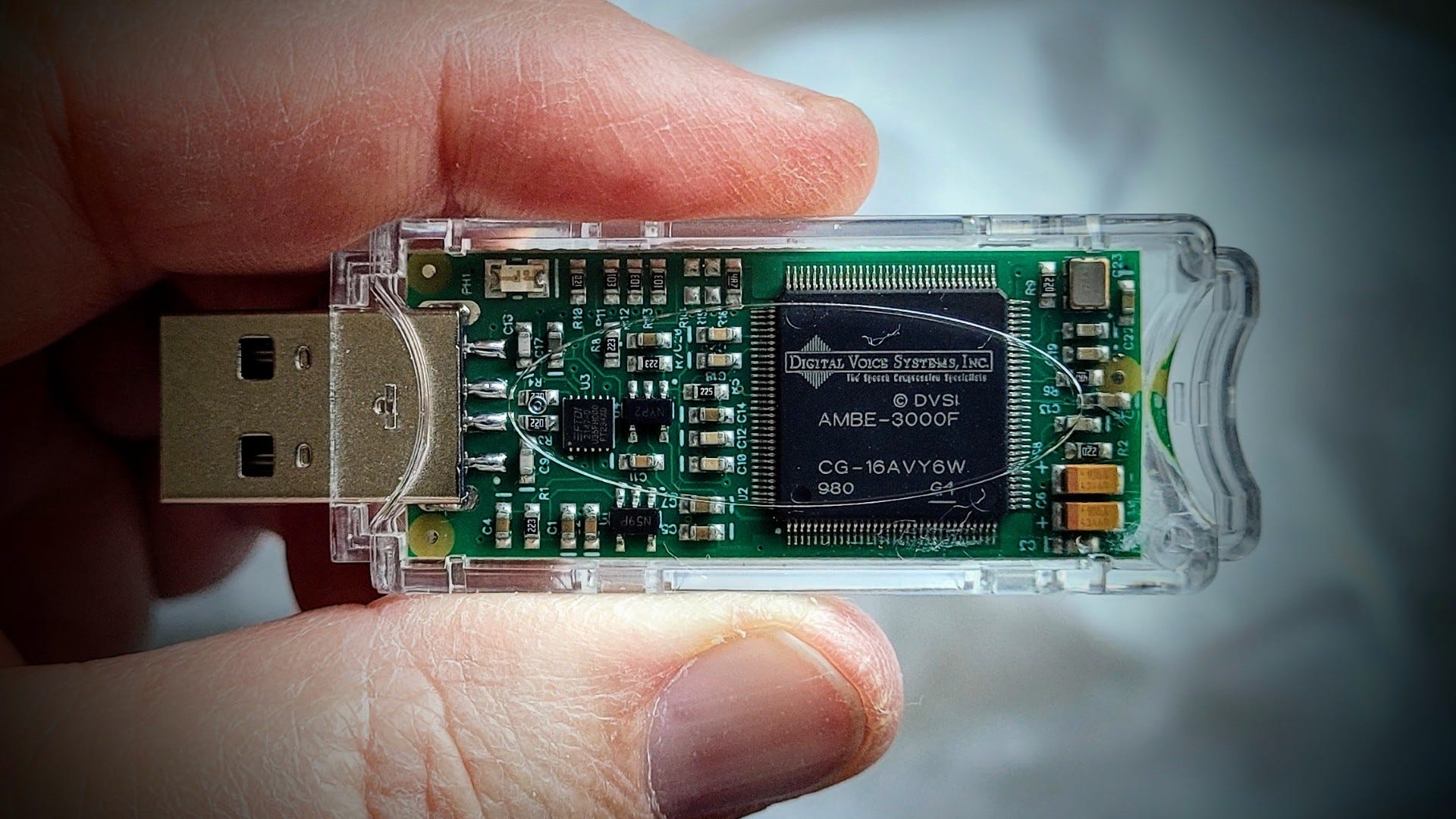
With a minimal amount of fiddling, I got the DVstick 30 working on my Surface Laptop 7. This laptop uses an ARM CPU, not an Intel chip, so some programs don’t work. Fortunately, BlueDV does work on my not-entirely-usual laptop!
If you’d prefer a video walkthrough, Andreas M0FXB has an excellent 11-minute YouTube on the DVstick 30. I recommend it.
I had trouble with my IEMs (in-ear monitors) plugged into the TRRS headphone port on the laptop. The microphone worked but the earbuds weren’t detected. I switched to a pair of Sony WH-1000XM5 Bluetooth headphones. After restarting BlueDV, it detected those headphones and I was able to select the phones and the microphone. Here is my test of that configuration:
In that test, I’m connected to a Yaesu System Fusion parrot (notice it says so in one of the bottom message boxes). My transmitted audio is a little thin with the Bluetooth headphones. Here’s what it sounds like with the IEM boom microphone:
I have not yet put the DVMEGA DVstick 30 inside my DVMEGA Cast device. Having used it “as is” with BlueDV on the laptop, I’m not sure I want to. This thumbdrive-sized device would be very easy to travel with.
The sound is…well, it’s digital. It’s fine, really, but there is a digital flavor to it that I detect. Is it disturbing enough to not use it? Not at all. The conversations are very clear and understandable. It’s really quite amazing that such a small device can do so much.
Wishes
The boxes at the bottom of the application screen are all the same color. It would be handy if the actively linked system was shown in a different color. This is a minor point.
In my hotspots, when I link to a YSF reflector, it takes a bit of time for linking to occur. I know it has happened because the screens change. Once I’m returned to my hotspot dashboard, I can see what I am linked to. In BlueDV, nothing noticeably changes. I don’t see anything except the info box at the bottom of the BlueDV screen. Does it really link up that fast? I guess it does. That is pretty amazing.
Another wish (and this is not unique to BlueDV) is for an AGC (automatic gain control or audio leveling circuit) on the Rx side. This isn’t like an FM repeater where low audio is brought up and loud audio levels are brought down. With the DVswitch 30/BlueDV combo, overmodulated signals blast through without any level correction. Listening over headphones can be a bit painful when an overly loud station suddenly blasts through. If you’re listening to a net with some overly loud stations, keep your mouse near your computer volume control.
The program crashes or freezes from time to time for me (which could be due to my non-Intel CPU, I suppose), but restarting it resolves the problem.
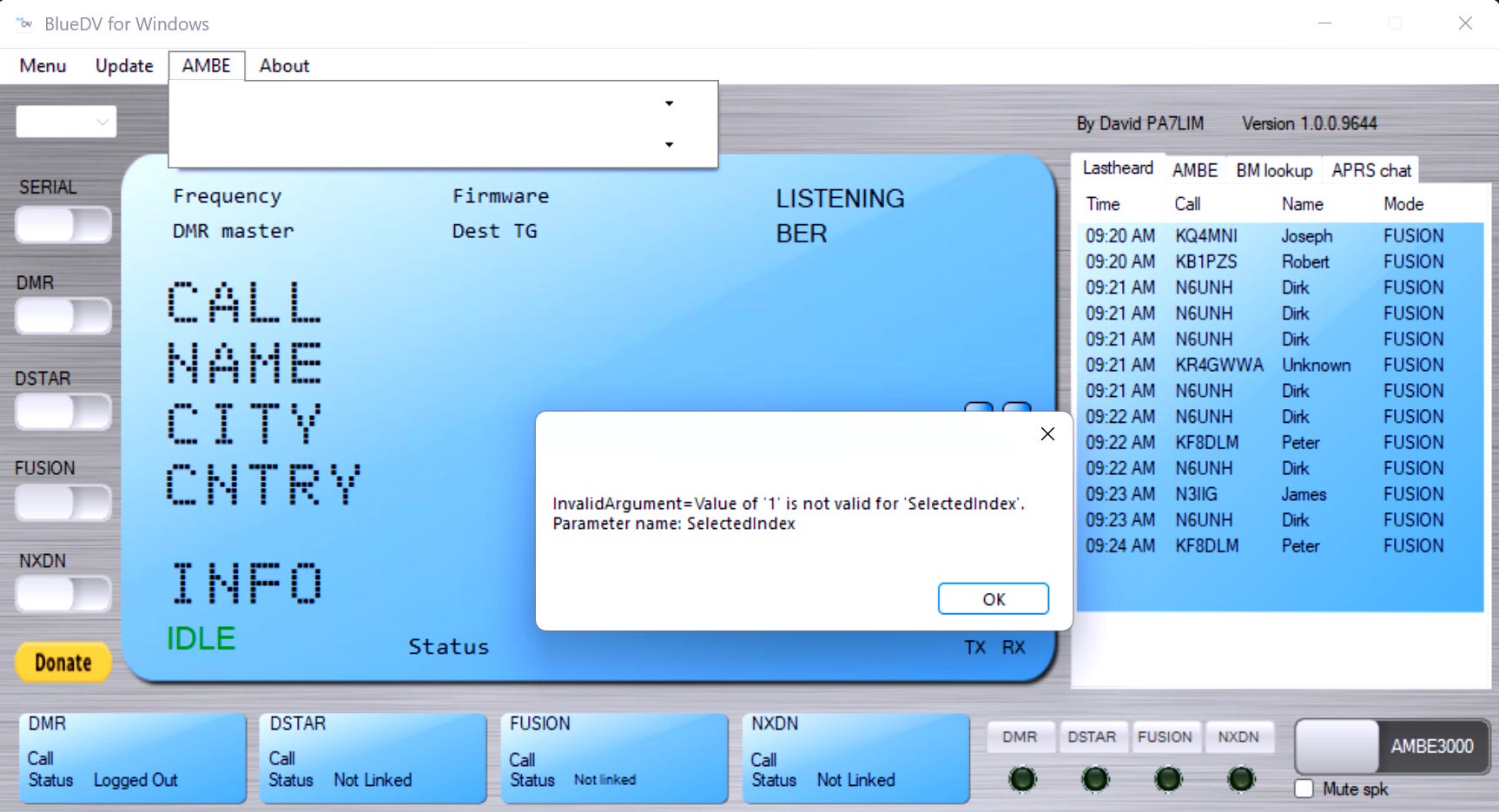
And I wish M17 was included in the package. That would really make this complete for me. I do realize there is a bit of irony in this particular wish, since M17 is open source and the DVstick 30 is based on the proprietary AMBE vocoder chip.
Please don’t get me wrong: this is a great bit of hardware and software. BlueDV is quite usable and useful. It is a keeper and will stay on my computer. I’m liking it a lot.
Learn More
As I get more experience with this device, I’ll clean up and amplify this note and post that content at EtherHam.com.
BAOFENG UV-5R Mini: First Impressions
Well, I did it: I bought a Baofeng radio. At one time, I swore I wouldn’t, but I guess I’m the proof you should never say never.
Actually, I purchased two Baofeng UV-5R Mini radios for the princely sum of $35. Yes, you read that right: $35 for a pair of radios. (I note that when I wrote this, the price was $34.99. Yesterday, the price was $37.45.) Here’s the link:
I also got some shorter antennas for $10. The stock antennas are too long for such a compact little radio.
Eightwood Two Way Radio Antenna 6in, VHF/UHF Dual Band SMA Female Flexible Handheld Ham Radio Antenna 2-Pack for Baofeng Walkie Talkie UV-5R UV-82 Yaesu FT-65 (affilliate link)
These things are small. They are about the size of an FRS radio but feel a little more solid in the hand. They don’t have the same high-quality feel that a Yaesu or Icom HT has, but it’s not bad. I wear a medium men’s glove and this radio snuggles right into my palm (please excuse my winter dry skin):
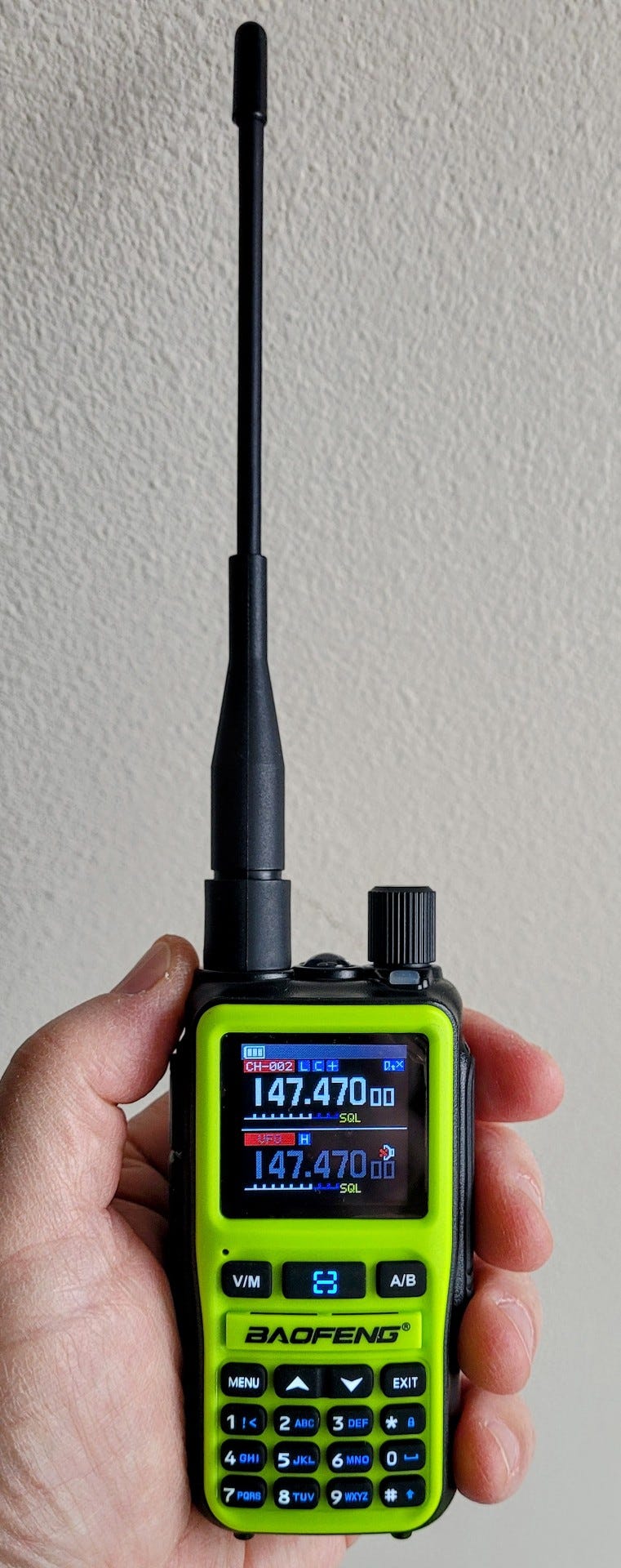
There are two transmit buttons: A and B. The top of the display is VFO-A and the bottom is VFO-B.
Attaching the battery for the first time isn’t completely obvious. You place it on the back of the radio, almost in it’s final position, then slide it upward firmly. I did this with one thumb. The battery clicks into place. The USB-C charging port is on the back of the battery:


This radio is kind of programmable through the keypad, but I did not immediately find an easy way to add CTCSS codes that way. To do that, I went to the Android “Ola” app. This app is only rated 1.7 stars in the Google Play Store and I can see why: it is a bit clunky. It does work, but only if you adapt to its idiosyncrasies.
What do I mean by that? The moment you realize you have to repeat the pairing of the radio each time you want to program it through the app, you’ll probably roll your eyes like I did and wonder why someone thought this was the way to do it. You have to pair the radio to your smartphone. First, you have to enable this on the radio (Menu —> Wireless Cps —> On). Then open your Bluetooth settings on your phone and attempt to pair it there, but it will tell you it must be paired in the app. Open the app, select your device, then pair it. Then select your device in Devices. Now tap the Plans selection, select your device again, and finally you are at the screen where you can start configuring the radio.
Once you write your setup to the radio, it turns off the Wireless Cps on the radio (sometimes…for me, most of the time) and you get to go through the whole pairing process again to make a change. It works, but it is clunky. I will say the app is better than I expected but still not as polished as it should be. It works. Maybe that’s enough.
Is there a clone function? Not that I’ve found. But it’s easy to accomplish the same thing using the app. Set up one radio the way you like it and save that configuration. Then pair the second radio to your phone and write the saved configuration to the second radio. Now you have two identically programmed radios.
What about audio quality? It’s not as clean as most of my radios. My BTECH UV-Pro sounds cleaner. All of my Yaesu HTs sound cleaner. But those other radios cost a whole lot more than the UV-5R Mini. Interestingly, one UV-5R Mini has more fuzz in the signal than the other. However, both receive audio that is plenty clear enough.
Despite these shortcomings, the UV-5R Mini is a keeper. I do love a small radio. This one is small enough to slip into a shirt or coat pocket. If I drop it or lose it, I’m not going to be nearly as unhappy as if I lost one of my Yaesu HTs. With a short antenna, it’s perfect for walking around town with a couple of local repeaters programmed in.
The radio came with a 15-inch antenna. I purchased a shorter 6.5-inch antenna. Even that was slightly too long in my chest pocket so I got a 2-inch stubby. The stubby antenna works fine around the house for staying in touch with one of my AllStar nodes. With the stubby antenna, this radio disappears in a pocket.
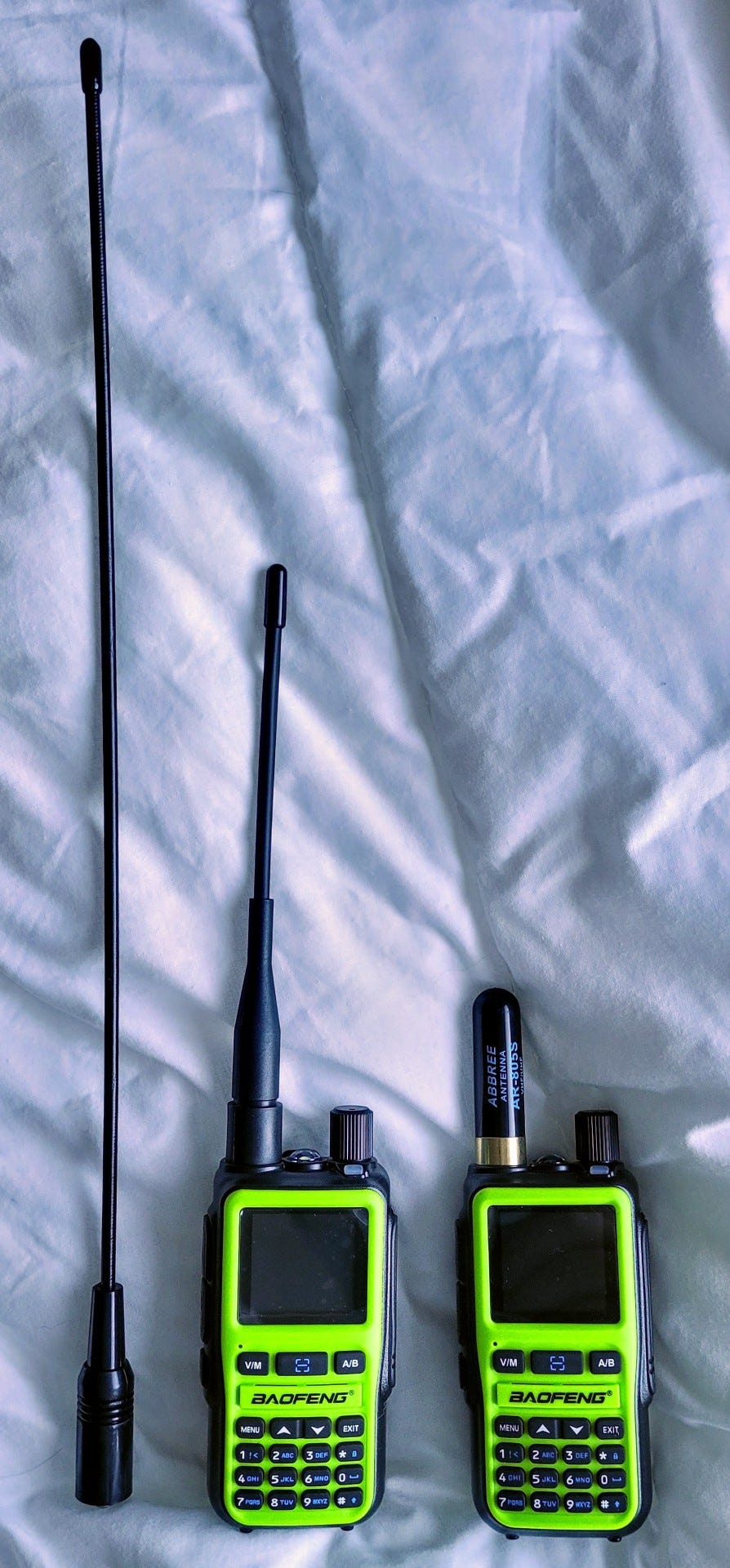
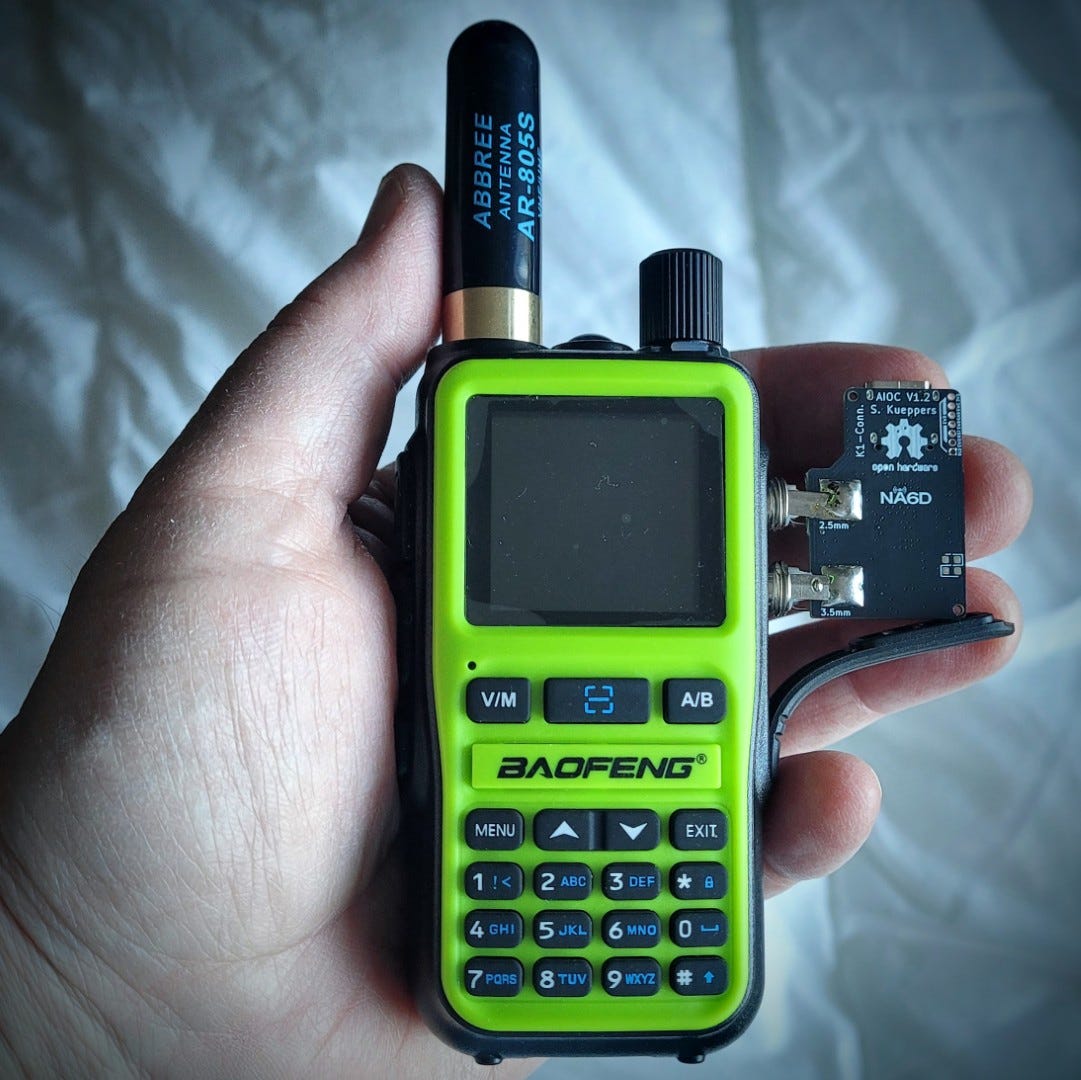
I’m hoping to try the All In One Cable (AIOC) with the Mini. If you plan to use it for data, check out a great video by KM6LYW.
UPDATE: The AIOC device arrived the night before RW 169 published. I can confirm it first perfectly in the speaker-mic ports on the UV-5R Mini. I haven’t had time to actually use the AIOC, so this will get picked up in a future issue.
More: BTECH DA-7X2
My posting about the BTECH DA-7X2 radio last week was timely. See this review that came to my attention the very next day: https://www.miklor.com/COM/Review_DA7X2.php
It’s a great review. One aspect I’m interested in is the “True Dual Receive” feature but unfortunately, that wasn’t included in the review.
I did not realize that a future firmware upgrade may add NXDN to this device. If true, this is very exciting. That would make this a must have radio for me. I’m finding the big cost of NXDN isn’t the radio but the licensed programming software. If the DA-7X2 eventually includes NXDN and the software supports programming it, that will be a killer feature.
As an aside, I cranked up my BTECH UV-PRO radio and opened the BTECH app on my phone. It prompted that a new firmware upgrade was available. I pushed the button and 15 minutes later, my radio was refreshed and running. I didn’t lose any of my saved settings. This is pretty amazing for those of us who came from the era where each radio had a special cable and special software just for that device. Today, with a nicely built app and a wireless connection instead of a cable? It’s the equivalent of a ham radio easy button. If programming and updating the DA-7X2 is as easy, this will be a big winner for BTECH and for radio amateurs.
By the way, I can confirm that the AIOC does not fit the BTECH UV-PRO. On the UV-PRO, the speaker-mic ports are opposite what you see with “standard” K-1 ports, and they are much closer together. I looked for, but did not find, an image that showed the difference so I grabbed my tan-colored BTECH UV-PRO and the green-and-black UV-5R Mini and snapped a photo.
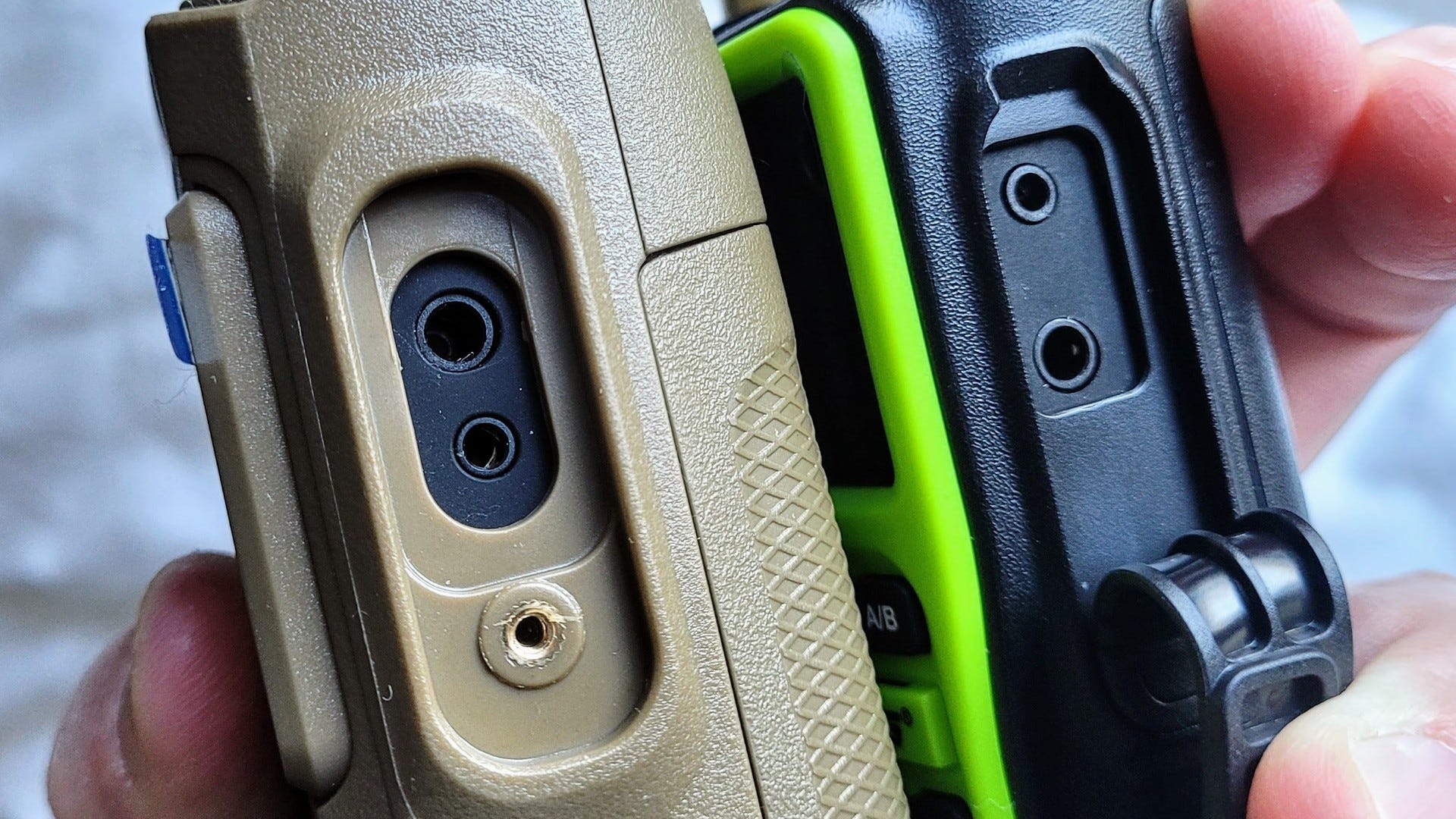
If you want to use an AIOC with the UV-PRO (or any other K-1 device), you will need an adapter cable:
BTECH GMRS-PRO/UV-PRO K1 Adapter Cable for Enhanced Accessory Compatibility - Integration and Backward Compatibility with K1 Accessories (affiliate link)
It’s good to know that option exists.
ORICO M.2 Magnetic Docking Station
I’ll be the first to admit this is a gadget that I probably didn’t need, but since it brought several interfaces into one small, portable device — plus storage — it looked worth trying. I want to back up my photos offline, plus I’d like to have a second device with all of my digital music.
Essential details
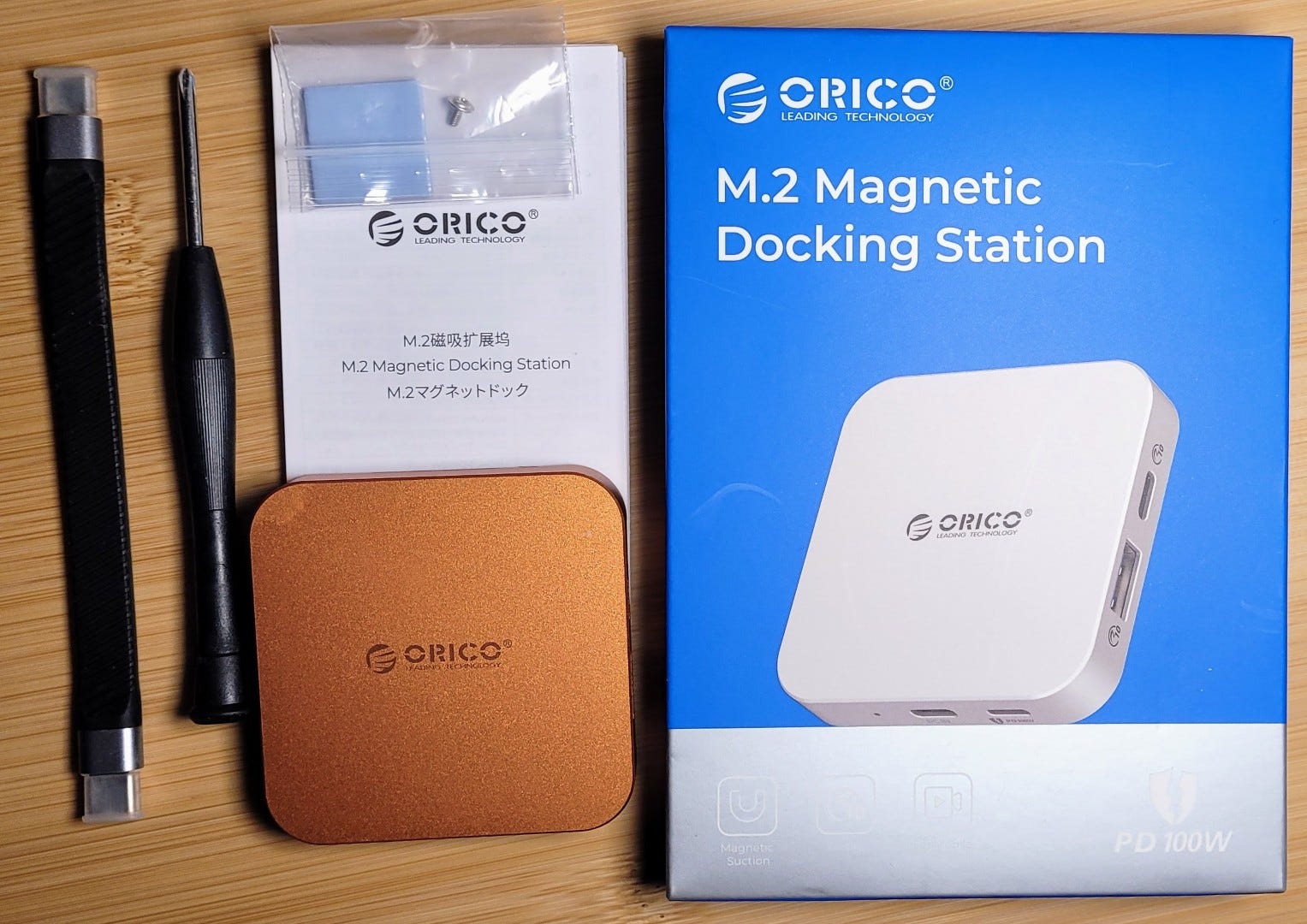
This is the ORICO M.2 Magnetic Docking Station. I’ve installed a 1 TB M.2 NVMe drive (2230 size) and formatted it as exFAT so that my Linux systems can also read the contents. The input is a USB-C port, and the power input (if needed) is a 100-watt PD USB-C port. Output interfaces are:
One USB-A port
One USB-C port
One HDMI port
One 3.5mm headphone/microphone port
It comes with a short USB-C to C cable. Dimensions are 64x64x12 mm, or 2.5 inches square and less than 1/2 inch thick. The base has a magnetic ring embedded in it and the device comes with a matching metal ring with a 3M adhesive backing.
Also included are a couple of adhesive thermal conducting pads to bridge the air gap between the NVMe drive and the metal case. Clearly, thermal management means radiating excess heat through the case. I used one pad on the drive.
Disassembly / assembly
Disassembly required removing one small Philips-head screw. The plastic base fits inside the metal case top very snugly. I had to use a thin knife blade to start the process of separating the two pieces. Reassembly is simple: snap the top on the base and put the one screw back in. Done.
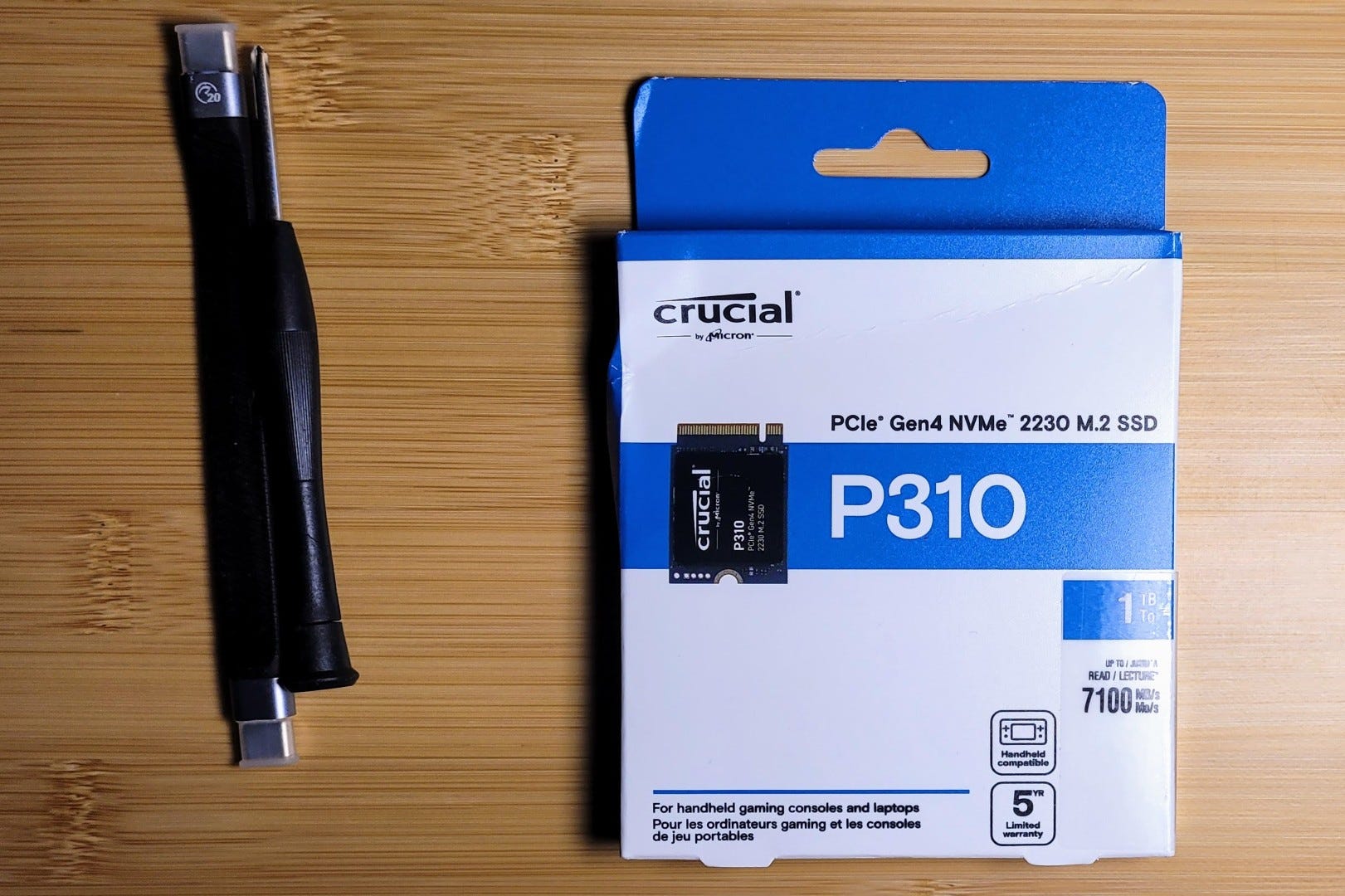
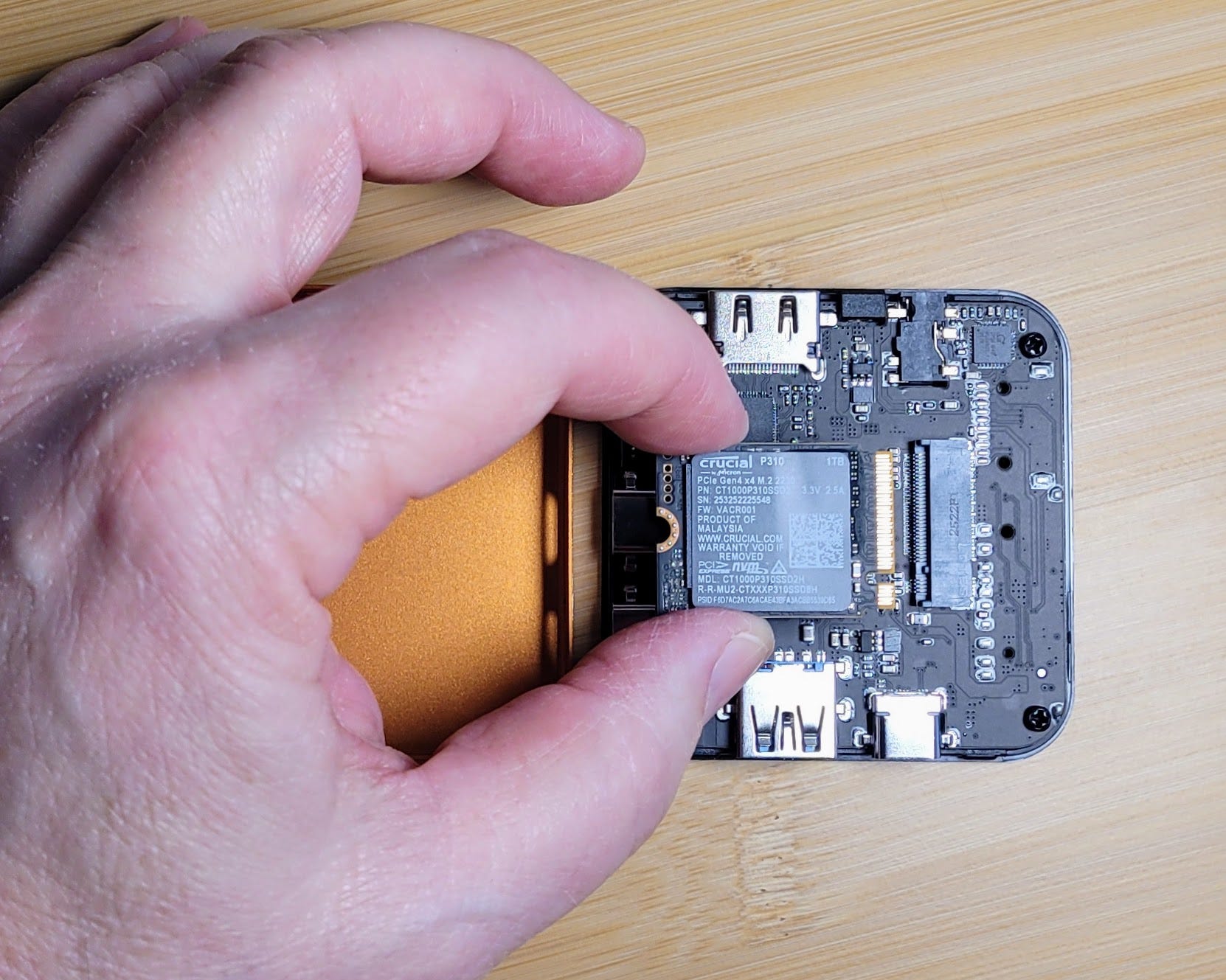
What am I thinking? I could put all my photos on this device. I could put all of my digital music on this thing, and when powered by a USB-C adapter or power bank, I could listen over my IEMs (in-ear monitors).
Testing file transfers
I downloaded an entire OneDrive instance to see how swiftly that would go. I tried to download all of my Google Photos content but the device got quite warm. I noticed that the transfer rate slowed after 28 GB of data was transferred so I assume it self-throttled due to heat. In fact, it got so warm I ordered an infrared thermometer gun.
The gun I purchased has big letters, easy for me to see. The backlight stays on until the device automatically powers down after 90 seconds. You can set the mode to show the minimum, maximum, or average temperature in the lower pane of the screen. One gripe: the plastic body of the thermo-gun is hard and a bit slippery.
The gun showed that moving a 10 GB file to the ORICO elevated the temperature from 77°F to 100°F. I think it’s designed to do exactly this.
I did another test involving copying a folder with 282 GB of content (a mix of large and small files) and pasting it to the ORICO device. That started at 7:32 AM with a surface temperature of 70°F. The time estimate for copying and pasting that amount of data says three hours and 30 minutes…but such estimates are notoriously inaccurate, so we’ll see (a) if the process completes and (b) how long it actually takes.
At 8:53 am the transfer was 55% complete. The surface temperature in the center of the ORICO case was 92°F. Eventually, it froze at 89% completion with 25 GB of content left to go. I canceled the copy-and-paste, let the device rest a few minutes, then started over. Time: 10:45 AM.
That went nowhere. I canceled that process, rebooted, and then opened PowerShell and started Robocopy at 11:05 AM. The top of the ORICO case was 83.5°F as the Robocopy routine started.
robocopy "C:\Downloads archive" "P:\Downloads archive" /E /Z /ZB /R:5 /W:5 /MT:16Monitoring in the PowerShell window, I could see plenty of activity. Also, I could feel the ORICO case getting warmer. Fingers crossed. Watching the Task Manager, I see disk I/O ranging from a high of about 54 MB/s for larger files (megabytes in size) all the way down to 20 MB/s when there are lots of small files and even 10 MB/s for tiny files.
Then I got busy and noticed at 11:45 that the process was completed. I felt the case: room temperature. I checked the size of the folder on the ORICO drive. Looks like the entire folder got copied. I’m confident enough this is true that I then deleted this nearly 300 GB archive from my laptop drive. Recovering some space on my primary drive will be welcome.
It would undoubtedly have gone faster if I had formatted the NVMe drive in NTFS format. Since I used exFAT, it is slower. But wait just a moment: I am assuming this speed difference is true. Is it true? No. Google’s search AI says I’m wrong:
NTFS and exFAT offer similar read/write speeds for most users, though NTFS generally provides slightly better performance and reliability on internal Windows drives due to journaling, while exFAT is faster on flash storage. On USB 3.0, exFAT may offer up to 9% faster speeds for medium files, while NTFS is more efficient with smaller, numerous files.
That is interesting. I’m using a USB-C to USB-C data cable to connect the laptop and the ORICO device.
Other
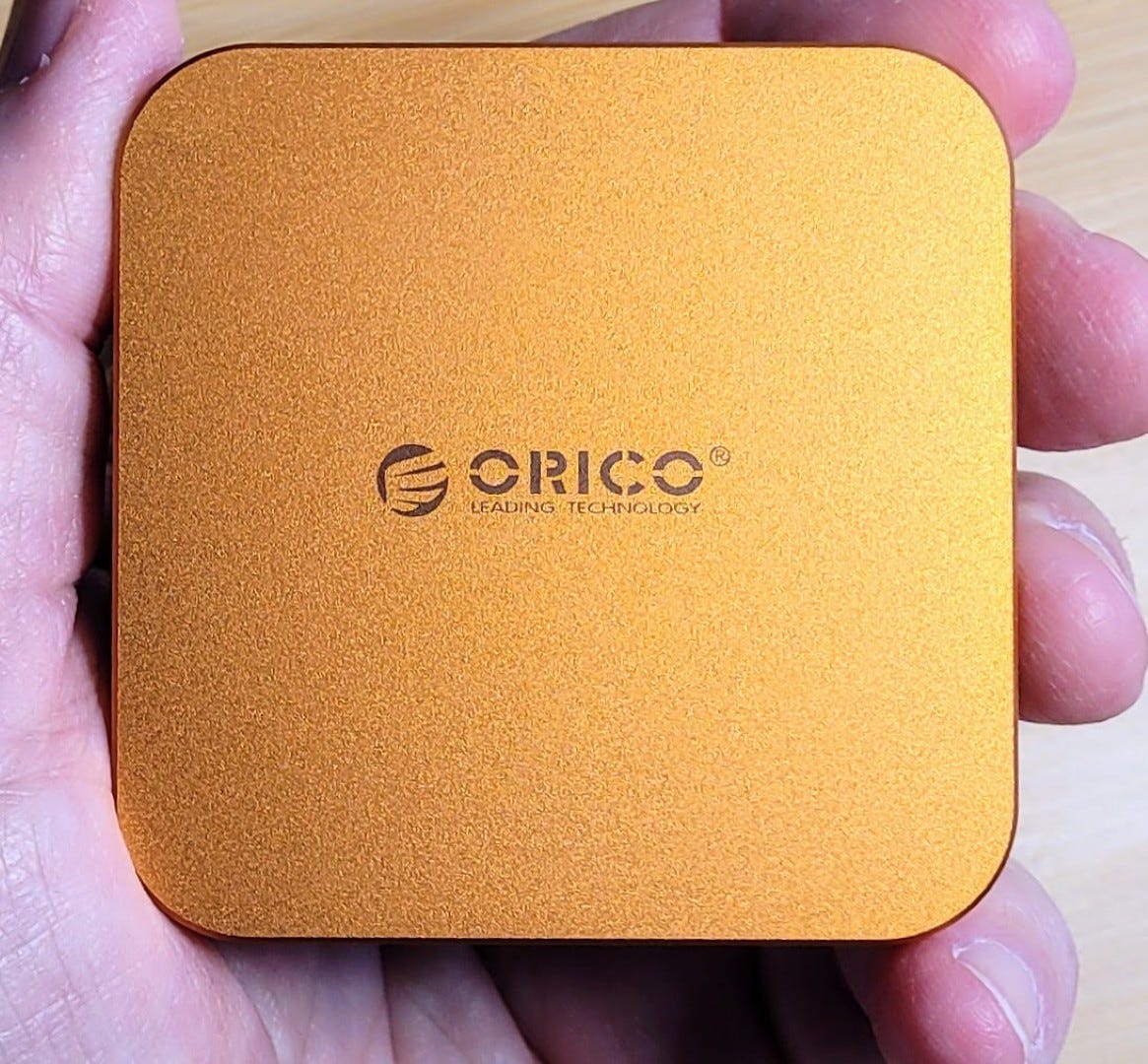
The ORICO device magnetically adheres gently to my Surface Laptop 7 behind the display. I’m always knocking USB thumbdrives off my work surface so having a storage device stuck to the laptop is rather handy.
I used the adhesive ring on the back of my Android phone case and the ORICO stuck to it very firmly, so firmly it would be unlikely to become dislodged in my bag when I’m traveling. An unexpected benefit: with the ORICO stuck to the back of my phone, it allows the phone to sit on it’s side in landscape format, just right for watching videos on the small screen. Later, I removed the metal ring because I found it got hot when I charged my phone with a wireless charger.
With the prices for RAM and solid-state storage rising, I think this will end my storage experimentation for a while. However, this might be the time to build out my mass storage capability with spinning hard drives.
Short Stack
If you want more than what I’ve shared in the Short Stack, be sure to visit the EtherHam mega-feed at https://etherham.com/feeds/ and dig through more than 50 RSS feeds all pulled into one big date-sorted collection.
Hamcation sales
SharkRF
Get your brand new M1KE and openSPOT4 Pro with 10% off at shop.sharkrf.com.
Shipping to the US is now tariff-free!
Ham Radio Outlet
Some great deals available at https://www.hamradio.com/onsale.cfm, including these radios: IC-2730A, ID-52A, IC-7300, FTM-510DR, TH-D75A (great price), TX-500.
MMDVM radio chip going end of life?
This surfaced last night during the Let’s Talk Digital Net on America’s Kansas City Wide network.
It is my understanding that the ADF7021 is the radio chip used in MMDVM-based hotspots. Please let us know if you have more intel about this. Sounds like there is no replacement for the ADF7021 as of yet, but don’t throw your hotspots in the bin quite yet since no EOL date has been announced.
By the way, if you are interested in digital radio modes, you should listen to the Let’s Talk Digital Net on Thursday evenings. It’s always interesting, usually humorous, and always enjoyable.
Elecraft items available at Schulman Auction
I was cruising through the latest Schulman Auction catalog when I noticed an Elecraft K2 radio, a K3, an amp, a panadapter, and a 6M transverter all up for auction. If you’re an Elecraft fan, the auction is open for nearly a week.
FreeDV v2.2.1 has been released
FreeDV is a suite of digital voice modes for HF radio. Their flagship mode is the Radio Autoencoder (RADE). You can run RADE using a free GUI application for Windows, Linux and OSX that allows any SSB radio to be used for high quality digital voice.
Galaxy by IK6QRH - Best Utilities for Ham Radio
There are several useful amateur radio programs available in the Galaxy!
Beelink ME Pro 2-bay Intel N95/N150 NAS and mini PC supports 5GbE networking, up to 3x M.2 MVMe SSDs
Looking to build your own compact NAS (network attached storage) box? This seems like an ideal platform.
Beelink ME Pro is a compact 2-bay hybrid NAS and Windows 11 mini PC built around Intel N95 (Alder Lake-N) or N150 (Twin Lake) SoC, and equipped with two 3.5-/2.5-inch SATA bays and three M.2 2280 NVMe slots for storage. It also features a “DIY drawer” design that lets users swap the motherboard for upgrades.
If the Beelink is too expensive…
If the Beelink is a bit too expensive for your wallet, consider the GMKtec NucBox G9 Mini PC Intel® Twin Lake N150 Dual-system 4-bay NAS.
This portable antenna crushed four ham radio bands in the park
But there is one one end fed half wave antenna that I’ve found to not only be one of the easiest to set up and tear down, but also consistently the best in operation and on air performance. That’s the Spooltenna end fed halfwave.
Explore the Stratosphere with a DIY Pico Balloon, a Tiny Ham-Radio Transmitter Lets You Track a Balloon Globally
Amazingly, the global tracking of the balloon’s telemetry is done without satellites. Instead, pico balloonists take advantage of an amateur-radio network called WSPR (Weak Signal Propagation Reporter), a protocol developed by a rather famous ham-radio enthusiast—Joseph Hooton Taylor Jr., one of the two scientists awarded the 1993 Nobel Prize in Physics for discovering binary pulsars.
AC6V Amateur Radio & DX Reference Guide
How did I miss this? I caught this in the always excellent Zero Retries newsletter. Frankly, I’m amazed at the depth of this particular resource.
The KM6LYW Radio DigiPi Project: A Comprehensive Guide
This is an excellent resource.
This comprehensive guide explores the DigiPi Project, its functionalities, hardware requirements, software configurations, and community resources, providing a detailed roadmap for both enthusiasts and newcomers in the amateur radio community.
HamClock Happenings
There is a lot of activity in the HamClock space.
OHB - OpenHamClock Backend
This project aims to create a substitute for the sunsetting HamClock backend server. It is moving along very quickly. If you have a HamClock, this will be worth watching.
OpenHamClock installation script
This just appeared this week: an installation script if you want to install OpenHamClock on your Linux system. Read about it on University of Stuff and find the script on GitHub.
HamClock announcement coming
About a week ago, the founder of Inovato said this in response to a comment about HamClock dying:

Maybe that is the OpenHamClock noted above. Or perhaps it is the OpenHamClock Backend. Whatever it is, it will likely be welcomed by lots of folks who are very comfortable with the look and feel of their HamClock.
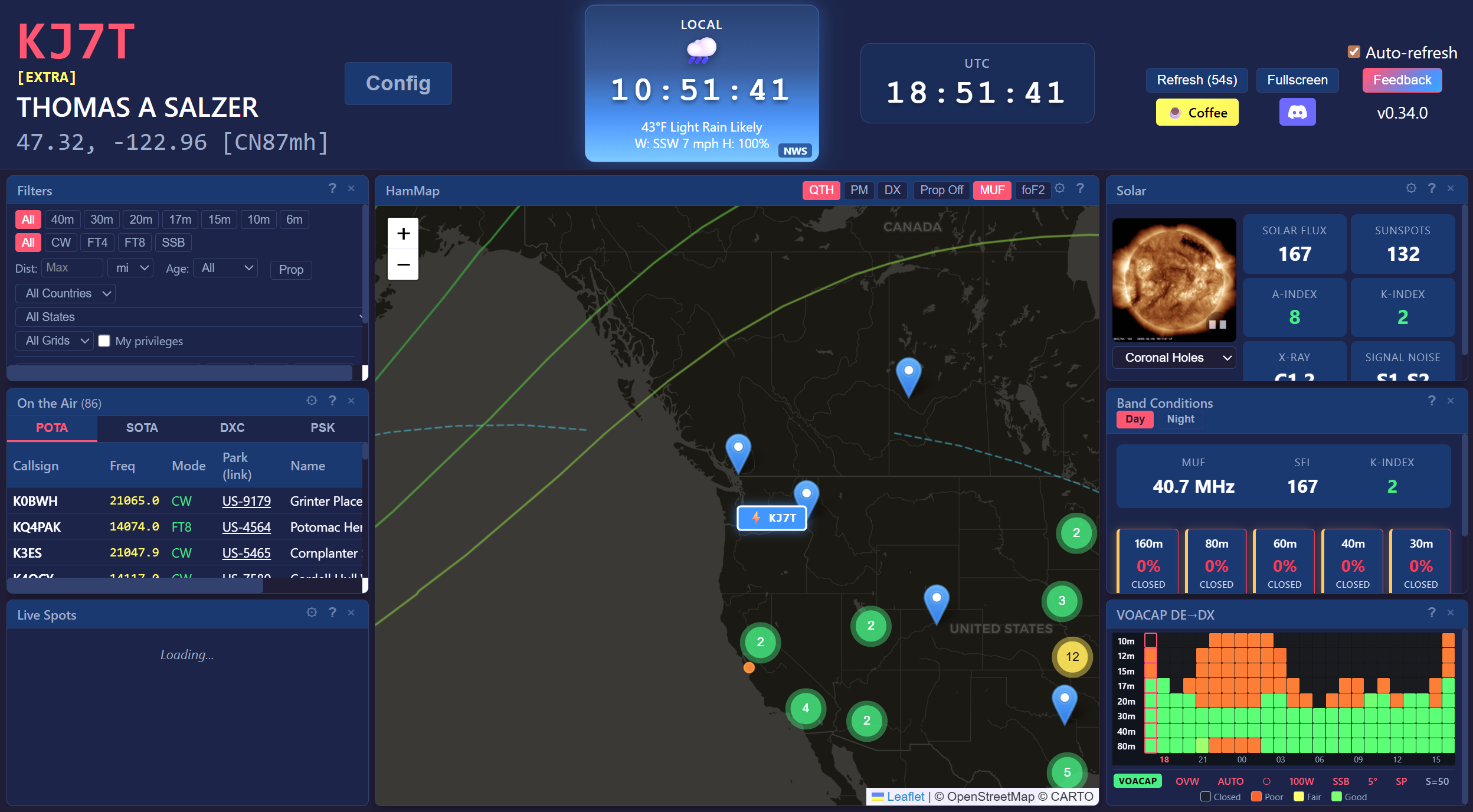
HamTab
Another HamClock-like variant with a clean look. Not bad:
Need a spare or travel router?
Amazon has a 44% off deal on a solid travel router, price $38.97. Wow! I have one. It works fine. I paid more for mine than this. I don’t know if it will still be available come Friday morning when RW 169 publishes. Bear in mind that this is a WiFi 6 router, not the newer WiFi 7, but that is probably fine for most uses.
I’m thinking of putting all my IoT (Internet of Things) devices on a separate router. It would be easy to do with this device. However, what I will most likely do is move them all to a guest network to help separate them from my main network segment. That approach isn’t as good as setting up a separate VLAN for IoT devices but it would certainly be easier. (Why do this? Because IoT devices don’t seem to get the security upgrades that our computers get, making them potentially more vulnerable to unwanted intrusions by bad actors. Translation: they could become the entry point to your network. Set the guest network to 2.4 GHz since most IoT devices don’t use the 5 GHz band.)
Used office PCs are the new Raspberry Pi (at half the price)
I’ve been saying this for some time now: used small/mini PCs are quite a deal compared to Raspberry Pi platforms. Nice to see How To Geek agrees with me!
Light-based Ising computer runs at room temperature and stays stable for hours
I’ll bet crypto miners are salivating at the idea of computing at the speed of light using COTS (Commercial, Off The Shelf) components. Wow.
A team of researchers at Queen's University has developed a powerful new kind of computing machine that uses light to take on complex problems such as protein folding (for drug discovery) and number partitioning (for cryptography). Built from off-the-shelf components, it also operates at room temperature and remains remarkably stable while performing billions of operations per second.
Experts Warn The Internet Will Go Down In A Big Way — And You’d Better Be Ready
This one is for the preppers. You know who you are. What’s that old saying? “Most people don’t plan to fail, they fail to plan.” This is for you.
Maybe start by downloading Wikipedia. However, be careful after you click the first Download button because the next one makes you think you’re downloading Wikipedia, but if you click it, you’ll actually download an antivirus program. The Wikipedia download link is in smaller letters below that button. On Windows, the downloaded executable file actually installs a desktop version of Wikipedia. It looks like this on my computer:
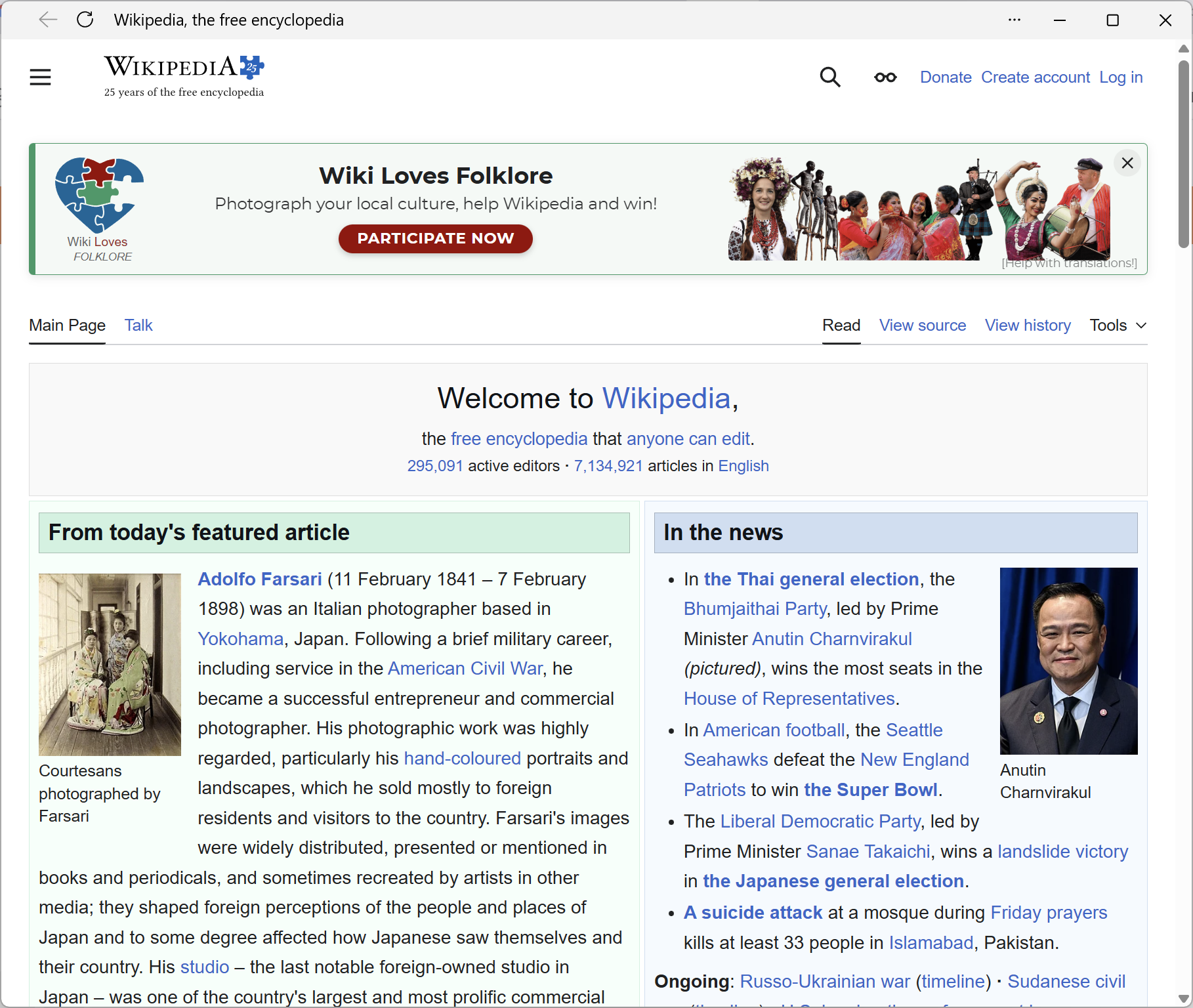
It is searchable and fast. The download is also available in the Microsoft Store at https://apps.microsoft.com/detail/9wzdncrfhwm4
Downloadable Wikipedia is not limited to Windows:
You can also download the mobile version of the online encyclopedia for Android and iOS. And Windows 10/11 users can also download a specific version of the app for their computer (desktop or laptop). The apps allow you to read any article and connect to your Wikipedia account.
Another available domain name
As I was writing the piece at the top of this newsletter about hanging out on the Ham Radio Workbench AllStar node 55915, I thought: I wonder if anyone has registered Ham Hangout as a domain name? It turns out that hamhangout.com is available at a non-premium price. Makes me wish I had unlimited funds. Someone could really build an identity and service around this fun domain name.
I looked at few synonyms for hangout. You could try hamhome.com but be prepared for sticker shock: this is considered a premium domain name. And hamhq.com is available at a much lower — but still premium — price. Finally, here’s a hangout-themed domain at a normal price point: hamhaunt.com.
I hope those domain names spark some ideas for you!
Not Radio
NOCO Boost Jump Starter
Our little Chevrolet had an unfortunate encounter with a deer in the evening darkness. The driver was blinded by the bright headlights of an oncoming car while navigating a curve. The deer walked into the road just after the other car went by. Full braking minimized damage and the deer scampered off, but repairs ended up being about $4,000.
When we drove the car home from the collision center, it would not start again. I pulled out my smart charger that said the battery voltage was 8.7 VDC. Not good. Could be the alternator wasn’t charging, or a bad connection, or the battery was dying fast. I put it on the charger overnight. The next morning, it said FULL at about 14 VDC. When we tried to start the car, all we got was “click click click.”
Turns out there is a technical service bulletin on this exact issue that suggests the collision center may have painted or clear coated the grounding stud, or manipulated the ground cable which is known to be weak. I tried charging and starting the car again but still: click click click. Sigh.
So I made an appointment with the dealer and called a tow truck. I explained that I had been unable to start the car and the sound it made. The driver pulled out a NOCO-brand booster, hooked up it, and 20 seconds later, started the car.
I was dumbfounded. I thought charging the battery was the best way forward. Apparently, a lightweight battery booster was all I needed. I ordered one for our vehicles the same day. I looked at several brands but kept coming back to the good ratings of the NOCO devices. I bought one of their smaller units in the newer “Boost X” configuration (affiliate link):
I can use it as a power bank in a pinch. It has an LED light so I can see what I’m doing if I use it in the dark. I’m not recommending it but will say that the tow truck driver said it has started many cars that wouldn’t otherwise start. The model he used was smaller than the one I bought. That was good enough for me to make the purchase.
Will I need it again? I hope not. But I imagine scenarios like being in a park doing POTA and ending up with a dead battery…or someone else has that happen to them. Being prepared to be of service to others is its own reward, and if it also means I’m prepared to get myself out of a jam, that’s even better.
Windows: Apps Won’t Open
I’ll report more in a future issue on an interesting little platform I’m trying out, a “Lenovo ThinkCenter M75n AMD Ryzen 3 Pro 3300U 2.1 Ghz 8GB 256GB NVMe WINPRO11.”
Really? A Ryzen 3 CPU will run Windows 11 Pro? To figure that out, I’d have to boot it up and see how it performed. But when I first booted it, I thought the machine was broken. Nothing I clicked would open. I typed commands into the start box and still nothing. I couldn’t run Windows Update, couldn’t manage my user settings, couldn’t do much of anything. I thought the thing was possessed.
As I sat and stared at it, and stared some more, I got to wondering: does this thing think there are two displays present? That was about the only thing I could think of that might fit the symptoms I was seeing…or rather, not seeing! I typed in “Terminal” (which of course, did not visibly open but I could see it in the taskbar), then held the Shift key and right-clicked on the icon in the taskbar, then selected Move. I couldn’t see the mouse cursor but I assumed it was showing up on the phantom monitor. I moved the mouse over a bit, then left-clicked and dragged the invisible window to the right. Nothing.
Well, I did that about a dozen times before I finally got lucky and saw the edge of the PowerShell app appear on the left side of the screen. Once I got PowerShell in front of me, I typed in DisplayService.exe /clone. That allowed me to see what was going on, so then: DisplayService.exe /internal. That brought everything to the physical screen I had in front of me. After that it was smooth sailing, but for a while there I was sure something was deeply wrong with this computer!
I’ll have more on this platform later. For now, I’m just glad to be able to boot up and see what I’m doing!
Closing
Thank you for taking this journey with me. I don’t think I’ll ever run out of things to think about, poke at, try to break, wonder at, learn from, and enjoy in amateur radio. It is truly a lifelong hobby.
Also, a big thank you to all who have ordered items using my affiliate links. It doesn’t cost you any more and the tiny commissions Amazon grants me are enough to keep my Random Wire and EtherHam activities going. It truly helps and I appreciate the support.
Lest you think affiliate links are particularly lucrative, they are not. For calendar year 2025, my affiliate links generated about $21 a month in gross revenue. That’s enough to keep a few domain names alive, renew the EtherHam website, and purchase a couple of cheap plugins to help improve the usability and security of the website. Someday, I hope to be able to fund more investments in radio and software so that I can share more hands-on information about amateur radio over internet.
73 to all, and remember to touch a radio every day!

Another option for AMBE capability on a USB device is Amateur Radio ThumbDV manufactured and sold by Northwest Digital Radio (Friday Harbor, WA, USA) - https://wuwt.myshopify.com/products/thumbdv™.
Your experience with the programming app for the UV-5R Mini mirrors my (pre-usage) impressions, so I think I'm not going to bother with the app. With 999 channels available, I'm (finally) going to invest in building a code plug file for these (and future) radios that can be programmed via the speaker / microphone ports and (try to use) CHIRP. There are some cautions flying around about using CHIRP with these types of radios (using the AIOC)... but I bought spares and at $17.50 I can afford to experiment.
Also, it's really frustrating to see the variety of bundles on Amazon for radios such as this. The package I received included both the very long antenna, and another (for each radio) that was perhaps 1.5x the length of the tiny one you bought.