


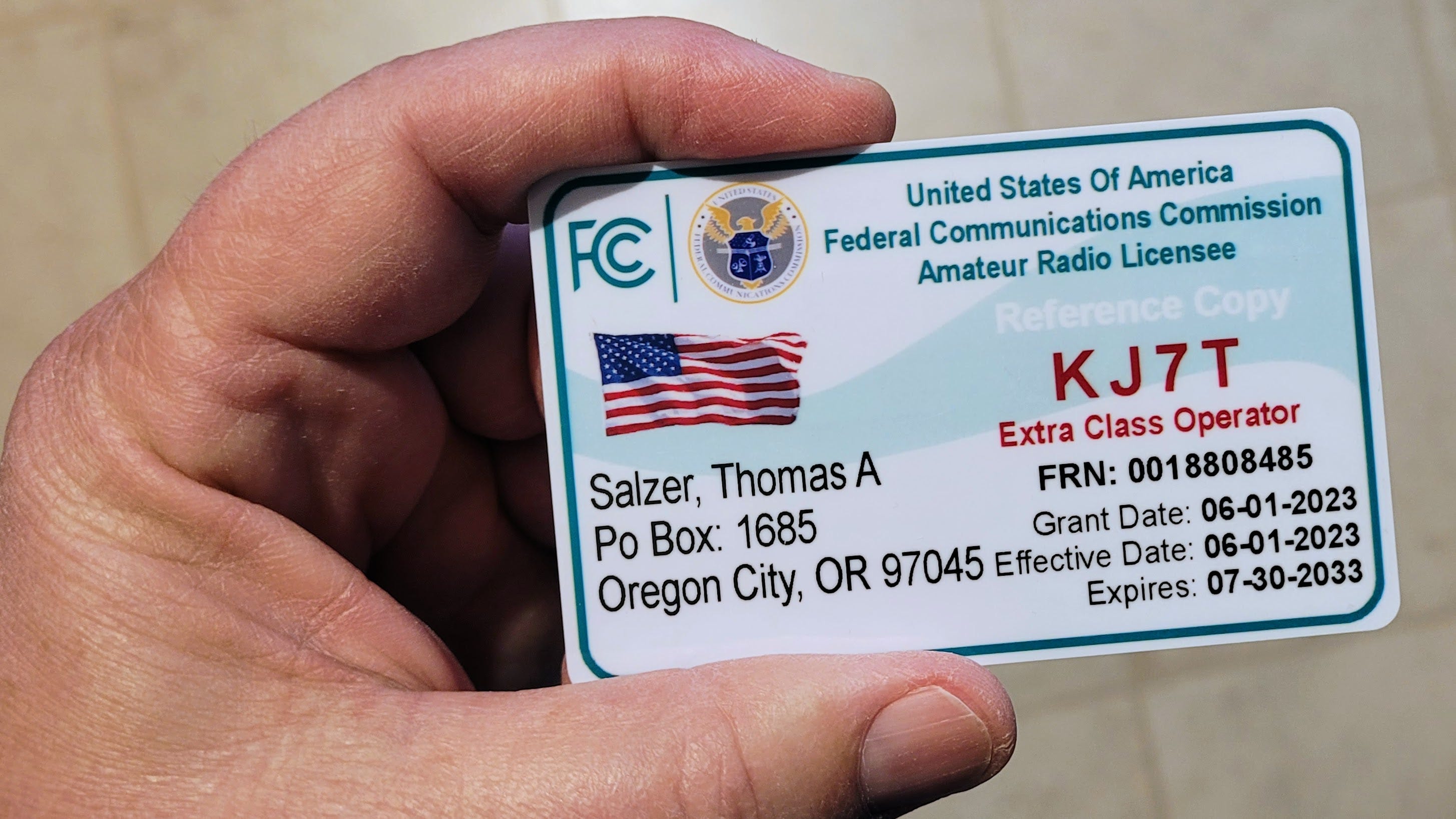
My new plastic cards showing my amateur radio license arrived. I like to keep one of these in my traveling radio box. The supplier was Randy KB3IFH through his shop at https://www.kb3ifhqslcards.com/.

What happened during the Random Wire hiatus?
I took a week off from writing the Random Wire newsletter. The prior issue (Random Wire 158) published on November 21st. Today’s issue (Random Wire 159) publishes on December 5th.
During that two-week period, some notable events occurred. Most important, I brought my wife home from the skilled nursing facility on November 25th. As she was adjusting to being back home, I was busy writing welcoming remarks to kick off my nonprofit organization’s annual statewide conference. I made those remarks over Zoom on December 2nd, and remotely participated in the conference and subsequent meetings on December 1 through 4. It’s been a busy time.
In between those bigger events:
I worked on my micro server rack, including installing Proxmox on one of the Lenovo ThinkCentre tiny PCs. Fair warning: Proxmox turned out to be a deeper rabbit hole than I expected, and I’m still digging.
I replaced my sister’s Netgear router with a new TP-Link mesh system. Yes, I know some people are worried that China has backdoors into TP-Link routers. I think that concern is probably unfounded (see here and here). If I’m wrong, I’ll unplug it. The new mesh system was perhaps the easiest home LAN I’ve ever installed, taking just 10 minutes from unboxing to having the network running.
My AllStar node 588418 got a shiny new SSL certificate, so web connections to it are now secured over HTTPS. See https://588418.nodes.allstarlink.org.
I updated the feeds over at EtherHam, a site I’m trying to find more time to develop. Check out the 50-or-so feeds at https://etherham.com/feeds/.
I fiddled with my Bitcoin miners. These are appropriately named “what if” solo Bitcoin miners, and are so underpowered that it is extremely unlikely I’ll actually find an unclaimed Bitcoin block. (The odds are, apparently, about 1 in 180 million of hitting a Bitcoin block with one solo miner.) One of my two miners is malfunctioning. That shouldn’t really bother me, but it does. I do like that these little things run 24x7x365.
I tried TinyWall, a free firewall for Windows. Suddenly, most of my programs no longer worked. And when I went to uninstall it, a message popped up saying only an admin could uninstall the software. (Odd, because I’m the admin on my machine.) It took a couple of reboots to finish the uninstall process.
Goodwill had a Kenwood NX-1302AU up for auction, so I made a reasonable offer on it and won the auction. I’m curious if/how I can use this radio!
As you can see, the Random Wire newsletter this week is heavy on computing topics and light on amateur radio. If you really just want to read about radio topics, hang in there to next week’s issue. If, though, you’re interested in more computer-esque topics, this issue is for you.
Poll results and discussion
Color me surprised! I thought the majority of folks would prefer a shorter version of the Random Wire newsletter. Your time is valuable and, because of the wide range of topics I touch on, sometimes the newsletter has a lot of information that may not be important to you.
So I was greatly surprised when the majority of responses (almost 80% of 92 responses, as of November 26) said to keep the newsletter long. I’ll have to think about what that means because it wasn’t what I expected.
Thank you to everyone who responded to the poll, and thank you to those who paused and thought about what you want to receive, even if you didn’t click the poll buttons.
I know how much we all love to take polls (this is sarcasm!) so I promise to keep these to a minimum. This poll, though, was very helpful. Thank you.
More about AllStar node 588418
I populated a simple set of web pages
While at my wife’s nursing facility, I stood up a simple set of web pages for my AllStar node 588418:
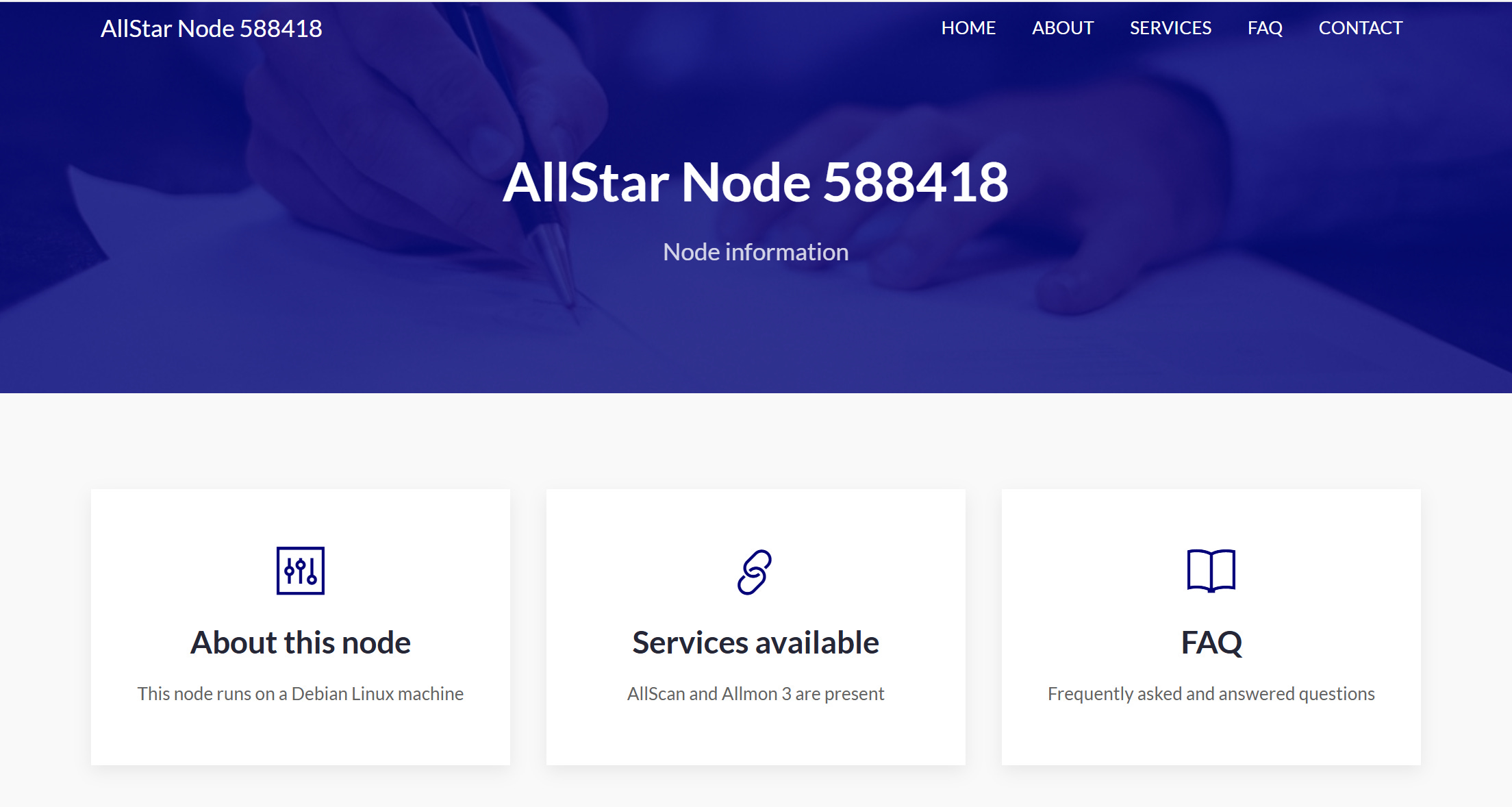
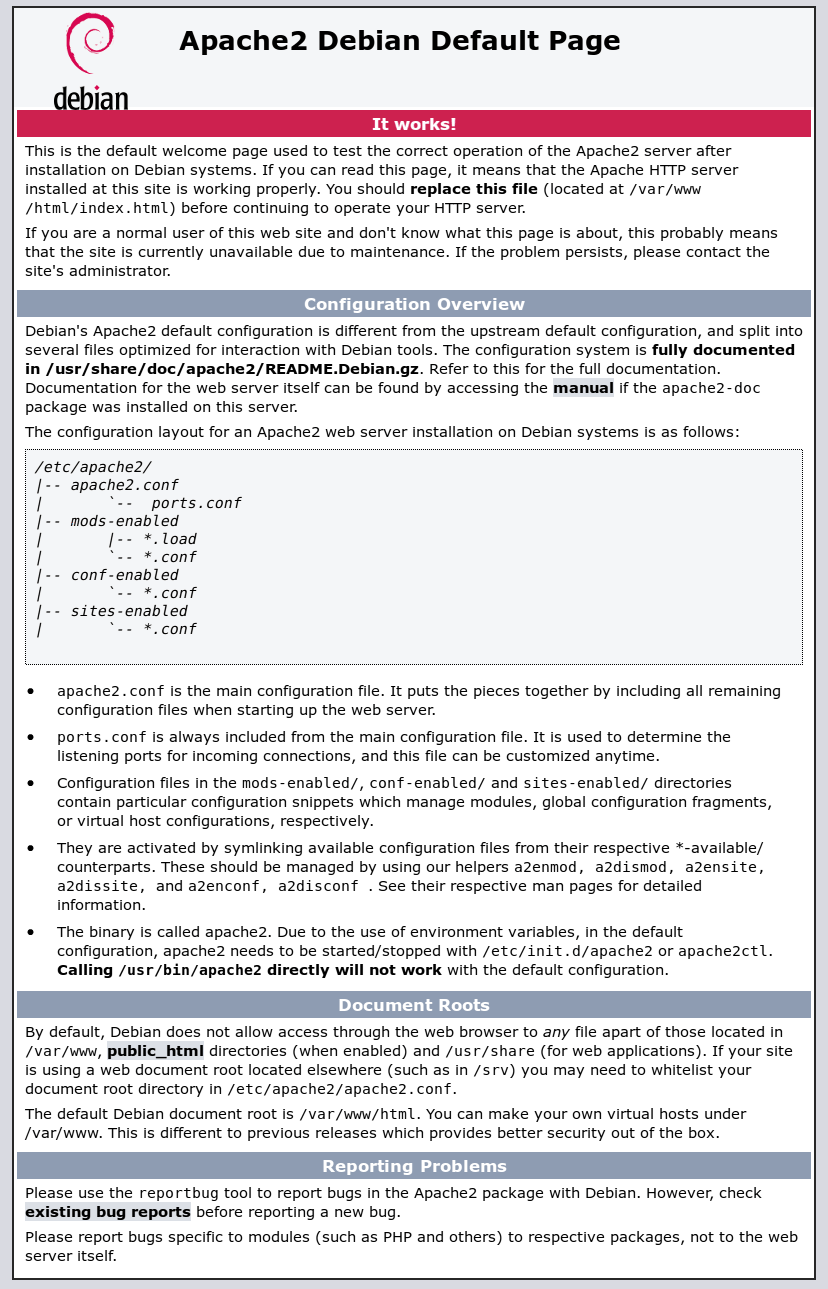
Each of the “button boxes” links to additional information. Nobody asked for this but I think it makes for a nicer user-facing interface, especially if someone lands there unintentionally and wonders what this is. Link: http://588418.nodes.allstarlink.org/. It certainly looks nicer than the default Apache index.html page:
The website theme template was free from https://themefisher.com/. The specific theme I adapted is called Dot Bootstrap.
For the directories and web pages, I changed ownership to an unprivileged user and the group to www-data. I also changed permissions for the HTML files to 640.
# Change permissions for HTML files
sudo chmod 640 *.html
640 means:
Owner (6) can read and write the file.
Group (4) can only read the file.
Other (0) has no permissions at all.
Installed SSL certificate
As long as I was monkeying with the node, I also used Let’s Encrypt to install a SSL certificate for the Apache 2 web server, following instructions by Reintech.io. Let’s Encrypt requires a domain name, and I have not purchased a domain name for the node. Instead, I simply used 588418.nodes.allstarlink.org as the fully qualified domain name (FQDN).
That should have worked but didn’t, until I remembered to do two things. First, I needed to restart the Apache 2 web server:
# Restart Apache web server
sudo systemctl restart apache2
Then I needed to allow port 443 TCP to pass through the firewall. After restarting the server and allowing inbound traffic on port 443 (and reloaded the firewall), it worked fine.
# Allow incoming on port 443 tcp
sudo ufw allow 443/tcp

# Reload the uncomplicated firewall
sudo ufw reload
Now, if someone finds http://588418.nodes.allstarlink.org (the HTTP version), the connection should automatically switch to https://588418.nodes.allstarlink.org (the HTTPS version). I also tested this for Allmon3 and AllScan. Both seem to work fine (see https://588418.nodes.allstarlink.org/allmon3 and https://588418.nodes.allstarlink.org/allscan).
And then I broke it
When I replaced my sister’s Netgear router (which has always given me trouble) with a new TP-Link mesh system, all of the IP addresses and port forwards I had set up changed. How much time it would take to resolve this was my big worry as I unplugged the old Netgear router and plugged in the TP-Link Deco XE70 Pro mesh system. Turns out I didn’t need to worry.
I got basic port forwarding working for node 588418, then made sure the new IP address was reserved on the router. And then I dove in on the command line to make sure IP address settings in various configuration files for node 588418 were either 127.0.0.1 or 0.0.0.0, because if they were still set to the old IP address, some services would fail. I didn’t find any problems because WH6AV had already fixed them.
It took a little while for everything to catch up with the changes. Apparently, the Brave browser I prefer using caches pages pretty aggressively because it doesn’t want to recognize the SSL certificate on the node. But Firefox and Edge picked it up immediately.
I also had to reboot my SIP phone to force the IP address to update. Rebooting the phone worked.
Why? Why not!
Why do this? Well, why not? An AllStarLink node includes a web server. This means I have been running a web server on my home network and exposing it to the big, bad outside world. Seems like having a firewall up, using SSL-encrypted connections, and limiting file permissions are the easiest things I can do to help prevent unwanted incursions into my network.
I think the next thing I could do would be to set up a reverse proxy for my home network.
A reverse proxy sits between your home devices (like a computer or a media server) and the outside world, handling requests from the internet and forwarding them to the appropriate internal server or device.
That seems like a good use of part of my mini-server rack! Doing this would also give me some experience with nginx.
nginx (”engine x“) is an HTTP web server, reverse proxy, content cache, load balancer, TCP/UDP proxy server, and mail proxy server.
Most of my web work to date has been with the Apache web server so some nginx experience would be welcome.
As I write this, I’m connected to my node 588418 via my home wifi with a SharkRF M1KE WLAN IP transceiver. I’ll have more on the M1KE in the next few issues.
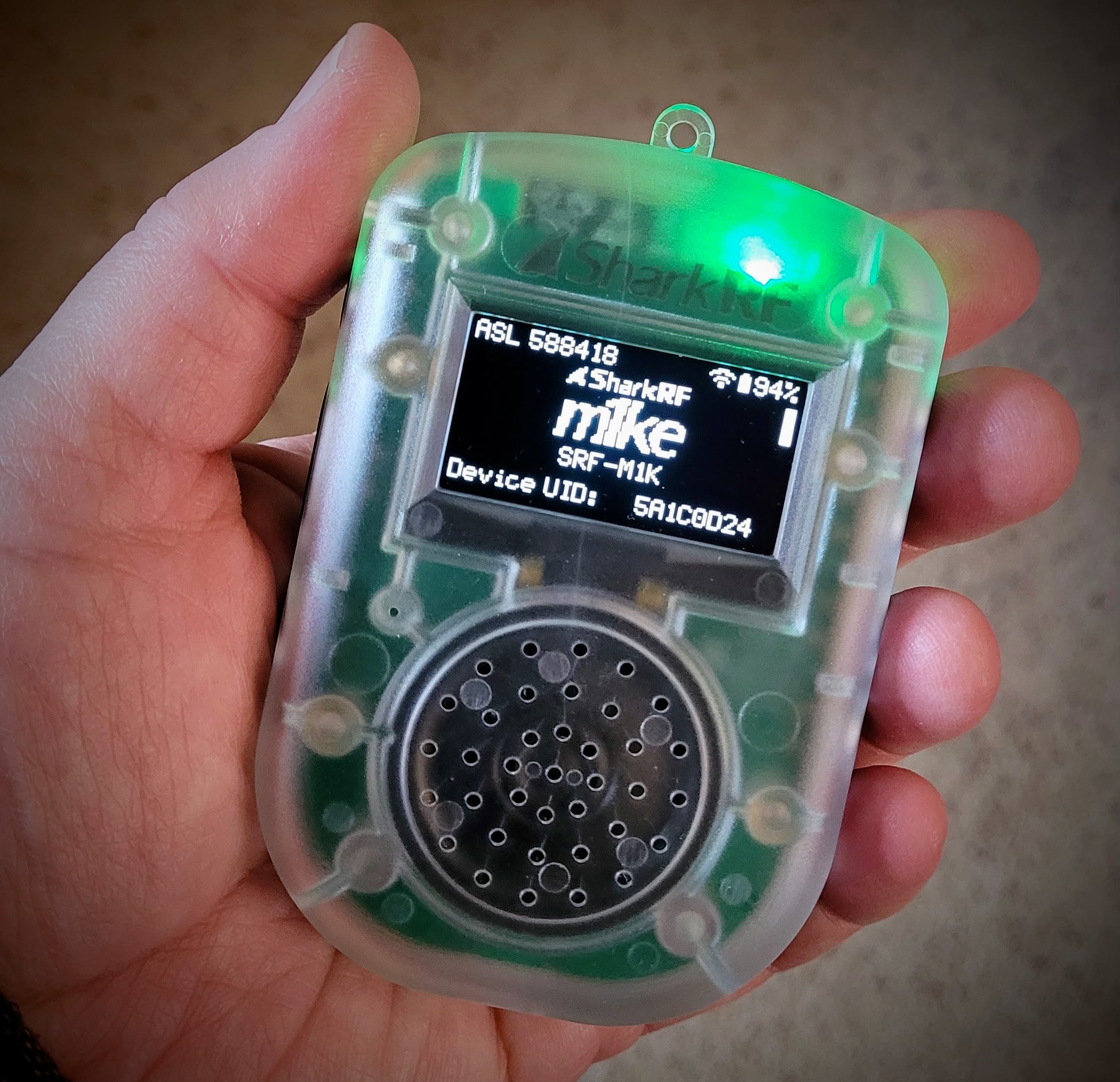
I need more time with the M1KE to really describe it to you, but here’s my early take: this device is a game changer for radio amateurs. The size of a computer mouse, it fits in your pocket. If you have a wifi connection, you can reach the world on D-STAR, DMR, C4FM, and AllStar, plus other modes. The audio quality is good. Battery life is also good. Slip it in your pocket wherever you are and use your cell phone as a hotspot. I have never seen an amateur radio transceiver that combines convenience and reach like this does.
Is it perfect? No. Some things you can only do in the device interface, not through the web-based configuration screens. For example, to copy a connection profile, you must go to Settings, select the profile you want to copy, then cursor to the copy command. This capability is not present in the web screens.
UPDATE: This is not correct, as pointed out in the comments below by a subscriber (and I appreciate the correction!). That comment is copied here so you don’t have to hunt for it:
You can do everything on the web interface which you can do on the device display. You can copy configuration profiles on the Settings page of the web interface: https://manuals.sharkrf.com/m1ke/web/settings/cfgprofile.html
Also, the audio isn’t exactly what you might expect. It is clear and what you hear sounds well articulated and understandable, but there is something indefinable that is not exactly like RF-based radio. It’s not bad — in fact, it’s good. It’s just a little different. I think the tradeoff is the exceptional convenience and flexibility the M1KE provides. I like it…a lot.
Several radio amateurs in my area now have M1KE transceivers. I’m learning from their discoveries. For example, the device has Bluetooth so it can connect to your in-car audio system through your cell phone. It can also work with Bluetooth-enabled hearing aids (I don’t know how universal this is, but at least one person reports it works great). The M1KE opens up the world in a unique way that is likely to appeal to many hams. I am really liking my unit and look forward to reporting more fully on it in future issues of the Random Wire.
Meshtastic
I bought one: ThinkNode M1 Review: E-Paper Display Handheld with Premium Build Quality
The ThinkNode M1 is a polished, ready-to-use Meshtastic handheld with e-paper display, injection-molded housing, and 4–5 day battery life. With a machined knob, GPS switch, and RTC clock, it’s compact, reliable, and outdoors-ready.
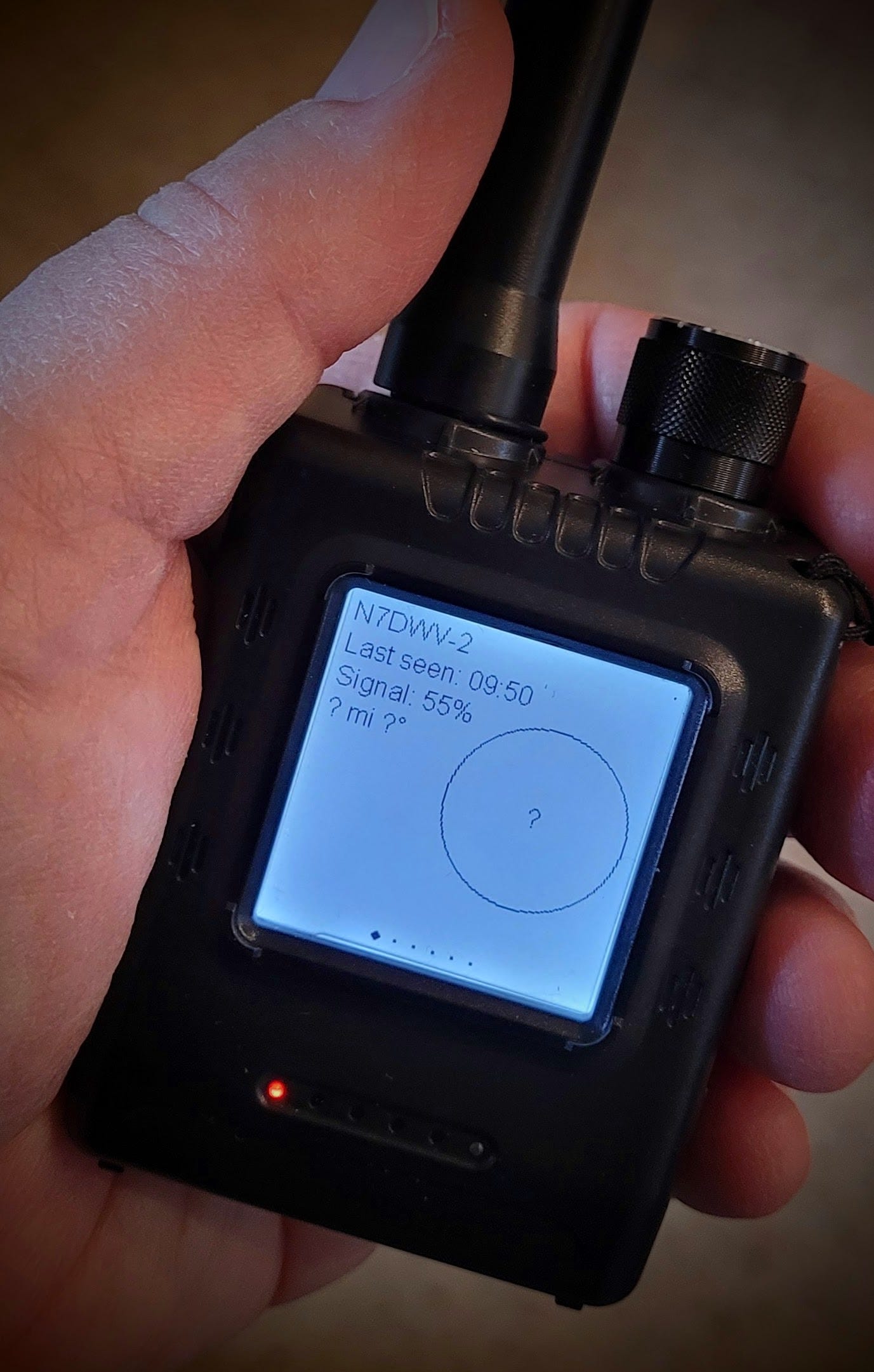
I’m not sure I really get how this particular device works, at least not yet. The user manual is available online in PDF format.
I love the battery life and it seems to update quickly while I’m using it in the pickup truck. I like the device but I just need to devote some time to it to better understand it.
TP-Link mesh system
I installed this router system to replace my sister’s old Netgear Nighthawk router:
The cost was $213.73 on a limited time Amazon deal and it seemed worth it to me, considering how many problems I’ve had with the Nighthawk router.
I mounted a couple of the units to the wall with these holders:
The wall brackets allow me to put the mesh nodes up high. (I’ll clean up the look of the wires later.) I like that the units are white, instead of black, and that I can get them off the bookshelf and the counter, out of harms way.
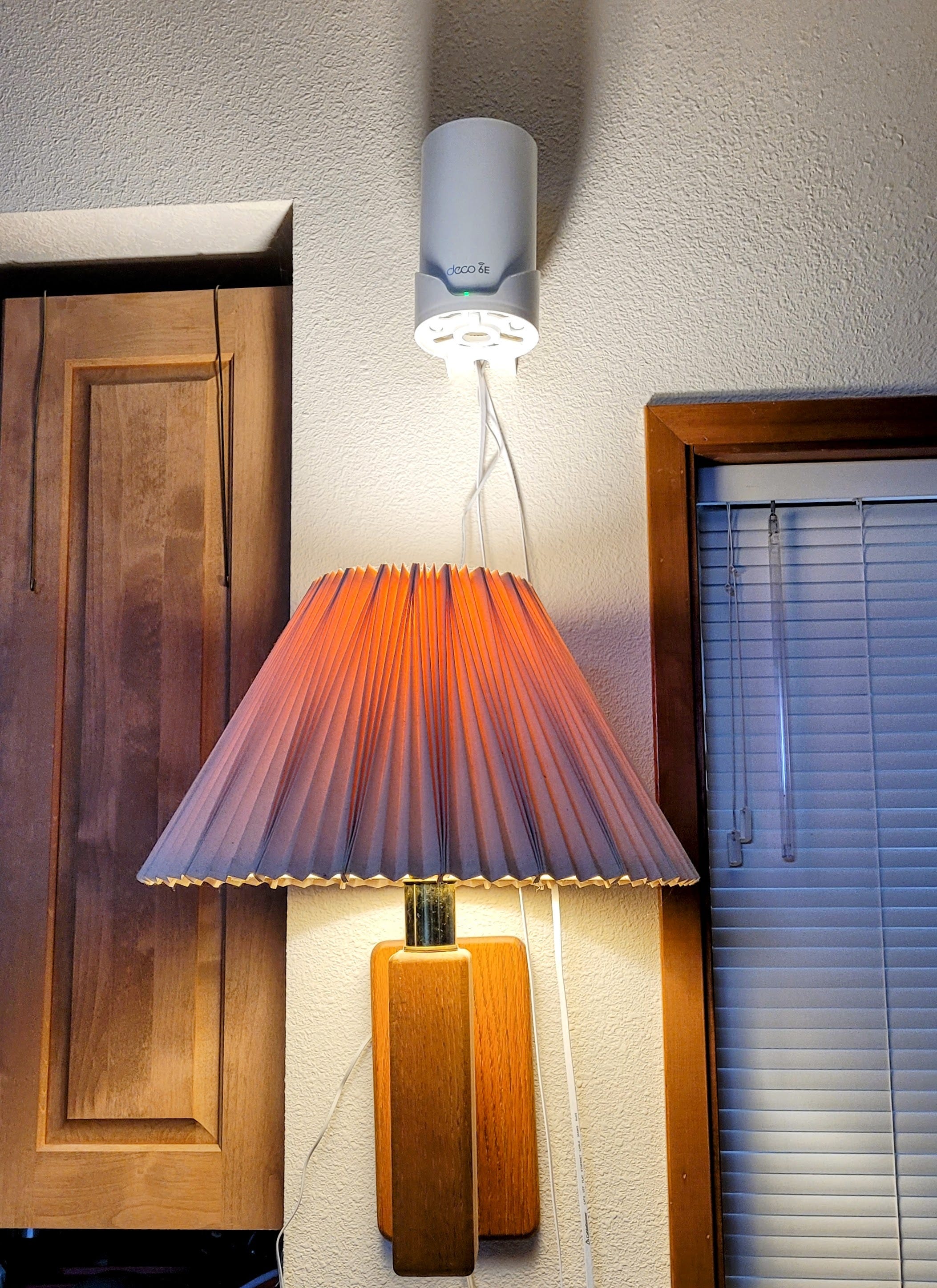
The three units mesh together seamlessly. Previously, to get the garage security cameras connected to the internet, I used Ethernet from the Nighthawk router to a Powerline adapter that was connected to another Powerline adapter in the garage. Plugged into the garage adapter was a wifi extender. It was a finicky, unstable system. Replacing that with the three mesh nodes has been a great improvement. The signal from the garage is now strong and steady. That makes my life better.
Proxmox and the tiny server stack
Knowing precious little about Proxmox but wanting to learn more, I installed it (see the Proxmox Get Started page) on a tiny PC. For an end user’s perspective about Proxmox, see: This is the only Linux distro I recommend for self-hosting.
The mini rack
Let me start with the hardware side. My Proxmox instance lives in the new mini rack that is starting to fill up with tiny PCs. (Maybe I should call it the mini tiny server rack.)
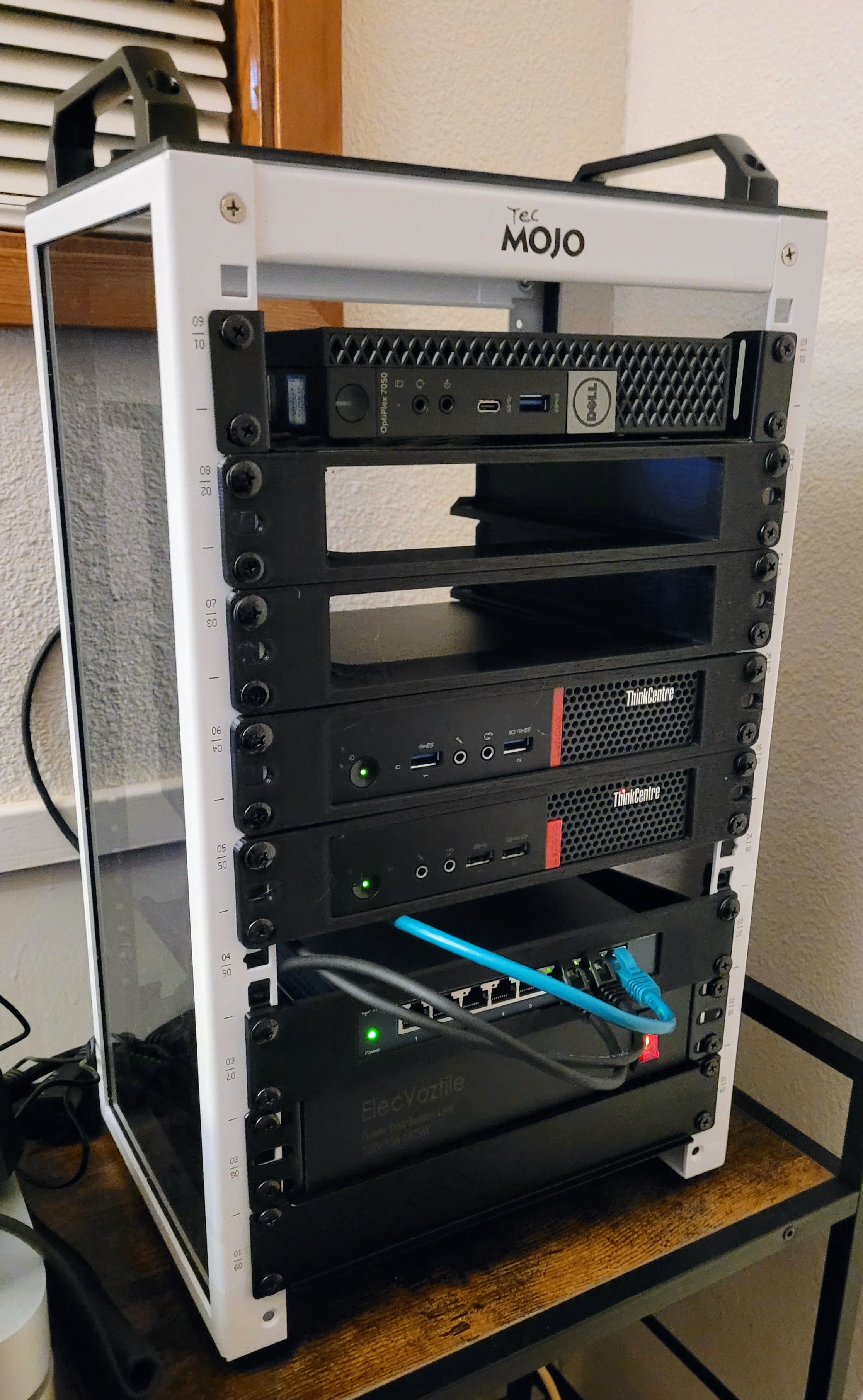
You can see the stack is powered on. I only have two machines connected through the simple TP-Link switch. The bottom machine is the Proxmox box (more on this immediately below) and the one above it is running Debian 13 box and Freedombox. I’ve had the system powered up for about a week.
To be added is another Lenovo ThinkCentre machine running Windows 11 Pro. I’m also adding a monitor switch and a small ten-inch monitor on top of the rack. The mini-monitor will save me some time when I need to directly log into one of the machines.
The computing hardware
I installed Proxmox on a Lenovo ThinkCentre m910q tiny PC with 32 Gb of RAM and 1 Tb of storage on an SSD. This device came with no operating system so I knew I was going to install one of three systems: Proxmox, Ubuntu Server, or tried-and-true Debian Linux. Since my goal is to learn more about virtualization, Proxmox won the coin toss this time.
However, before I installed Proxmox, I added more memory. Lenovo says the maximum memory capacity is “up to 32GB DDR4” but after reading reports of people packing 64 Gb of RAM onboard, I decided to give that a try. What’s the worst that could happen? The machine could refuse to boot, at which point I would roll back to 32 Gb of RAM and call it good.
I bought the cheapest DDR memory sticks I could find, sourced from WalMart, of all places.
Access to the memory banks is made easy by Lenovo. After removing the top cover (note that the attached face plate rides along when removing the top cover), flip the m910q over and slide the memory cover off.
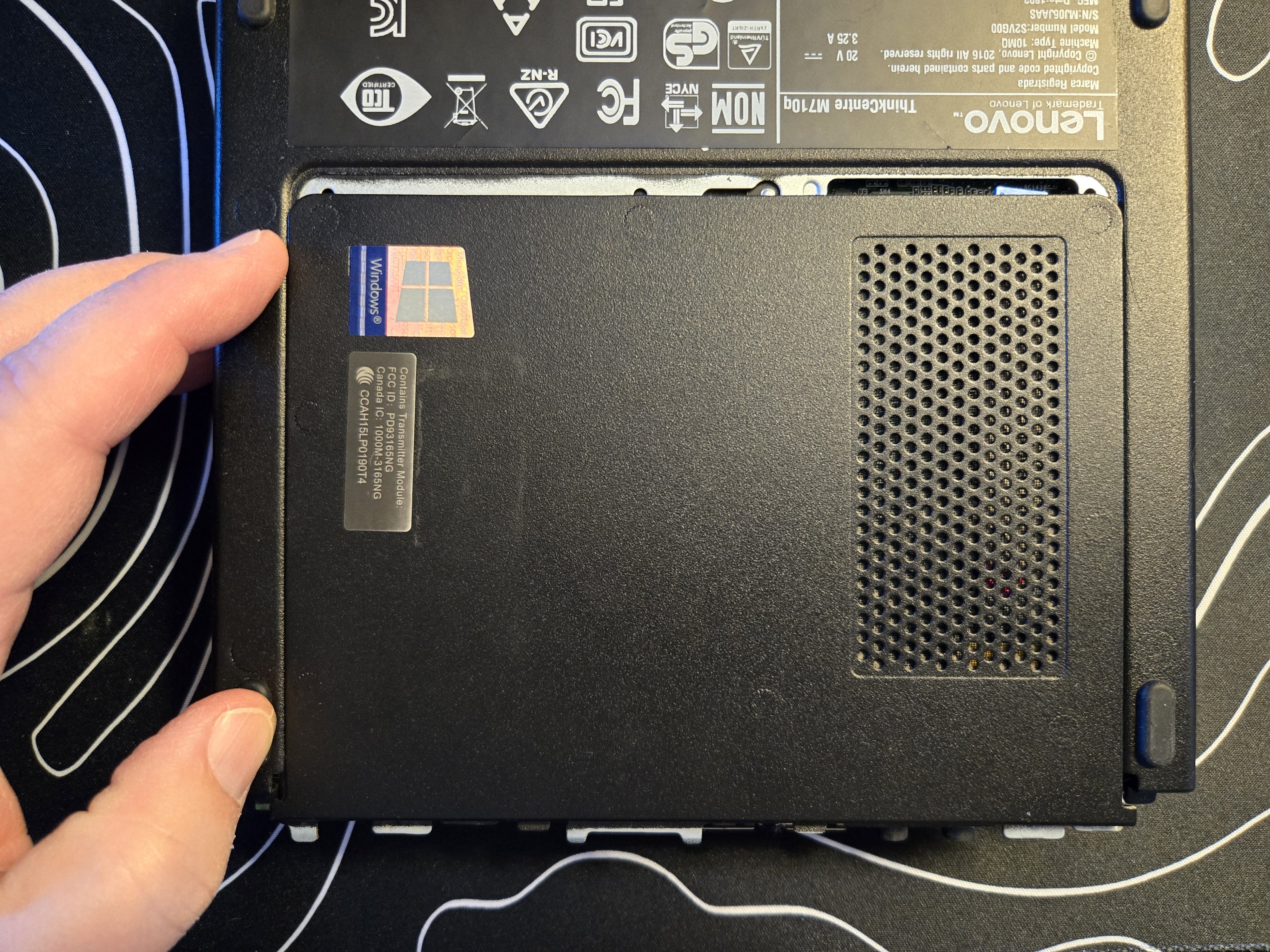
Found inside were two 16 Gb sticks of RAM and a 1 Tb NVME storage drive:
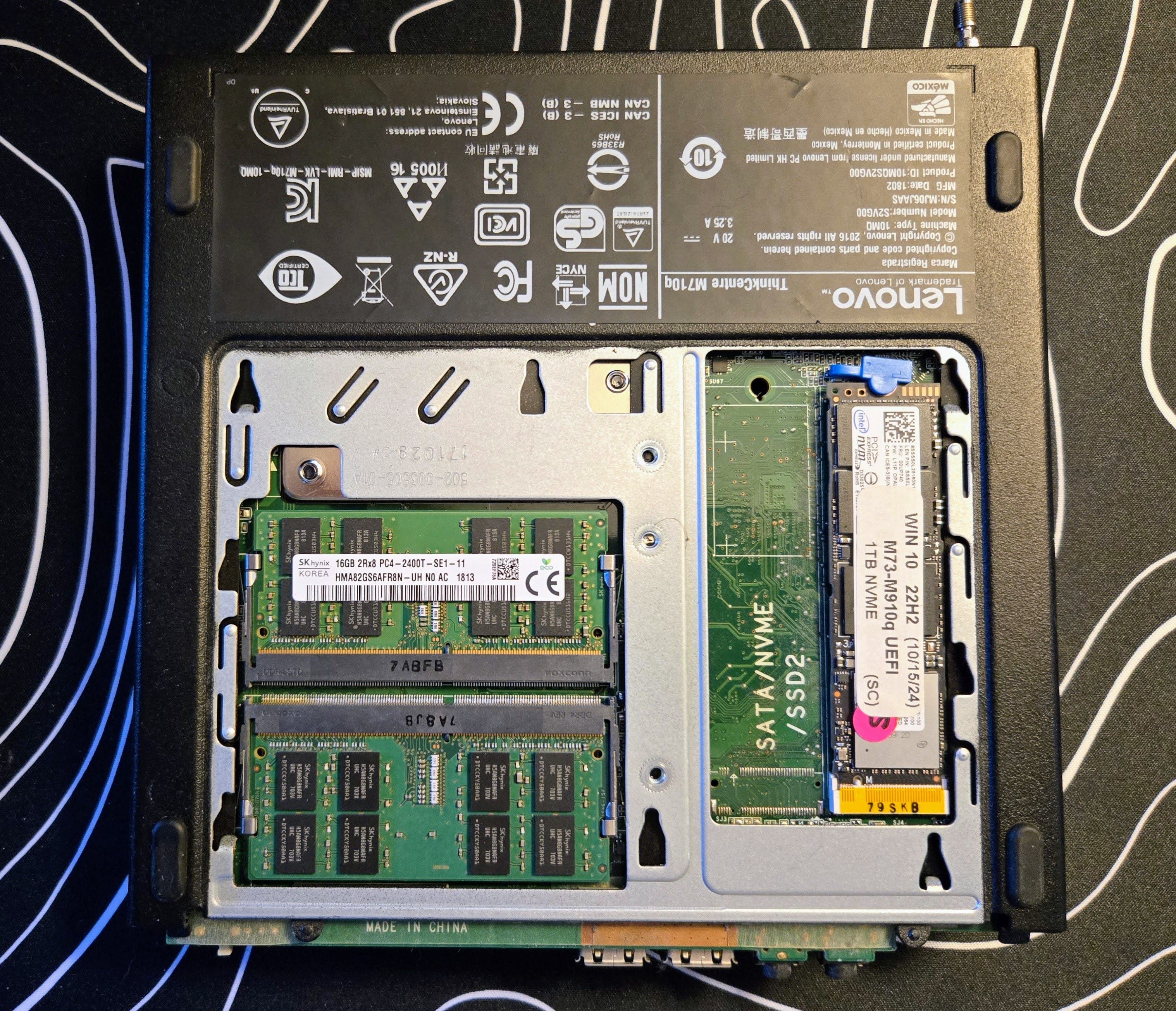
I replaced the two old 16 Gb sticks with the two new 32 Gb sticks and booted up. It booted into Proxmox without skipping a beat. Having 64 Gb onboard works fine. Win.
The software
Proxmox is a Debian-based operating system that focuses on virtualization of services and machines. It uses LXC containers and VMs (virtualized machines). An LXC container is (says my AI):
An LXC container is a type of operating-system-level virtualization that allows multiple isolated Linux environments (containers) to run on a single host machine by sharing the host’s Linux kernel.
See also: LXCs what are they good for?
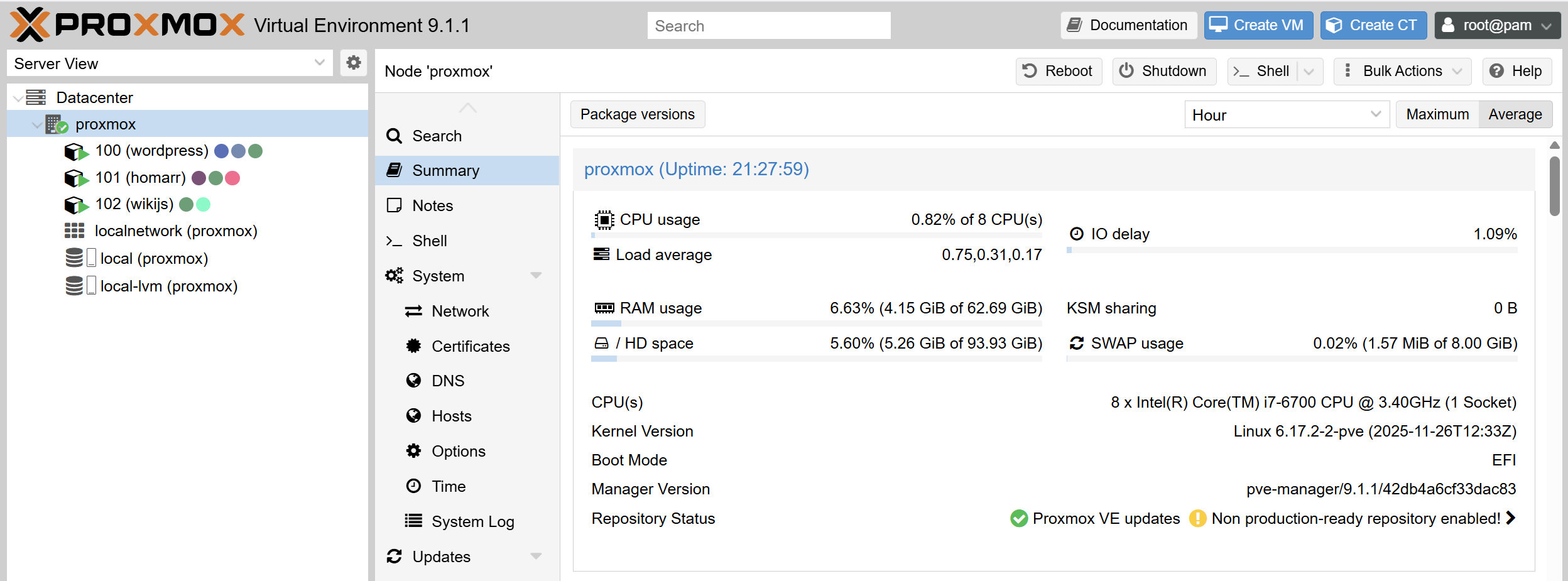
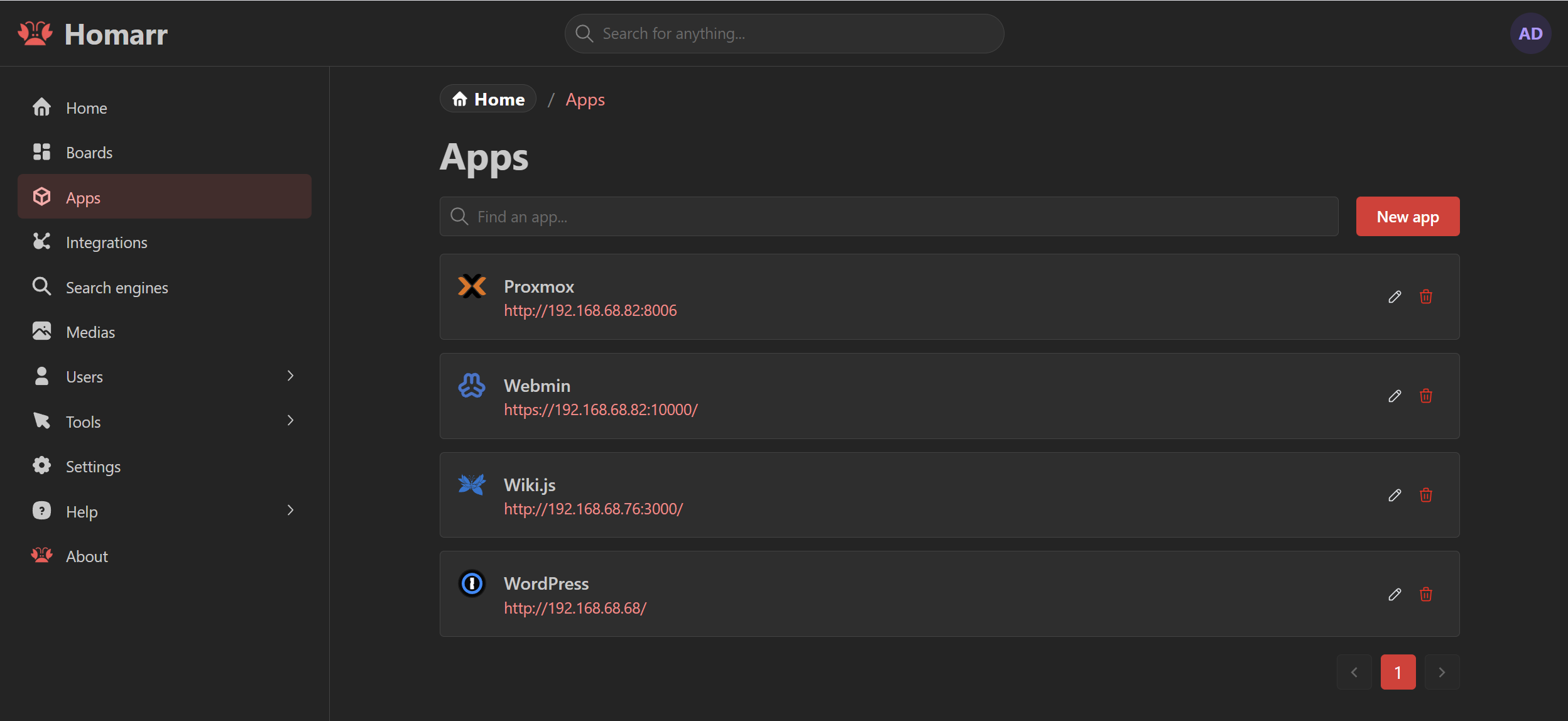
After installing Proxmox from a USB thumb drive, I loaded up some programs in LXC containers, including WordPress, Homarr, and Wiki.js. I also installed Webmin on the server.
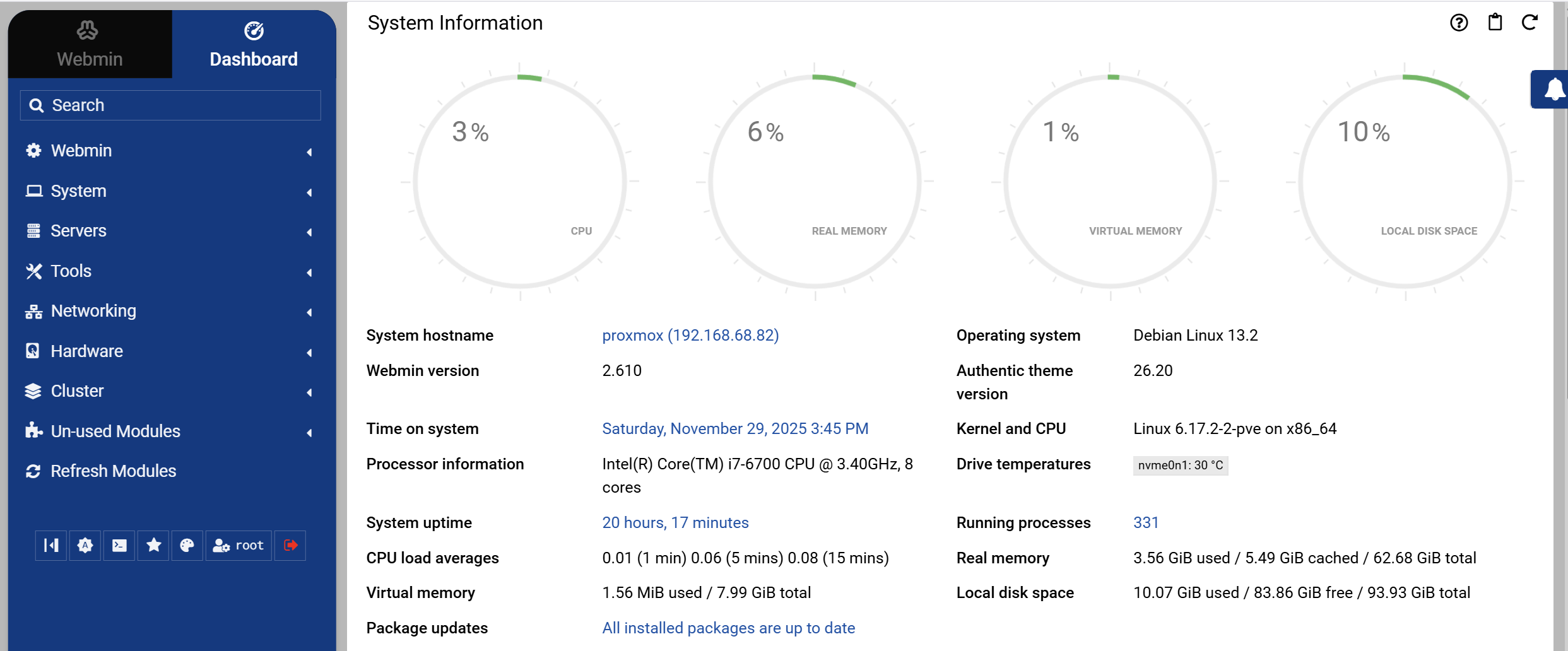
Webmin provides a nice dashboard view of the load on the Proxmox server. As you can see below, it is lightly loaded at this time.
One teachable moment occurred when I added, then removed, a USB hard drive. I attached a Seagate USB drive to the Proxmox box, then mounted the drive and tried to use it for backups. That kinda sorta worked, but not to my satisfaction, so I disconnected the drive. But I didn’t realize I had to do a bit more than that with Proxmox. It turns out Proxmox is very sensitive to the state of the drives attached. After removing the USB drive and rebooting, Proxmox balked. I had to attach a screen to see what was going on, only to learn it was looking for the USB drive that was no longer detectable. Eventually, I figured out that I had specified the USB drive in the /etc/fstab file so that it would be detected automatically every time the box booted up, but with no drive present, Proxmox was looking for it and throwing an error because it wasn’t found. After I corrected the /etc/fstab file and rebooted, everything came back online just fine.
Second machine: Debian 13 and Freedombox
On the second machine in the stack, I’m running Debian 13 “Trixie” with just 8 Gb of RAM (for now). I also opted for the Freedombox package when installing Trixie.
FreedomBox is a private server for non-experts: it lets you install and configure server applications with only a few clicks. It runs on cheap hardware of your choice, uses your internet connection and power, and is under your control.
Freedombox looks interesting. The number of apps available is not extensive but they cover a wide range of capabilities. I started by installing Cockpit (which some Raspberry Pi owners will recognize), Feather Wiki, and Samba.
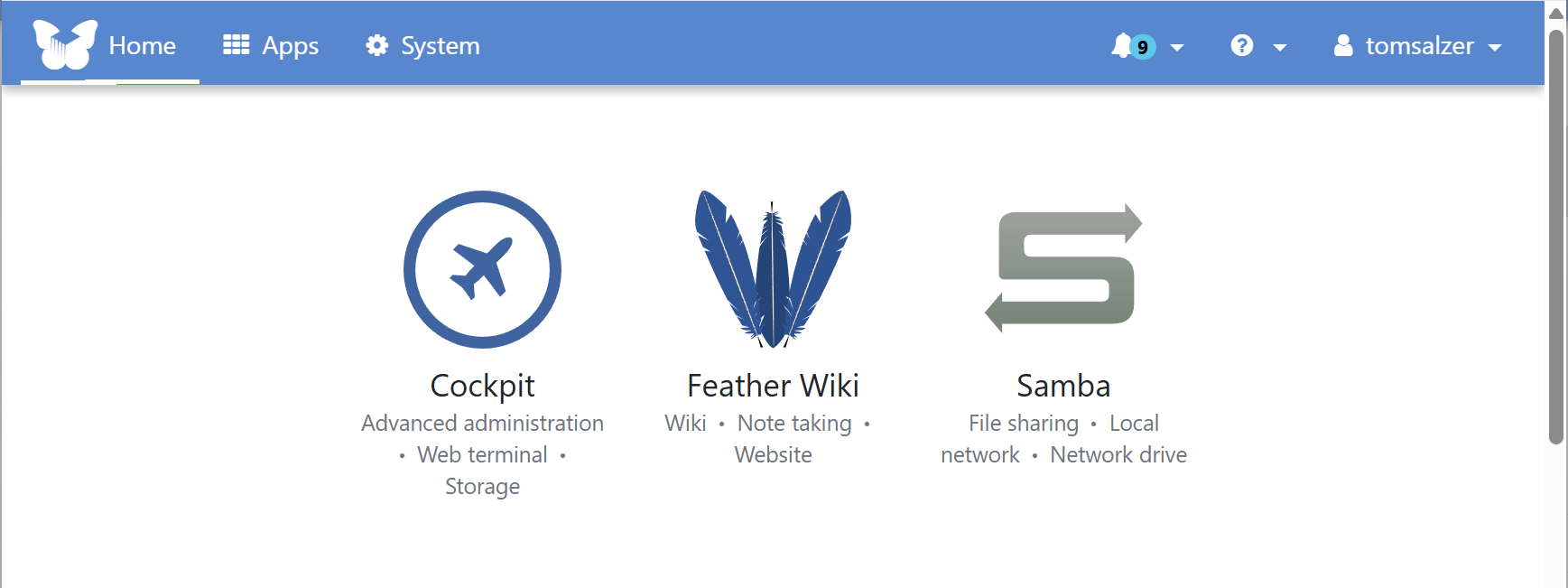
Here are two screenshots that show what is currently available in Freedombox.
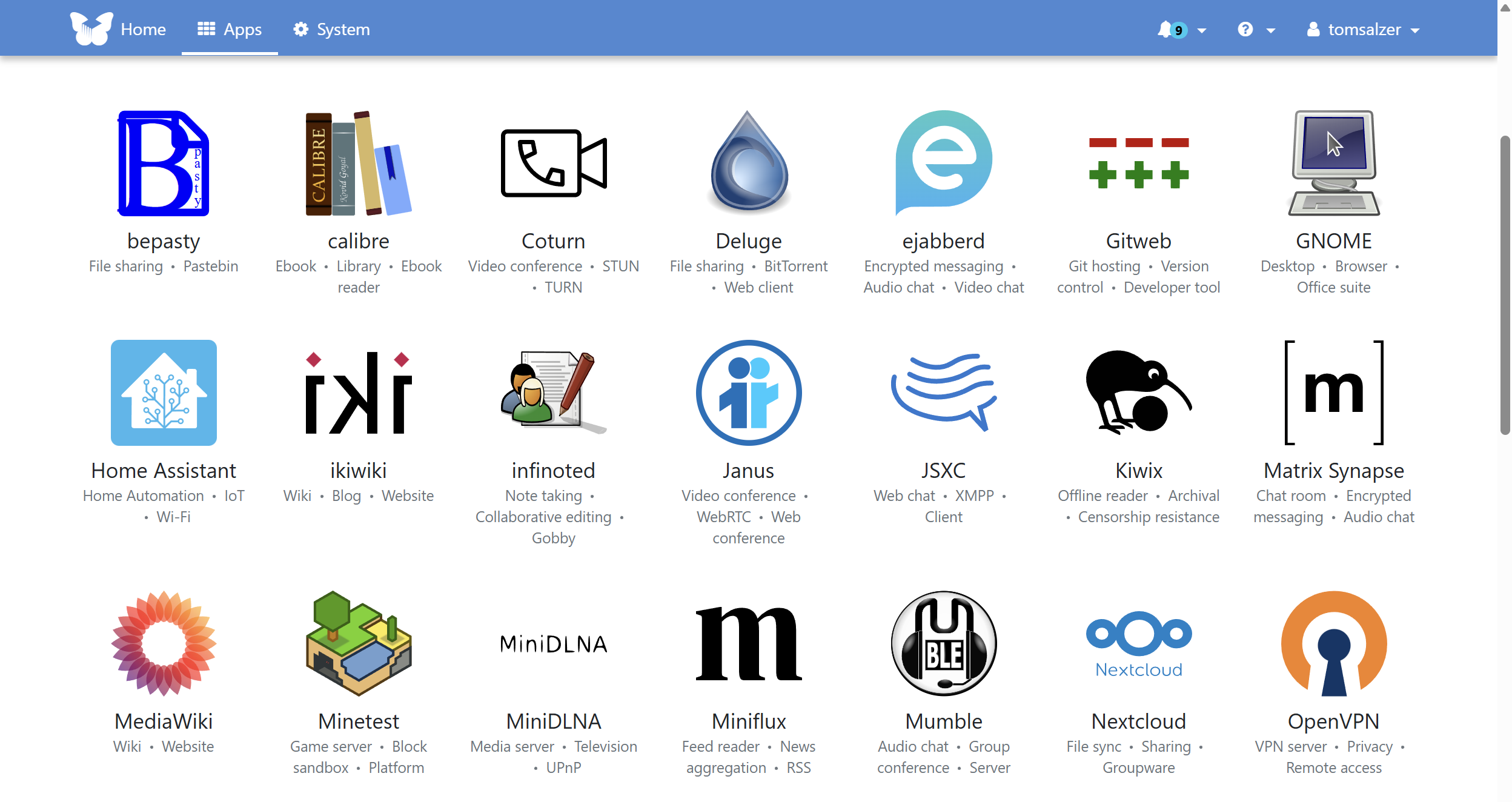
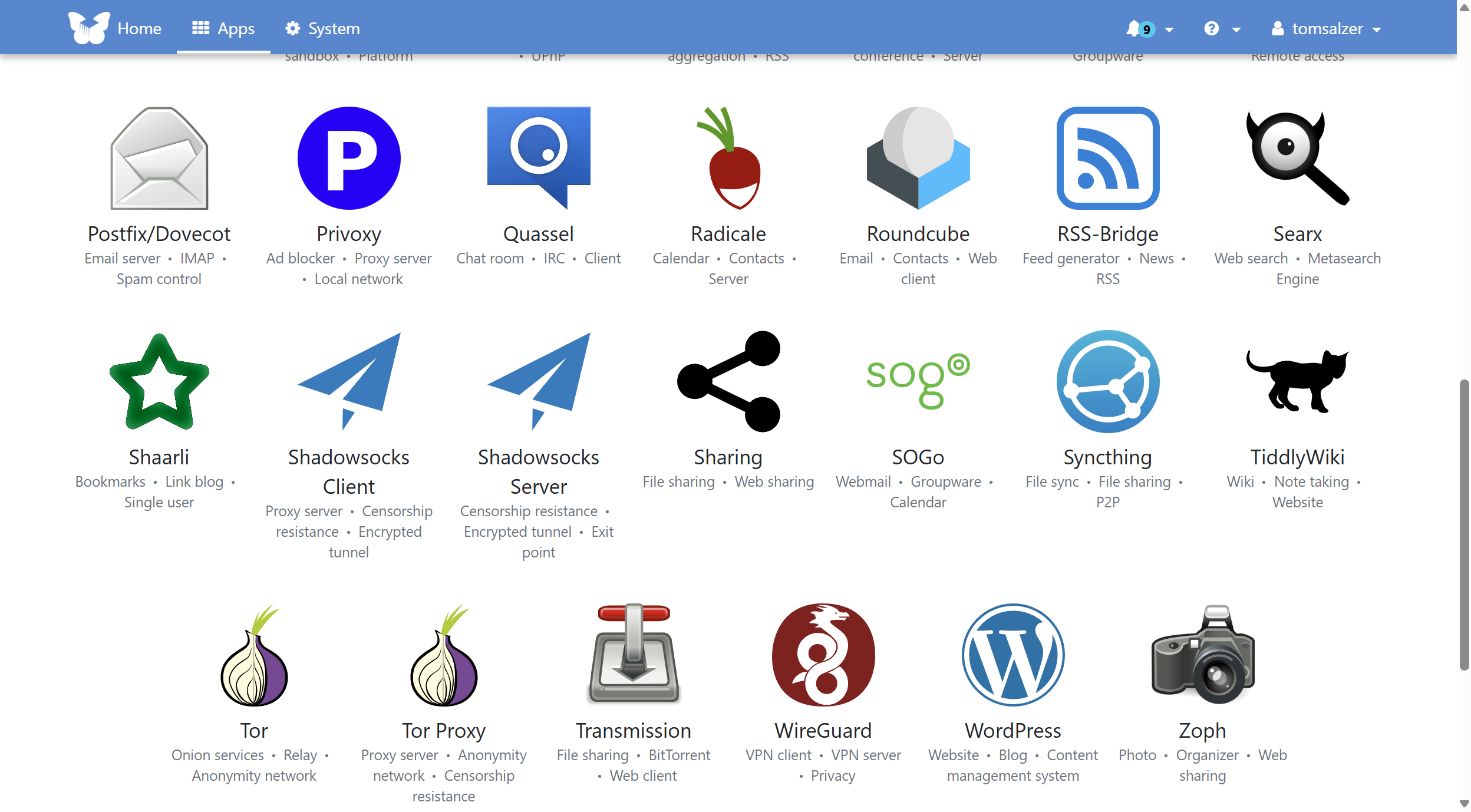
Installing an app is extremely easy, so for beginners, Freedombox seems like a good entry into this space.
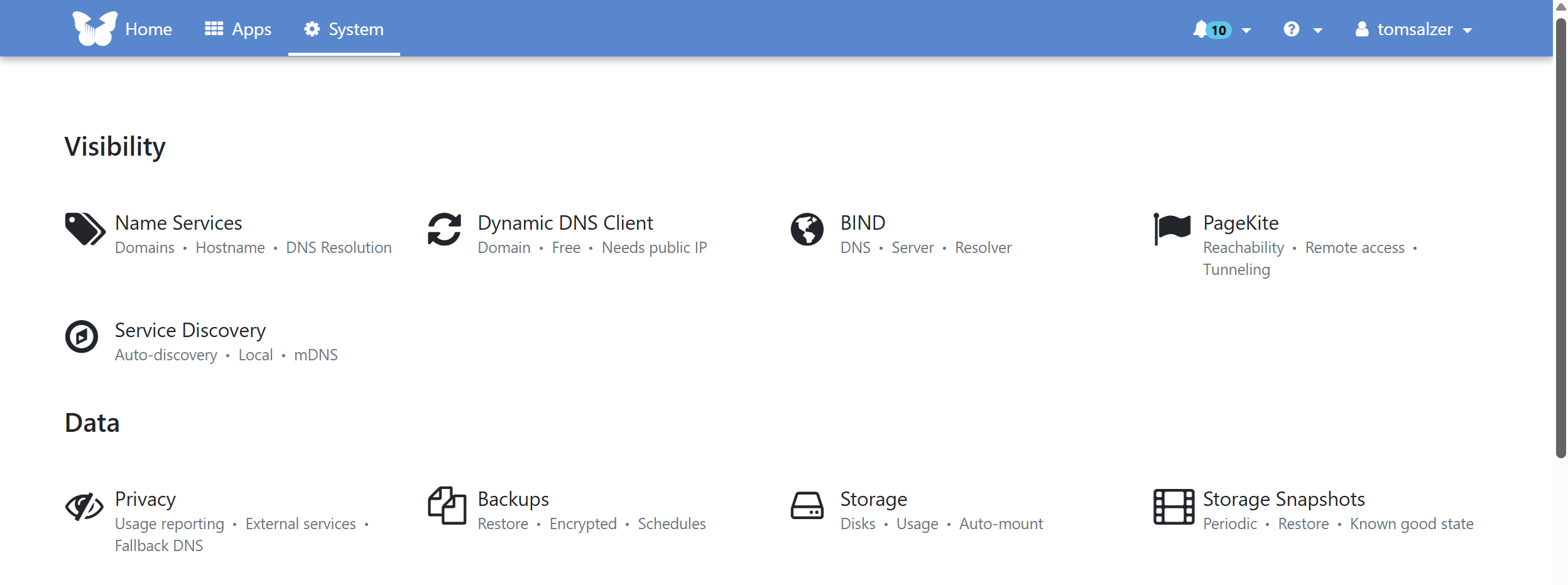
The System choices are also fairly strong.
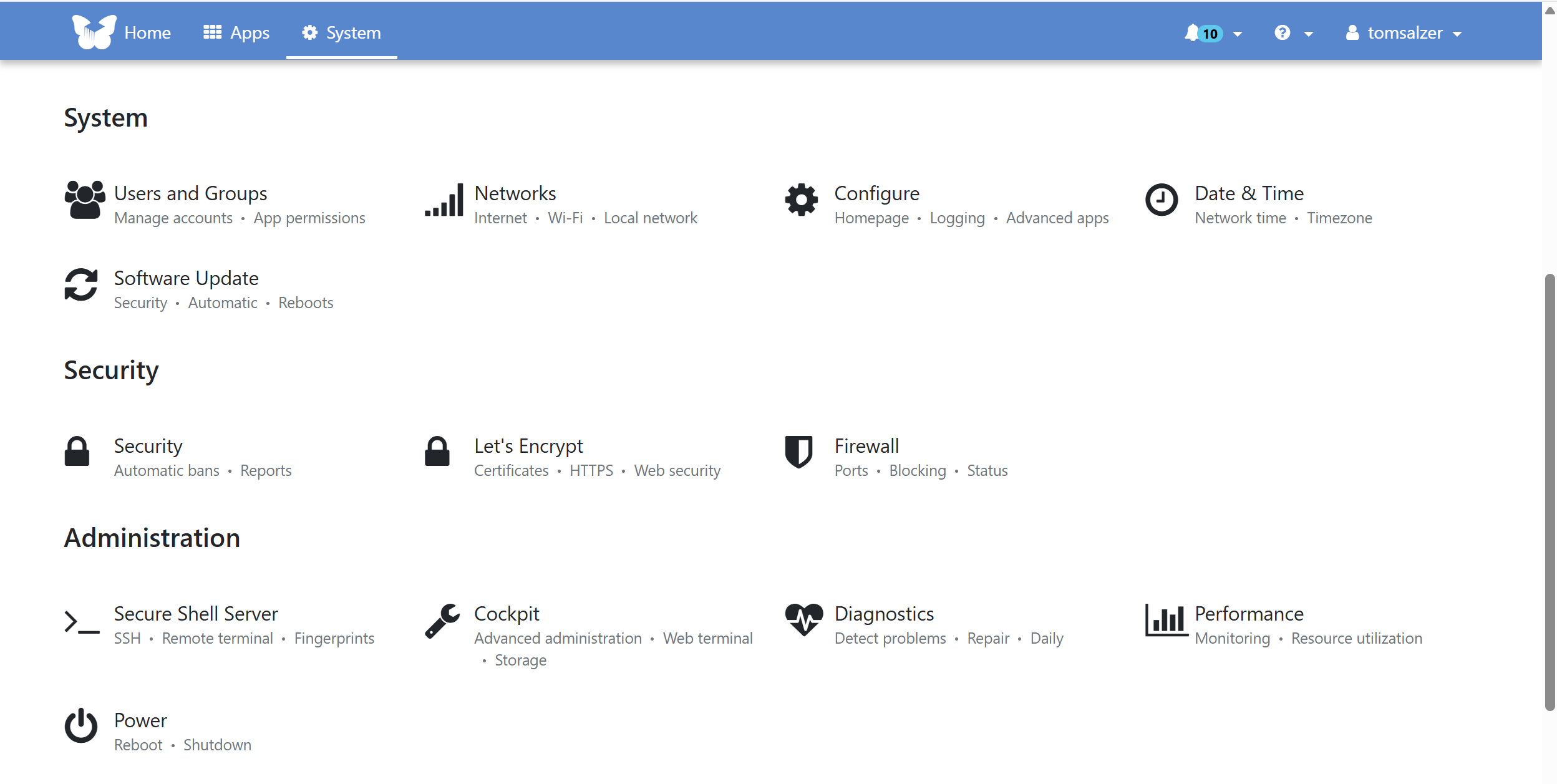
Clearly, I’m experimenting. That is how I learn. So far, I’m installing virtual machines from pre-made scripts. I’m looking forward to trying to configure a Debian 13 instance with AllStarLink in a Proxmox container. It should be possible, since an Asterisk installation script already exists.
And I just discovered I can add Tailscale to an LXC, so I did exactly that to my experimental WordPress LXC. Can I now access it from outside my LAN? I sure can. I also ran a fast and easy backup of the WordPress instance, and in fact, set it to automatically backup every Sunday morning at 1:00 am.
There are a ton of Proxmox scripts available at https://community-scripts.github.io/ProxmoxVE/scripts, and even one for Wavelog, an amateur radio logging program. Amazing.
Short stack
Hextenna, is this the best POTA Antenna? by KB9VBR. This is really about the Hextenna Portable Dipole antenna.
The Joy and Satisfaction of Ham Radio Homebrewing from OnAllBands.
J-Pole Antennas: Why the Feed Point Matters by KB9VBR.
Hear More with Short Active Vertical RX Antennas by PileupDX.com.
GreyNoise launches free scanner to check if you’re part of a botnet. Yes, I checked.
Odd but strangely satisfying: a topographic profiler called Hey WhatsThat Path Profiler (hat tip to the Mike & Key Amateur Radio Club in Tacoma, Washington for this).
Raspberry Pi Imager 2.0 released with a revamped user interface, Raspberry Pi Connect support
Looks interesting for limited spaces, or perhaps for a go box: Radioddity DB50-B Mini Mobile Radio | 50W | GPS & APRS | Multi-band TX & RX | Bluetooth KISS TNC & APP Program | All-in-one MIC with Display
And for the handful of subscribers who know and love BSD: FreeBSD 15.0 Now Officially Available With Many Software Updates, Reproducible Builds
Closing
Here’s a great domain name for a radio blog
Here’s another great domain name for a ham radio blog, and it’s available at normal rates: txandrx.com. I have too many domain names. If you wanted to start writing about amateur radio, take that domain name and run with it! You’re welcome.
Lock picking
Here’s a topic that has nothing to do with amateur radio…but I think some subscribers may be interested, because we like hands-on activites, right?
I picked up a set of lock picks. Once upon a time, in the long ago, I took a locksmithing course from Foley-Belsaw. It was informative but I didn’t have the time to really devote to learning how locks work. Nevertheless, I’ve been interested in locks for a very long time.
Fast forward to a few weeks ago when I stopped at a local locksmith’s store to see how I could get my trailer hitch lock (a Master-brand locking hitch pin) off. I had lost the key to it two years ago and figured I would have to cut it off with a reciprocating saw. Instead, the locksmith’s son picked the lock in about four minutes. That was impressive, especially considering the lock was probably pretty filthy inside (it had not been lubricated in those two years).
Young people aren’t interested in amateur radio
I had started a piece in reaction to a Facebook comment that spoke to declining APRS usage. One person had commented: “Ham radio can’t compete with modern technology.” The context was really about young people quickly getting bored with amateur radio. I suppose this is true for many people, not just young people.
I talked to Steve Stroh, Editor of the great Zero Retries newsletter, about this, asking him to review my hastily constructed draft. This resulted in his section titled Young People Aren’t Interested in Amateur Radio. I greatly appreciate him taking the lead on this as my schedule has been hard to predict these past few weeks.
Steve makes a great argument. I agree with him on almost all points. However, my perspective diverges a bit where he says:
Speaking solely for myself, I’ve come to the conclusion that I no longer think that “exposing legacy Amateur Radio” to Zero Retries Interesting topics of interest to NewTechHams (and again, OldTechHams) is an effective use of time, energy, funds, and resources.
Why do I balk at this? Because we’re going to have a mix of legacy technology and new tech for a long, long time to come. While I love focusing on newer ideas, solutions, and systems, I also know that older radio gear is going to continue to live in our shacks for a long time to come. (You might even have something that glows inside as it warms up.) We are in a hybrid age where old and new tech are colliding. Sometimes the old and new devices merge and sometimes the newer solution can replace an older piece of gear. It’s a very interesting and exciting time to be a radio amateur.
I like the perspective in Amateur Radio’s Impact on Modern Technology where there is tacit acknowledgement that radio amateurs are deeply engaged in creating new technologies and solving existing problems:
Amateur radio plays a crucial role in modern technology by providing a platform for experimentation and innovation. It allows individuals to explore and develop their technical skills, fostering a community of enthusiasts who contribute to advancements in various fields. Through amateur radio, individuals can gain practical experience in radio frequency communication, antenna design, and signal propagation. This hands-on approach not only enhances their knowledge but also promotes problem-solving and critical thinking. Moreover, amateur radio operators often serve as emergency communicators during disasters when traditional communication systems fail. Their ability to establish and maintain communication links in challenging situations proves invaluable in safeguarding lives and coordinating relief efforts. Overall, the importance of amateur radio in modern technology cannot be overstated, as it continues to inspire and empower individuals to push the boundaries of innovation.
We are at a crossroads right now where purely RF-based amateur radio systems are either giving way to wired and/or digital systems or are being hybridized with them. There is no clear winner of the “what’s best” contest at the moment, so we are experiencing competing modes from different vendors. Some of those vendors are makers working on kitchen tables and some are huge corporations. Our amateur radio community is bubbling with interesting alternatives and we see new ideas, better software, and creatively engineered hardware appearing constantly.
Focus on new tech? Yes. Forget about old tech? I don’t see how I can. Legacy technologies are with us, even if only as a baseline against which we compare and evaluate newer tech.
Many thanks to Steve for writing content that stimulates my thinking! I love his focus on cutting edge ideas and devices. I appreciate the Zero Retries newsletter very much. Zero Retries is my favorite ham radio content to read every week.
After I wrote this short section, I ran across this article, and I think it’s a nice way to close this piece: Ham Radio—There’s Still Magic In It. Ask 3 Million People
Mind blown: Ice sheets caused the crust to flex, changing the direction flood waters flowed
I didn’t see this coming. I should have. I learned about isostasy decades ago. I just didn’t recognize that huge ice sheets were so heavy they deformed the Earth’s crust.
See: Glacial isostatic adjustment directed incision of the Channeled Scabland by Ice Age megafloods
Takeaway: the Earth’s crust is still rebounding from the weight of huge ice sheets from the last ice age. Wow.
Closing
I’m approaching my busy season at work. The Washington State Legislature convenes in January for a short 60-day session. Bills are being pre-filed right and left. The State has a revenue problem (or from the other side of the aisle, a spending problem). My community will be seeking additional support for their work with farmers and communities on natural resources. We also know there will be a bill that will affect my community so much it will require extra time, money, and energy.
Today is December 4th and I’ve already spent six hours in meetings of state agencies and groups that work with them. It is going to be an interesting legislative session in 2026!
OK, that’s deep enough. I hope that December finds you happy and healthy. We tend to take such things for granted, not realizing how important they are. Be well.
73 and remember to touch a radio every day!

You can do everything on the web interface which you can do on the device display. You can copy configuration profiles on the Settings page of the web interface: https://manuals.sharkrf.com/m1ke/web/settings/cfgprofile.html