

Contents
A change for the better
December greetings
Part 2: Getting started with the SharkRF M1KE
Broken and fixed: AllStar node 588412
Apple computer bits
What is the EtherHam mega feed?
What’s up with 44net email?
44net Connect is now live
Tidbits (AllStarLink and Mobile ops)
Short stack
Closing

A change for the better
Time for a grand experiment. And what is it? It is a separation of the Random Wire mailing list for this newsletter from the content in the newsletter. Details are available at A positive change for Random Wire subscribers but here’s the TLDR (too long, didn’t read): the Random Wire newsletter will continue to be transmitted via Substack subscriptions, but articles will be individually posted at a new website called EtherHam. Reasons for doing this are in the positive change article linked above.
As you read through this newsletter, I think you’ll see how this works. There are fewer images in the newsletter, as well as less text. If you want more, just click to get more.
I hope this change will make it easier for subscribers to ingest what’s most interesting to them. While it increases my workload slightly, the change will also provide more resiliency to this effort. Let’s see how this goes for a bit and then I’ll check in with you about whether it is working for you.
In the shorter pieces below, click the section title to read the more complete version at EtherHam.com, or find the Read More link at the end of each piece. You can also hit the Like link at the bottom of any article on EtherHam to help others as they consume the content.
READ MORE: A positive change for Random Wire subscribers
December greetings
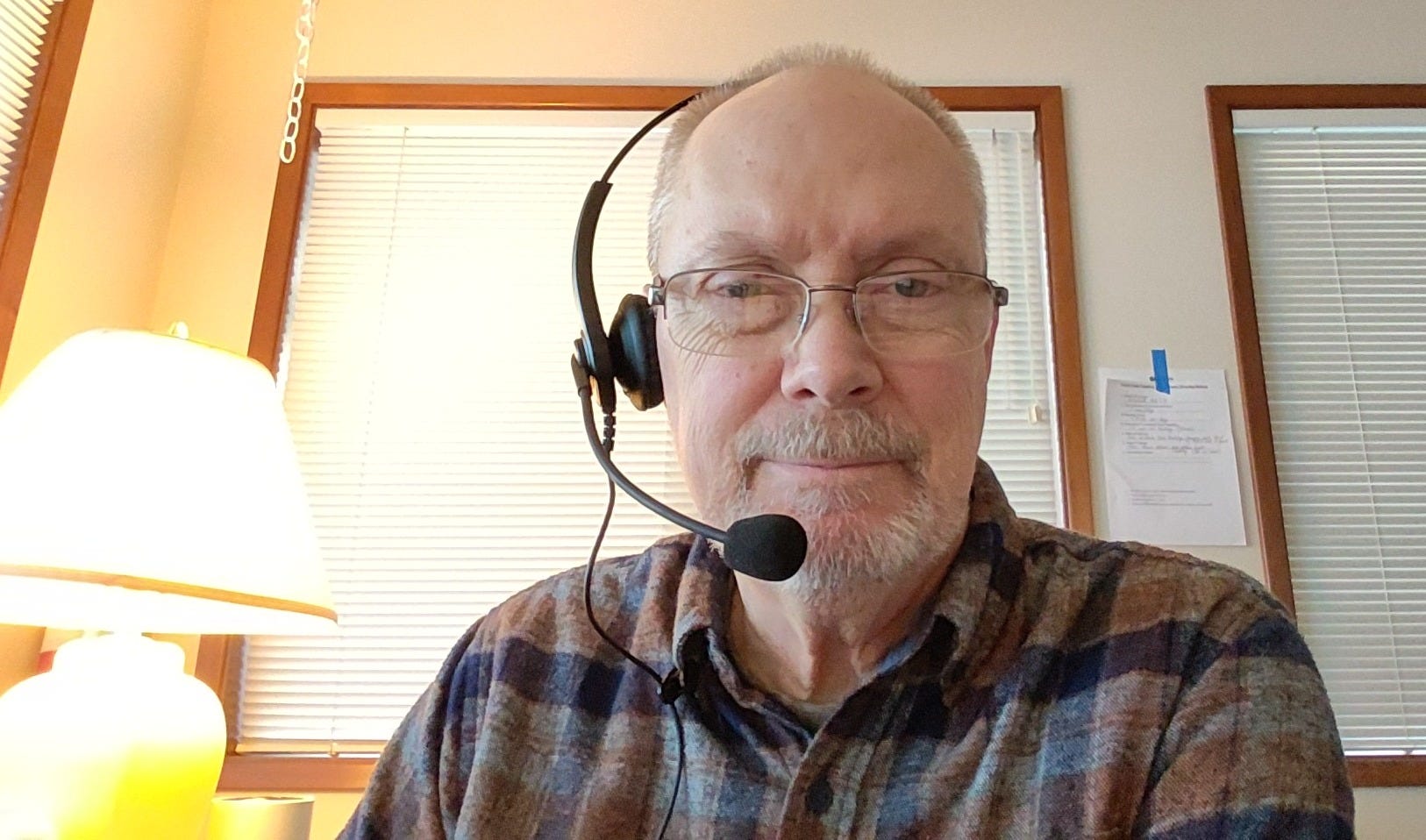
I’m listening to the W6EK Coffee Break net on AllStar node 51018, using my battery-powered ASL node 588412 and a Heil headset with a K-1 connector, all brought together with an AllScan UCI90. In my original build, I used a Raspberry Pi Zero 2W but the RPi 4 I’m using now operates a little more swiftly. With the headset, I can listen without disturbing my wife. Since it is analog-to-digital audio over the internet, it is very clear. I’m amazed at how great it sounds.
In a wonderful moment of random synchronicity, I received an email this morning from James KD6PGK who noted he built an AllStar node with the UCI90, based on what I wrote in Random Wire 140. That newsletter included a parts list for my build. Details of his build are on his QRZ page. Congrats on a good build, James!
READ MORE: Greetings: December 8, 2025
Part 2: Getting started with the SharkRF M1KE
Part 1 was previously published in Random Wire 157.
The M1KE WLAN IP transceiver uses wireless networking over an IP connection to connect to various amateur radio systems.
On the M1KE “About” screen you’ll find the device’s unique ID (UID). You’ll need that if you wish to use a web browser to configure your M1KE.
Getting started with the SharkRF M1KE involves a simple initial setup:
Charge it.
Power it on.
Connect to your wifi network with the on-screen keyboard.
Enter your call sign.
Select your country.
The device guides you through these steps. There is also a visual guide from M0FXB:
At this point, I started to get confused, so I asked Grok for help: “I’d like a simplified user guide to setting up and using a M1KE WLAN IP transceiver.” Click here to see what Grok produced. I found the simplified guide — which was extracted and restructured by Grok from the official user guide — helpful. I also asked Grok how to create and save a custom server for the M1KE and was pleased with the result.
READ MORE: Part 2: Getting started with the SharkRF M1KE
Broken and fixed: AllStar node 588412
My AllStar node malfunctioned, indicating it was time to burn a fresh image to the microSD card. This time, I decided to install the appliance version of ASL 3 on the Raspberry Pi 4 computer. I burned the image to the microSD card, put it in the Raspberry Pi and powered it up. It booted up just fine. I found the IP address and it opened in my browser to the AllStarLink admin portal. Perfect.
From there, it was mostly easy sailing. I SSH’d into the box and ran sudo asl-menu to perform the initial setup. Then I used configuration parameters from AllScan to make sure the configs would work with the AllScan URI90 audio interface. My first test transmission to the Enhanced Parrot node 55553 went perfectly.
Once Allmon 3 was up and running right, it was time to install AllScan. This went perfectly, following the AllScan instructions. I set up my identity and logged, then imported my saved favorites file. All good. It was time to reboot. That worked.
Then I added the ability of the node to announce the IP address, using the Ham Radio Crusader’s script. Then I rebooted again and all was working well once again.
READ MORE: Broken and fixed: AllStar node 588412
Apple computer bits
No native Apple app for Substack
If you are an Apple user, you probably know Substack doesn’t provide a native app. If you want to make something that looks and feels like an app on your Mac, there is a workaround. Here’s how to add Substack (or your favorite Substack) to your Mac:
Open Safari and browse to Substack.com (or to your favorite Substack like the Random Wire or Zero Retries).
Click File, then Add to Dock. At that point, it should show up in your dock.
If you wish, you can then delete it from your dock and it will still be findable in your applications.
Password management
On my Android phones and tablets, I use KeePass2Android to manage passwords. On my Windows machines, I use KeePass. But KeePass is not available for the Mac. Instead, I’ve installed KeePassXC. Since I’m running a Mac that uses an Intel CPU, I couldn’t use the KeePassXC for Apple Silicon Macs that was first offered on the Download page. Instead, I had to select KeePassXC for Intel Macs.
In KeePassXC, I opened the remote password database file and authenticated with my master password. Boom. All of my many passwords are now available to me. Nice.
READ MORE: Apple computer bits
What is the EtherHam mega feed?
On the Etherham Feeds page, you’ll find around 50 different sources of information, all rolled together. I’m using a feed aggregator to pull RSS (Really Simple Syndication) feeds from many amateur radio-related websites. The aggregator pulls in the most recent content and then orders it chronologically. When I find a new source, I add it to the aggregator.
I’m very aware that what I find interesting may, in fact, not be interesting to you. That’s why I’m making my “mega feed” available to you, so you can do your own digging. There are two resources available: the Feeds page and an RSS feed for my whole list. The big RSS feed will be of interest to folks who already use a feed reader to automatically pull in content.
EtherHam Feeds: https://etherham.com/feeds/
Mega feed RSS: https://etherham.com/feedlist
READ MORE: What are EtherHam feeds?
What’s up with 44net email?
I have a 44net email address but I can’t access it. The IP address for the mail server is not going anywhere. Apparently, it is no longer being routed.
I’m sure I’ll learn more in the very near future. It’s just surprising to discover my 44net email account is inaccessible. Fingers crossed that this resolves soon.
READ MORE: What’s up with 44net email?
44Net Connect is now live
Says John Burwell KI5QKX (the 44Net Program Manager):
We’re pleased to announce that 44Net Connect (formerly, “The PoP Project”) is now live. This service provides a streamlined way for licensed hams to use 44Net resources using modern, secure networking tools.
We’re admitting users in batches to start. If you’d like to give it a try, head to the 44Net Connect dashboard at https://connect.44net.cloud/ to sign up and join the registration queue.
READ MORE: 44Net Connect is now live
Tidbits
AllStarLink
Did you know AllStarLink still has a phone portal? Call 763-230-0000 from a regular phone and then use DTMF to connect to another node. You’ll need to enter your AllStarLink PIN number (this can be found on AllStarLink.org under your account settings). Controlling the connection with DTMF is pretty simple. Hit *3 and a node number to connect to a node (example: *32462 connects you to the WW7PSR Puget Sound Repeater node). When you hang up the phone, you are disconnected from the node.
Mobile ops
I’m struggling to find a good way to mount a vertical HF antenna to my Honda pickup truck. Being of unibody construction, it has fewer attachment points than most trucks. For example, there are no stakebed pockets. Probably the most likely option would be a hitch mount. All ideas are welcome!
Short stack
We have a new US ham band?! N2RJ Ria, of Ria’s Ham Shack, reports on a continuous allocation brewing in the 60-meter band.
Update Notepad++ now to fix a dangerous security vulnerability. I use Notepad++ extensively. It is one of my favorite simple-but-powerful programs.
Packet Commander (for iOS) version 1.1.1 released. “Georges, WH6AZ, is excited to introduce a brand-new app that he has been working on, and if you’re into packet radio, he thinks that you’ll really enjoy it. It’s called Packet Commander, and it brings the classic feel of a full-featured terminal for packet radio to your iPhone or iPad.”
POTA Sites Deactivation in Virginia: Wildlife Management Areas and Fishing Lakes. Not good news for POTA people if other states follow this trend.
Into satellites? Then you probably already know about the AMSAT weekly news bulletin: ANS-341 AMSAT News Service Weekly Bulletins
PoC Radios 101: What They Are, How They Work, and What’s Popular. I have a couple and they do work.
Operating Accommodations: Ham Radio for Seniors, Part 1. “And let’s not forget social connection. Ham radio offers an incredible community network. Joining a local club net or senior operators’ roundtable can keep the brain active and spirits high. Many older hams say the friendships and regular QSOs do as much for their well-being as the hobby itself.”
What is a Ham Radio Hotspot and WPSD or Pi Star which is right for you?
Want to help neighbors in western North Carolina rebuild and reconnect after Hurricane Helene? Five dollars of every QRPer calendar sold goes to help: The 2026 QRPer.com Calendar Is Here — And It Supports Local Recovery
Closing
I hope you’ll get a chance to take a look at the new (and still under construction) EtherHam website at https://etherham.com/. Your views are important and helpful, so please do let me know what you think.
This holiday season, my hope is that you will be able to enjoy the wonderful sense of community many of us have with amateur radio friends down the street, across the country, and around the world.
Remember to touch a radio every day!
73 from all of us at the KJ7T QTH,

Hi Tom, selfishly, I'm very excited about the introduction of EtherHam. The individual posts hosted on WordPress will make it much easier to feature those articles in my newsletter! Congrats on the changes. Having more independent control and ownership over your content is a big win.