


In Random Wire issue 171
Seasonal propagation and an online propagation chart that updates every 15 minutes.
Acquired: an exciting new BTECH DA-7X2 DMR/Analog Dual-Receive HT…with a secret.
New: the EtherHam Store.
Looking inside a SHARI Node.
A cover and cables for the AIOC (All-in-One Cable).
New: backend for legacy HamClocks now available.
Mysterious: my laptop lost audio output.
Short Stack: content from the interwebs.
Signing off (I talk about our local 10-meter net).

Seasonal Propagation
I asked ChatGPT about the seasonality of HF propagation. I’ve put the summarized response in italics to make it clearer this is a quote.
Great question — and since you’re KJ7T up in the Pacific Northwest, February and March are actually pretty interesting months for propagation.
February–March typically offers:
Best remaining low-band season
Excellent 40m DX
Strong, lengthening 20m openings
Reawakening 15m
Increasing 10m F2 opportunities
Great gray-line paths to Asia/Pacific
Propagation is about to get interesting again, KJ7T.
Here is the link to the full response from ChatGPT, if you’re interested: https://chatgpt.com/s/t_69974ff89ce88191a4d37d4da50e75c3
(I’ll confess that I did bump up to a paid account on ChatGPT. I have found it helpful as I prepared testimony for various bills being considered by the Washington State Legislature. I gave it my draft testimony and asked the AI to make it more impactful, and to give me three minute, two minute, and one minute versions. It did that in a few seconds, compared to me taking an hour or more to get similar results.)
On the subject of propagation, I also ran across an easy-to-use propagation chart for the ham bands. It is called Hamradio SNR Overview:
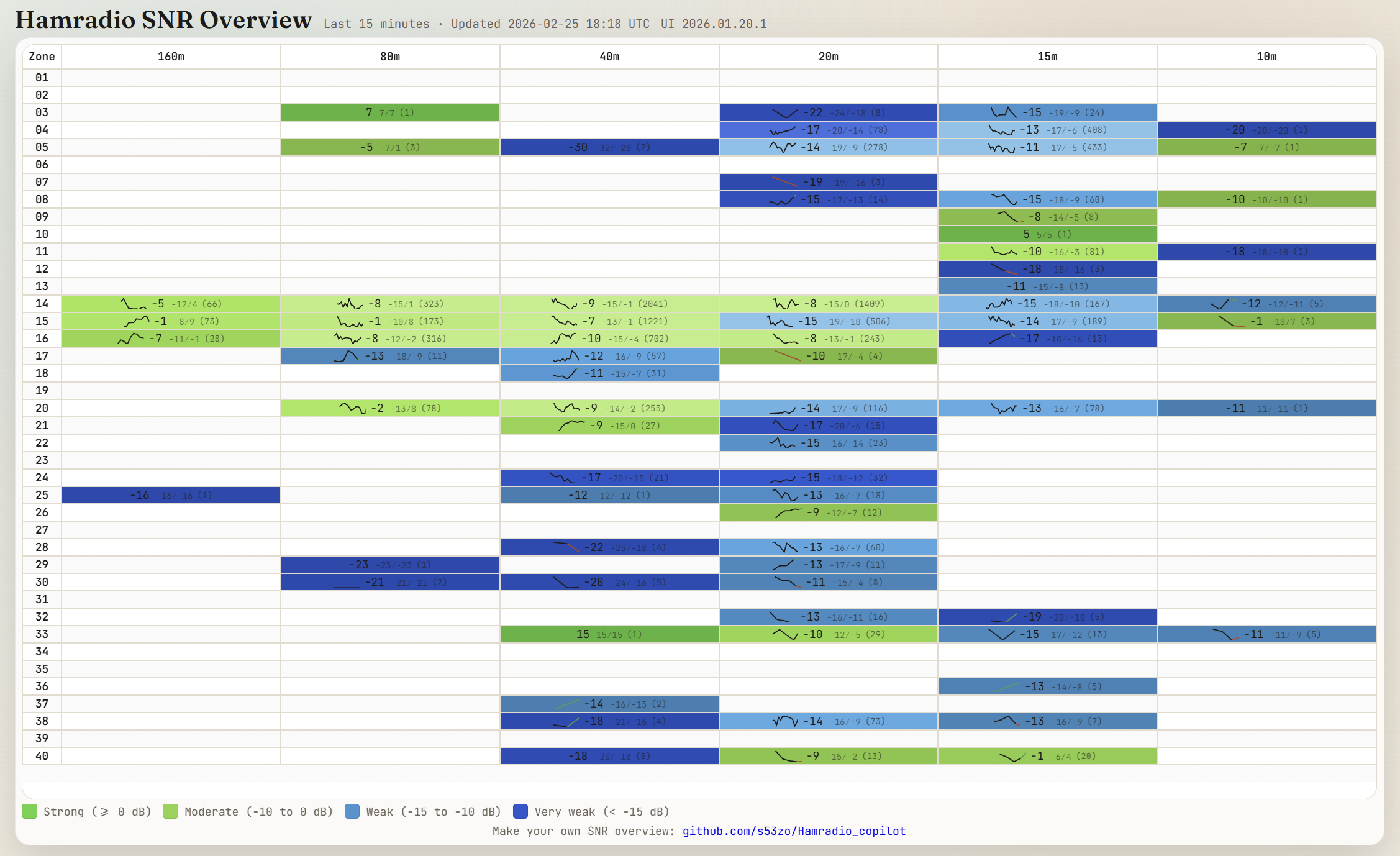
This is a fairly convenient way to do a quick check on propagation. I’m in Zone 03, so I just look at that line and scan across to see which bands are open.
Acquired: BTECH DA-7X2 DMR/Analog HT
Influencing my decision to make this acquisition was this great review: Product Review: BTECH DA-7X2. I bought the DA-7X2 radio, the speaker-mic for it, and an extra programming cable. Keep reading to discover a great secret about this radio!
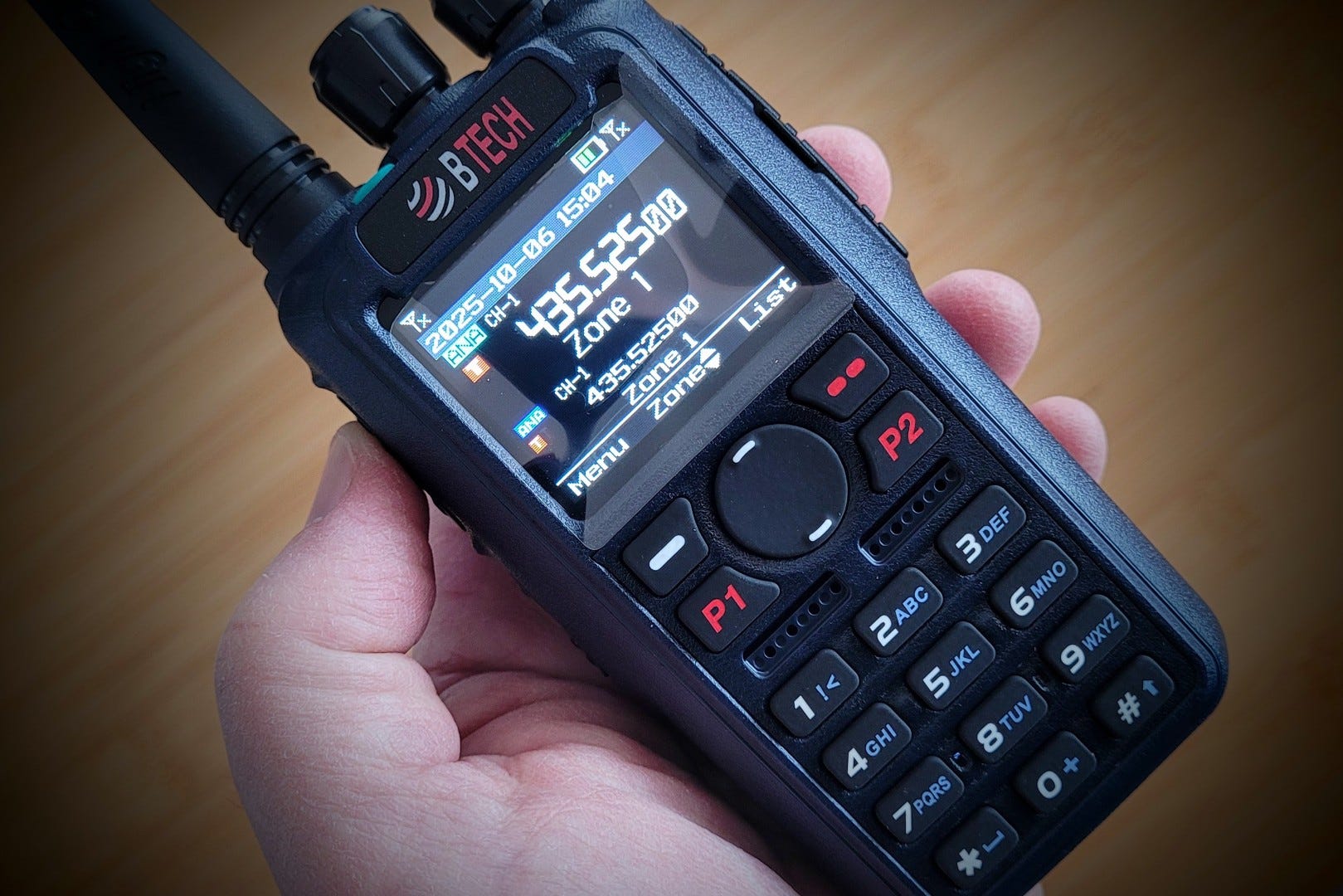
For radio details and specs, I refer you to the aforementioned review. What I have for you today is first impressions.
The first thing I noticed was an easily readable display (I don’t need my reading glasses) and big buttons. For some of us, this is exactly the kind of configuration we need. On the thumb side of the radio in the photo above is a large PTT button and two smaller buttons (PF1 and PF2) that are user configurable. Pro tip: If you are going to be regularly switching the mode on your radio, configure a button to make that change as easy as a single button push.
The DA-7X2 has some heft to it. It feels like a real radio. The large battery has curved edges so the radio nestles nicely into the palm of your hand. Although the plastic body feels a little slick — despite subtle stippling — the side buttons and the speaker-mic cover have rubbery-feeling flexible skins that help provide sufficient grip.
This is a DMR radio, and that means you need a codeplug to operate it in DMR mode. The BTECH UV-Pro HT has an app and Bluetooth, so programming the UV-Pro is most easily done through the app. The DA-7X2 does not have an app. Instead, it uses the more traditional approach of software installed on your computer. A USB-A to K-1 speaker-mic cable is used to read data from the radio and write new data to the radio.
Of course, it’s not just a DMR radio — it also does analog FM. What you may not know is this radio has a secret: you can configure it for NXDN mode. To get there, you install the BETA firmware package to the radio. Once you reboot the radio and read it into the programming software, you’ll see “NX” in the left column. That is where NXDN settings are configured.
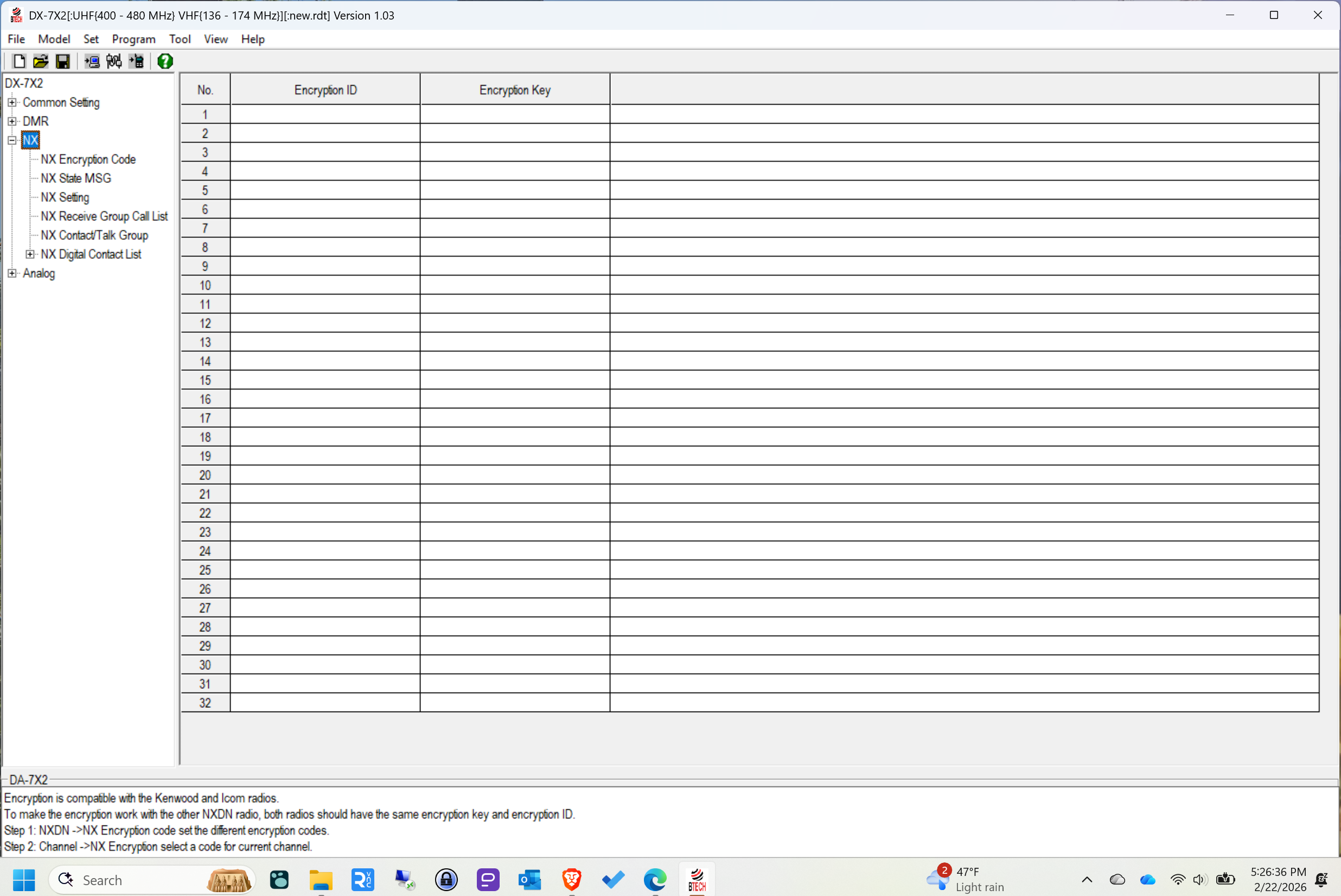
Think about this for a moment. For $300, you get a good quality dual-receive VHF/UHF handheld transceiver with GPS that does DMR and analog out of the box. With fresher firmware, the radio will also do NXDN.
I was so excited by this prospect that I bought the radio, in part to make absolutely sure NXDN is available with the firmware upgrade. Yes, it is.
I’ve only had the radio a few days. It’s going to take me a couple of weeks to get comfortable with it. My usual test of usability with a radio is to see if I can get it working without reading the manual. That’s a heavier lift with a DMR radio, but if you’ve ever used a DMR radio before, this radio won’t feel very intimidating. The manual is well written and detailed.
The BTECH DA-7X2 is likely to see more enhancements as development is active right now for this platform. I can hardly wait to see what’s coming.
The killler feature? It isn’t dual receive, cross-band repeat, or dual band capability. To me, it’s the ability to upgrade the radio to use NXDN. That is a big win and it makes this an obvious choice if you are interested in the NXDN radio space.
New: The EtherHam Store
Subscriptions? No. Voluntary purchases to support EtherHam? Yes! The new EtherHam online store is now open with just a few items. Find it at: https://etherham.printful.me/
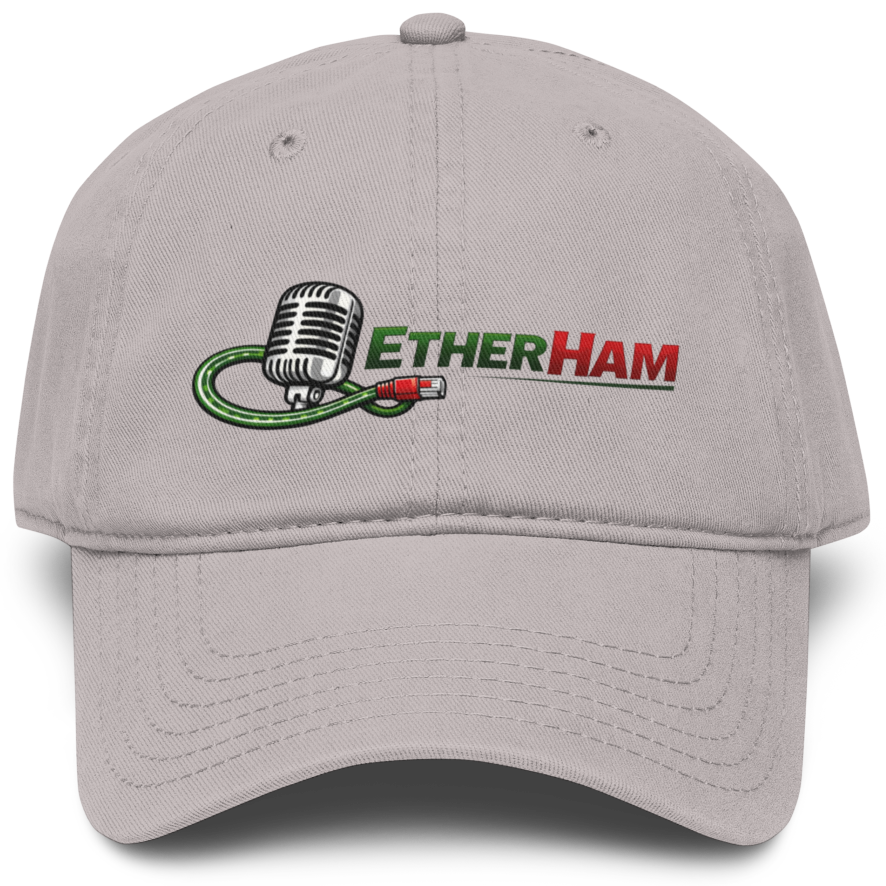
I’ve ordered one hat (yes, from my own store) to check the quality. I want to feel the fabric, look at the stitching, and examine the printing. Will the packaging be appropriate? How long will it really take to print, package, and ship the product? Fingers crossed.
Regarding timing, I ordered the hat on February 20th and it was shipped on the 26th. That doesn’t seem too bad for a custom printed one-off order.
I’ve also added a couple of mugs and a second hat. I’ll check the quality of those items later.
The EtherHam Store is my alternative to subscriptions. Purchases are voluntary, not required. That’s the way I like it. If you find value in the Random Wire newsletter and the EtherHam website, consider buying something to lend some support. Your suggestions are always welcome!
Looking Inside a SHARI Node
I’m helping a friend do some experimentation and this week, we’re looking at whether his software will run on a SHARI AllStar node. I have a couple of SHARI devices, but the only one with me at the Lake House is a Kits4Hams SHARI PiZero UHF.
This experiment will involve loading up a microSD card, and that means taking the working card out. The microSD card on the SHARI PiZero is buried inside the case. Below, you’ll see inside the device as I work on accessing the microSD card.
First, I removed two screws on the end plate with the antenna. With those screws removed, the two boards inside slide out together.
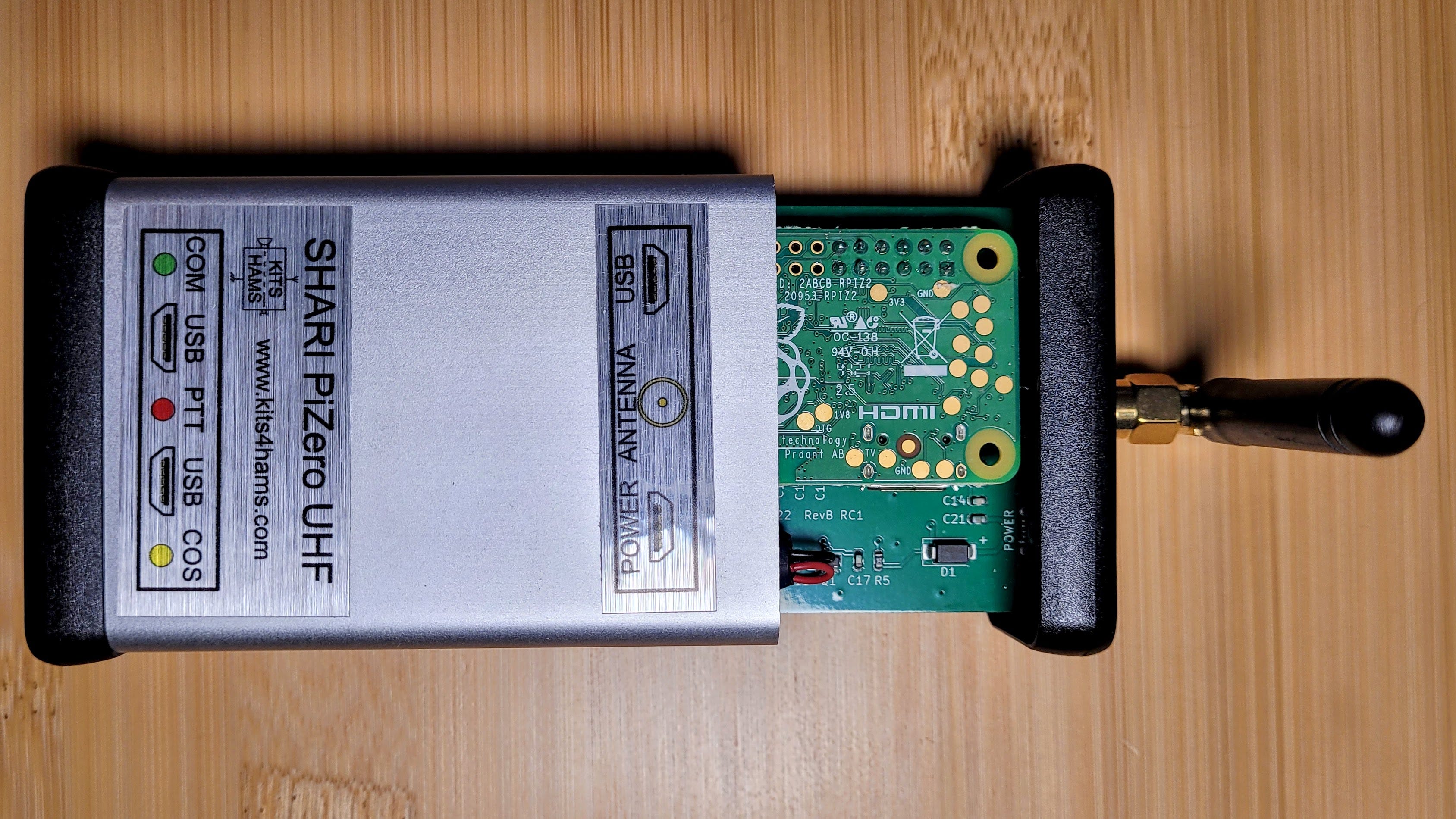
Below, you see the smaller Raspberry Pi Zero board mounted on the larger SHARI board. There’s not much to this very small, portable device.
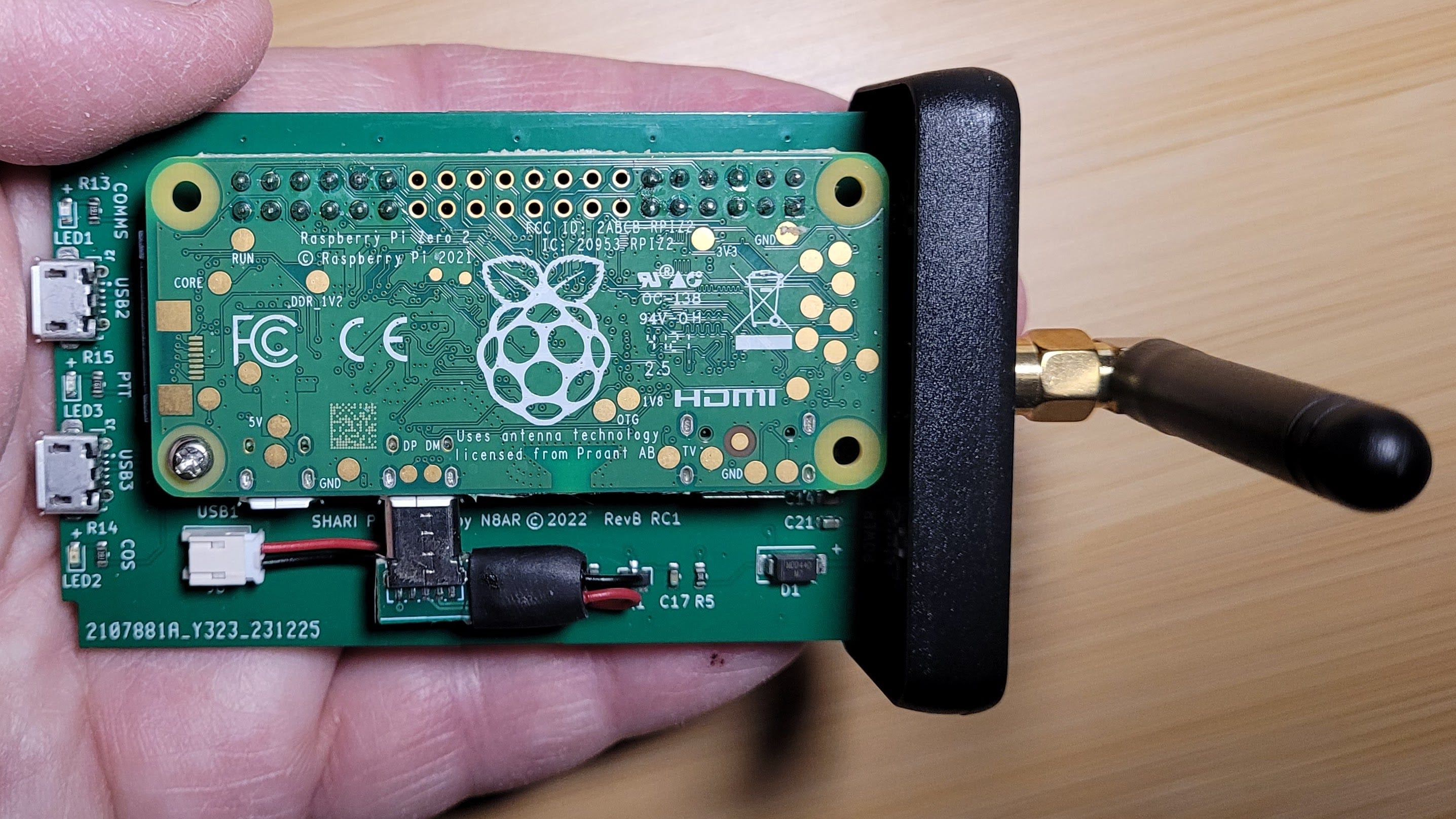
Separating the Pi Zero from the SHARI board involved removing one screw and wiggling the Pi to pull the GPIO pins out of the mating block on the SHARI. (Note: some SHARI nodes use a USB interface but this one uses the GPIO pins on the Pi.)
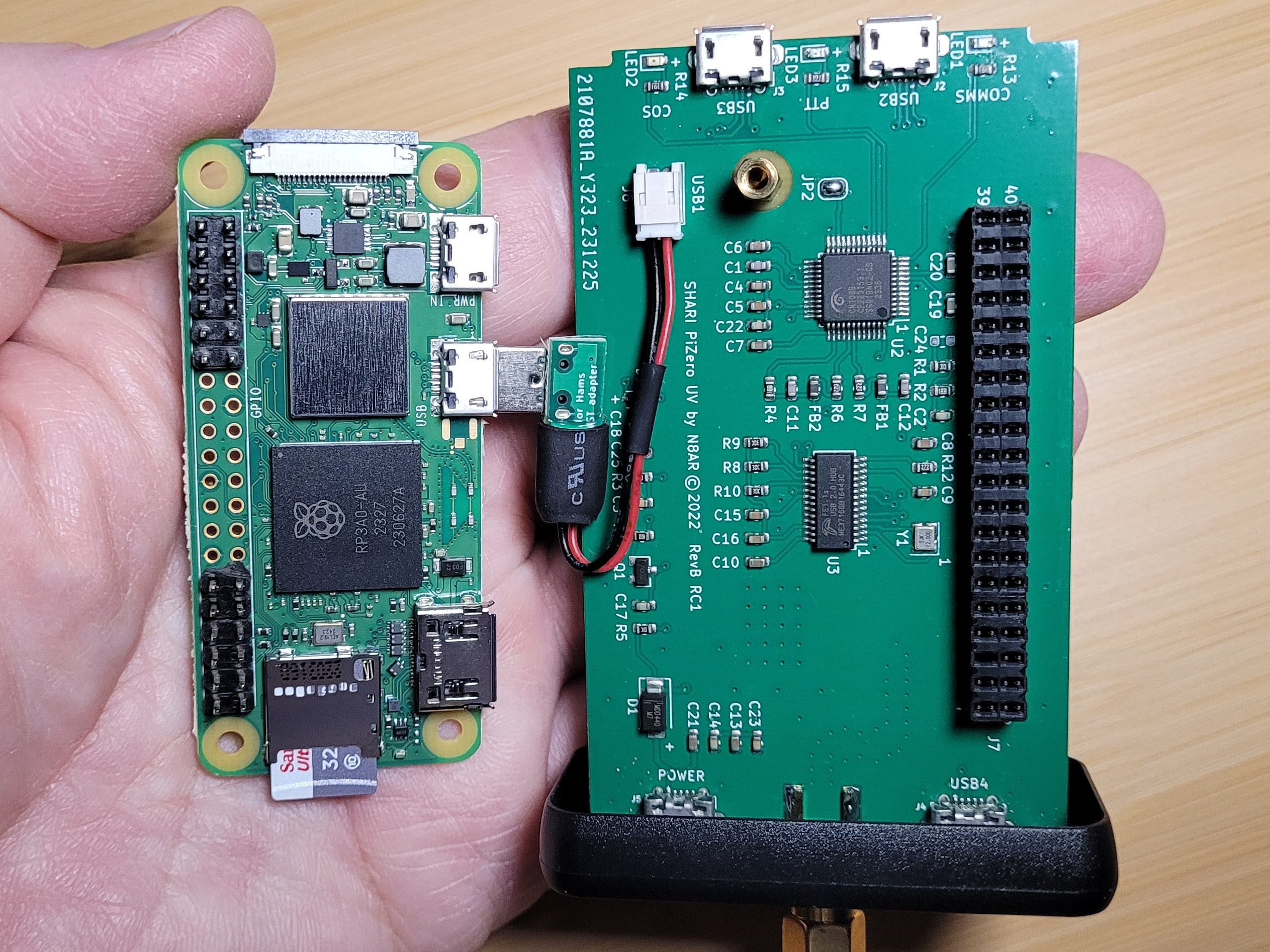
You can see the microSD card on the underside of the Pi. It says a lot about Kits4Hams that they used a high-quality microSD card. That is not what I’ve found with a few other vendors.
After that, I wiggled the microSD card from its slot. While I had it out, I used Win32DiskImager to make an image of the working card and then transferred the image to my Synology NAS box in Portland. I’ll use a new microSD card for the experiment and then (probably) put the original card back into the node.
I will add that the Kits4Hams SHARI PiZero node has been a flawless performer for me. It is small enough to slip easily into a bag when traveling and it takes up little space on your desk or shelf. The node is complete — all you need is an analog HT and an internet connection. In my travel kit, I added a microUSB-to-Ethernet adapter that plugs into my travel router when I’m in a hotel.
Kits4Hams configured the node so that when it arrived, all I had to do was plug it in. It immediately connected to my wireless network. I have operated it 24x7 for two years without any hiccups or overheating. You can also purchase this device as a kit.
Mortty
Also advertised through Kits4Hams: an interesting little CW and RTTY keyer called Mortty.
Mortty v5 is a full-featured, inexpensive, hardware solution for precision CW and RTTY keying…Compare Mortty to the competition: Twice the Features, 1/2 the Price!
AIOC Cover and Cables
I purchased an AIOC cover and cables from NA6D. Here’s how the cover goes on. It comes in two pieces. The AIOC snaps into the part without the NA6D marking.
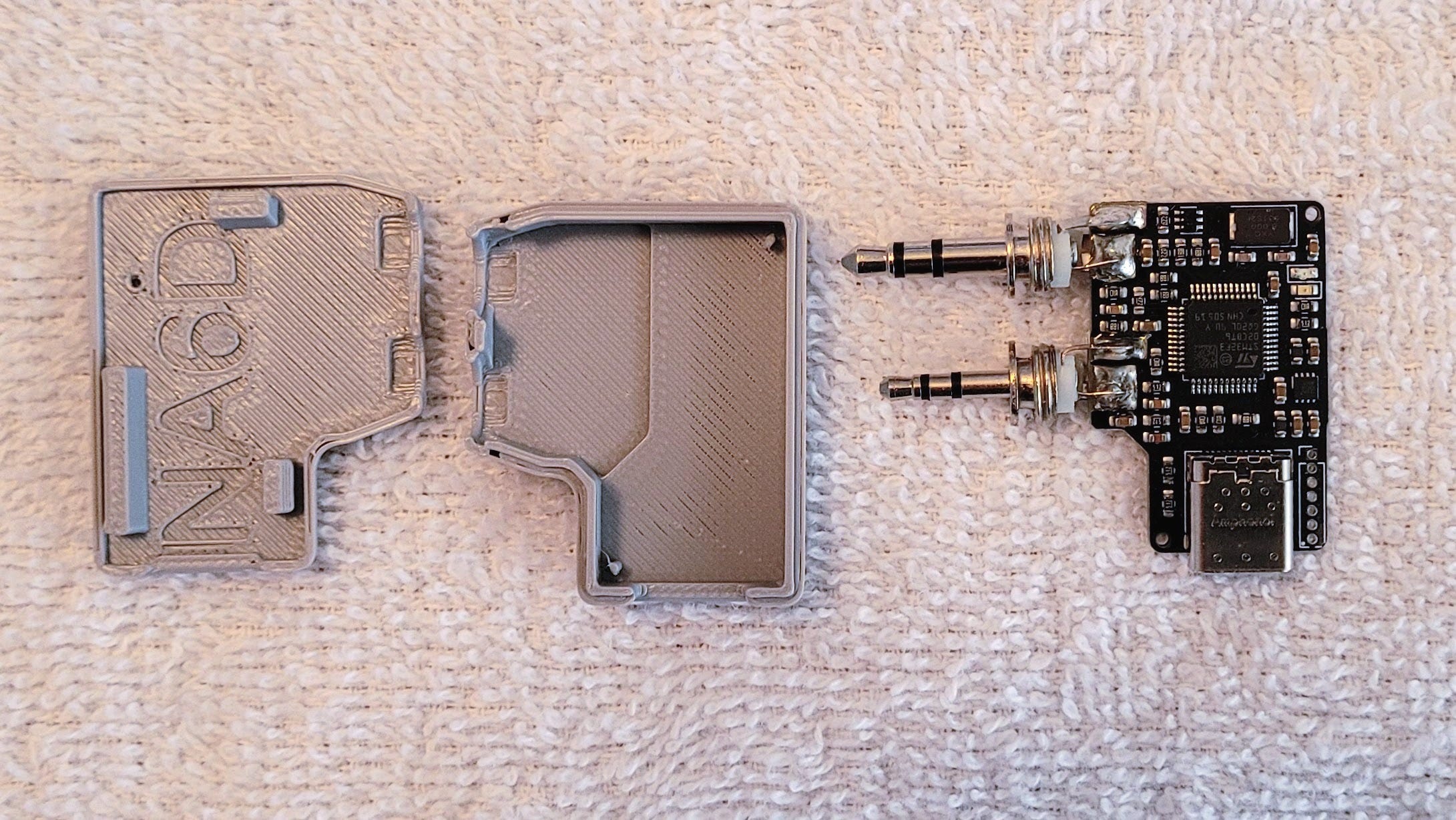
The AIOC fits exactly. Note the channels at the base of the speaker mic pins. The cover fits into those channels.
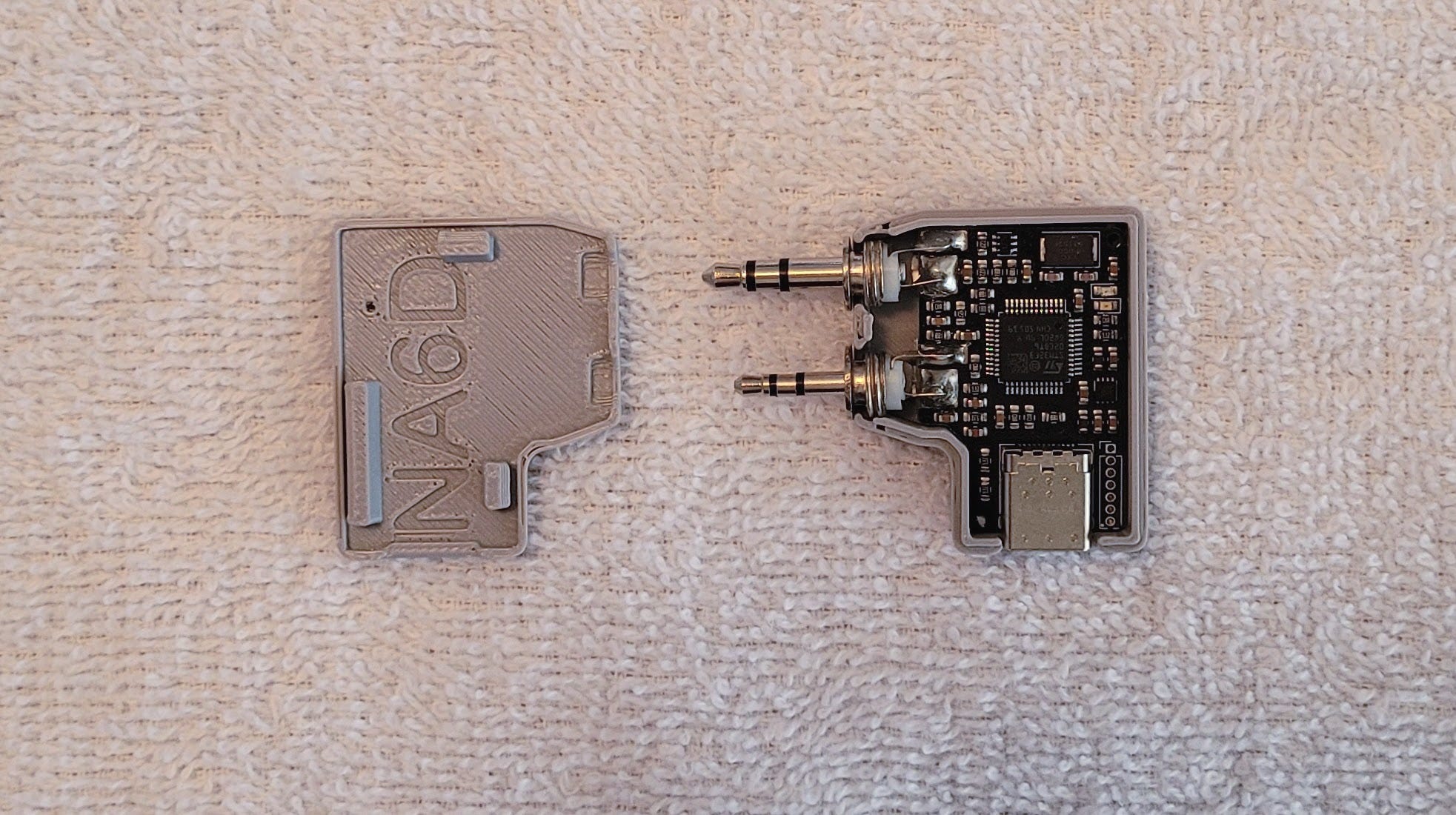
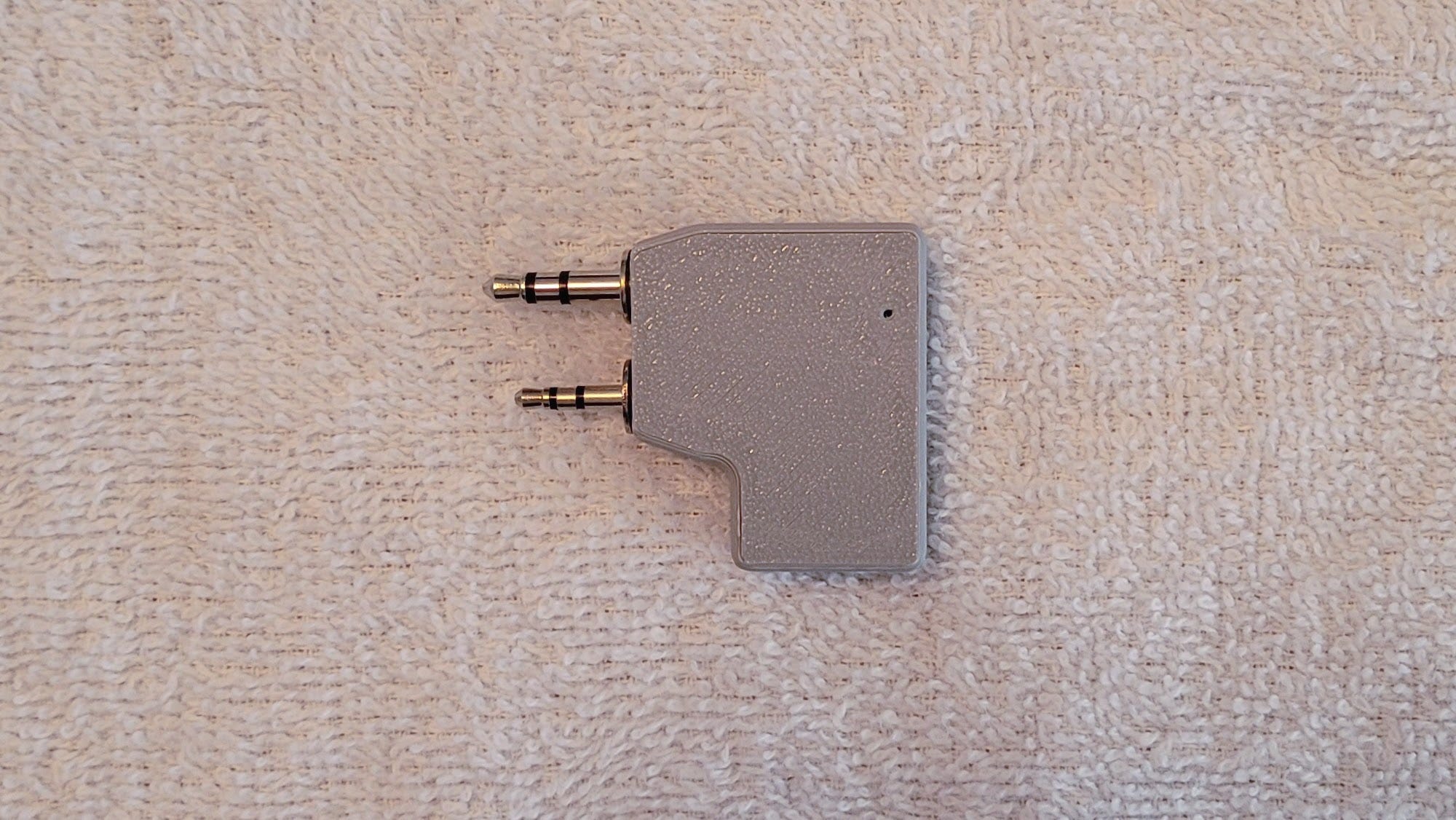
The two halves then snap together, making a durable cover that helps protect the AIOC from damage. I feel a lot less trepidation about pulling the AIOC out of the radio when I have the cover on.
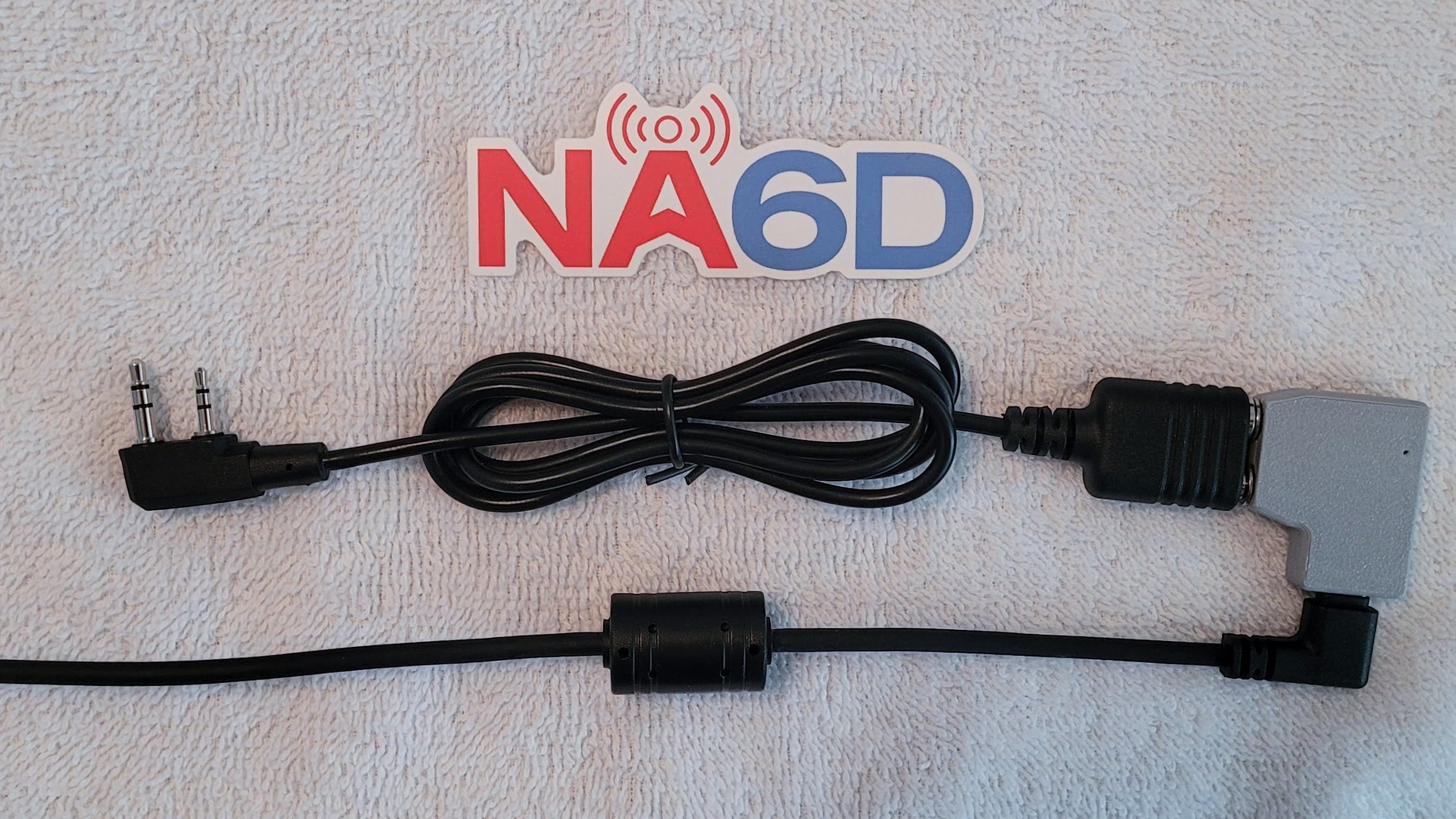
The speaker-mic extension cable allows the AIOC to be used without directly inserting it into your radio. The USB-C to USB-C data cable connects to your computing device.
Next, I need to find some time to connect this to a radio and begin to learn how it works.
Backend for Legacy HamClock Now Available
Option 1: hamclock.com
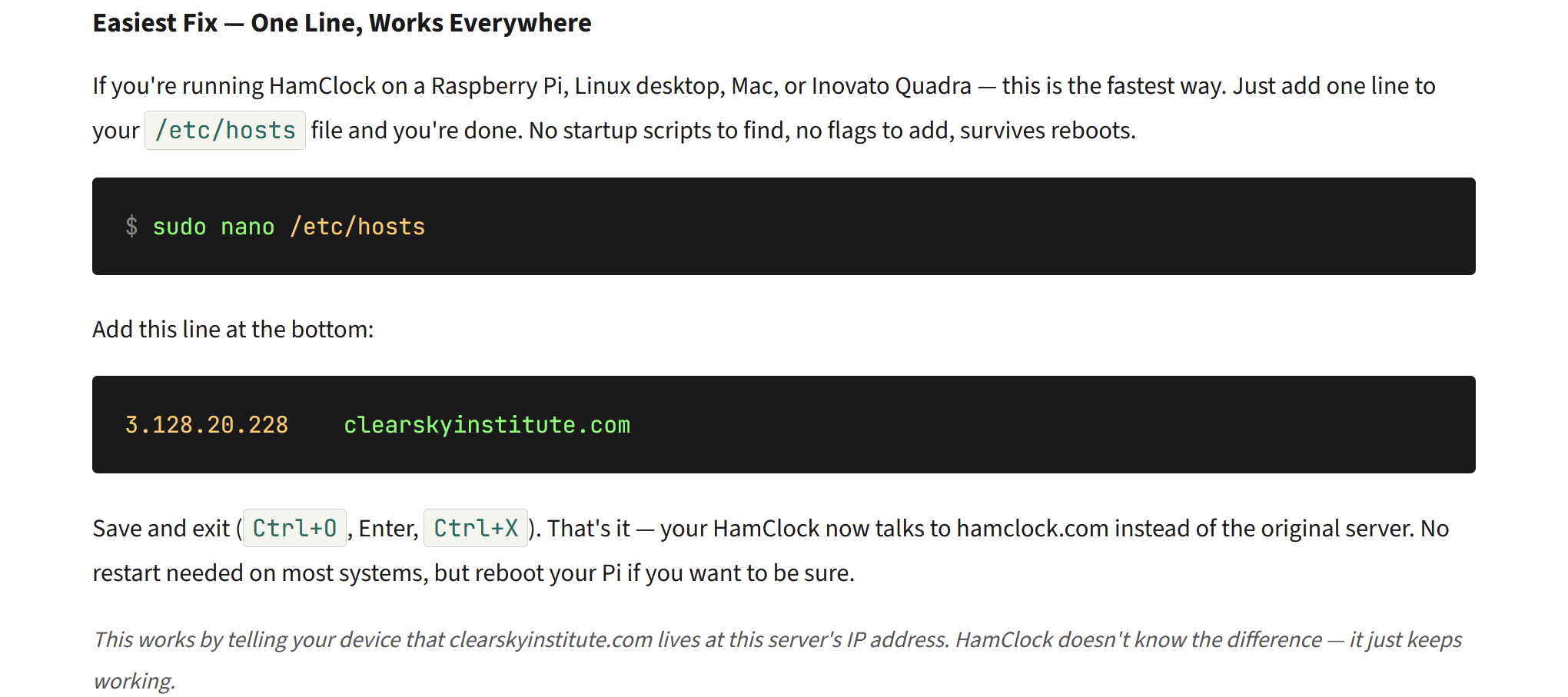
Find several ways of linking your Inovato Quadra HamClock to the new HamClock.com server over at https://hamclock.com/.
It works. I used this easy method of specifying the hamclock.com server in my HamClock:
Here is my HamClock running off the new hamclock.com backend:
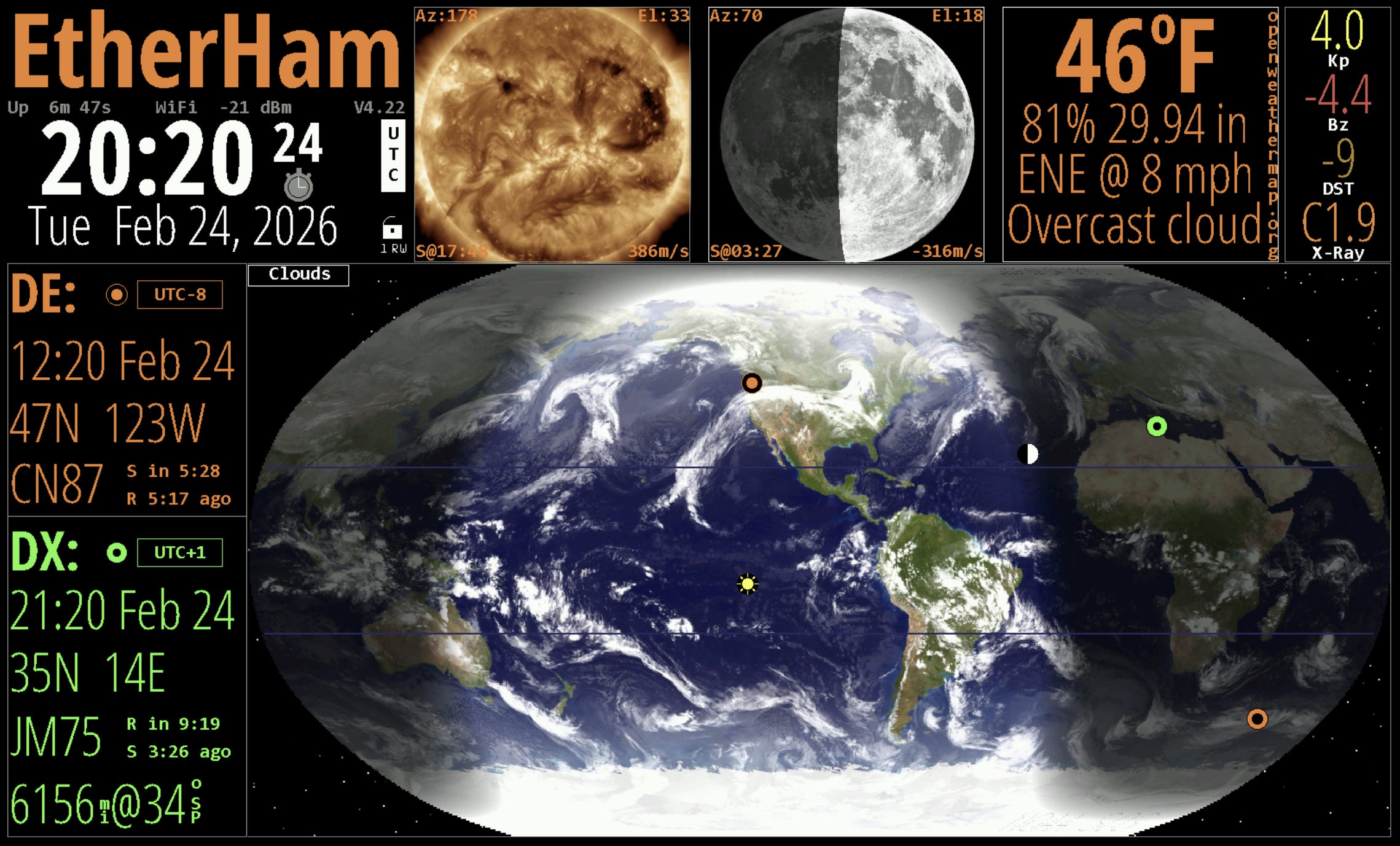
The next day, I saw that the system was having problems. I was missing data in my HamClock:
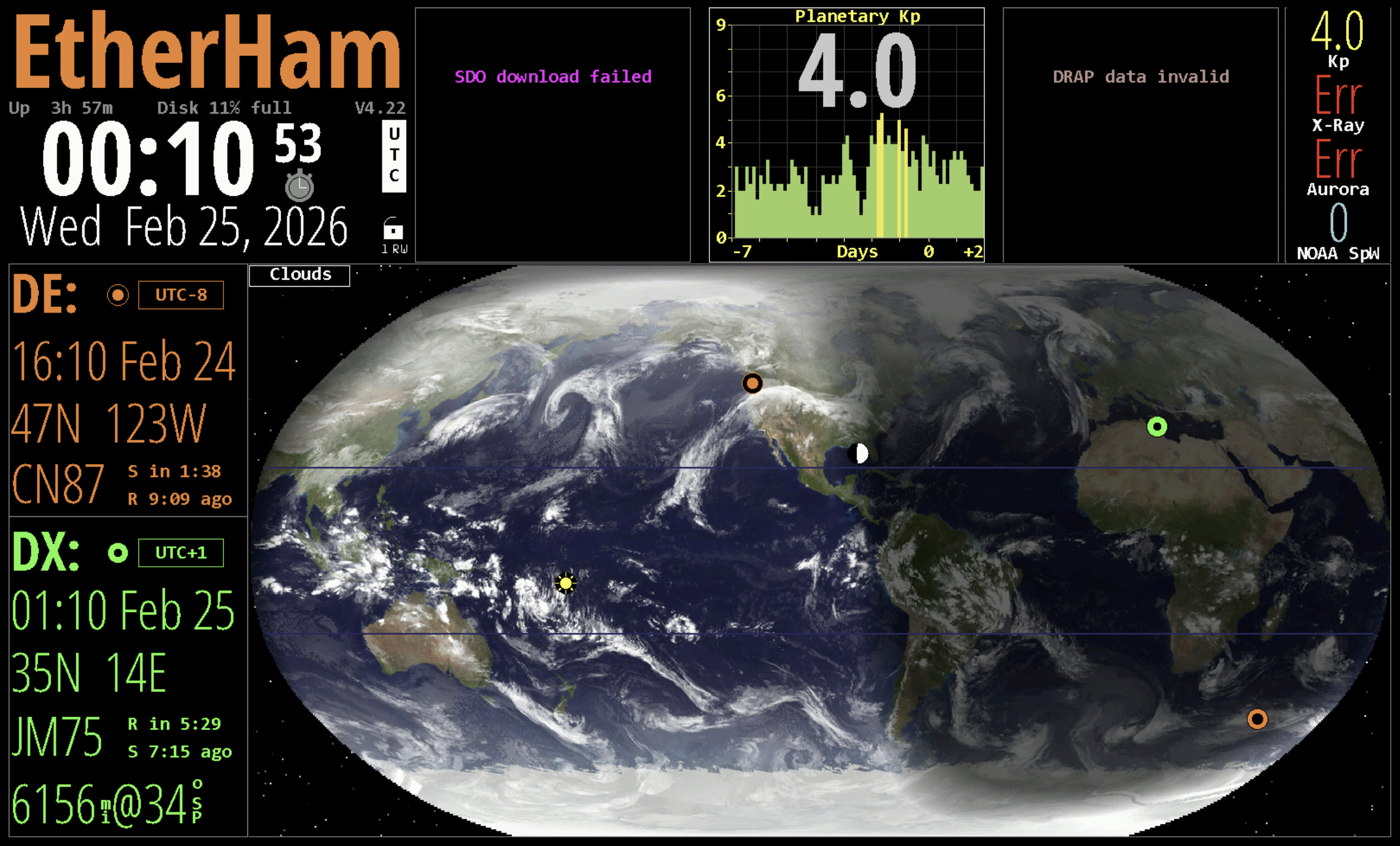
Apparently, the connection broke. Either the server overloaded or the connection bandwidth exceeded some limit.
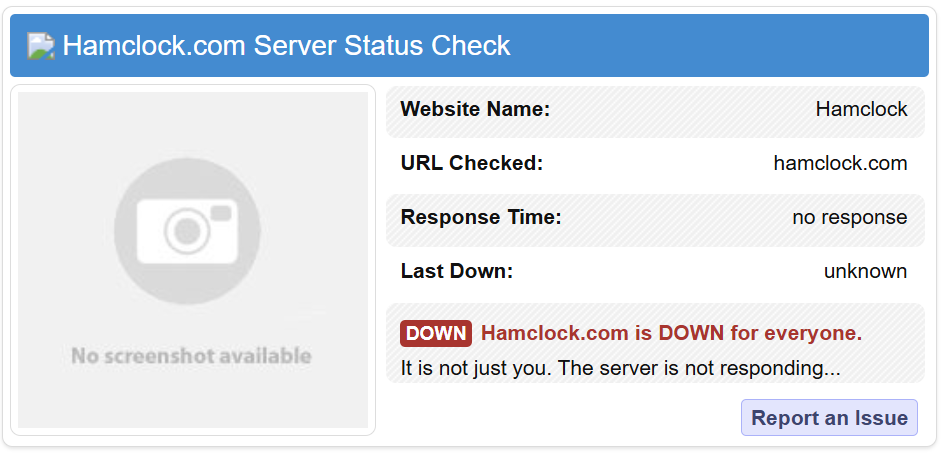
This seems to be fixed. The hamclock.com backend seems to be stable and has been working properly for me.
Option 2: Open Hamclock Backend
However — and this is a big however — not all may be as it seems. There is a lot happening in the HamClock space. Yesterday, I received a message from Udo N0LSR regarding the Open Hamclock Backend (“ready for prime time” he says) and problems others have experienced using the hamclock.com backend:
N0LSR Design is supporting and promoting the Open HamClock Backend (OHB) project. We found that this is the most stable and advanced solution and is ready for prime time.
A word of caution, there are other solutions, like “hamclock.com” which is heavily promoting themselves on social media. But there are a lot of reports that devices are locking up and will require a full factory reset to come back. I therefore caution not to use the hamclock.com server solution and rather go with OHB.
I will have new images on my website for both Quadras and the HK1RBOX as free downloads in the next couple days.
I’m not trying to feed the dragon here. Please use your best judgment in choosing a service that helps you continue using your legacy HamClock. Me? I’ve switched to OHB and it looks fine:

Mysterious: My Laptop Lost Sound
Very odd and time consuming to resolve this was. I don’t know how I fixed it but it is working again.
My Microsoft Surface Laptop 7 with an ARM CPU lost audio output over the built-in speakers. All of my headphones worked fine. The onboard speakers did not. As I investigated, I kept running into “output device not found.”
Needless to say, this was a problem. The Laptop 7 is my daily driver. I couldn’t do a Zoom or Teams or WebEx meeting over the speakers — the only way it worked was if I wore headphones.
I ran through the built-in troubleshooter several times without any success. I thought: perhaps I should restore to an earlier restore point. But as I dug around a bit, I decided the cleaner solution would be to reinstall Windows 11, keeping all my apps and settings intact. That was an overnight process.
I had high hopes the next morning when I looked at the laptop but no, still no audio from the laptop speakers. I went to the Device Manager and there I saw the drivers for the onboard audio. None of them reported a problem; all said they were working normally and had the latest driver installed.
Then I downloaded from Microsoft a special diagnostic tool for the Microsoft Surface laptop series. After going through all of the tests with my fingers crossed, still no audio.
I rebooted a few times. No joy.
Finally, I went to my Bluetooth devices and deleted every audio device in the list, then rebooted. This time, when the laptop booted, my onboard audio was working again.
What in the world? Perhaps one of my Bluetooth headphones or speakers had taken over the onboard audio, but that doesn’t really make sense because they are different devices with different drivers. I’ll have to pay close attention as I add a few of those devices back to the laptop. I have not run into this before.
Short Stack: Content from the Interwebs
This where the “random” in Random Wire really comes into play!
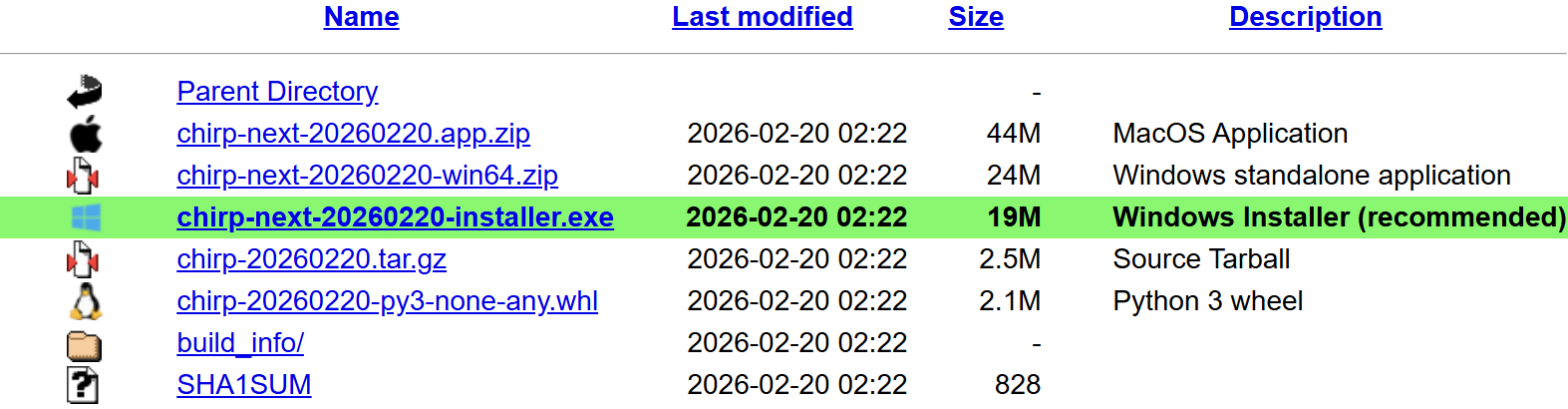
CHIRP-next: new release February 20
This has the latest and greatest set of features and fixes. This is the only version of CHIRP that is actively maintained. All users should be running the latest version of CHIRP.
Short Ham Antennas For HF With Linear Loading
You may have heard that short ham antennas are not as efficient, nor as effective as a "full length" half-wave dipole, regardless of the configuration chosen. Good news! I describe in this article the only exception I know of ... that actually works!
Here’s every cool tech thing the AI RAM crunch is ruining
To illustrate exactly how AI is sucking the life out of consumer electronics, here’s a running list of every device that’s being affected by the RAM crunch.
All About Ferrite
Black, brittle, and heavy are all characteristics of ferrites — a family of ceramic materials made from oxides of metals like iron (Fe), zinc (Zn), manganese (Mn), and nickel (Ni). You have encountered ferrites as magnets and inductor cores and those odd lumps at the ends of cables. First created in 1930, they have since become important materials in the electronics and RF world. They have a high permeability…but don’t conduct electricity very well at all. However, these properties make them ideal for a variety of uses in electronics.
The Quantum Apocalypse Is Coming. Be Very Afraid
I don’t have access to the complete article, but the title is chilling enough. Basically: quantum computing is going to make all of our passwords, crypto keys, and similar “secure” measures much more susceptible to hacking. Things you believe to be secret and safe won’t be. Yes, this is a Chicken Little “the sky is falling” clickbait title, but still, that doesn’t mean it’s wrong!
Someone made their own Moltclaw personal assistant with a Raspberry Pi Zero 2W
I confess that to me, this looks like good, geeky fun.
Over on the Raspberry Pi subreddit, user bastivkl posted their new OpenClaw assistant that runs off a Raspberry Pi Zero 2W. It combined the SBC with a PiSugar WhisPlay board and an optional PiSugar battery to create it. Once it's all built, you can talk to OpenClaw with a button press
Recommended: The Repeater e-Zine
If you like good amateur radio content written by hams, check out The Repeater by K9CAN. In particular, the February 2026 issue contained a great article about the AllScan UCI120 device by David Gleason NR9V. Good stuff.
Environment Canada to permanently shut down VHF Weatheradio (and Hello Weather) on March 16, 2026
This news has been making the rounds, but if you haven’t seen it yet, here it is. Note that this affects Weatheradio in Canada:
Starting March 16, 2026, Weatheradio and Hello Weather services will be permanently disconnected. You can get radio marine forecasts via the Canadian Coast Guard. For your local weather forecasts and alerts, visit the interactive weather map or download the WeatherCAN app.
HamClock Launcher version 1.2 released
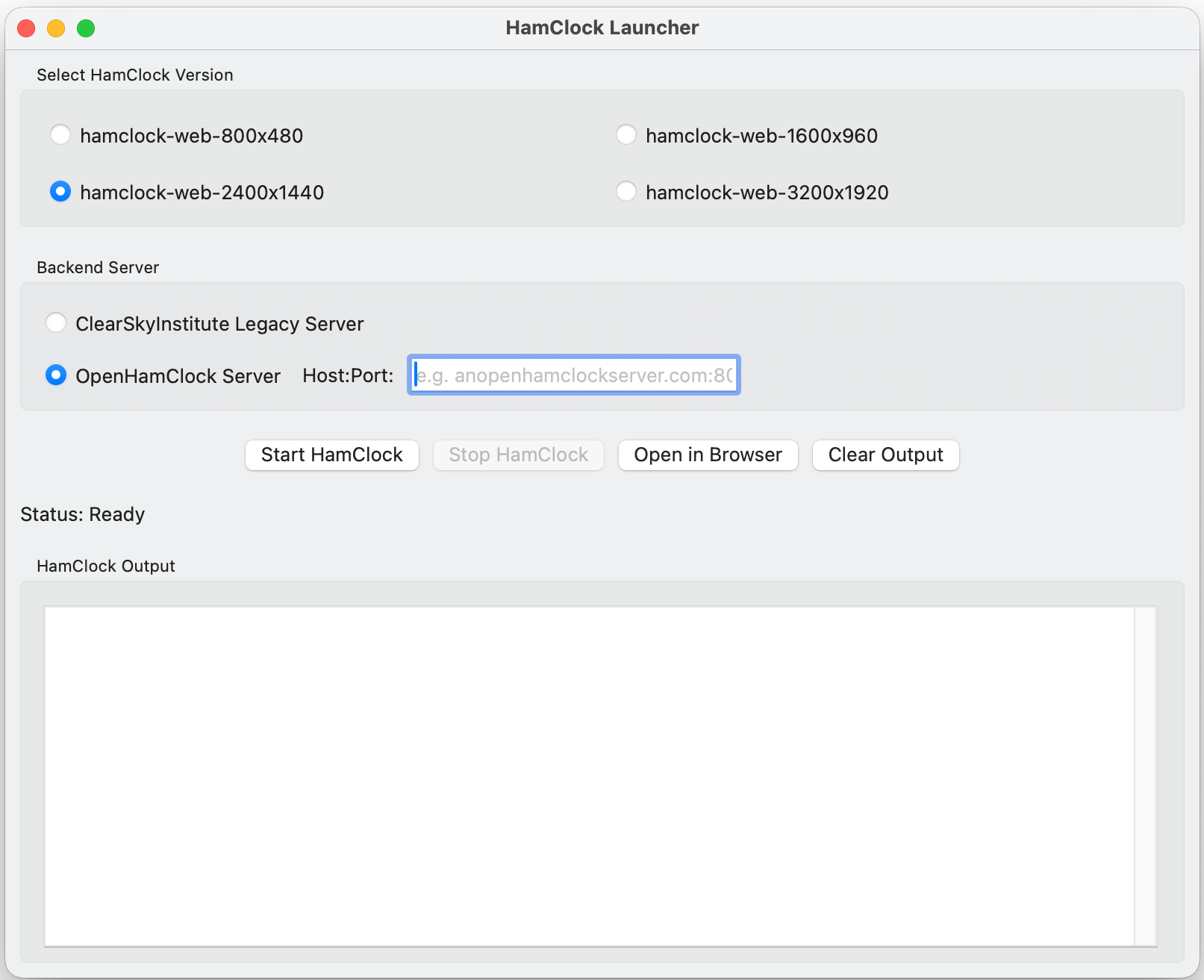
Apple users, here is a HamClock solution for you. Two DMGs are available: one for Intel Macs and one for Apple Silicon (M-series).
Hubert, KF0VWD has released HamClock Launcher – a macOS desktop app that makes it simple to run and monitor the HamClock web application on a Mac. It is distributed as a self-contained .app with everything included: the HamClock web binaries and all required libraries. No developer tools, MacPorts, XQuartz, or other prerequisites are needed.
I tried this on my big Intel iMac. There is but one configuration screen. I used ohb.hamclock.app:80 for the backend server:
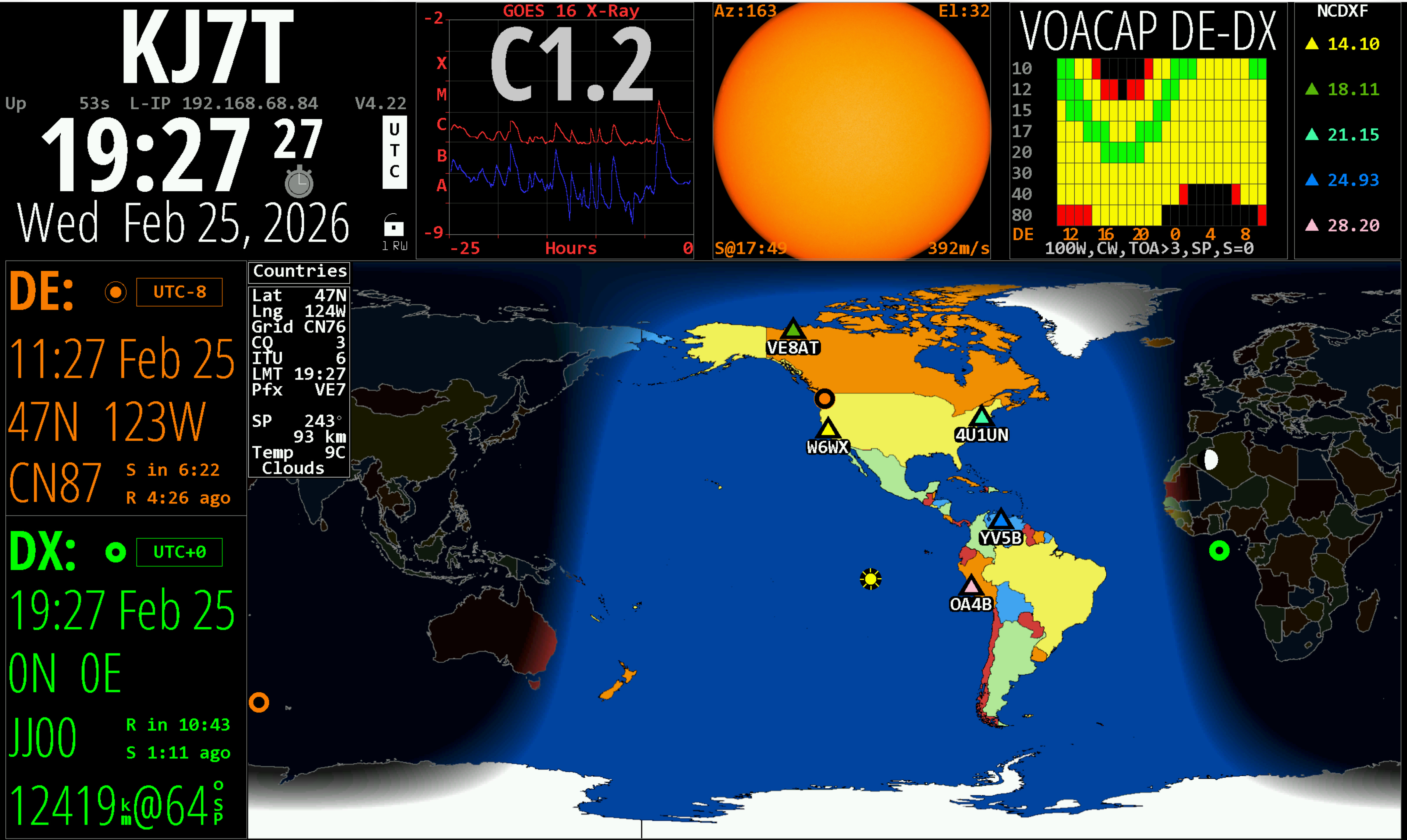
The HamClock looks great on my Apple iMac screen:
“It’s A Bit Culty”: People Are Calling Out The Hobbies That Can Totally Take Over Your Life, And I Agree With A Few Of These
I fully thought amateur radio would be one of the listed hobbies. It feels like it ought to be!
Meshtastic Does More Than Simple Communication
For all you Meshtasticos:
Meshtastic has been experiencing a bit of a renaissance lately, as the off-grid, long-range radio text messaging protocol gains a ton of new users. It’s been used to create mesh networks in cities, during disasters and protests, in small groups while hiking or camping, and for search and rescue operations. Although it’s connected plenty of people together in all of these ways, [GreatScott!] wanted to put it to work connecting some computing resources instead. He has a garden shed that’s too far for WiFi, so Meshtastic was used to connect it instead.
M17: Updating firmware on Connect Systems CS7000 M17 Plus HT Radio
Here is a helpful video on updating the firmware in your Connect Systems M17 radio.
In Search of a Discord Replacement
This is a pretty thorough documentation of alternatives to Discord, including some services I’ve never heard of:
My review and analysis is only for the communities I help run, and while I think the requirements are similar for most communities currently on Discord, they may not hold for everyone. There are three types of communities I participate in and help run…
I avoided powerline Ethernet for years. My apartment’s sliding glass door changed my mind
I smiled at the title because I, too, avoided Powerline Ethernet. That is, I avoided it until my sister needed better internet in her unattached garage. Powerline Ethernet to the rescue! Not perfect, but it works. Sometimes that is good enough.
Signing Off
It’s been a tough week at work. Washington’s Legislature released proposed state budgets. For the most part, my community did well, but there are a few really strange changes, where “strange” means they don’t make sense. We’re trying to get clarification but because of the time crunch (it’s a short legislative session), budget writers are heavily tasked we may not get a response.
This week, I participated in a very pleasant HF net on 10 meters. The host was Gary AC7VA who lives just a few miles from me. To participate, I slapped together a quick station for the pickup truck consisting of:
Kenwood TS-50S transceiver
A big LiFePO4 battery with 10 AWG wire, inline blade fuses, and PowerPole connectors
Shark Mini Hamstick for 10M and a tri-mag mount for the top of the truck cab
Rig Expert Stick 500 antenna analyzer
The part that took the longest was tuning the hamstick for 28.450 MHz. It was pretty finicky and the lowest SWR I was able to achieve in the dark was 1.9:1.
Surprisingly, I was heard by all stations except one and I could hear all stations clearly. However, it felt to me like the TS-50S wasn’t really putting out 100 watts. Given the proximity to other stations, my signal should have been heard better. There is a known problem with this radio where using the radio at full power for too long can crack the PA solder joints, resulting in reduced output power. I think it’s time to open up the radio and take a look!
Next time, I’ll try to use my Yaesu FT-450D or the FT-891D. Eventually, I’ll get an end-fed halfwave up in the tall Douglas fir tree just outside the window. I’m still working on the pneumatic launcher to accomplish that task.
This net and other information are included in the helpful brochure published by the Mason County Amateur Radio Club at https://mc-arc.org.
73 to all, and remember to touch a radio every day!

While every bit of Random Wire is always an enjoyable, engaging read, in every issue I find some nugget that I didn't know I needed to know. In this issue, that nugget was your passing mention of CHIRP-NEXT. CHIRP is on my short list to program the new Baofeng UV-5R Minis, and with that one item you saved me a lot of head scratching and frustration not knowing in advance that CHIRP-NEXT is the version to use. Thanks Tom for all the work you put into Random Wire!
Also, the new BTECH DA-7X2's capability to use NXDN was interesting. I had dismissed NXDN as, like MotoTRBO, a semi-proprietary implementation of DMR. But a quick look (thank you ChatGPT) at it mentioned that unlike DMR, you can use NXDN in "single channel" mode for 6.25 kHz channels. NXDN might get more popular now that there's an alternative to Icom or Kenwood commercial NXDN radios.
PS - Love the new Random Wire / EtherHam masthead!