


New WIRES-X Software Release Available?
I’m hearing that WIRES-X software has moved to version 2.0 and there are some incompatibilities with nodes running the previous version. I’m finding this information on social media. What I’m not finding are official announcements or press releases from Yaesu on this change.
The most reliable verification of this update is the instructions released by Yaesu on March 17, 2026. See the PDF file on the Yaesu website which briefly describes how to update WIRES-X to version 2.0. The entirety of that PDF is this single page:
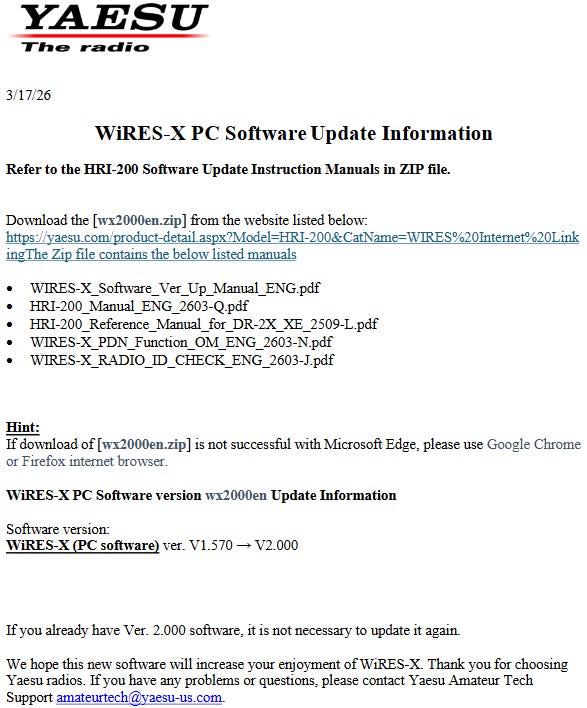
Should you update your WIRES-X software now? I don’t have strong advice, other than my general information technology rule of thumb: unless it is a critical patch, upgrade slowly. Translation: let someone else be on the cutting edge of finding and solving problems!
If you have more information on this software upgrade and what it means, please do share it.

New TechNote: Automatically Connecting/Disconnecting an ASL Node
TechNote 11: Automatically Connecting/Disconnecting an ASL 3 Node contains detailed scripts/commands for a Debian 13 server running AllStarLink 3. Please note that some commands in the TechNote will not work correctly if you are running AllStarLink 2.

This long TechNote will be of interest if you run AllStarLink 3 and want to automate the process of connecting and disconnecting regularly to a particular node.
What is a bash script? See the footnote1.
I am testing this publicly on my “node in the cloud” AllStar node 57945, which you can check at https://kj7t.net/allscan/. To make sure I don’t interfere with node 55915 and any nodes connected to/through it, I’m making my automatic connection in listen-only (monitor) mode.
And since I fiddled with my ASL node 57945, I changed how I track changes. I was capturing notes in a simple text file and serving that from the 57495 web root. However, I decided to use Markdown to keep the notes.
What is Markdown? See the footnote2
The web server doesn’t automatically parse Markdown files so I installed pandoc to convert CHANGELOG.md to CHANGELOG.html. See the result at https://kj7t.net/CHANGELOG.html. It’s easier to read than a straight text file.
What Are Those Strange Sounds?
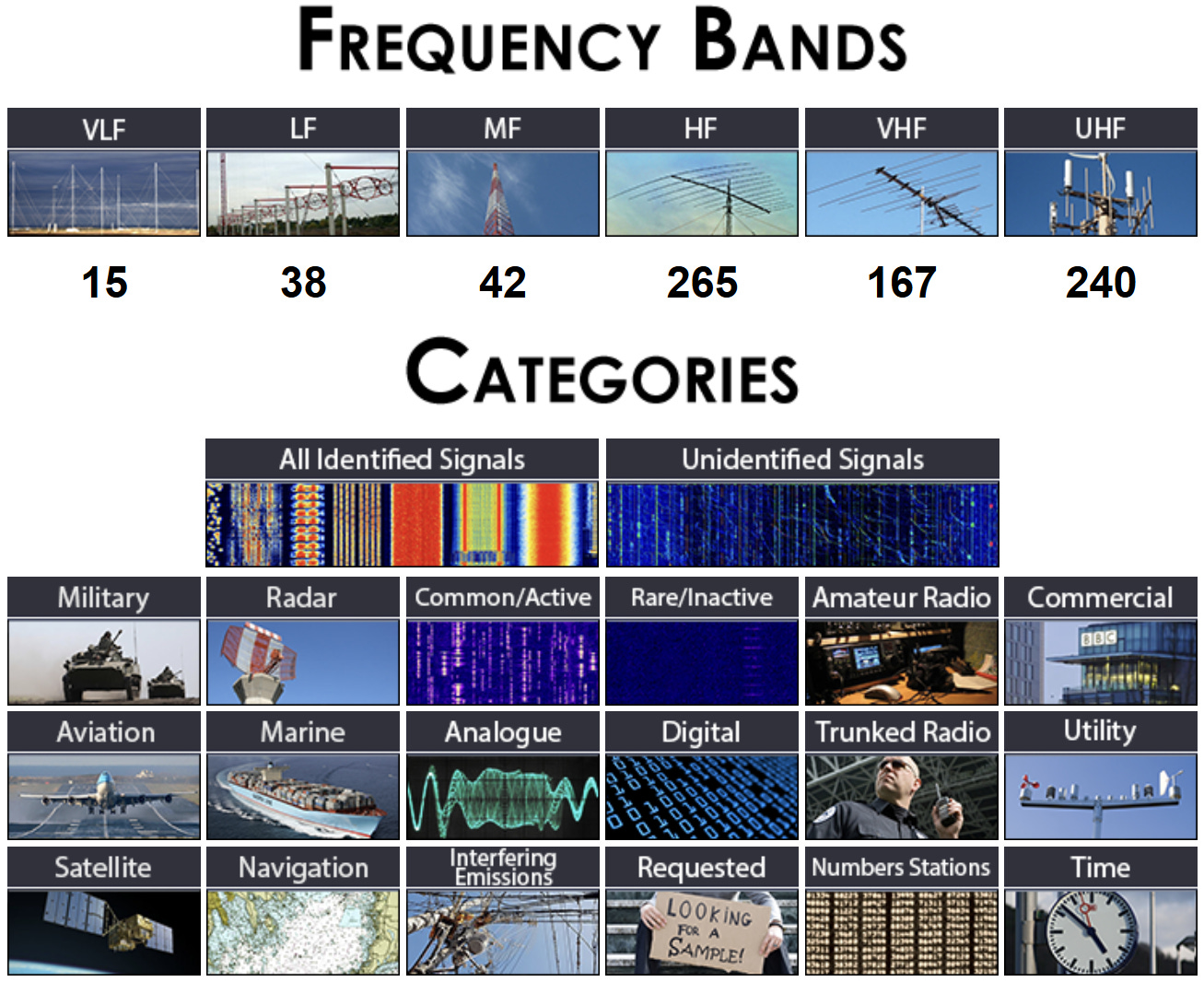
SIGIDWIKI (Signal Identification Guide) has hundreds of sound samples (and the spectrum displays of sources) for all the bands you might listen to. If you are hearing something strange, SIGIDWIKI is the place to go.
Here’s a graphical representation of what is covered there. Hearing strange sounds? Visit SIGIDWIKI!
Also:
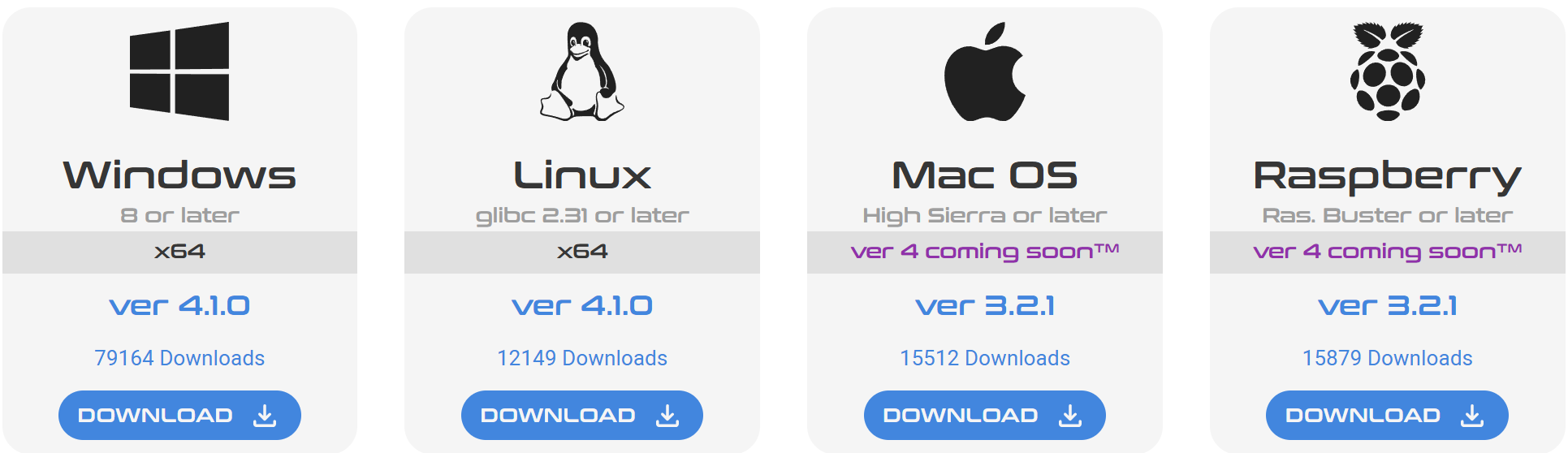
Check out Artemis 3, the main companion app to this guide! Artemis 3 gives you all known reference signals in an easy to access offline format, with improved sorting and filters and offline audio samples and waterfalls.
Artemis 3 is available for the operating systems you are likely using:
More Exploring: the Icom IC-7300MK2
Interfacing a Desktop Mic on the IC-7300MK2
I bought a new microphone for my computer and then wondered: can I interface this with the Icom IC-7300MK2? The answer is that I should be able to. The adapter from W2ENY had not arrived by the time this issue of the Random Wire went to press.
The microphone:
I will say the MAONO PD200W is a pretty large microphone for the budget end of the spectrum. Once I had the sound profile to a place I liked, it sounded good. I’ve been using it via a USB connection and also via a wireless connection with my laptop computer. No complaints heard from anyone on Teams and Zoom calls!
I contacted Bob W2ENY to see if he could make me an XLR-to-Icom cable so I could try to interface the radio with the IC-7300MK2 radio. The 7300MK2 has an 8-pin round connector. Turns out Bob also sells a foot switch that works with his adapter. This would be very helpful when I want to transmit from my portable desk.
The XLR connection on the microphone is standard, so the XLR pinout should be:
Pin 1 — Ground (shield)
Pin 2 — Audio positive (hot, +)
Pin 3 — Audio negative (cold, −)
However, it’s a dynamic microphone so Bob says it will need a DC blocking capacitor as Icom “has bias voltage on pin 1 that would short to ground.” I ordered the adapter and a footswitch for $80, remitted through PayPal. Find Bob’s store at https://w2eny.com/. I noted that he also has some great looking compact headsets available so I’m thinking a headset is in my future.
Remote software for the IC-7300MK2
I found these remote control solutions for the Icom IC-7300 and IC-7300MK2 transceivers:
RS-BA1 Version2 IP REMOTE CONTROL SOFTWARE — From Icom, “RSBA1 allows users to operate their ham shack with only an IP connection.”
Win4IcomSuite for Icom Radios — “Win4IcomSuite is a comprehensive control package for the Icom IC-7100, IC-7300, IC-7610, IC-7600, IC-7700, IC-7850/51, IC-9700, IC-7760, IC-705 with more radios to follow.”
wfview — “wfview is a program developed by amateur radio enthusiasts to control modern Icom and Kenwood ham radios. wfview is free and open source software.”
IC 7300 Remote Control Software — “This post is about how to remote control the IC 7300 with Simple Ham Radio Remote (SimpleHRR) Software and a Raspberry Pi.”
SDR-Control for Icom — “Software Defined Radio Client for Icom Transceivers” (for iPhone, iPad, and macOS).
Ham Radio Deluxe — See IC-7300 USB Setup Configuration for more information.
RemAud - Low Latency & Low Bandwidth Amateur Radio VoIP Software — For remote audio.
flrig - rig control program, cooperates with fldigi — Often used with RemAud, according to Reddit and Facebook users.
I had some interesting moments with wfview. I installed it, configured it, and could see the program’s version of the 7300MK2 display. I could control the frequency. But I could not get any audio into the computer — it was all going through the radio speakers. The next morning, I reset back to my saved FT8 configuration but WSJT-X no longer heard the radio. Uh oh.
I took a shortcut and asked ClaudeAI for some help. In a couple of minutes, Claude steered me to the USB AF Out setting which was set much too low. I set it back to 50%. Still no signal reaching WSJT-X. Claude suggested that the wfview program had taken control of the codec and not released it. I uninstalled wfview, restarted WSJT-X, and suddently WSJT-X could hear the radio again. However, this time it was too hot, so I turned the USB AF Out down to 30%. Perfect.
Shielded USB cable with chokes
I finally found a good quality, heavy duty, shielded USB cable with RF chokes (ferrites) installed on each end:
Digirig 2M Shielded USB-C to USB-C Cable with Ferrites (affiliate link)
I confess I bought more than one because I always seem to be hunting for a good, shielded USB-C data cable. My primary use case is to connect the Icom IC-7300MK2 to my Toughbook computer. Currently, I’m using a pretty typical USB cable with ferrites I added, but I think the Digirig cable will give me better service. If nothing else, it feels thicker and the cable-plug join feels very solid. I like these USB-C cables.
Digital voice with FreeDV
FreeDV uses Codec 2, the same codec as M17! I wanted to try FreeDV with the Icom IC-7300MK2 this week but ran out of time.
FreeDV is a suite of digital voice modes for HF radio. Our flagship mode is the Radio Autoencoder (RADE). You can run RADE using a free GUI application for Windows, Linux and macOS that allows any SSB radio to be used for high quality digital voice.
The reasons for FreeDV seem compelling to me. This is probably not a surprise, given that one of my primary interests is the intersection of the analog and digital realms.
Amateur Radio is transitioning from analog to digital, much as it transitioned from AM to SSB in the 1950s and 1960s. How would you feel if one or two companies owned the patents for SSB, then forced you to use their technology, made it illegal to experiment with or even understand the technology, and insisted you stay locked to it for the next 100 years? That’s exactly what was happening with digital voice. But now, hams are in control of their technology again!
FreeDV is unique as it uses 100% Open Source Software, including the speech codec. No secrets, nothing proprietary! FreeDV represents a path for 21st-century Amateur Radio where Hams are free to experiment and innovate rather than a future locked into a single manufacturer’s closed technology.
Trying FreeDV with the 7300MK2 is on my to do list.
Receive-only loop antenna for the 7300MK2
I’m having a horrible time trying to hear much of anything on 10 meters. This is true with the Yaesu FT-450D and the new Icom IC-7300MK2. There is something about the lake house and its environs that is not conducive to the 10M band.
I dug an old MLA-30 antenna out of a box to try as a receive-only antenna. The 7300MK2 has SMA ports on the back for a receive-only antenna so I had nothing to lose but a few minutes of time.
This is the exact model I used:
MLA-30 Loop Antenna Active Receiving Antenna 100kHz - 30MHz for Short Wave Radio (affiliate link)
I hope you won’t laugh too hard at the next photo. I didn’t want to invest a lot of time creating a strong mount for this lightweight antenna, so I improvised with a columnar cardboard box. It worked fine indoors and I had it outside for a few hours between rain showers.
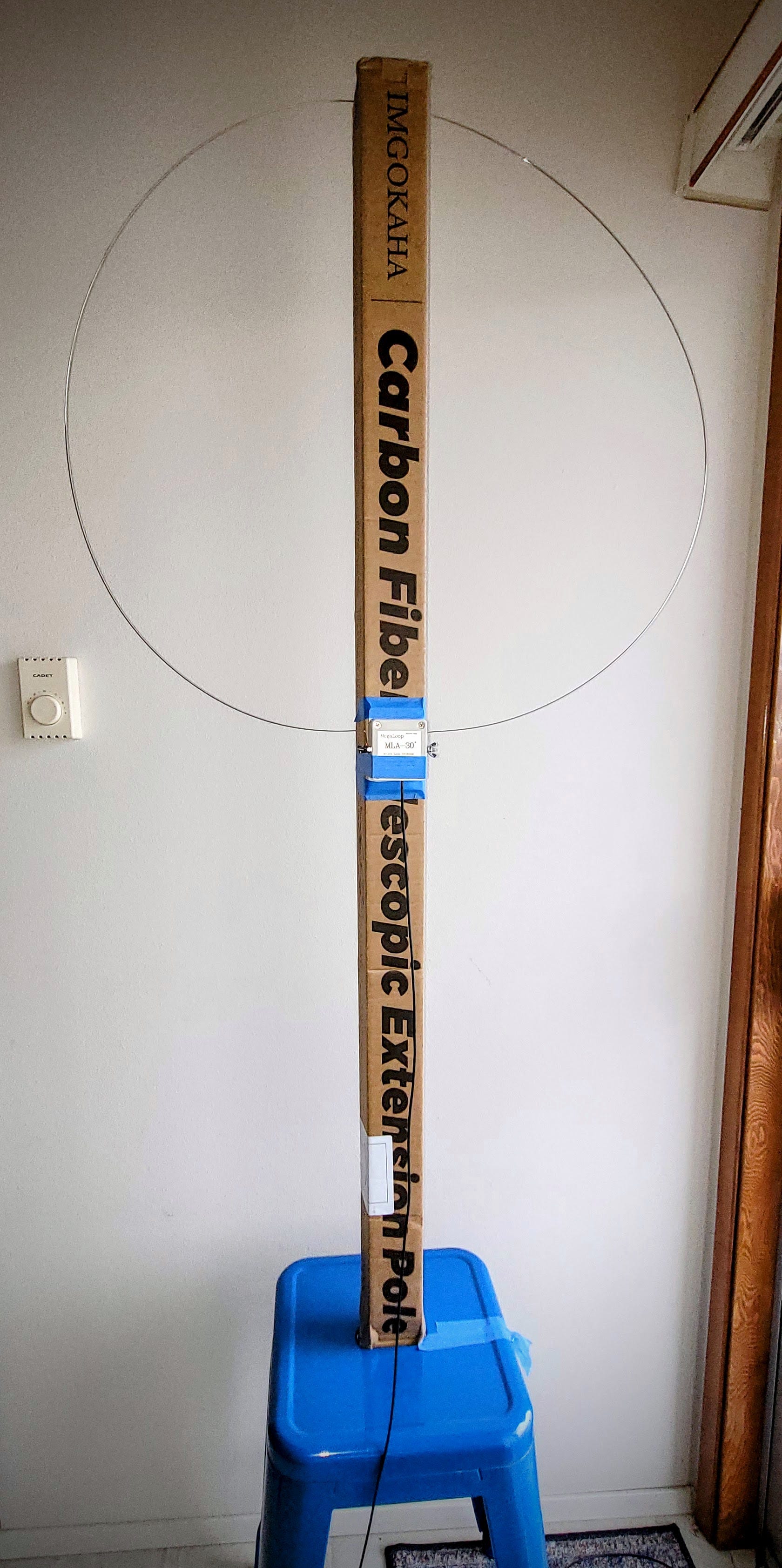
It actually did pick up stations during last night’s 10-meter net. I tried rotating it to various orientations without much effect on 10 meters. I worked very nicely on 15 meters where I could hear QSOs very clearly. For the 10-meter net, I ended up using the end fed half wave antenna, though, as it was catching more RF, which also means it was picking up all the RFI around me. I turned the RF (Radio Frequency) knob way down and the AF (Audio Frequency, aka volume) knob up to for best clarity of received audio. (The RF control is used to adjust receiver sensitivity, reducing noise by decreasing gain when turned counter-clockwise.)
So the MLA-30 antenna does work. It deserves a better mounting system so I’ll work on that in the near future. I think I’ll dig out one of my SDR dongles and try the loop antenna with the SDR. That might work nicely with an SDR application on my laptop.
Portable HF antenna idea
You might have noticed that the cardboard shown with the loop antenna was the packaging for a painter pole. I bought a 24-foot painter pole. What I’m thinking is making an inexpensive version of a DX Commander antenna. I’ll need to fabricate a cap that screws to the painter pole threads with a mount for a telescoping whip. I need to get to at least 33 feet in length.
And then since this strong and light pole is actually conductive, I’ll need to make standoffs for the vertical wire for each band. Even if I get those wires two or three inches from the pole, there is likely to be some detuning going on, and that means I should start with the wires too long and trim them to the best standing wave ratio (SWR).
What is SWR? See the footnote3
I envision using some pieces of kitchen cutting boards made of polypropylene as standoffs…maybe a rectangular strip with a hole drilled in the middle for the painter pole, and smaller holes for the antenna elements.
I’ll need what, a 1:1 unun at the base of the antenna? It should work like a fan dipole where the frequency you are on flows through the resonant element, so all elements can connect to the single unun.
What is an unun? See the footnote4
And then I’ll need some kind of ground mount (or maybe one that I can slide into my tow hitch receiver) that will hold the 24-foot painter pole.
I don’t have this drawn up. Right now, the image lives in my head. First challenge: figuring out a cap with painter pole threads, something I can install an antenna mount on and robust enough to handle a telescoping aerial antenna in the wind.
Using M17 Without a Radio
How many ways are there to connect to an M17 reflector without owning an M17-capable radio? It turns out there are several software options for getting on M17 reflectors using just a computer, phone, or tablet. Here’s the rundown of what I’ve uncovered.
DroidStar — This is, perhaps, the most popular option. DroidStar is a multimode digital voice client that runs on Windows, Linux, MacOS, Android, and by jumping through a few hoops, probably iOS. (I say probably because I’ve not tried this and most of the advice I found is no more recent than 2023.) It connects directly to reflectors over the internet using just your microphone and speaker(s). For iOS, DroidStar-DMR is a fork of DroidStar that adds some features and is reportedly easier to install on iOS. DroidStar is the go-to solution for most operators and works well on a phone while driving.
M17 Web Client — Listening via the M17 Web Client is probably the easiest way to get started as there is nothing to install. The M17 Web Client is a beta application that enables receiving and transmitting M17 over reflectors from your web browser, making it very easy to get on the air without having to have any special equipment or software installed. Find it at https://m17project.org. Check out the streaming examples at https://stream.m17.app/ (and I note that the Kansas City Wide network is also available if you scroll down the streaming page a bit).
mvoice — The Linux desktop client mvoice is the original M17 client for Linux, featuring Ham-DHT support and direct routing. This is more of a power-user tool but it does have full TX/RX capability.
SDRangel — If you are an SDR hardware user, SDRangel supports both transmission and reception of M17 and runs on both Windows and Linux, working with PlutoSDR, HackRF, and other SDRs. This requires SDR hardware but not a traditional radio.
Practical recommendation: DroidStar on Android is the easiest full TX/RX option and takes about five minutes to set up. The reflector used by the M17 team is M17-M17, module C — there is a net every Friday at 17:00 UTC (10:00 am where I live) where you can ask questions and test your setup.
If you are an iOS user, the easiest path forward without a radio is the MSeven app from the Apple App Store. (I run this on an iPad Mini and it works very well.)
In this brief summary, I did not include information about M17 hotspots since these generally also require a radio.
EtherHam Store
I added a hoodie and a tumbler to the EtherHam store and then ordered one of each. The tumbler arrived yesterday and I have to say it looks very nice.
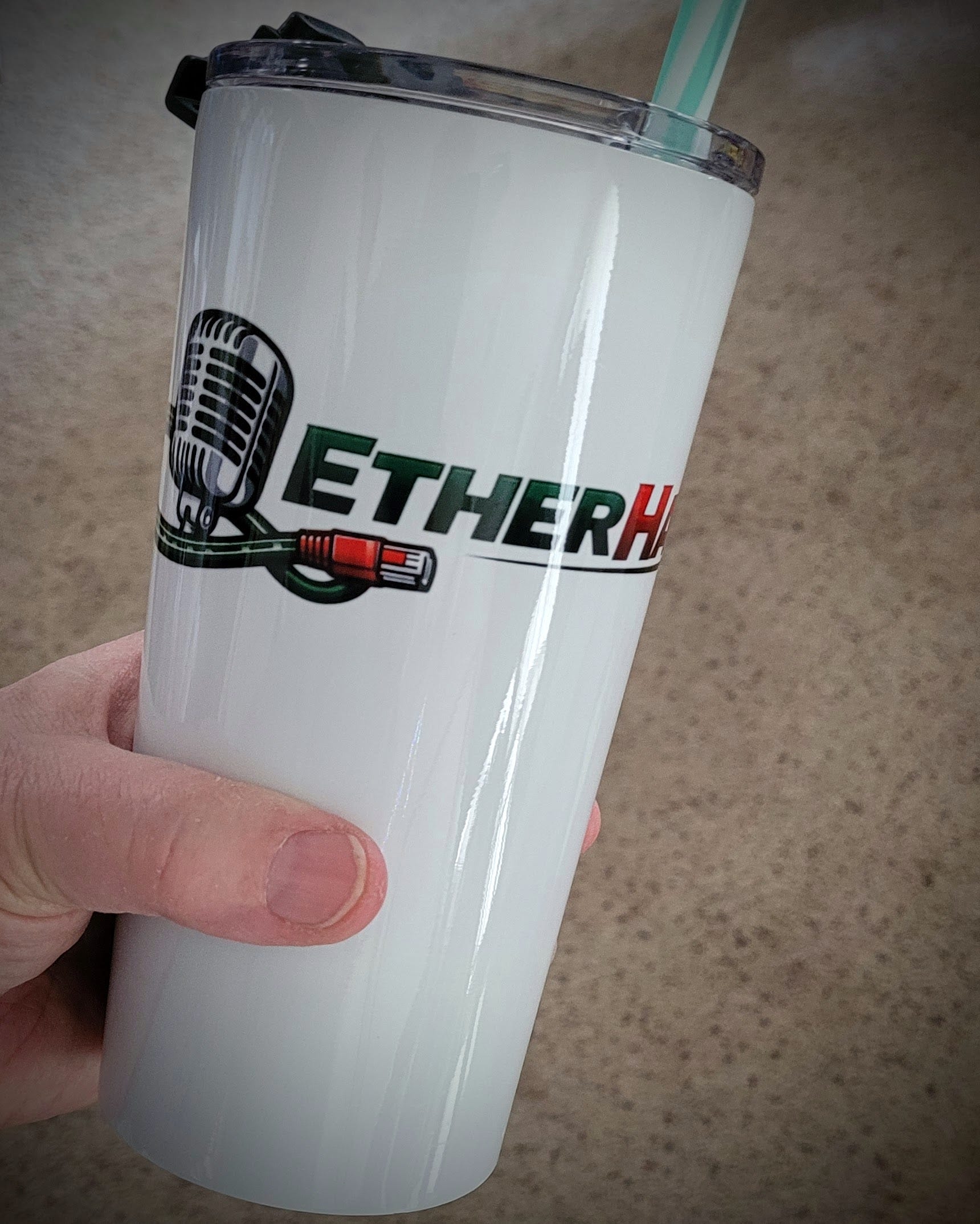
Your purchases help support the cost of web hosting, domain name registration, email, and more.
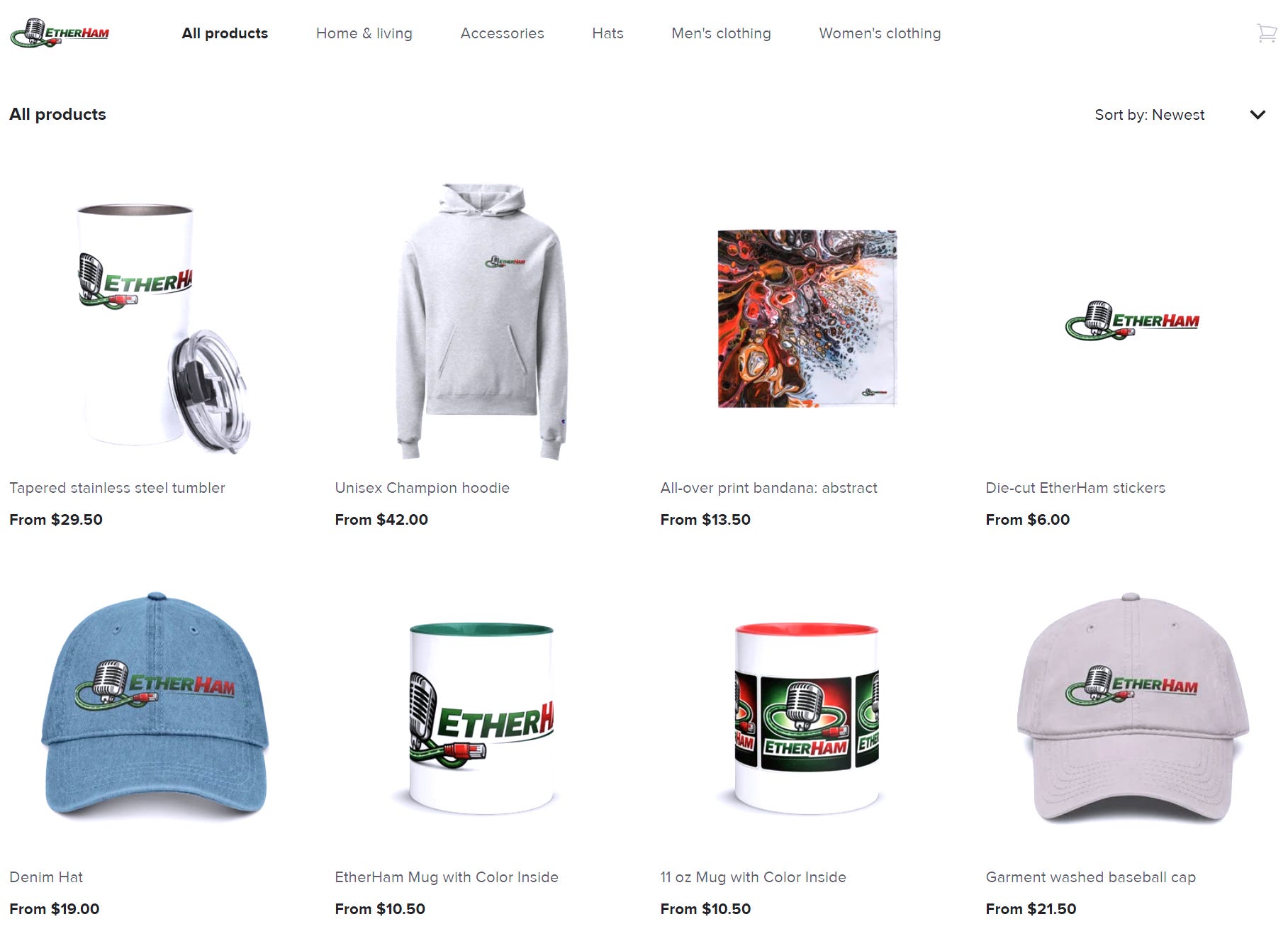
Switched My Open Source Audio Editor
I changed my audio editor from Audacity to Tenacity. Both are open source programs but Tenacity seems, well, purer. For example, Tenacity doesn’t “phone home” with data about your installation. The Tenacity interface is so similar to the Audacity front end that operating it won’t feel like something new.
Short Stack
Interesting items from the interwebs.
Radio
FT0 Free and Open Source Digital Mode — I hope we all recognize this is satire. FT0 is not real. I laughed when I read this and hope you will find it amusing, too.
Beginning to Build with Tubes — “There are a number of reasons to pursue tube-based projects. Vacuum tube technology is accessible; the principles on which tubes operate are straightforward. Tube circuits generally require a reasonable number of other parts.”
Testing a $100 “Fishball” Pluto+ PlutoSDR Clone — “Over on YouTube, TheGmr140 has uploaded a video reviewing a Pluto+ clone SDR that he picked up for around US$100. He refers to it by its community nickname, the ‘Fishball’, a name that appears to be used for Pluto+ clones sold specifically by HamGeek and OpenSourceSDR Lab…”
Native Linux Client for FlexRadio Transceivers – AetherSDR announced — “Free, open-source Linux (and macOS via homebrew) client for FlexRadio…It’s called AetherSDR — fully open-source (GPLv3), built with Qt6/C++, and built around the Flex API protocol natively. No Wine, no VMs.”
The HF Vertical Antenna: Its Pros & Cons — “This article first breaks down what a typical quarter‑wave base vertical really costs you in buried radial losses and vertically polarized noise pickup, and what changes when you lift the vertical antenna system with a counterpoise or a ground‑plane style install.”
The G3LZR Tribander : The charm of the Impossible Antenna — How about a compact homebrew antenna for 10, 15, and 20 meters? “Developed in the 1970s by the genius of Fred Caton (VK2ABQ) and perfected by his friend Ted Womack (G3LZR), this unique tribander defies conventional element spacing. While a standard Yagi can occupy several meters of space, the G3LZR, as evidenced by its shape, folds in on itself using a unique concept: Voltage Feedback.”
NewTechHams Are My Hope For The Future of Amateur Radio — Steve Stroh N8GNJ with Zero Retries begins like this: “I received an email from a longtime Zero Retries reader that was some good food for thought.” I find Steve’s writing to always be thoughtful, often challenging me to think about where I stand.
Portable Ham Radios: Your Emergency Lifeline — The author recommends five portable radios. Only one (Motorola Talkabout FRS radio) makes any sense.
How to Stop Electromagnetic Interference: Why a Magnetic Receive Loop Wins — “…modern-era neighborhood electronics turned HF reception into mayhem until I switched to a small active magnetic loop built for high signal-to-noise ratio. Here’s why that design works, how to aim it to null interference, and what changed the moment I put it on the air.”
Low Noise Multi-band HF Antenna for Small Gardens — Explore a historic, compact antenna design optimized for limited spaces and reduced background noise in this YouTube video. This guide covers the construction of a delta loop that utilizes harmonics for multi-band operation. Learn how to implement this solution for improved performance in challenging environments.
Artificial intelligence
I finally started using Claude and I should have sooner — This echoes my own experience with using Claude. “Most AI tools feel like a calculator – precise, but cold. You put data in, you get a result, and then you spend ten minutes sounding like a person. When I finally started using Claude, that problem disappeared. The outputs feel more human, the reasoning is sharper, and for the first time, I’m spending less time engineering my prompts and more time actually creating.”
Computing
My $150 mini PC runs 12 Docker containers and hasn’t broken a sweat — If you’ve been focused on Raspberry Pi devices instead of mini PCs, this article might change your mind. “Recently, I picked up a mini PC that ran me just about $150, runs Linux headless and sits in a corner in my study. More importantly, it's currently hosting over 12 Docker containers that handle everything from media management to backups and network tools with ample headroom to grow.”
GIMP 3.2 gives Photoshop another run for its money, with new editing tools and interface improvements — Yeah, I use GIMP instead of Photoshop. “GIMP has been one of the most popular alternatives to Adobe Photoshop over the years, even though it still has some lingering usability problems. The latest GIMP 3.2 update is fixing some of those issues, along with a few other new features.”
Signing Off
Programming Cable for Connect Systems M17 Radios
I couldn’t find my special programming cable for my CS7000-M17 PLUS handheld M17 and DMR radio, so I went searching on the Connect Systems website. Nope, such a cable was missing. After reaching out to Connect Systems support, they added the programming cable to their online store. If you have such a radio and can’t find your cable, here’s the link (and it’s affordable at just $10): https://www.csi-radios.com/cs760-761-programming-cable/
Finally got some snow
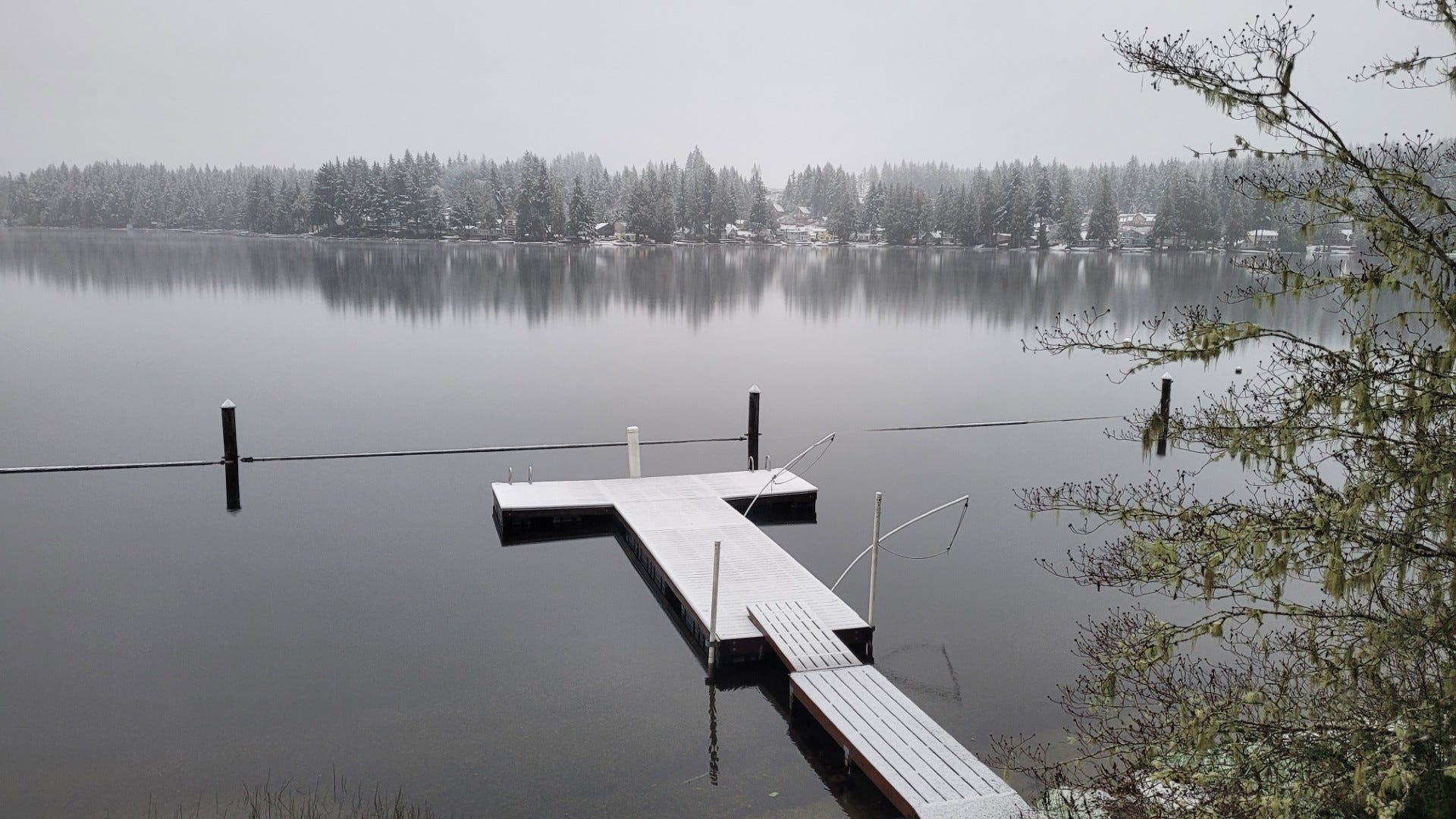
It’s not much snow, but still: it’s snow! It’s not winter to me unless we get at least one snowfall. I remember a lot more snow in my childhood, but now snow has become an unusual occurrence in my neck of the woods.
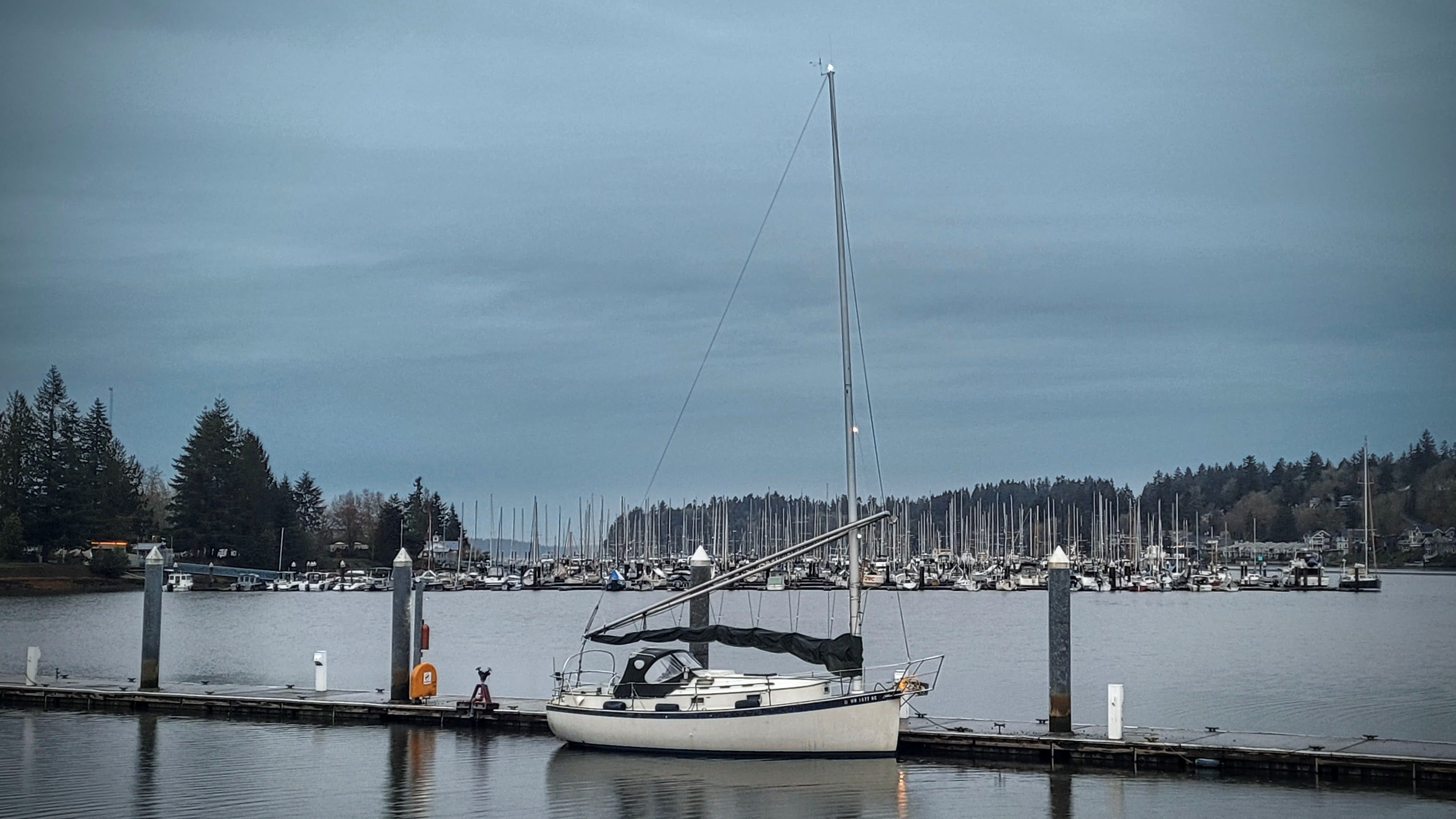
The old boat has been sadly neglected since my wife’s medical incidents occurred almost a year ago. I got the old Westerbeke 13 diesel engine started but had to refresh myself on the procedure by cracking open the manual. Oh yes: run the electric fuel pump for 15-30 seconds to purge air and load the lines, and hold in the glow plug for a bit (the length of time dependent on ambient temperature). When I followed the steps, the engine clattered to life and thumped along quite nicely. As Monday dawned, I motored her to the boatyard dock for haul out and bottom paint.
There is more about the boat and other activities in Inside EtherHam: March 2026.
73 to all, and remember to touch a radio every day!

A bash script is a plain text file containing a list of commands that your computer’s command line (called “bash”) will run automatically, one after another, as if you had typed them in yourself.
Instead of manually entering the same commands over and over, you write them once in the script file and run the whole thing with a single instruction. It’s essentially a simple program made up of everyday terminal commands — things like copying files, creating folders, or installing software.
For example, if you regularly needed to back up three folders and send yourself an email confirmation, you could put all those steps in a bash script and run it with one click instead of doing each step by hand every time.
Markdown is a lightweight markup language for creating formatted text using a plain-text editor. It allows authors to write content in an easy-to-read, plain-text format, which can then be converted into structured formats like HTML.
Standing Wave Ratio (SWR) in amateur radio is a measure of how efficiently radio frequency (RF) power is transferred from a transmitter, through a transmission line, and into an antenna. It indicates the degree of impedance mismatch, where a lower ratio (closer to 1:1 means more power radiates and less reflects back, protecting the radio).
An unun (UNbalanced-to-UNbalanced) is a specialized radio frequency (RF) transformer used in amateur radio to match an unbalanced transmission line (like coaxial cable) to an unbalanced antenna (such as vertical, end-fed, or inverted-L antennas). They match impedance differences, optimize energy transfer, and reduce standing wave ratio (SWR), commonly utilizing 1:1, 4:1, or 9:1 ratios.
Liking Claude AI a lot right now. Coding got easier when you find out there's a tab for it.