

This has been a very thoughtful, introspective week for me. I had a birthday a few weeks ago and my wife’s birthday was a few days ago. In a couple of months, we’ll celebrate 49 years of marriage. I am, quite simply, amazed…and when I look back in time, there is an awful lot to remember.
But those marker moments are also cause for reflection, and some of my ruminations spilled over into the amateur radio realm. The first piece in this issue of the Random Wire is about where AI is taking our hobby: The Machine Learns to Listen. The second piece is about re-centering the Random Wire and EtherHam, and seeking feedback: The Journal and the Workbench.
As a fun diversion, I wrote up how to use a small ESP32-powered device to mine for Bitcoin: Playing the Bitcoin Lottery at Home. The crossover with amateur radio? Learning about ESP32 devices in general. The ESP32 is everywhere in the maker/IoT world. I’m hoping the Bitcoin article will give hams a friendly on-ramp through something as immediately tangible as "plug it in and it does a thing." Bitcoin lottery mining is probably the most motivating possible introduction to the platform — much more fun than blinking an LED. I expect to be learning, and sharing, about the ESP32 platform in future issues.
I also did some Python coding to pull recent topics from a variety of Groups.io conversations into a one-page summary: Groups.io Digest with Python. I already learned something new from making it easier to harvest this information.
Yesterday, I went looking for a traffic reporter for YSF/C4FM/WiRES-X, and that took me to a place of realization I didn’t quite expect. The full piece is on EtherHam at Walled Gardens and Unlabeled Mazes: Why C4FM Users Can’t Find Each Other.
And I fiddled with some radios and added a fan to a Raspberry Pi 4-based AllStar node. Nothing special, but certainly enjoyable. Lots of projects on the bench to work on, including an Arduino Uno Q board — I’m really looking forward to playing with this platform. It has 4 GB of RAM and 32 GB of eMMC storage for just $59. Fingers crossed.
The bench didn't slow down just because I was feeling reflective. Let’s dive into the Random Wire topics for this week!

A Thank You Long Overdue
Some tools become so woven into how you operate that you stop noticing them. APRS is like that for me. The little icons moving across a map, a beacon confirming a friend made it over the pass, a weather object appearing before the storm does — it’s just part of the fabric of how I think about being on the air. My Yaesu FTM-300DR radio in the pickup truck runs APRS automatically.
None of that would exist without Bob Bruninga, WB4APR (SK).
APRS traces back to 1982, when Bruninga wrote his first data map program to plot the positions of U.S. Navy ships on an Apple II computer. A few years later he was running packet communications on a VIC-20 and C-64 to support an endurance race. By 1988 the program had moved to the IBM PC, and in 1992 it got the name we know: APRS. He kept pushing it — not just as a position reporting system but as a live tactical picture of whatever a community of operators needed to share.
Bob was a retired U.S. Naval Academy senior research engineer who never seemed to retire from the work that mattered. He founded the Appalachian Trail Golden Packet event, fielding APRS nodes from Stone Mountain in Georgia all the way to Mount Katahdin in Maine every July. He wrote. He answered questions. He kept the vision alive long after he could have handed it off and walked away.
Bob passed away on February 7, 2022, at age 73, after a battle with cancer complicated by COVID-19. His key is silent now. The network he built is not.
I’m lucky to know someone who carries that tradition forward locally. Herb, KB7UVC, is one of those hams who has forgotten more about APRS than most of us will ever learn — and who will actually sit down with you and work through a problem until it makes sense.
So: thank you, Bob. Thank you, Herb. APRS may mean “automatic” but I know the work to build and support APRS has been anything but.
This "thank you" section is a weekly feature to share my gratitude and appreciation for radio amateurs that have helped make my journey more enjoyable.
The Machine Learns to Listen

Those of us who came up turning dials have watched amateur radio change beneath our hands. The rigs got quieter, then smarter, then started doing things we couldn’t do ourselves. I’ve been thinking about that arc lately — from the glow of a tube radio warming up, to FT8 pulling signals out of noise I couldn’t hear, to what comes next.
Because something is coming next. Machine learning is already reshaping weak-signal decoding and interference rejection. Further out are transceivers that model your RF environment and learn your operating patterns over time — not radios that operate themselves, but genuinely intelligent partners. The hardware headroom already exists. This is a software problem now.
I wrote a longer piece about all of this over at EtherHam — where the arc came from, where it appears to be going, and what I think the real question is for our hobby as AI starts showing up in high-end rigs. If you’ve ever felt the particular unease of watching a machine exceed your capabilities, or wondered whether the vintage operators and the SDR experimenters are in conflict or in conversation, I think you’ll find it worth the read. See: The Machine Learns to Listen.
Exciting News: M17 Audio Over RF
Jeff AE5ME posted this YouTube video early this week about using Greg W5GGW’s M17 app on iOS with a Mobilnkd TNC4 to send M17 audio over RF, and to receive it in the app from an RF signal. This is a great moment for M17!
This nine-minute video describes and demonstrates how to configure the M17 app and the TNC4 to send and receive over-the-air M17 audio.
Jeff’s video was also picked up by the M17 Project.
The Journal and the Workbench
I started writing the Random Wire because I wanted to capture what I was doing so I didn’t have to relearn it later. I had been keeping project notes and a radio friend suggested I publish what I was working on because “other hams are having the same problems.” So I did, and I named this journal of my amateur radio explorations the Random Wire newsletter.
As time went on, the articles got longer and more detailed. Deep dives with plenty of workbench-level detail. Some of them amount to A-to-Z how-to guides. At some point I realized I was writing two different kinds of things: a journal of what I was experiencing, and a workbench record of what I actually did and learned. That’s when EtherHam was born.
The Random Wire is the journal. EtherHam is the workbench.
Everything published on both platforms comes from direct personal experience. I built it, or it broke and I fixed it, or I tried something and it didn’t work the way I expected. The knowledge sitting in my head does nobody any good if I don’t share it — and whatever problem I just solved, someone else has already hit that same wall, probably at 11pm with their soldering iron in hand.
This split in style is not a true dichotomy because the two often overlap. You can’t really separate what you are experiencing from what you are doing. But they come at the same territory from different directions, and I think of them as a complementary pairing rather than competing platforms.
Along the way, I added sections to the Random Wire — band conditions, radio history, a digital news digest — that felt like things a newsletter should have rather than things that naturally belonged here. Good content, wrong home. I’m moving those sections to EtherHam where focused reference material belongs, and the Random Wire goes back to being what it started as: a craftsman's journal, written at the end of a week at the workbench.
I wish I knew more precisely how subscribers and readers perceive these two platforms. The available metrics are genuinely useless unless you think total subscribers or page hits tell you something meaningful. I don’t. What matters to me is hearing from you that something I wrote was useful, or saved you an evening of frustration, or pointed you somewhere worth going. That’s the whole measure of success here.
So here's what I'd genuinely like to know: when something I've written has been useful to you, what kind of article was it? A build walkthrough? A troubleshooting story? A short take on something new? Tell me in the comments or drop me a note. That feedback helps shape what lands on the workbench next.
TIDRADIO TD-H9: More
Since I’ve always had good luck with programming software and cables from RT Systems, I ordered their programmer and special cable for the TIDRADIO TD-H9. I have two TD-H9 radios. One will probably be largely devoted to APRS work. The other will be for general analog use. Being able to program them both with one program and one cable will be efficient.
The RT Systems package arrived and I loaded up the programmer on my old ToughBook. However, I was taken aback by the sparseness of the programming interface. I had hoped to be able to configure other aspects of the radio, such as APRS beaconing, through the programmer. I’m not seeing where to accomplish that from within the RT Systems software. This means that to get the radio working correctly for you, you’ll still need to dive into the radio menus through the front keypad.
It’s easy to enter a frequency, specify whether it is simplex or a repeater frequency with an offset, and set the power level. That is truly more convenient than wading through the menus in the radio. But if you want to enable GPS, turn APRS on or off, and enable beaconing, you’re stuck doing that directly on the radio.
I don’t regret buying the RT Systems package for the TIDRADIO TD-H9 radio. It works brilliantly for what it is. But I wish it did more than just the basics of frequencies, channels, offsets, and power level.
Groups.io Digest with Python
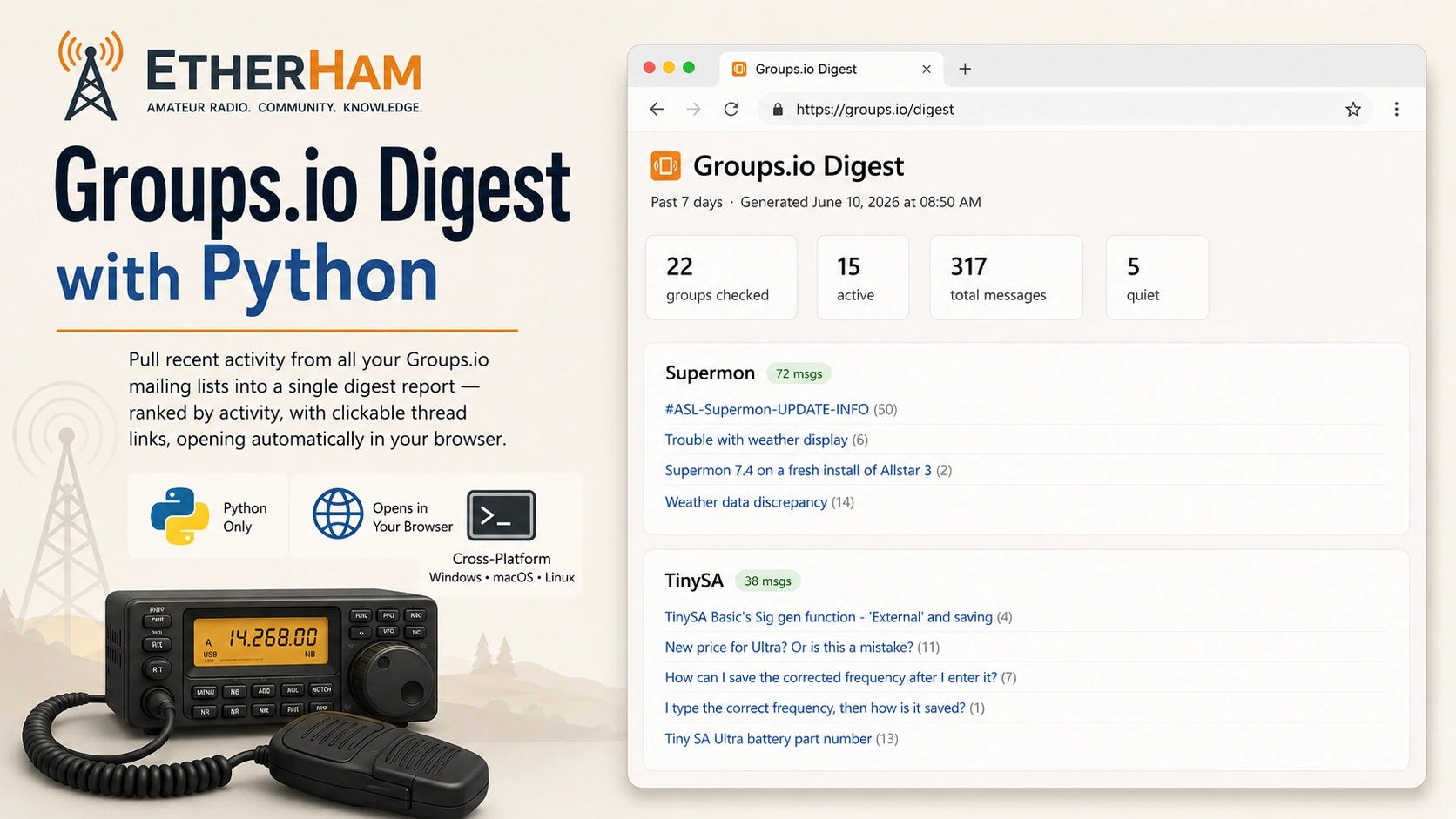
I monitor a lot of Groups.io mailing lists — ARDC, PNW DMR, LinuxHam, TinySA, and a bunch of others — and I got tired of checking them one at a time. So I built a Python script that does it for me. When I want to catch up, it hits the Groups.io API, pulls recent activity from every group on my list, and generates a digest report that opens in my browser with everything ranked by activity and every thread title linked directly to the discussion. It took longer to figure out the API quirks than to write the script, but the result is exactly what I wanted.
The script is free, requires no external Python libraries, and runs on Windows, macOS, and Linux. I wrote it up in detail on EtherHam — including how to handle subgroups, restricted groups, and scheduling it to run automatically every morning. Grab it at etherham.com or directly from the EtherHamRadio GitHub repo (and thank you to the subscribers who urged me to set up a GitHub space for code like this).
Listening to W6EK on Baofeng UV-5R Mini
While grinding up my wife’s morning meds, I grabbed the Baofeng UV-5R Mini transceiver to listen to traffic on the W6EK repeater. I never thought I’d say that I like a Baofeng radio…but I do like this one. It sounds fine, it slips easily into a pocket, and is just a very convenient package to use:
I added a stubby antenna to make it even more convenient at home:
In this photo, the radio is sitting on the kitchen stove while I listen to the W6EK repeater through my AllScan ANF101 node that is transmitting to the Baofeng.
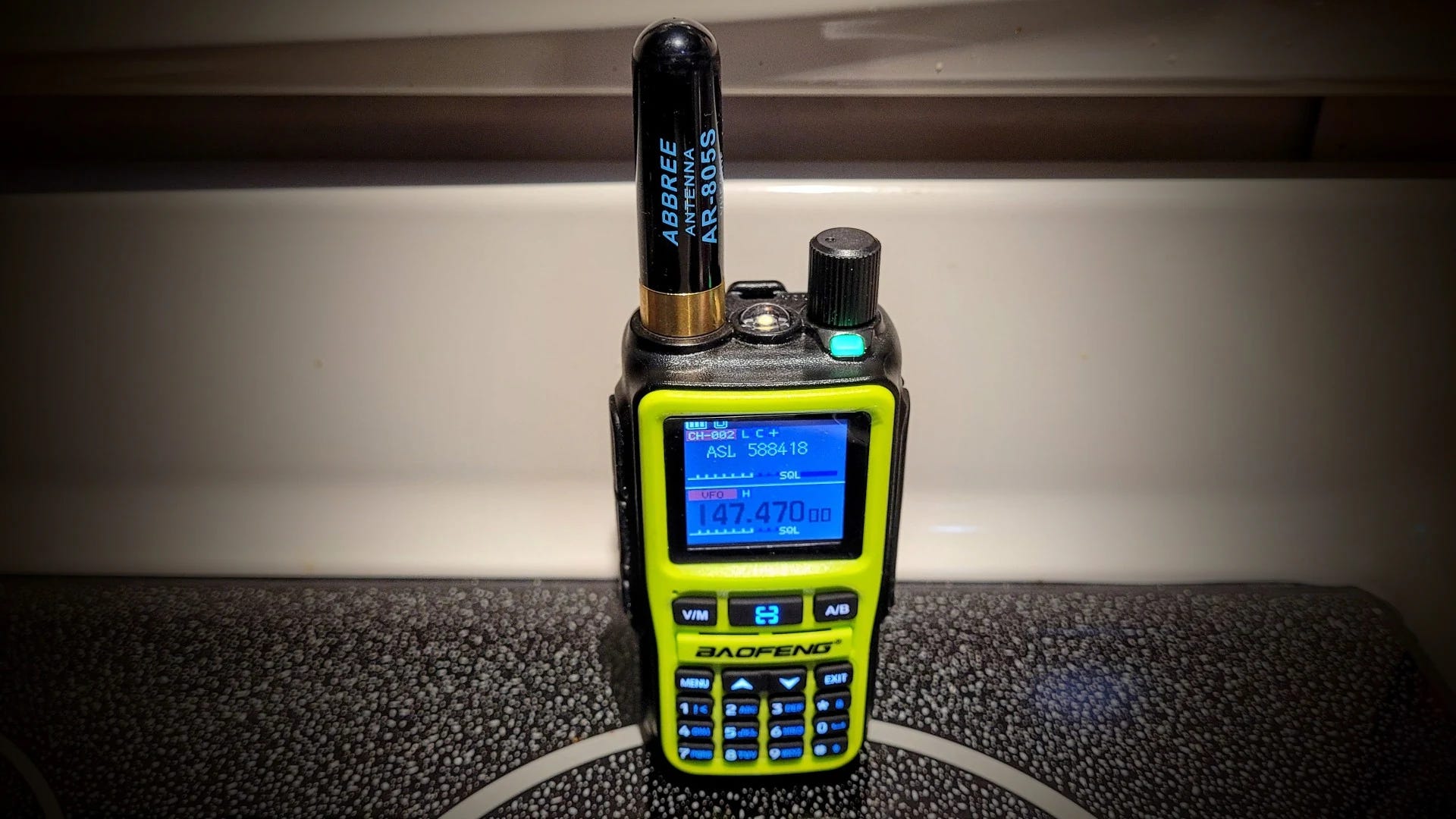
Later, while finishing this section, I listened to ASL node 516221 which carries ISS radio traffic, passing through my local ASL node 588418.
I shared my first impressions of the tiny UV-5R Mini back in February. I continue to be surprised at how much I like this little transceiver.
B.B. Link Adapter: Last Chance
If you use an iPhone or iPad and have a Kenwood TH-D74 or D75A transceiver, this alert may be for you. Georges WH6AZ reached out to me last week with an aloha and a note about the last stock of his B.B. Link adapter.
Meet B.B. Link, the adapter that allows iPhones and iPads to connect to Kenwood TH-D75 and D74 radios via Bluetooth. iOS devices, which are limited to Bluetooth Low Energy (BLE), can't pair natively with these radios. With this adapter, iOS applications like RadioMail can access the radio's built-in KISS TNC packet modem for off-grid communication. Simply plug the adapter into a USB-C port for power, turn your radio on, and you're set.
Georges authored Transceive, an AllStar app I use on my iMac. Transceive received a rare Random Wire Recommended sticker from me. I like Transceive.
His B.B. Link product is reaching the end of its production run and he does not plan another run. He writes:
Nearly two years ago, I introduced the B.B. Link, an adapter that allowed apps like RadioMail, Packet Commander, and now Radio Messenger to use the built-in packet TNC of the Kenwood TH-D74 and TH-D75 radios. At the time, iPhone-friendly ham radio interfaces were scarce, and B.B. Link filled a real need.
The landscape has evolved. We now have capable audio adapter options such as the Digirig Lite and AIOC, which let software modems interface over audio directly. We also have reasonably priced HT radios like the UV-PRO and VG-N76 that expose their TNCs over BLE.
I hope radio manufacturers continue this trend and ensure future hardware exposes a TNC, or at least a Bluetooth or Wi-Fi–accessible audio interface, so more people can participate with less friction.
I never set out to become a hardware maker. I built the first prototype for myself and hoped I might sell the initial batch of 100 to recoup my cost. Demand far exceeded that, and I’ve been humbled by the reception.
But B.B. Link has always been a handcrafted project. Managing supply chain challenges, tariffs, assembly, testing, order fulfillment, and support has been meaningful work, but also time consuming. It’s time for me to reclaim that bandwidth and focus fully on software development, where I can deliver the most impact for the community.
With that in mind, B.B. Link availability will end once the current batch sells out. I expect most who want one already have it, but if you need a spare (or know someone who would) now is the moment.
The firmware remains open source for anyone who wants to build their own DIY version.
If you use an iPhone or iPad and have a Kenwood TH-D74/D75 radio platform, this is a “last chance” notice to get a useful tool that eases access to the TNC in those radios. I do have a TH-D74A so this notice applies to me, too!
Playing the Bitcoin Lottery at Home

A friend of mine has been running a tiny Bitcoin miner on her home network for the better part of a year. She knows — with complete mathematical certainty — that she is almost certainly never going to find a block. She does it anyway. “It’s the cheapest lottery ticket I’ve ever bought,” she told me, “and it never expires.” That was enough to get me curious.
The device is called a NerdMiner — an ESP32 microcontroller running open-source firmware called NMMiner — available on Amazon for around $22. It draws a fraction of a watt, connects to your WiFi, and quietly submits hashes to a solo Bitcoin mining pool around the clock. Your odds of finding a block are approximately those of winning the Powerball. But the hardware costs less than a tank of gas and runs indefinitely on any USB charger, so the ongoing cost is a few cents a day.
Setting one up is more involved than plugging it in — the shipped firmware is out of date, there’s a specific pool configuration that actually works for low-powered devices, and there’s one bootloader quirk that will stop you cold if you don’t know about it. I’ve written up the complete walkthrough, including the COM port gotcha that would have saved me time if I’d known it going in.
If the idea of a perpetual lottery ticket running quietly on your shelf sounds like your kind of thing, the full article is at EtherHam.com.
Added a Fan to the RPi4 AllStar Node
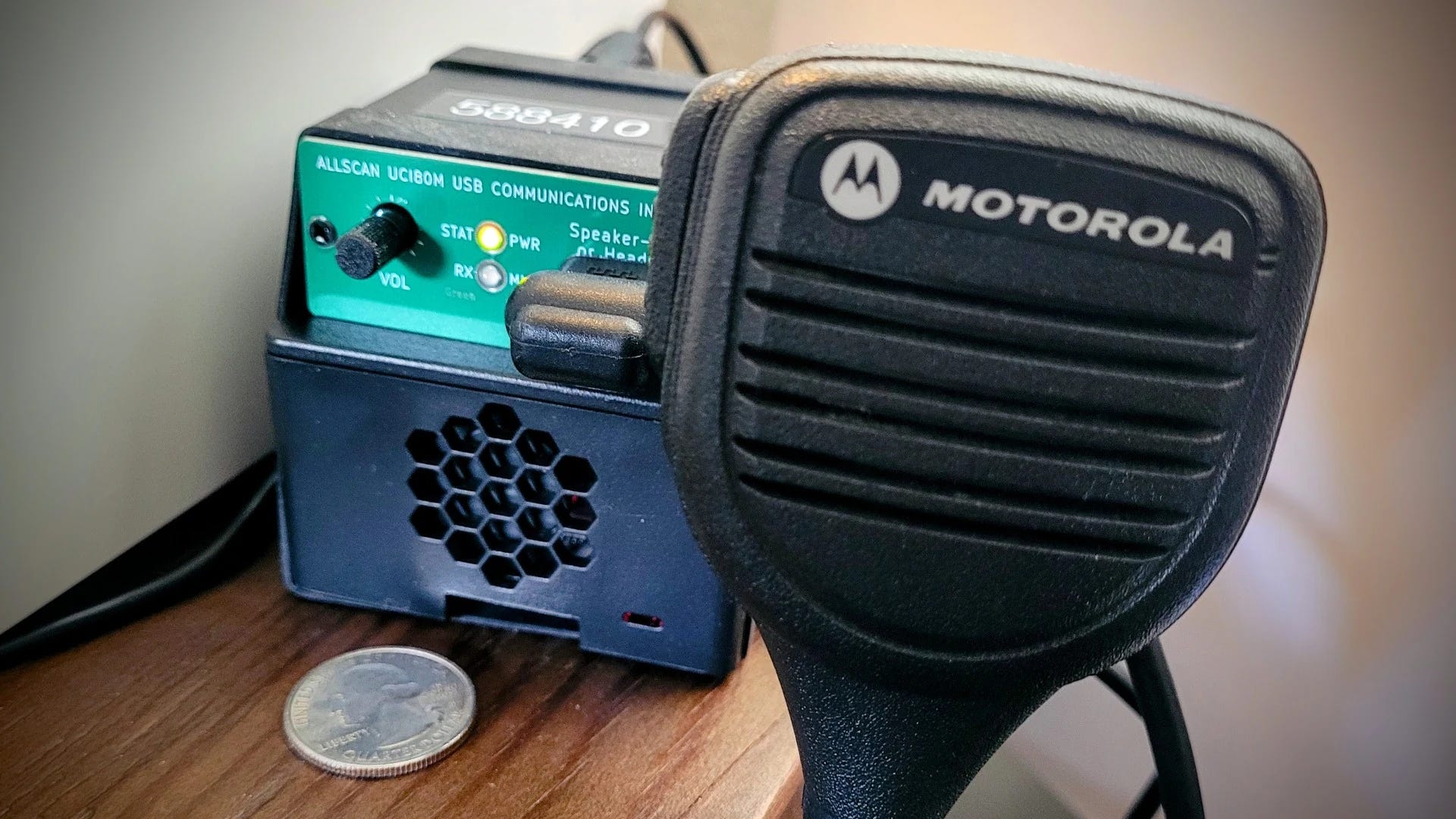
My AllStar node 588410, built on a Raspberry Pi 4 platform with an uninterruptible power supply (UPS) hat, was running rather warm. Not the 80°C temperature where the SoC (system on a chip) begins to self-throttle, but much warmer than I liked.
I bought a very inexpensive 30mm fan from Pi-Shop that was made to fit my tall RPi4 case. It fit perfectly. Even though it is a 5-volt fan, I powered it from a 3.3V GPIO pin on the hat. Why? Because the fan runs slower at 3.3V, and slower means quieter. It is running silently and doing a good job of bringing the 60°C temps down to the mid 40°C range: quite acceptable.
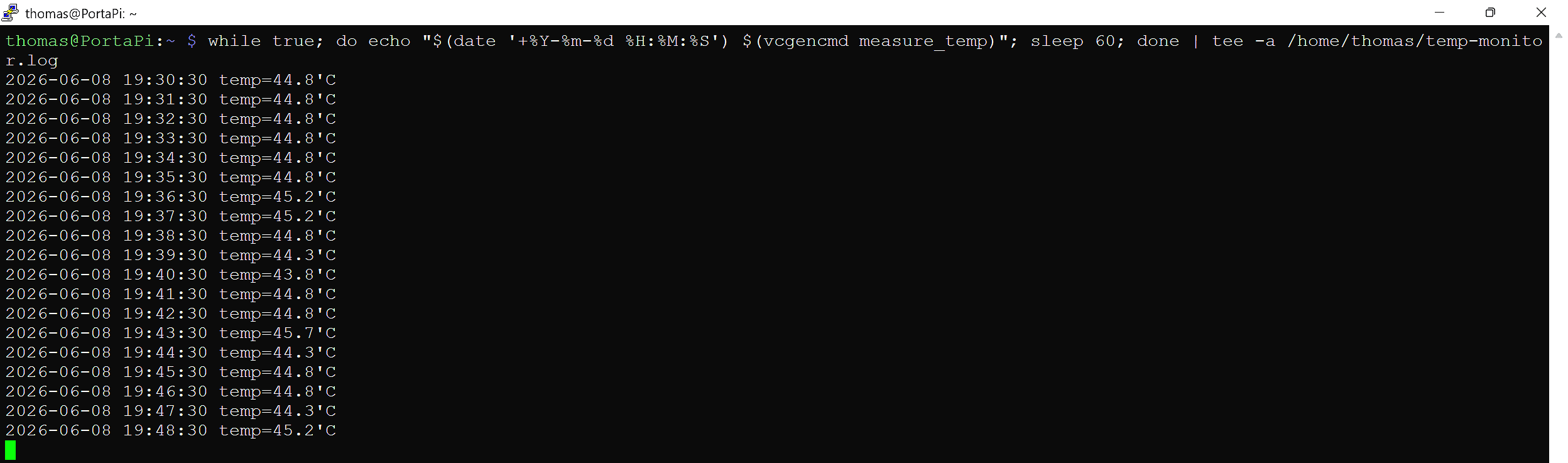
I’m happy with this small addition to the package. Node 588410 now has the RPi4 and UPS and cooling fan inside a single case.
During this journey, I learned of a useful alternative to the Enhanced Parrot node 55553, and that is AllStar node 2002. I knew this but had forgotten it until I read this in the SHARI Groups.io group: “…call Allstarlink node 2002, which is a parrot that has a built-in IAX ping diagnostic. If after you connect, it comes back and says ‘your node is unreachable’, then either your port is not forwarded correctly, or something upstream is blocking incoming packets to that port, i.e., CG-NAT.” Node 2002 provides useful information, whether you are testing the accessibility of your node or just checking your transmitted audio volume.
Walled Gardens and Unlabeled Mazes: Why C4FM Users Can't Find Each Other

If you’ve ever keyed up on a WiRES-X room and heard nothing but silence, you’re not alone — and you’re not doing anything wrong. The problem isn’t your radio or your node. It’s that the C4FM ecosystem was never built to help you find where the conversation is happening. This week on EtherHam I went looking for the monitoring tools that should exist for YSF and WiRES-X users — the kind DMR and AllStarLink operators take for granted — and what I found was a more interesting story than I expected.
It turns out open protocols don’t automatically produce open, navigable ecosystems. Somebody still has to build the town square. WiRES-X and YSF aren’t just two names for the same thing — they’re two fundamentally different systems with different governance, different infrastructure, and different reasons why the tools that would make them navigable never got built. One is a classic corporate walled garden. The other is something stranger: an open protocol that the community never quite organized around…but still could.
The full piece is on EtherHam. It gets into why this happened, what partial solutions exist, and whether it’s fixable. Spoiler: one side of that answer is more hopeful than the other.
Weekly Reports Moved to EtherHam
I’ve moved the Band Conditions, Digital Radio News, and Groups.io Digest reports to the EtherHam website. This week’s post is Weekly Report: June 11, 2026.
I’ll use the same header image as shown here for each weekly report. That will make it easier to key in on this regular informational feature. In general, I run my routines once a week, on Thursday, for publication by Friday morning.
Short Stack
APRS
LightAPRS Gateway 1.0: A Standalone APRS Digipeater and iGate in a Small Box — $130 for a standalone digi and igate!
Build a Low-Power APRS Station with Raspberry Pi Zero 2 W — “Building a low-power APRS station using a Raspberry Pi Zero 2 W…a comprehensive guide on setting up Graywolf on Tixie OS Lite, allowing you to operate a compact and efficient APRS station or digipeater.”
Radio Messenger Is What Ham Radio Chat Should Have Been All Along — “Radio Messenger is a new iPhone and iPad app that…takes the underlying technology of APRS – the same open amateur radio protocol that’s been quietly running on VHF frequencies worldwide – and wraps it in a messaging interface that looks and feels like a chat app.”
APRSdroid NA7Q Edition: The Most Feature-Rich APRS Client for Android — “While the official APRSdroid project remains a popular choice, the NA7Q Edition takes the application significantly further.”
Shortwave
Tecsun PL-520: An Excellent Upgrade — I don’t find this nicely reviewed radio in stock on Amazon. Apparently, “stock fluctuates.”
Windows
This 20-year-old Windows tool fixed my dead PC when nothing else would — I’d forgotten about Hiren’s, but I’ve used it in the past few years. When I look through my collection of saved USB sticks, I see one labeled: Hiren’s. “If you're an oldhead like me, you probably know all about Hiren's BootCD, but it's one of the most useful tools anyone can have handy.”
AI
I’ve tested so many desktop AI tools, but Hermes with Ollama is my new favorite - here’s why — “Local AI is the way to go, and Hermes with open-source Ollama is my preferred setup right now.”
Support
Occasionally, I remind subscribers that supporting the Random Wire and EtherHam is very helpful. There are many ways to give support as described on the Support EtherHam page, should you choose to do so.
I’ve been trying to add a summer hat in time for Field Day but my EtherHam store is rejecting the custom embroidery for some reason. Looks like a nicely ventilated booney hat will have to wait until I get that sorted out.
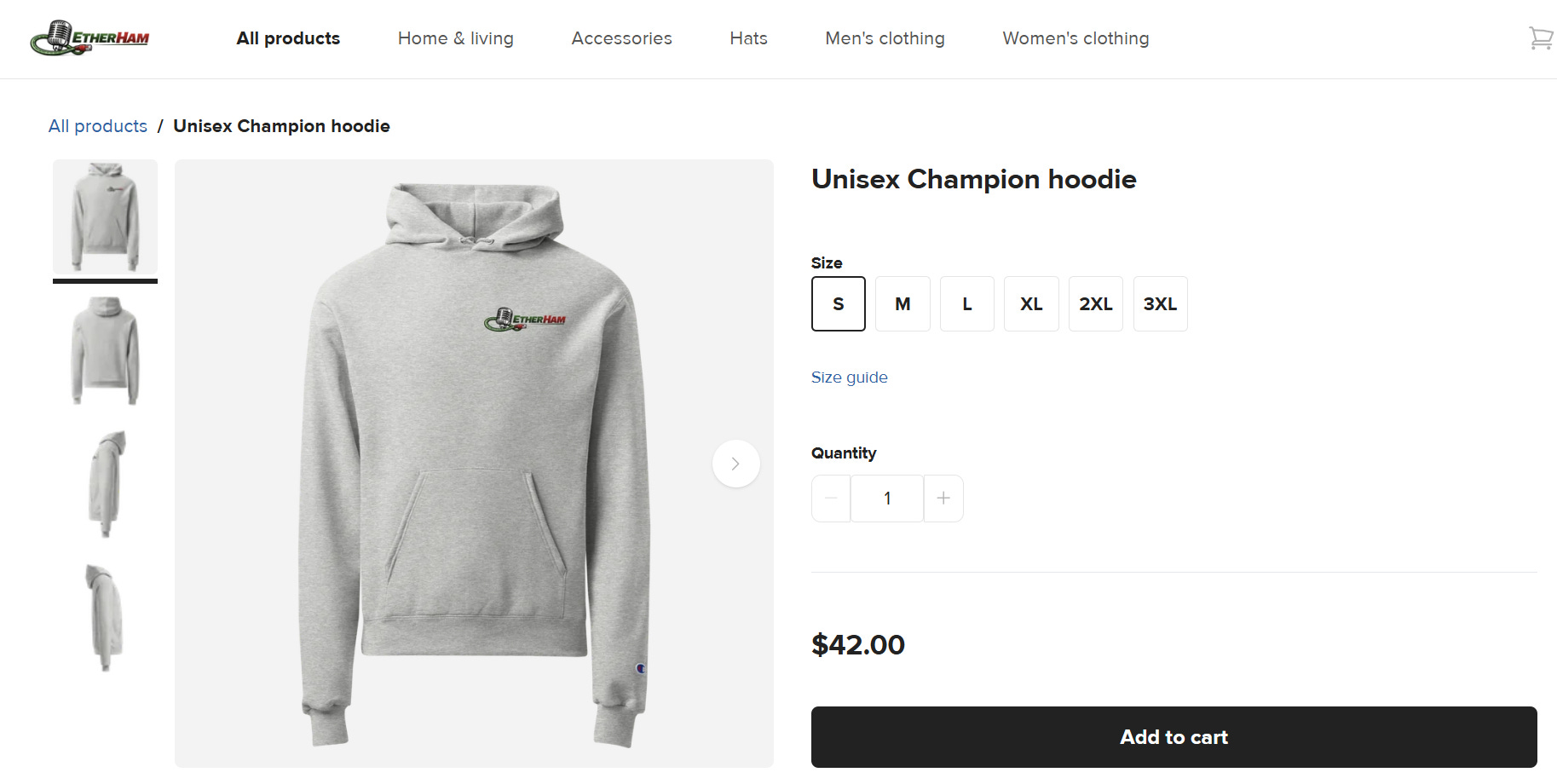
As I noted several issues back, the location of the EtherHam logo on the Champion sweatshirt was not quite right. I adjusted it and the new location looks better.
Thank you to all who support the Random Wire and EtherHam. Support doesn’t mean you contributed money — it also means you subscribe and read and comment from time to time.
And who are EtherHams? We are. Since we all use computers in some aspect of our amateur radio activities, I think we are all EtherHams.
Home
I found a box of old compact discs in the closet. It’s a box of memories, really, of the many great times my wife and I shared with music. She was a music educator her entire working life, so music was ever-present in our lives. For many years, I also functioned as her roadie, setting up music concerts, repairing band instruments, and fixing amplifiers and wires. Those are great memories, both of helping my wife and of all of her great students.
Many of the CDs are so old they don’t have metadata encoded on the disc. When I rip the music to my network storage, it often shows up as Unknown Artist and Track 1, Track 2 instead of names, and doesn’t show any cover art.
To fix this, I started using Mp3tag to edit the metadata for tracks I’m saving on the new network-attached storage box. This is a bit time consuming, but it also lets me dwell a bit on the songs. (Lots and lots of memories!) After editing the metadata, I open the album in MusicBee and ask it to find the cover art…and it usually does. Then I re-scan my music folder on the NAS to add the album and named tracks to my music library.
But then I discovered a shortcut — I found I can rip CDs directly into MusicBee. The app does a good job of finding metadata and album cover art as part of that process. I rip the CD to my laptop, then copy the entire folder to my NAS drive and tell OwnTone to rescan my music library. Very easy.
Music really does touch the soul. When I listen to these songs, I’m remembering where we were, what we were talking about, how we were feeling. What’s more important is that these old songs evoke memories and emotions in my wife, despite her cognitive challenges. It’s truly amazing and I’m happy to help her experience such moments.
Right now? We’re listening to a two-disc collection of Tom Jones greatest hits. There are a ton of memories embedded in those tunes!
73, and remember to touch a radio every day!

You asked about how I have used Random Wire and EtherHam. I am building a new ASL node following your notes in EtherHam about the URI80, and your follow-up notes on adding UPS to it. I find the detailed how-to documents very useful. I used to teach local workshops on using the Raspberry Pi and Arduino in radio projects, and I wrote detailed notes on my step by step process including keystrokes. I find myself referring back to the workshop notes as I need to do things again or similar things. When I do something new, I still take detailed notes so I can repeat the work if (when?) needed.
That said, I also enjoy your notes in Random Wire and like that I can explore more in EtherHam if I am interested in the topic or just read the survey notes. I look forward to your Friday publication and read it before the other email I get on Friday.
Thanks for your personal notes about your life outside of amateur radio, and I relate directly to some of it.