
1. QRV: Are You Ready?
Welcome to issue 200! Remarkable! Without you (as of Wednesday: 2,400 subscribers!) this would not have been possible. Thank you to every person who subscribes.

It’s been a pretty steady march forward over 4+ years for the Random Wire newsletter, with a few bumps along the way from mentions in the Zero Retries newsletter and on the Ham Radio Workbench podcast.
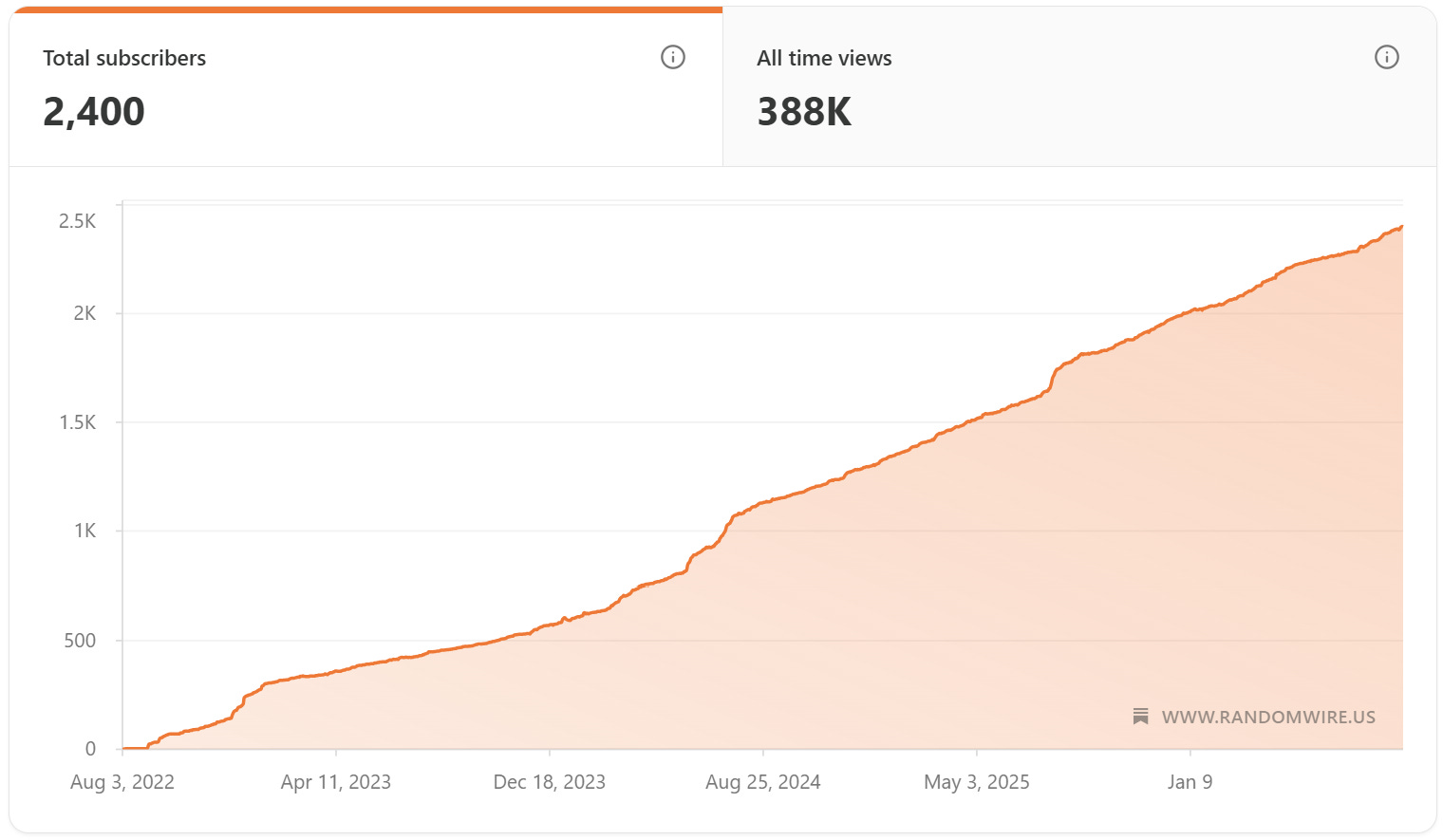
Simply amazing. I continue to learn so much from so many, it makes this effort well worth it. I hope you find value, too.
Issue 200 has been a challenge because I’ve been dwelling in the land of computer code and remote machines. Last week was all kinds of AllStar goodness. This week I’m cleaning up a bit of that work from last week and diving into more. For example, I bridged M17 to a private AllStar node, giving me a bidirectional path: M17-to-AllStar and AllStar-to-M17. Along the way I learned I don’t need to have a costly M17 radio or an M17 hotspot to get on M17 — I can do this with an AllStar node and some software. It’s not perfect, but if you have an AllStar node and wanted to dabble in M17 without spending money, you can!
This is also a big work week for me. We’re putting together an amicus brief (technically, an amicus curiae brief) for a case before a higher court in Washington State. My team is fully consumed with preparing for multiple regional meetings next month, plus putting the finishing touches on our annual statewide conference. We are also preparing for what promises to be a very challenging legislative session that launches in January. And this week has many meetings, including a meeting of the primary state agency we work with, plus a meeting on Friday with our nonprofit association members. All of these things have pulled me away from radio this week. The flipside of this is returning to radio will taste sweeter when I get more time.
With that, let’s dive and see what happened in my radio week.

2. New on EtherHam
Bridging M17 Into AllStarLink
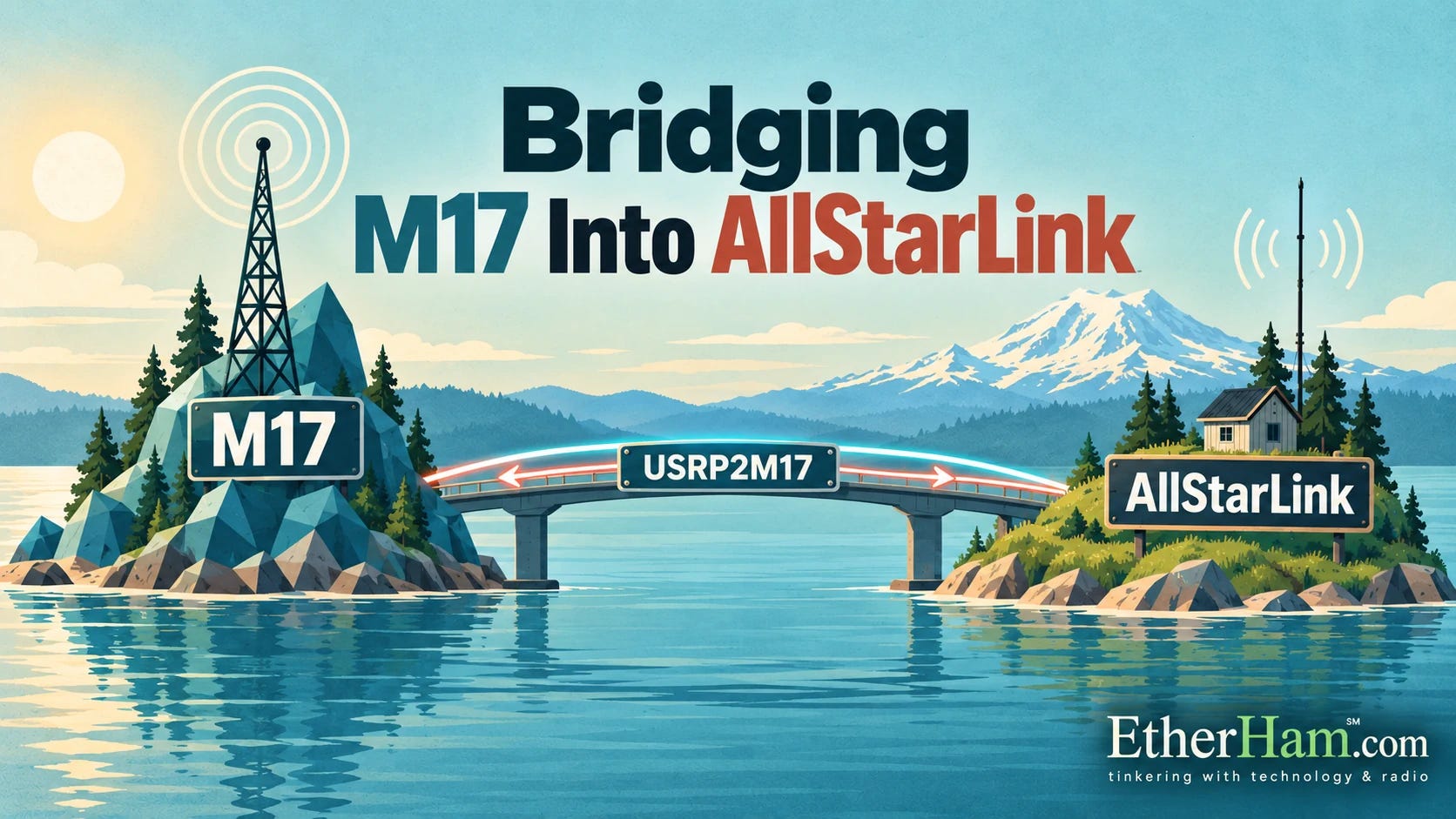
This item is, to me, pretty cool, and has a great takeaway.
I spent a chunk of this week connecting my M17 reflector (M17-PNW) to an AllStarLink node. These two systems have been running as two separate worlds since they were launched. The mechanism is USRP2M17 talking to a private AllStar node over the loopback interface.
I am certainly not the first person to do this. In fact, I recall a 2024 article in Zero Retries was where I first heard about it. I am standing on the good work of others.
The most interesting part turned out not to be building it — that went about as expected — but something I did not see until later. I had been testing the whole chain through my M17 hotspot, because that is how I built it. I never questioned my assumption that this was the correct configuration.
Then it landed: USRP2M17 is itself an M17 client. It connects to the reflector on its own, appears in the client list like any other station, and receives the module’s stream directly. The hotspot was never required. I do not need an M17 radio, or a hotspot, or any M17 hardware at all to put a reflector’s audio into AllStarLink.
That is a huge takeaway for me. Until that moment, I really did not recognize that the software I was fiddling with functioned as an M17 client, negating the need for a hotspot. That reframes what the bridge is. It is not an accessory to a hotspot; it is an independent gateway, and it can be pointed at any reflector I choose. I proved it by accident, monitoring a net on an ordinary analog handheld several links downstream and noticing the audio was markedly cleaner than anything I had managed in a morning of test transmissions. Of course it was. My transmissions had been going out through a radio whose microphone I cannot adjust, which is its own story and cost me most of a morning to pin down.
One of the very best takeaways, though, is this: you don’t need a special M17 radio or hotspot to use M17 if you have an AllStar node. Install and configure USRP2M17 and use your existing analog radio to get started with M17.
The full account is on EtherHam, including the gain setting that is not really decibels, and the very first test that failed for a reason I had deliberately built into the node myself.
Automatic Net Logging, Part 3: The Bug That Ate 16 Percent
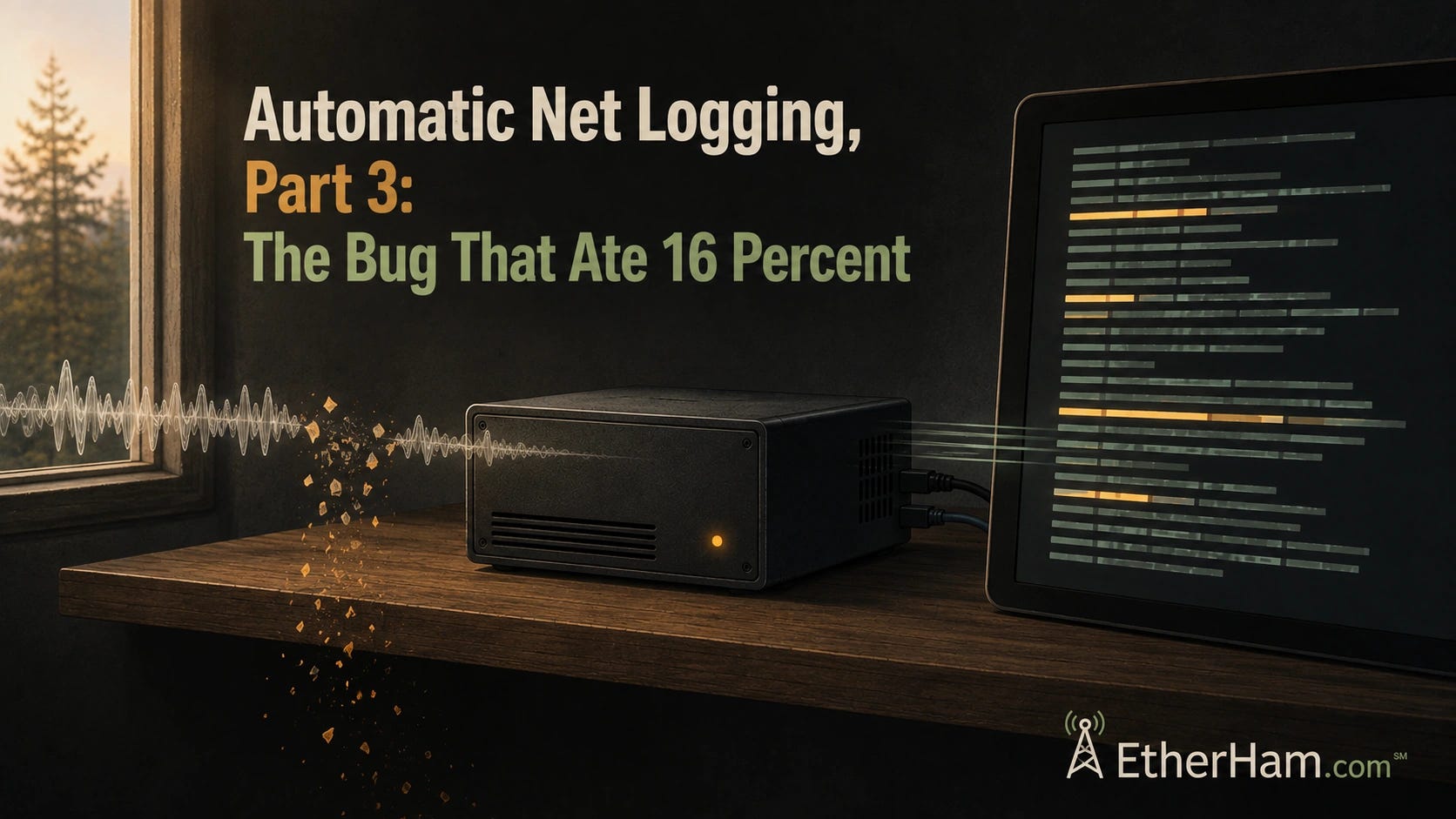
This is Part 3 of a series about building an automatic net logger on an AllStarLink hub node. Part 1 covered who it’s for and how to get audio out of a node with no radio. Part 2 covered the bugs that live traffic exposed in the detection logic. In Part 3, I describe the bug I nearly missed entirely and what it taught me about trusting my own tools. It closes with where the whole project ended up:
But overall, it works. A net happens, and twenty minutes later there’s a record of it — searchable, exportable, and reasonably accurate about everything except the call signs. That last one turned out to be more tractable than I expected, but that’s a story for another day. Radio traffic is gone the moment it ends. It doesn’t have to be.
The Router Rule That Sent My Replies to Dallas
This is the second of three articles about putting AllStar node 588416 on 44Net. Part 1 is the tent: the hardware, the tunnel, the certificate, the remote administration. This one is an anchor that keeps the tent secured.
I found two bugs in my MikroTik hAP ax2 router configuration. Each was fixed by a single line. Both took hours to find. In both cases, the configuration that caused the problem looked entirely reasonable on the screen — plausible values, in the right fields, doing something close enough to the right thing that reading it told you nothing.
The takeaways, summarized:
When symptoms contradict your theory, go find a counter.
Check what you’re measuring before you trust what you measured.
A vendor configuration is correct for the traffic its author anticipated.
Redundancy that shares a dependency is not redundancy.
I did share my notes with the 44Net folks who acknowledged my concern. It felt good to try to help make the campsite better for all of us.
Weekly Reports
Perhaps the most interesting item in the Weekly Report this week, for me, is: Successful M17 transmission using an unmodified Retevis C62 running OpenRTX. I say that because of the preliminary work I explored in Flashing OpenRTX for M17 on the Retevis C62: Almost There. It’s really great to see this project moving forward.
Postscript to The Anatomy of Remote Assistance over SSH
I found a simpler solution for the one-on-one help session in my SSH reverse-tunnel article, and added a postscript about it. That solution is Tailcat, a tool that creates lightweight, temporary, peer-to-peer encrypted tunnels, built by the same people who built Tailscale. Instead of a permanent tailnet, you download a file, share a key, and make an ephemeral connection that goes away when you’re done.
I could have used that in helping “Dan” with his radio configuration. I did not learn until this week that he is setting up the same full-duplex AllStar node that I have!
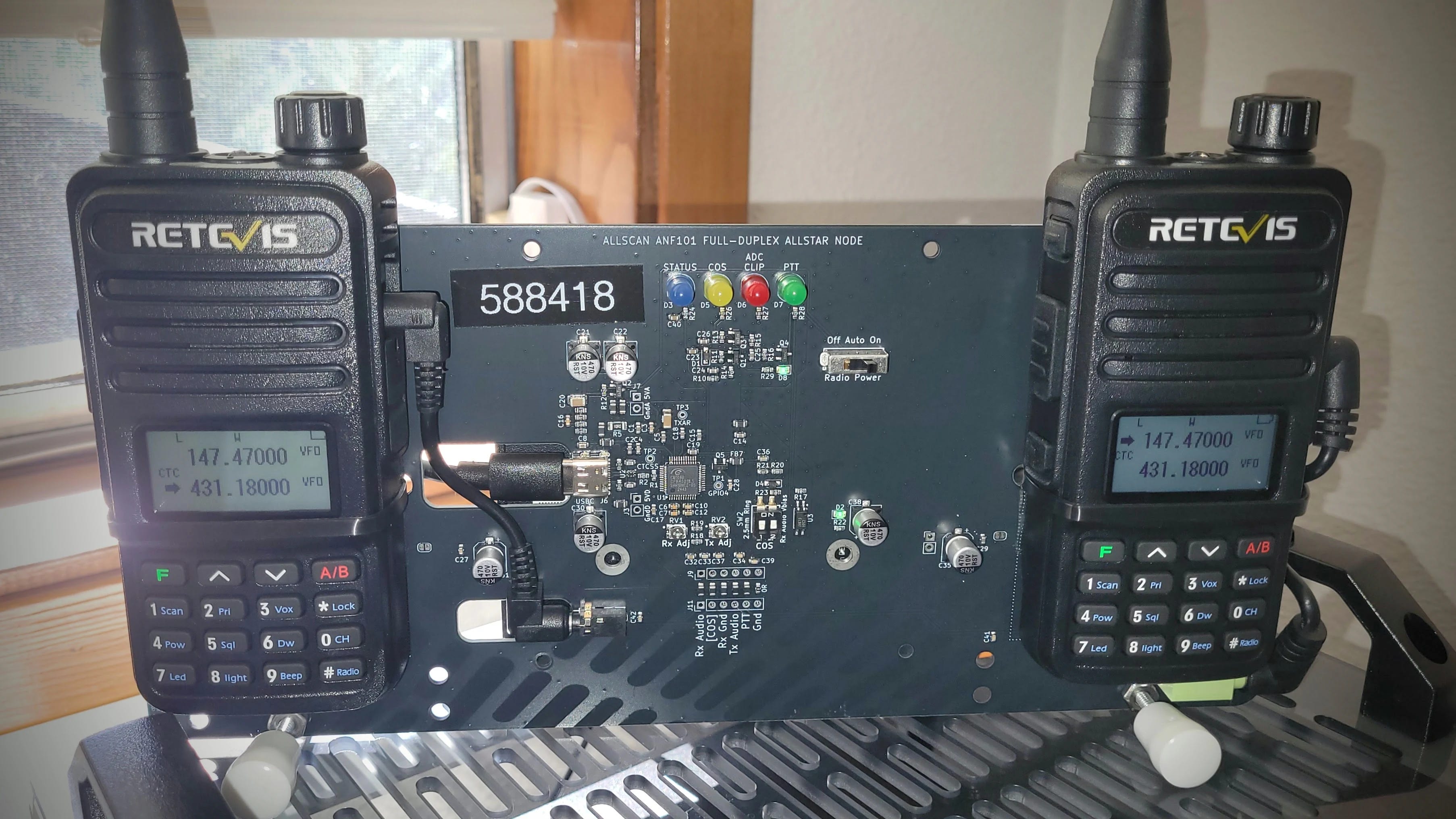
The device is an AllScan ANF101 full-duplex node. Behind the backplane is a Dell Wyse 3040 thin client machine that powers it. It runs my AllStar node 588418. You can see the frequency I transmit into (431.1800 MHz) and the frequency the node transmits over to me (147.4700 MHz). This is one of my favorite AllStar devices.
I was really tickled to help “Dan” get his machine up and running.
8-Day Contest Feed Removed
The 8-day contest feed on EtherHam.com was swamping other results in the feeds. Since no one has ever said “I like the contest feed” I removed it. Please let me know if you’d like it to return!
3. New in the Shack
When I say “shack,” I really mean all the places where I have a ham radio presence: the Lake House (Washington), the QTH (Oregon), and the cloud server (Seattle).
My 1980s-Style BBS at a Real IP Address
Let’s cut to the chase: why? Why put an old-school-ish BBS online?
Well, why not? I wanted to learn more about packet systems, and I wanted to put one of my 44Net addresses to use on a low-bandwidth service. A packet BBS is exactly that.
There’s something quietly satisfying about standing up a BBS on my own public IP address — not a port forward, not a dynamic DNS name that breaks when the cable modem hiccups, but an actual routable address on 44Net, amateur radio’s own slice of the internet. I now have two: 44.27.19.242 for AllStarLink node 588416, and 44.27.19.243 for an old Intel Mac Mini running LinBPQ as a packet node, BBS, and chat server at packet.etherham.com. Both sit behind a MikroTik hAP ax2 in a Portland rack — power and internet aren’t reliable enough at the Lake House for a public-facing box, so Portland was the better choice.
The 44Net Connect side turned out to be the easy part. ARDC’s self-service tunnel provisioning handed me a WireGuard endpoint and a /28 within minutes, and adding the Mac Mini to an already-working setup was close to anticlimactic — new port, new bridge, done.
The hard part had nothing to do with networking. LinBPQ runs three separate engines — node, BBS, and chat — and by default only the node starts. Setting BBS=1 merely permits applications; an APPLICATION line merely adds “BBS” to the command list. What actually launches the mail server is a bare LINMAIL line in bpq32.cfg, and without it every symptom points somewhere else: no config file, because the engine that writes it never starts; no debug log, rather than an empty one; a web config page that appears to save and then quietly reverts. I chased permissions, session tokens, and form behavior before finding the answer in G8BPQ’s own install notes — one sentence, easy to miss. LINCHAT does the same job for chat. Once both lines were in place, everything came up on the first try.
The last piece was making sure it comes back by itself. LinBPQ runs as a systemd service now, and a small unit flips the bit that tells this 2014 Mac Mini to power itself back on after an outage — the same thing macOS does behind the “start up automatically after a power failure” checkbox. I tested it the only way that counts: pulled the cord and watched it come back on its own. For a station I administer from three hours away, that’s the part that actually matters.
I now have a small cadre of folks helping me test this system. We are all learning together. I don’t know if there is a solid place for an old-school BBS in these modern times, but without trying it, I really can’t know.
Insta360 ACE Camera Is Back in Service
Not radio but technology.
When my wife and I made a long road trip to Kansas, I included a (then) new Insta360 ACE camera. That sat on the pickup truck dash with a sandbag mount which kept it in place, most of the time.
Well, I was digging through a box and ran across a 1-terabyte microSD card. Back when I bought it, I think I paid $88 for it. Today, a new 1TB card is like buying gold! I stuck it in my laptop to read the card and found videos from that trip, particularly the stretches in and around Moab, Utah. Great memories.
I dug around some more and found the Insta360 ACE camera. The mount was missing so I bought a new one and have been using the camera+mount on the truck dash for the past few weeks.
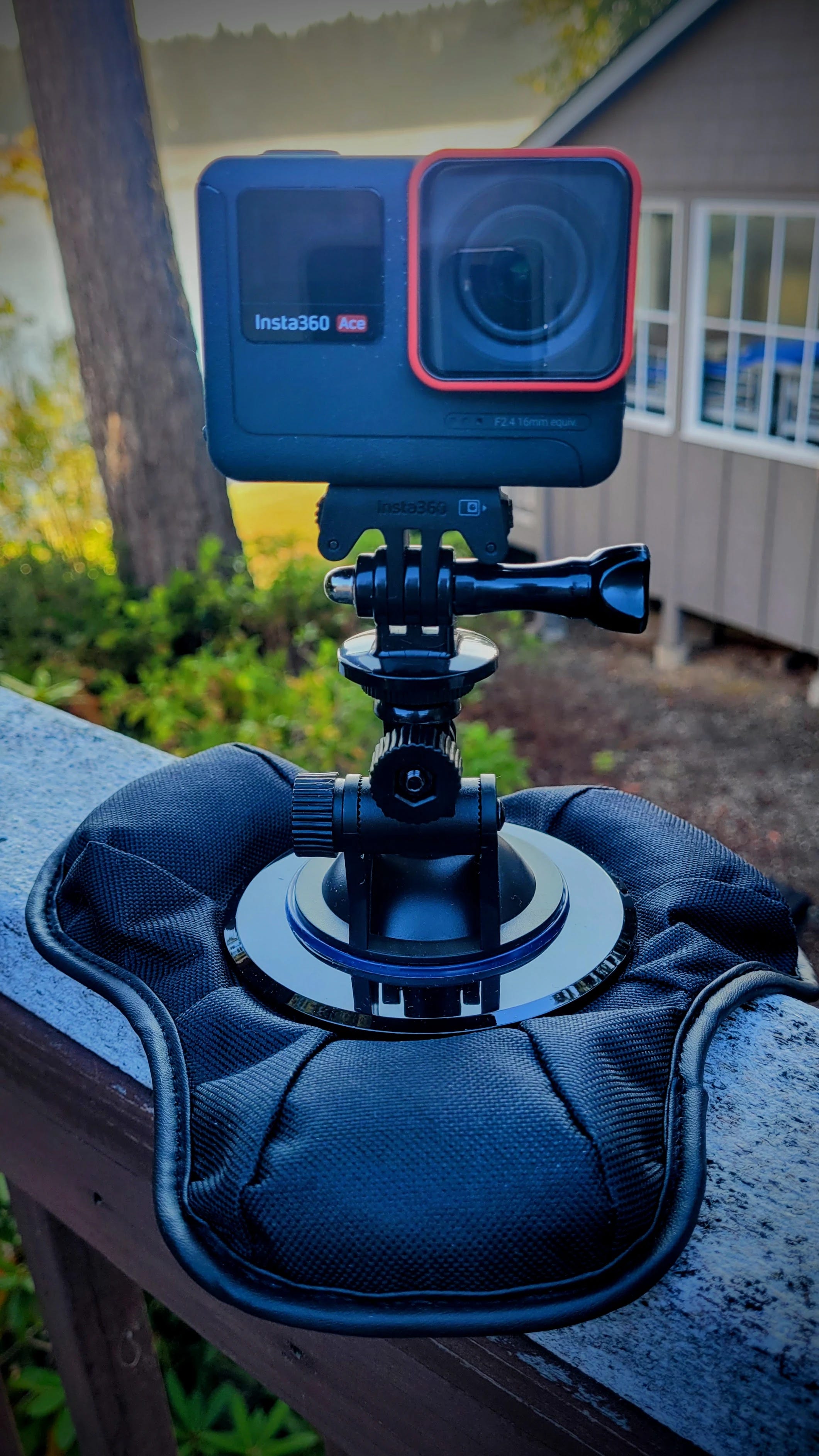
The other morning, on a dark, early drive for my morning coffee (this is my thinking time) I rounded a corner to find a deer standing in the middle of the road. I slowed down and let the animal finish crossing. The Insta360 ACE caught it:
Of course, the cam also picks up people who cut me off in traffic, or who pass me and then hit their brakes. I’m sure I have one video where someone has shown me with their hand that I’m #1. I don’t need to share those videos but it’s good to have a record.
I just looked at the price of this camera on Amazon. Oh my. That cost has gone up — way up. I think I bought mine on sale when Insta360 was transitioning to the new ACE PRO series, because I don’t remember prices anywhere near what I’m now seeing.
4. APRS
Here’s a nice product to point you toward: the iGateMini. This is a VHF, single-board device with one-watt out that can serve as a tracker, an iGate, or a digipeater. I think it is particularly well suited to serve as a fill-in digi/iGate in your shack. Hat tip to Ham Radio Workbench for this. See HRWB 270 - Satellite Tracking with CSN Technologies.
And while I like the looks of the iGateMini, I must say I do like my LightAPRS Gateway 1.0 device that I wrote about here and here. At $130, the price is quite reasonable for a tracker, iGate, and digipeater. There’s a lot to like with this little device. As you can see below, it is working well for me, despite the antenna being inside the garage, located in a basin surrounded by hills.
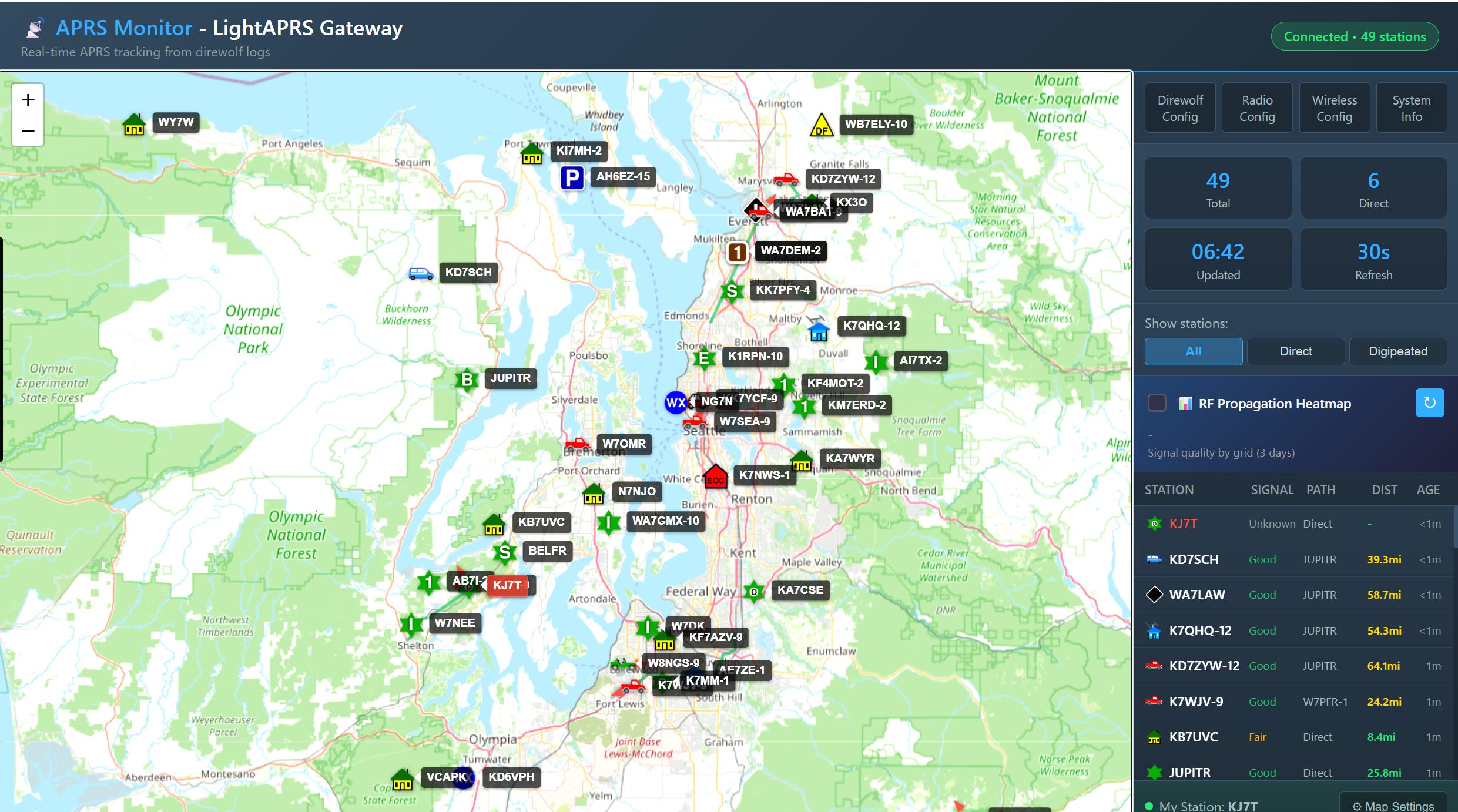
Does it seem like APRS applications are proliferating? There is the long-standing #APRSThursday check-in, and I do that occasionally over LoRa APRS. There is APRS OTA, and I confess it looks like fun. There is SpaceAPRS which will become more useful when the ISS APRS station comes back online.
And there is APRS Connect and APRS Chat for Android. Although I don’t have a modern iPhone, there are great apps for Apple phones, too.
In fact, there are so many new APRS things going on I know I’ve forgotten a few that I meant to share. Hopefully I’ll remember them before Friday’s publication deadline! Bottom line: APRS seems to be making a bit of a resurgence. I’m okay with that.
5. A Repeater 250 Miles over Your Head
Since I touched on the ISS APRS station above, what about the VHF/UHF repeater on the ISS? Do you know how to work it?
Aboard the International Space Station, in the Columbus module — ESA's European lab, built in Italy by Thales Alenia Space — the amateur radio crossband repeater is up and running. Heads up, though: ARISS has a scheduled outage coming September 18 (15:20 UTC) through September 19 (16:50 UTC) for spacewalk support, so don't be surprised if it goes quiet for a day.
▸ Uplink: 145.990 MHz FM, 67 Hz CTCSS tone
▸ Downlink: 437.800 MHz FM
▸ Radio: any dual-band FM handheld or mobile will do
▸ Antenna: a handheld whip works; a small directional gains you the margins, best is a little portable YAGI antenna
The technique:
1. Look up the next high pass for your location (any ISS tracker app or website — pick passes above 40° elevation).
2. Program both frequencies before you go out — remember the 67 Hz tone, or the repeater stays silent.
3. Listen on 437.800 first. When the pass starts you’ll hear traffic from stations already working it — the downlink comes with Doppler shift, so tune around slightly.
4. Transmit on 145.990 when there’s a gap, give your call, and listen for yourself coming back through the orbiting machine.
That’s it. Your signal goes up, gets retransmitted from space at up to 25 watts out, and comes down half a continent away.
6. QSO One Continues to Grow
I’ve got to hand it to Frank KD8JKK — he has really pushed QSO One forward. He writes:
QSO One is live on Google Play, right now, in 177 countries. https://play.google.com/store/apps/details?id=com.qsoone.qso_one
That’s a pretty big deal. I feel better knowing the code has passed through Google’s gauntlet. No guarantees that it is safe, but it feels safer than before, so I installed it on my phone.
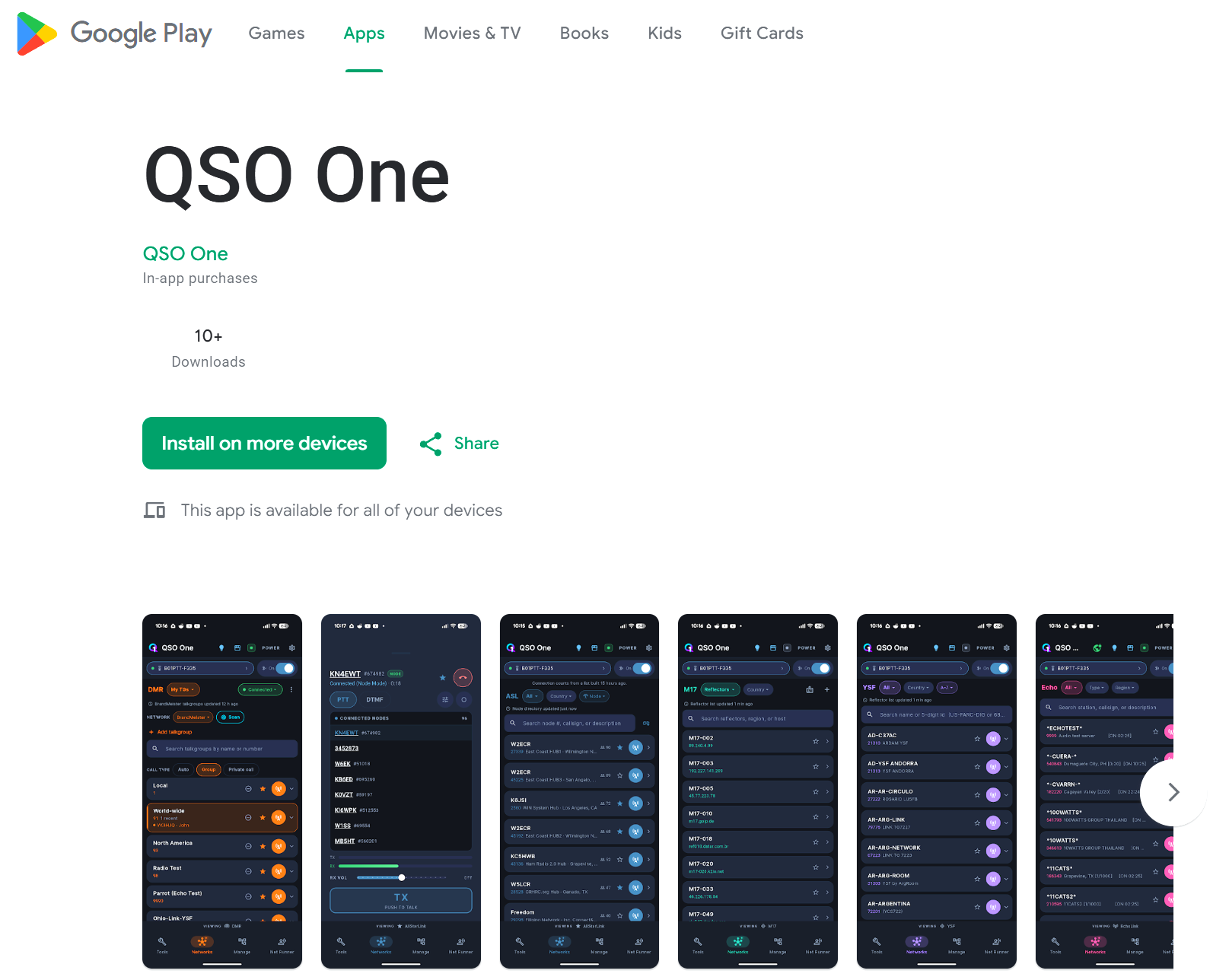
There is one aspect to setting up your AllStar credentials in the phone app that I think is incorrectly described. For the IAX2 password, Frank says to go to AllStarLink.org and find your node password. That is not what I think of as my IAX2 password. I have passwords for various contexts in my /etc/asterisk/iax.conf file. Those are the ones I think of as IAX2 passwords, so that’s where I went first…and none of them worked. What did work is exactly what Frank described. I used the node password from my AllStarLink.org portals page for node 588418 and that worked. I just don’t think it is best described as an IAX2 password. That confuses me.
Other than that small quirk, this is brilliant software for the Android smartphone ecosystem. Job well done, Frank!
7. ARDC Seeks Volunteers in 2027
Amateur Radio Digital Communications (ARDC) needs your help.
ARDC is now accepting applications for their 2027 volunteer cohort. Applications are open Sept. 15 – Oct. 30, 2026. They are looking for qualified individuals to contribute their time and expertise across several committees and teams:
Grants Advisory Committee (GAC) – reviews grant applications.
Technical Advisory Committee (TAC) – works on 44Net-related projects and policies.
Grants Evaluation Team (GET) – evaluates and analyzes grant reports.
Grants Communications Team (GCT) – writes about grant results for the public to learn from.
Conduct Review Committee (CRC) – helps to evaluate Code of Conduct incident reports. Must concurrently serve in another volunteer role.
Read more at: https://www.ardc.net/volunteer-with-ardc-in-2027/
8. AllStar: Best Practice for Node Information?
Several days ago, I heard a fair question about the AI net-transcription project I’ve been running on my AllStarLink node 588416: should participants be told their traffic is being captured?
The short answer: probably not required by U.S. law. Amateur radio carries no expectation of privacy under FCC rules or federal wiretap law, and that’s by design, not an oversight. But the more interesting answer turned out to be practical, not legal: even if I wanted to notify people, AllStarLink’s own infrastructure gives a node owner almost nowhere to say anything at all. The node registration portal, which is where you might expect people to go to find node details, has exactly one optional text field, capped at 20 characters, meant for a frequency label. That’s it.
But not legally required doesn’t mean not necessary. The very first item in the Radio Amateur’s Code is Considerate. Informing people they may be recorded — even though it’s not required to do so — is courteous amateur radio behavior.
For AllStar nodes, there is no standard place to publish this kind of information.
The gap is worse for a node like mine. It’s a hub — no radio, no coverage area, nothing that fits neatly into the tools that already exist for this hobby. QRZ covers callsigns, not node numbers. RepeaterBook covers physical repeaters with frequencies and PL tones, not link nodes. And the one thing I’d already built — a small web page served directly off the node itself — had an obvious flaw: it disappears exactly when the node goes down, which is precisely when someone might most want to know what’s going on.
My fix was to stop hosting that information on the node at all. I built a free node page on GitHub Pages instead — no server to run, no uptime to maintain, and it publishes automatically from plain text files the moment I push a change. I put it under a new GitHub organization named for my callsign rather than folding it into my existing EtherHam brand, since a callsign is what is associated with my node number, and it keeps my station’s own documentation independent of whatever EtherHam does or doesn’t become down the road.
The page itself is short: what the node is and how it’s used, a plain-language disclosure that traffic may be recorded, a description of the transcription project specifically, and a running changelog of what’s changed on the node over time. I then pointed the node’s own web address (which lives on the node at /var/www/html/index.html) at this new page with a simple redirect, so there’s exactly one place to keep current rather than two drifting copies.
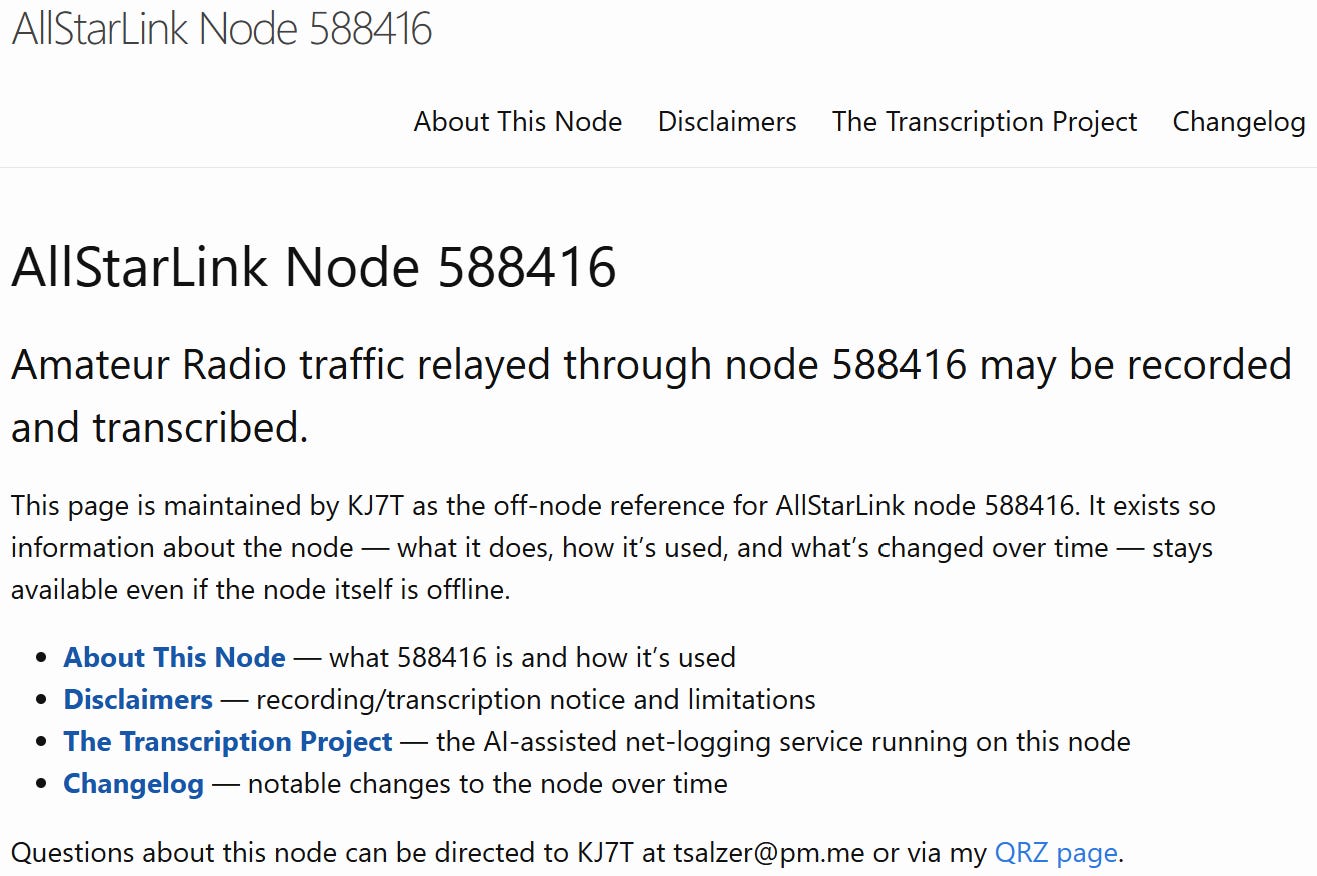
None of this took more than an evening, and most node owners are in an easier spot than I was — running one or two nodes rather than a dozen, which makes this a single small repository rather than anything to architect around. If you operate a hub or link node in particular, where there’s no repeater and no physical footprint for the usual directories to hang a listing on, I think this is worth thirty minutes of your time. I’ll be writing up the full how-to soon; consider this the introduction to what may be a best practice for AllStar node owners.
I added a how-to document at EtherHam.com — AllStar Node Info Pages: A Step-by-Step Guide — if you want to give this a try. It’s really not too hard.
9. QRT: End Transmission
The QRT section is a bit of a catch-all this week.
PocketCHIRP
I haven’t tried PocketCHIRP yet, but I will.
PocketCHIRP is an Android radio programming app for amateur radio, GMRS, radio enthusiasts, commercial/business users, DMR, and other supported radios, with tools for reading, editing, saving, and programming compatible amateur radios over Bluetooth or USB — plus repeater search, satellite Doppler channel generation, custom groups, cloud backups, Android TalkBack accessibility, custom drivers, diagnostics, and more.
Now available in the Google Play Store.
Question about my DMR hotspot
My WPSD-driven DMR hotspot is set up to look to Brandmeister first, then to PNWDigital. I’m not sure that works well when I’m keying up to connect to PNWDigital. For my purposes, this hotspot only needs to contact PNWDigital, so I’m wondering if I should remove Brandmeister altogether. I’d appreciate thoughts from folks more experienced in DMR than me! Contact me at KJ7Tom@gmail.com.
Rain barrels…not radio but it is technology of a sort
My technology interests range widely, and sometimes they intersect with my natural resources conservation field. Rain barrels can be useful but they are hard to site in a way that looks attractive (which is probably why most people put them in the backyard or behind a side yard fence). You can also use cubic IBCs (Industrial Bulk Containers), but again, they take up a lot of space and look, well, industrial.
In contrast, I love this concept I just ran across: the Rainwater Wall. Jump to The Rainwater Wall: A Space-Saving Water Harvesting Tank and scroll down to see it. It’s clever. Compared to round barrels and cubes in cages, it looks pretty nice situated along a wall or fence. I hope this idea takes off.
Windows RDP and drive redirection
I learned something new about Windows Remote Desktop (RDP), which I use over Tailscale to operate my work computer remotely. The new thing: I can map a local drive so it shows up on my work computer. (Technically, it’s called drive redirection.)
How?
Open Remote Desktop Connection on your Windows computer (search for it in the Start menu)
Click Show Options in the lower left corner
Click the Local Resources tab
Click More... under “Local devices and resources”
Expand Drives and check the drive(s) you want accessible
Click OK, then click Connect
I needed to move a script from my Lake House NAS box to the work PC, by through drive redirection, it was easy. I could simply drag-and-drop or copy-and-paste the folder I needed. I don’t know why I never knew this before, but that was a gold nugget AHA moment. It saved me from the whole zip-the-folder-and-email-it-as-an-attachment method.
All you networking gurus who are rolling your eyes, well, I’m just happy to learn a new, useful thing. Old dogs, new tricks, and all that!
73, and remember to touch a radio every day!