
★ Ch-Ch-Ch-Changes Coming to AllStar ★
This is breaking news…but let’s hope it won’t break AllStar!
If you use an app to connect to an AllStar node from your phone or computer, without a radio or a node of your own, the way that connection gets approved is about to change. On September 25, the AllStarLink team announced that it will retire WebTransceiver authentication. A new App Authentication standard, called ASL002, will replace it.
What WebTransceiver Is (and Isn’t)
The name comes from a Java applet that once let a web browser talk to AllStar nodes. The applet was retired long ago, but its login method survived. It became the standard way apps such as DVSwitch Mobile, Repeater Phone, Transceive and QSOone get onto the network. The ASL team calls this “nodeless” access: you connect as a user with an AllStarLink account, not as a node.
WebTransceiver isn’t a separate mode. It uses IAX2, just like every AllStar connection. IAX2 is the voice-over-IP protocol that AllStar nodes use to talk to each other. What’s changing is how a node decides whether to let an app user in.
Why Change It
The ASL002 document is blunt about it: the old method has “no session security of any form.” Its login tokens also weren’t built to be unique, so in principle two different logins could look the same to the network.
How the New System Works
Under ASL002, your app will send your AllStarLink username and password to an ASL server once. The server sends back a token that works like a single-use ticket, good for 24 hours. When the app connects, it gives the node that token along with your call sign. The node checks the ticket with the ASL server, and the server cancels it so it can’t be used again. Your password never goes to the node itself.
The server will also limit how fast any one app or address can request tokens, which makes password-guessing attacks harder. Each app install can hold at most three unused tokens at a time.
For app users, the change should be mostly invisible. You’ll still log in with a username and password. You’ll need an updated version of your app once its developer adopts the new standard.
What Node Owners Need to Know
If you run a node that accepts app connections, this part applies to you.
ASL3 nodes (the current AllStarLink release): a package update is expected to make a one-time automatic change to /etc/asterisk/extensions.conf, the file that tells Asterisk how to handle incoming calls. However, if you’ve customized the [allstar-public] section of that file, you’ll want to check it after the update instead of assuming the automatic fix worked. I’ll be checking my nodes after the update.
Pre-ASL3 nodes: operators will need to edit extensions.conf themselves before the transition period ends if they want to keep accepting app connections. The ASL002 document includes the new configuration lines.
Unknown at this time is how HamVOIP nodes may be affected. That was not part of the announcement.
My thoughts: ASL writes standards for software it maintains. It can't say how HamVOIP will behave because it doesn't control HamVOIP's code or release schedule. Like pre-ASL3 AllStarLink nodes, HamVOIP runs a much older version of Asterisk (1.4-era). The new configuration lines ask Asterisk to check each app user's token with an ASL server over the web, then read the first few characters of the server's reply. There's no word yet on whether those lines have been tested on older installations, whether HamVOIP or pre-ASL3 AllStarLink.
The Timeline
Now through October 2 (yes, one day after this newsletter is published): the “fatal flaw” review period (the announcement doesn't specify a time or time zone). Questions and concerns go in the forum thread.
Mid-to-late October: the new login service is expected to be available for testing.
First or second week of November: expected to go live. ASL says a formal announcement will follow.
About six months after go-live: the old WebTransceiver login is scheduled to retire, along with most of the older compatibility options.
About a year after go-live: the last compatibility option, which lets older nodes accept connections from updated apps, is scheduled to end.
The standard is still a draft, and some of the server addresses in the document are placeholders. Details could change before November.
I expect to write more about this change as the important dates get closer.
Read more: the announcement on the ASL Community forum and the ASL002 App Authentication standard on GitHub.

1. QRV: Are You Ready?
I put the AllStar story ahead of QRV because it's breaking news that matters to a lot of AllStar users.
There is a lot of computing content in Random Wire issue 202. That tracks with the nature of digital radio. I finish up the four-part series on 44Net by adding a second firewall to my system (The Third Tent Stake: A Router That Says No First).
I also recap last weekend's M17 net because it was packed with great information (M17 Next: A $60 Radio, a Linux HT, and Data on the Way). There is a lot happening behind the curtain, and it’s all positive. I also started working on the CC1200 HAT for M17, with a note below (Working on CC1200 HAT for M17). Expect a thorough article soon.
Then I moved my Proxmox server containers from a small i7-powered PC to my large Lenovo P510 ThinkStation machine with a 14-core Xeon processor (A Bigger House for the Homelab). It's not the cheapest computer to run, but I keep it around because it is such an incredible workhorse.
Finally, the Weekly Report captures a lot of information in one place.
2. Thank You

Thank you to Brian, who wrote: “A few coffees to help you write Part 4 on 44 Net/Mikrotik.” The coffee helped, article is done (see 3.1 below)!
3. New on EtherHam & Random Wire
3.1 The Third Tent Stake: A Router That Says No First
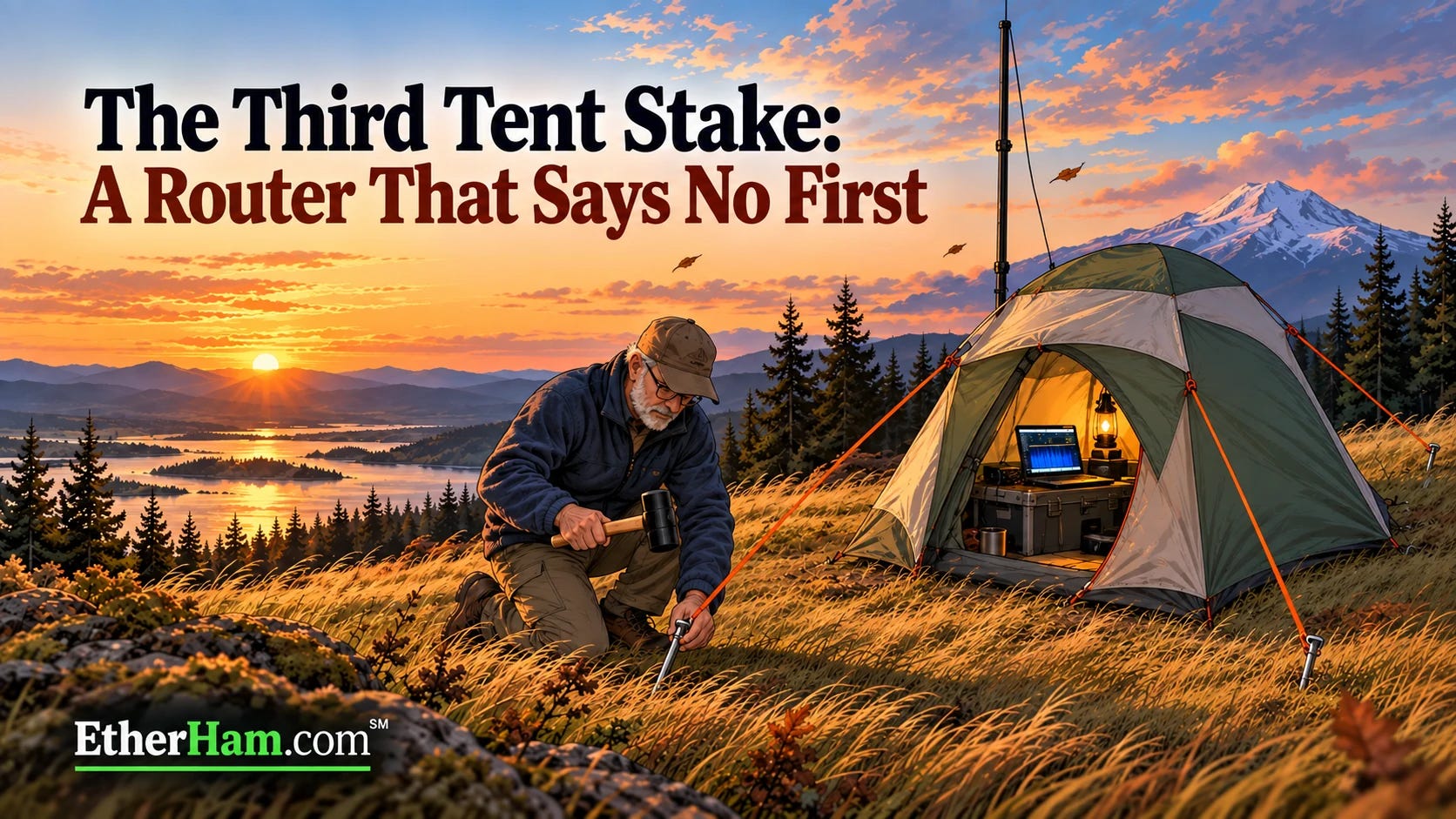
This is the fourth article about putting AllStar node 588416 on 44Net. Part 1 raised the tent. Part 2 and Part 3 drove the first two stakes. This one drives the third: an allowlist on the MikroTik router, so that new connections arriving over the 44Net tunnel are filtered, reaching my machines only on the ports they actually serve. Everything else is dropped at the router, before a machine’s own firewall ever sees it.
The router’s log turned up two surprises. About 980 connection attempts arrived in the first eleven minutes, most of them aimed at addresses in my block that I assumed were empty. And one of those addresses wasn’t empty: it was my packet BBS, which the new rule had just cut off from the internet. The article covers how I found it, how I fixed it, and why the identical spare router I keep on the shelf turned out to be out of date, too.
The big takeaway: before you build a firewall allowlist, ask the router what’s connected. It already knows, and asking takes two easy commands. Read about it at: The Third Tent Stake: A Router That Says No First.
3.2 M17 Next: A $60 Radio, a Linux HT, and Data on the Way
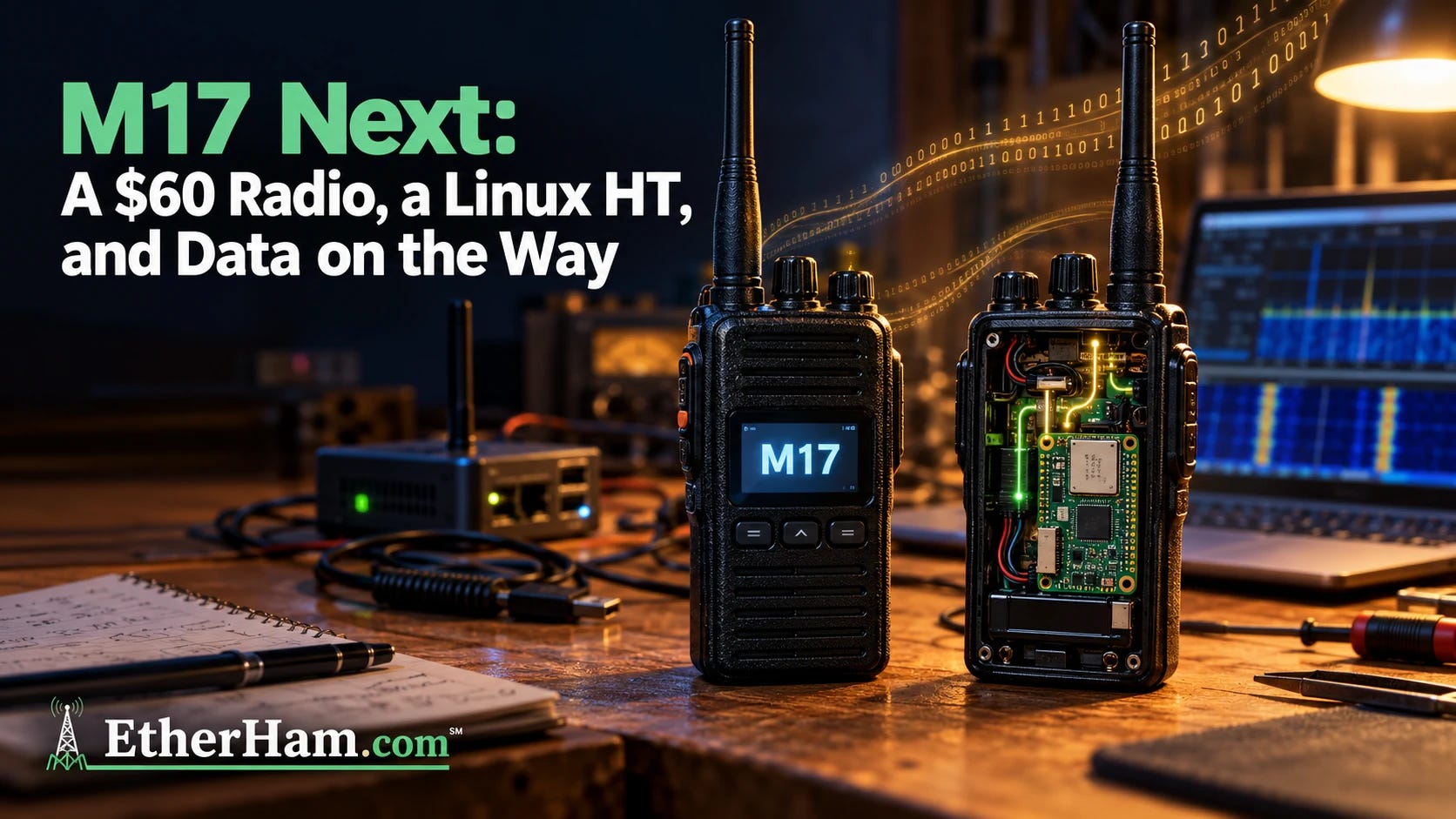
M17’s hardware has lagged behind its protocol. That’s starting to change. The Retevis C62, an inexpensive FM handheld, is on the way to running M17 with a firmware update and no hardware mods. It’s early days: transmit works, but receive and saved settings are still being finished, and the firmware is waiting for review in OpenRTX pull request #510. Close behind is the LinHT, which uses the same C62 case but puts a full Linux computer and a software-defined radio inside. That means it can learn new modes after you’ve bought it.
There’s more. OpenRTX 0.5 is expected before the holidays and will bring text messaging and APRS to M17 radios people already own. Codec 2 got a big speed boost, old DVMega hotspots can move to M17, and an Oklahoma club has converted a multimode MMDVM repeater to carry M17 alongside its other modes. And because every piece of this is open (the protocol, the codec, and the firmware), no single vendor gets to decide where it goes next. Read the full article on EtherHam →
3.3 A Bigger House: Proxmox Server Moved to a ThinkStation
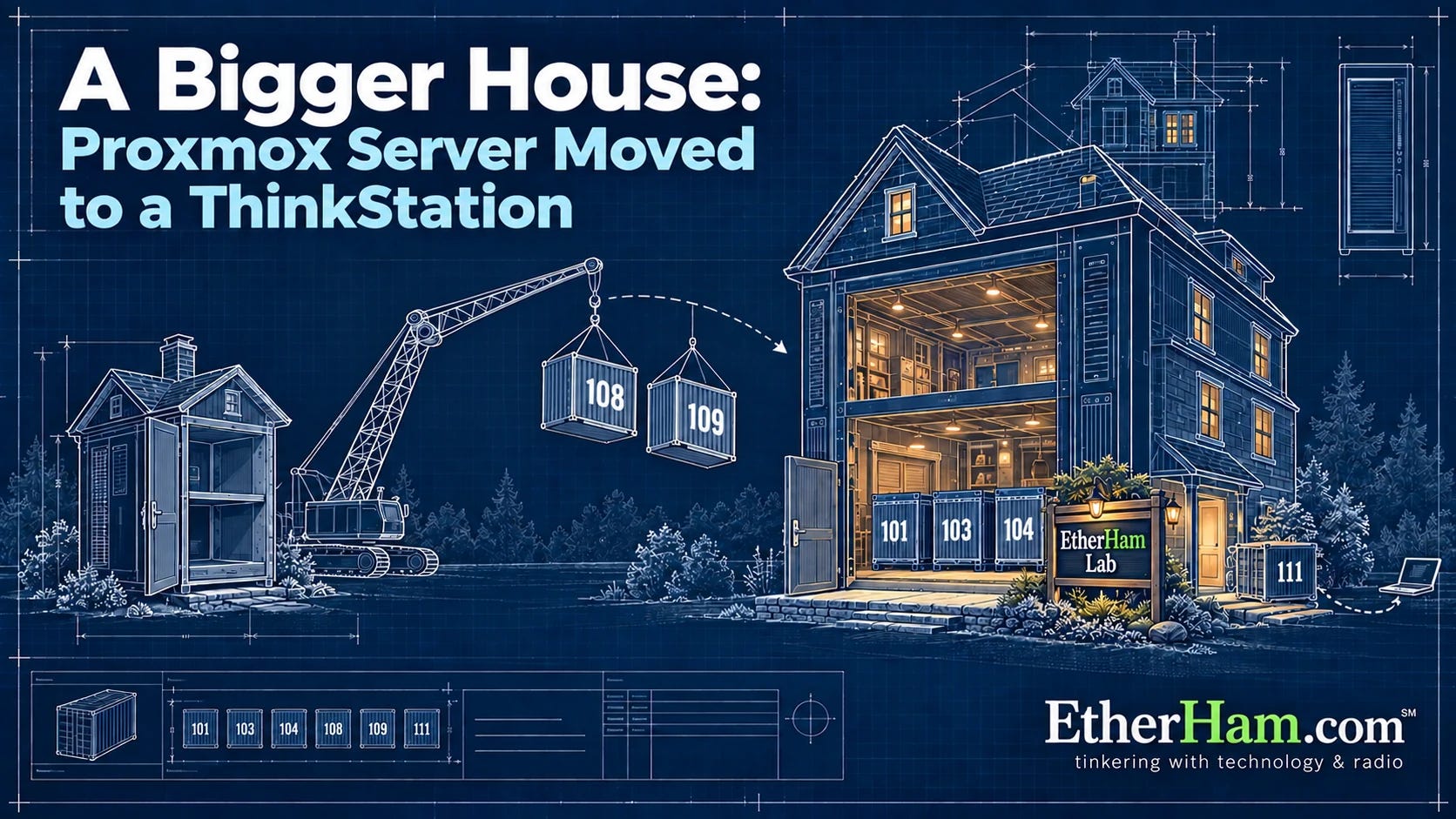
My Proxmox server has been living on an old i7 desktop with a single drive and a UPS it had never been configured to talk to. When I looked at the logs, I found it had been through 127 unsafe shutdowns!
This week I moved everything to a refurbished Lenovo ThinkStation P510 that had been sitting under my desk. This platform was made and marketed as a workstation but it serves quite well in the role of a home server.
My objective was to make each container’s move completely transparent: it would retain its number, network address, and data, so everything else on the home network would continue working as if nothing had changed. Before I could start, though, I had to break into my own computer. I’d installed Ubuntu on it at some point and written down nothing about it. That lesson made it into the article, along with a Tailscale subnet router that lets me reach the whole lake house network from 150 miles away without installing Tailscale on every box.
There was one surprise after the move. My local AI models slowed to under a word per second, and I nearly went shopping for a pricey graphics card. The real cause was a mismatch between the processor cores the container was allowed and the number the AI software assumed it had. Changing one setting made it about 80 times faster. If you run a homelab, or are thinking about moving one to bigger hardware, the full write-up is on EtherHam: A Bigger House: Proxmox Server Moved to a ThinkStation.
3.4 The Weekly Report
There is a ton of information in the Weekly Report this week. Included are these topic areas:
3.5 New on Random Wire: Reply Rules
I want the Random Wire to be a place where people can disagree freely, treat each other with respect, and come away with better ideas. Substack, which hosts the Random Wire newsletter, lets authors set "reply rules" for commenters. I've written mine, squeezing them into the 500 characters allowed:
Stay on topic: the post or amateur radio.
No politics.
Welcome every ham; no gatekeeping by license class, mode, or experience.
Argue with ideas, not people.
Share firsthand experience and sources.
Selling used gear you own is fine; promoting a product you make or sell is not.
Makers may join discussions if they disclose, and can email me about reviews.
For the benefit of this community, I remove comments that break these rules.
Judgment calls are mine.
73, Tom KJ7T
I’d love to hear your feedback. Please leave a comment or email me at tsalzer@pm.me.
4. In The Lab
4.1 Working on CC1200 HAT for M17
One year ago, I placed the minimum order with PCBWay for five CC1200 HATs for M17. This week, I pulled one out of the box and prepared to install it. The HAT is designed to fit on a Raspberry Pi Zero 2 W.
The first dilemma I faced was finding the right standoffs to separate the HAT from the RPi. If the standoffs are too tall, the RPi’s GPIO pins don’t reach through the holes in the HAT. If they are too short, the soldered legs of the SMA connector come into contact with the mini-HDMI port shell.
Eventually, I decided to use some side snips and trim the SMA legs shorter. That allowed me to use some standoffs I had in the lab. The GPIO pins barely extend past the top of the holes in the HAT. They are ready to be soldered.
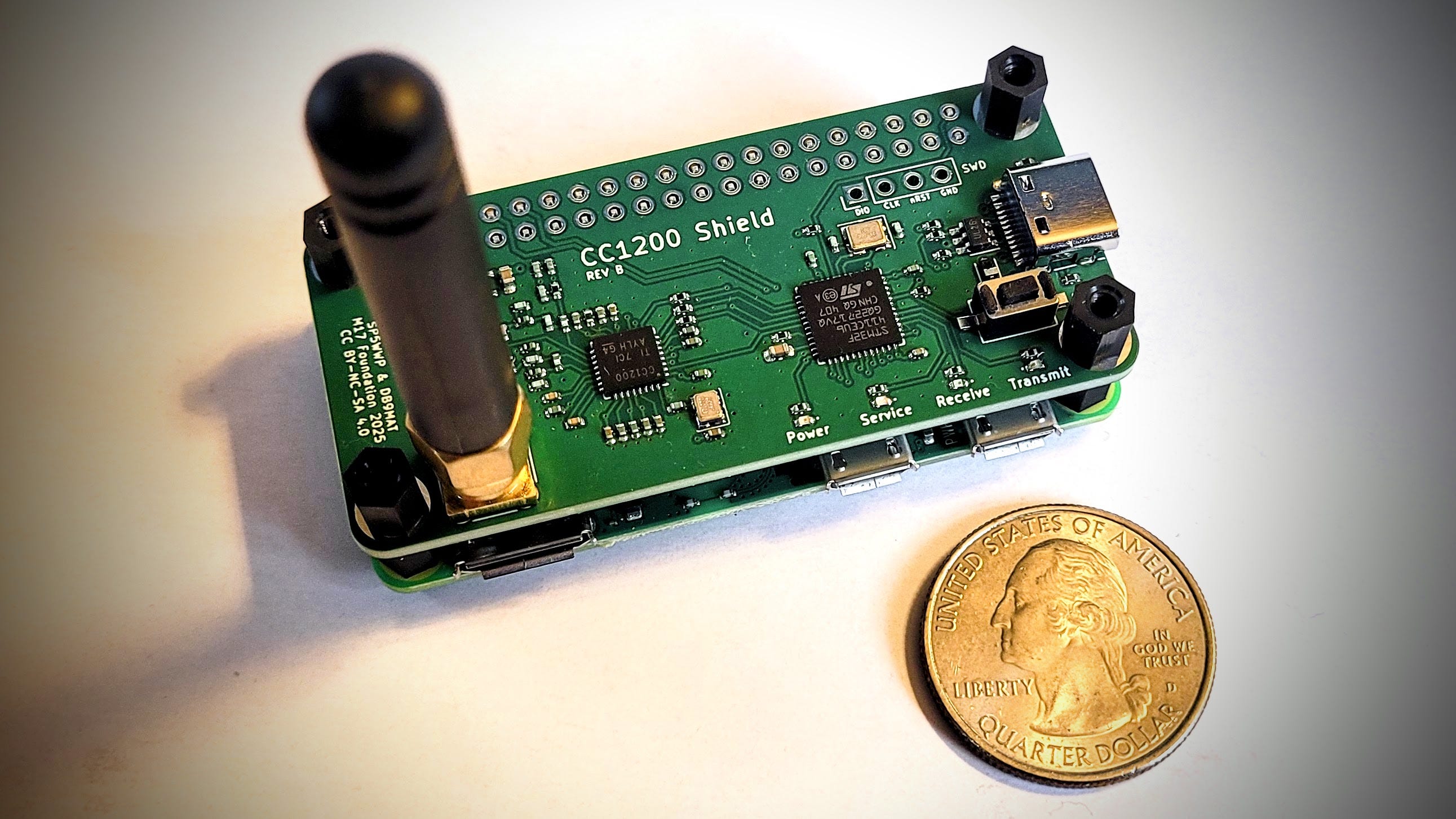
That’s where I stopped this week. I need to get my soldering station space cleared for the next step. I did ask Claude for soldering advice, and I appreciate the “tiny volcano” description. Maybe Claude said this because I’m a geologist. Whatever it was, it made me smile:
…heat the pad and pin together, feed solder where they meet, and stop when a small shiny cone forms around the tip. A good joint looks like a tiny volcano hugging the pin. If you see a ball sitting on top, the pad didn't get hot enough.
Once I get it soldered, configured, and tested, I’ll write it up properly with an in-depth article on EtherHam.com.
4.2 Audio Upgrade for Lake House
At the Portland QTH, I have an inexpensive-but-adequate audio setup, with an Audio-Technica AT2005USB dynamic microphone (affiliate link). Audio from the mic travels via XLR cable to a Behringer MIC500USB preamp. The preamp’s USB output goes directly into Audacity on my computer. I do my trimming and some sound leveling in Audacity, then push the audio file through Auphonic for final cleanup and leveling.
At the lake house, I've been using a Maono PD200W dynamic microphone (affiliate link) plugged straight into my laptop over USB, with no preamp. It sounds fine that way, but I like what the Behringer does for my voice in Portland, so a second MIC500USB is on its way. UPDATE: It arrived last night:
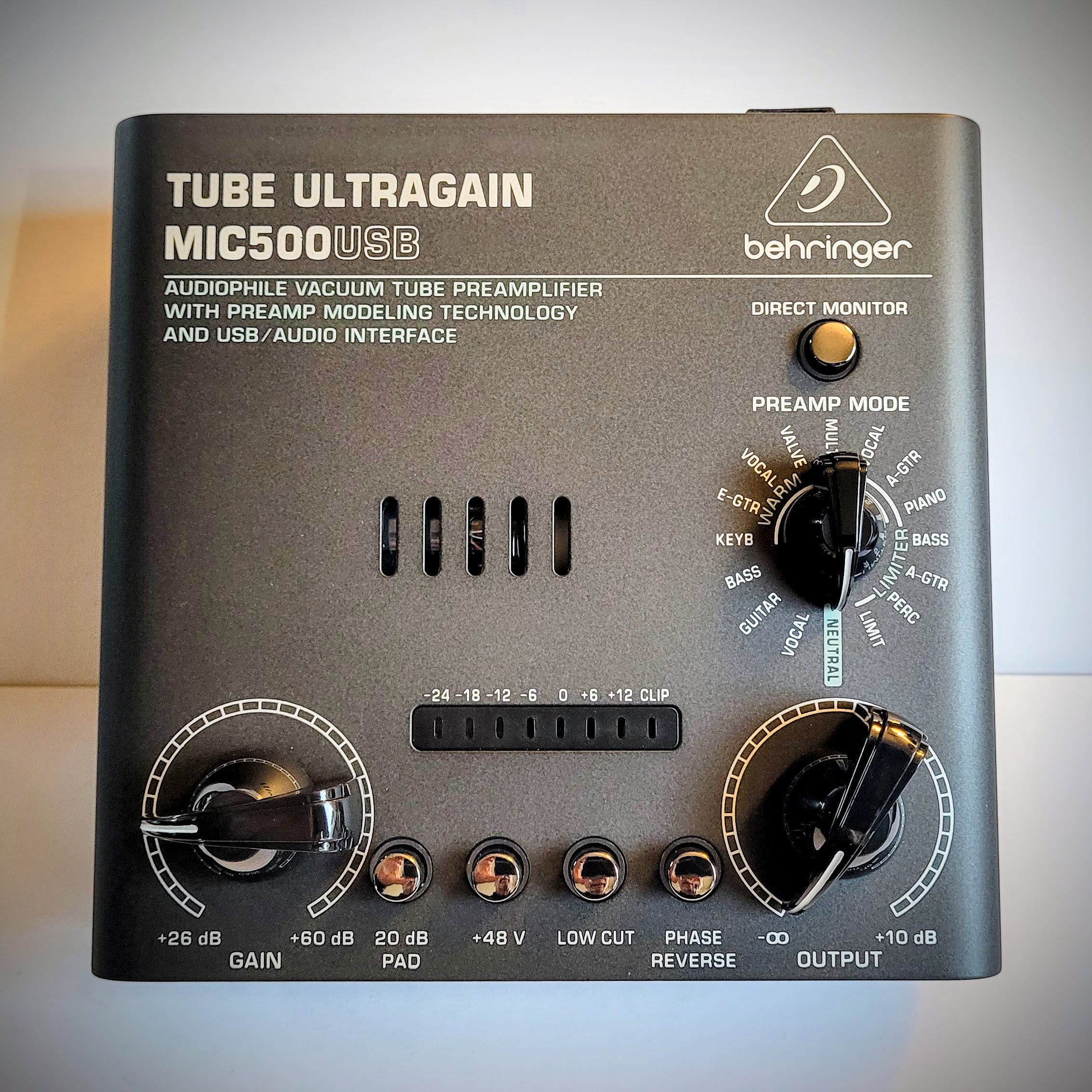
The PD200W will run over XLR into the Behringer, and the preamp's USB output will go into Audacity on the laptop. The rest of the workflow stays the same: trimming and leveling in Audacity, then final cleanup in Auphonic. With the same preamp at both stations, episodes recorded in either place should sound more alike.
I have used both microphones for video calls over Zoom and Microsoft Teams, but most of the time I use a Poly Blackwire 5220 Wired Headset (affiliate link) for those. My voice comes through fine, and incoming audio is clear. The Poly headset is not a candidate for piping audio through the preamp.
5. APRS
5.1 My APRS Stations Are Working
My mobile station is KJ7T-9, running on a Yaesu FTM-300DR transceiver.
In the lake house garage, I have a one-watt iGate/digipeater on 144.390 MHz operating as KJ7T:
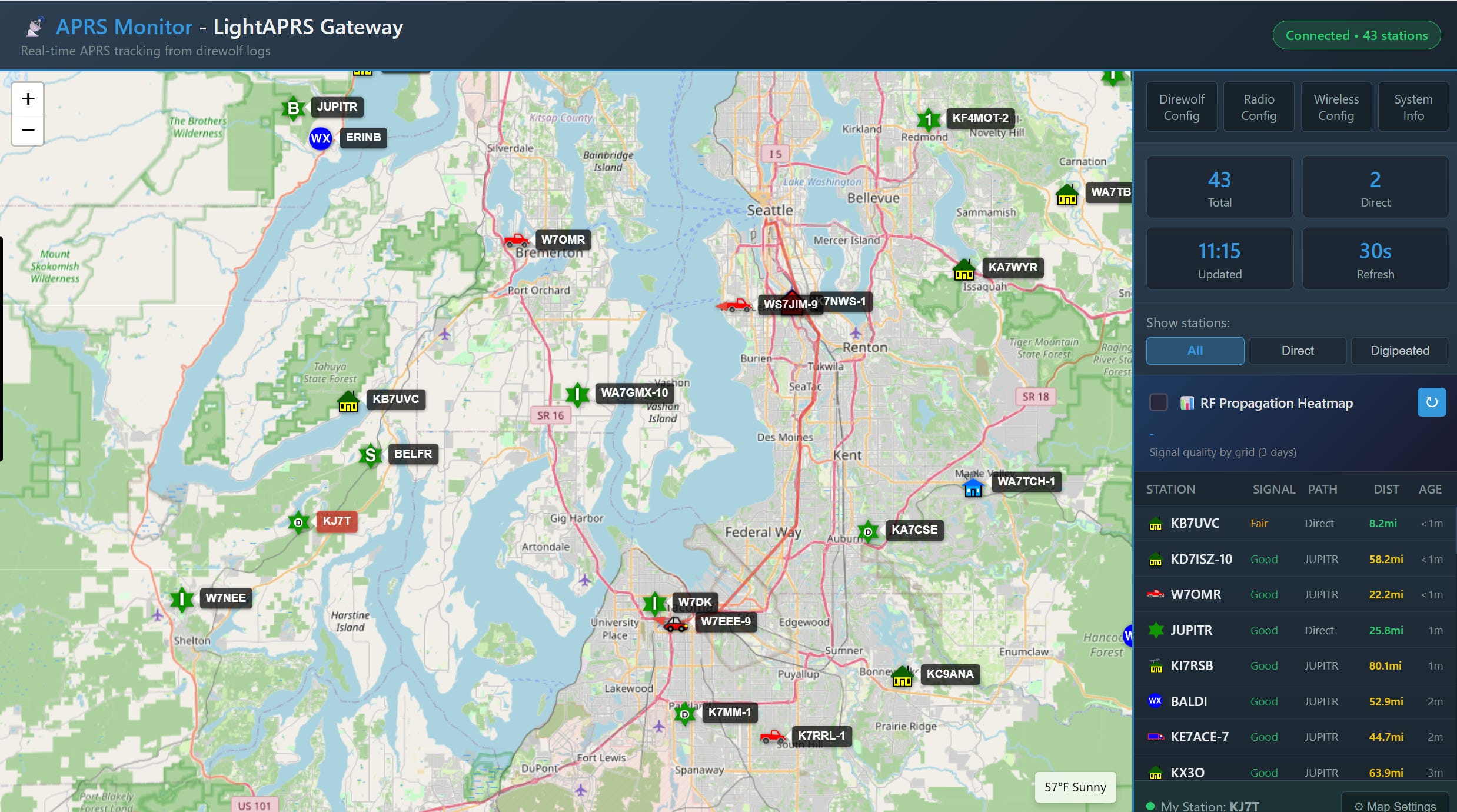
I’m also running a roughly 120-milliwatt iGate/digipeater on LoRa on 433 MHz as KJ7T-2:
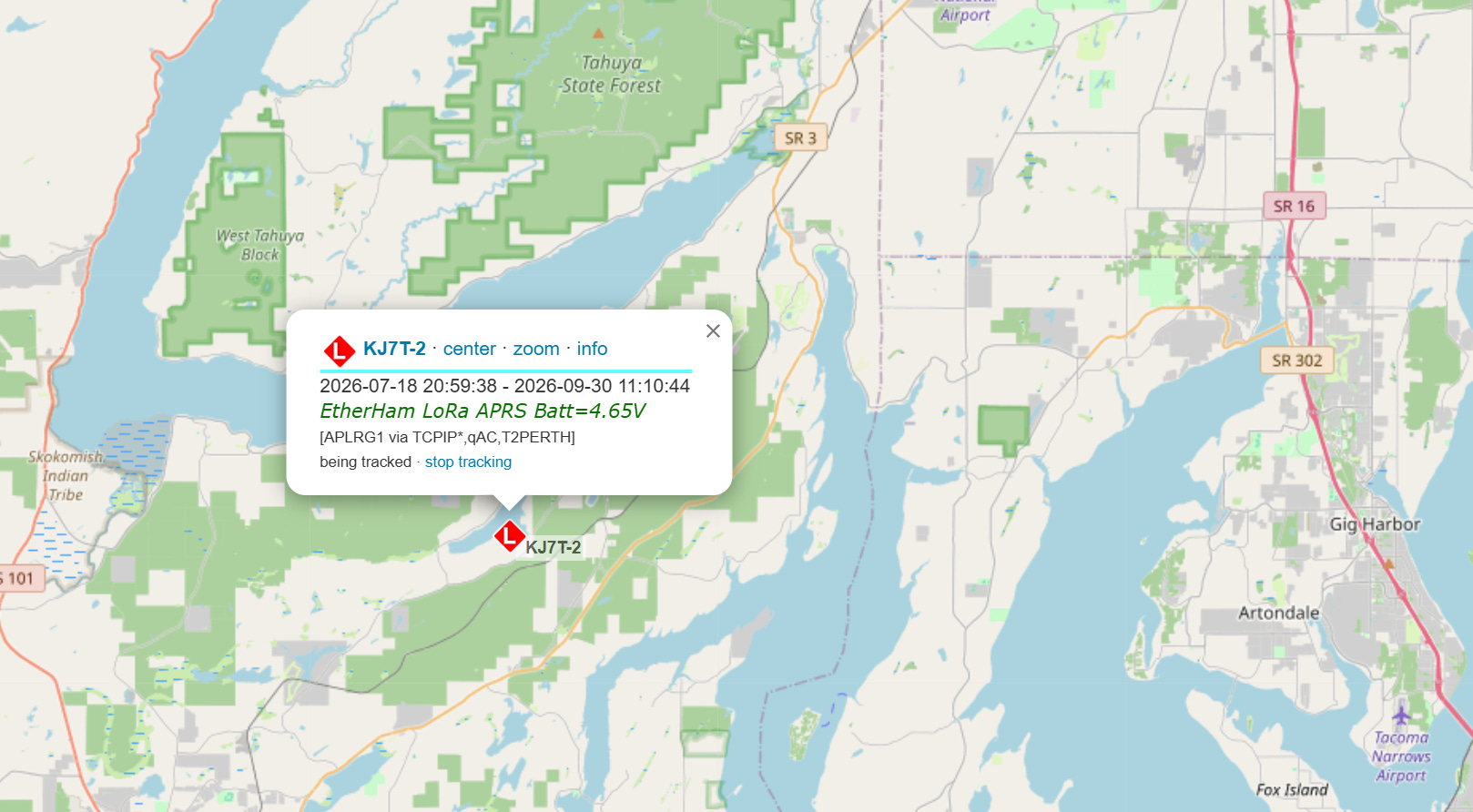
5.2 APRS Messaging
I’ve mentioned before how much the Zero Retries team covers. It’s simply amazing, and the depth and breadth of the Zero Retries newsletter is so good I read every issue. I recently found this gem in ZR 0263 that looks well worth digging into: Introducing APRS-WebMesg: A Modern, Free Web Front-End for APRS Messaging. The direct link to APRS-WebMesg is https://aprsmsg.app/.
I was curious, so I tested by sending a message from APRS-WebMesg to my APRSdroid app (KJ7T-5), and then replied from APRSdroid back to the sender (me as KJ7T-7). Here is what that exchange looks like in WebMesg:
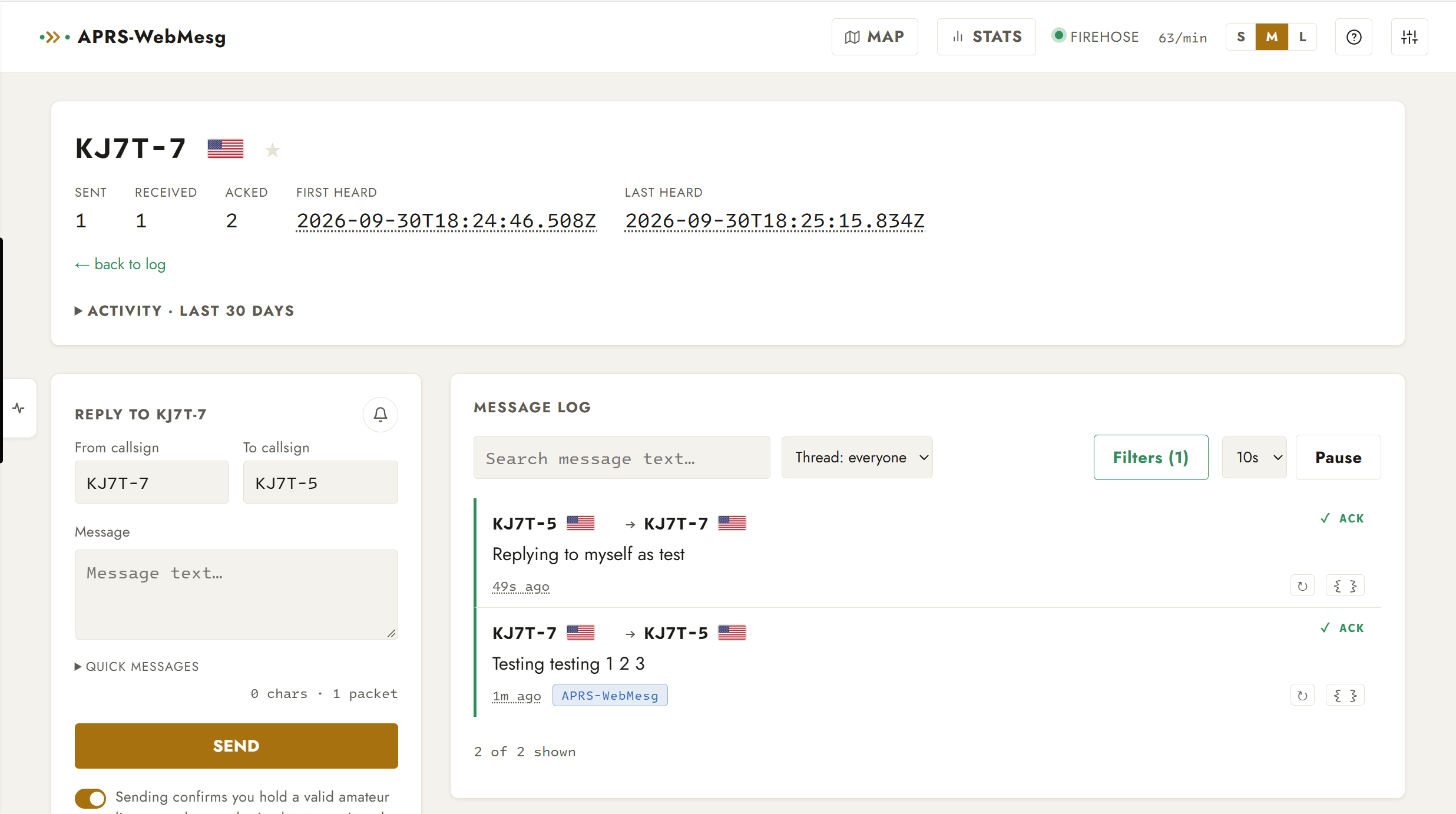
That was nearly instantaneous. Pretty cool. In APRSdroid:
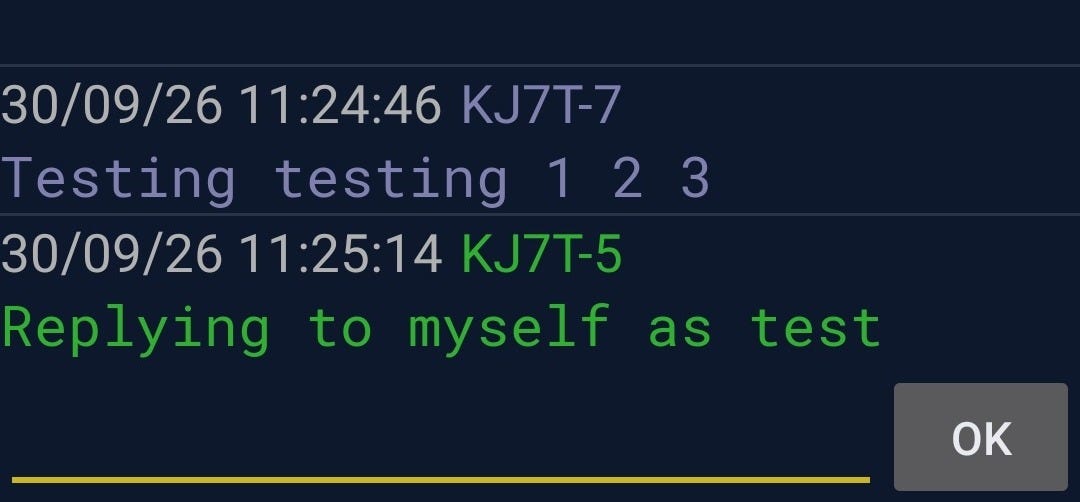
You might wonder if APRS will store-and-forward messages. I asked myself that and then heard from a highly trusted source that it does not work that way. I verified that: messages sent via the APRS-WebMesg service are carried by APRS-IS, and APRS-IS does not store-and-forward messages. It only delivers a message to a station that's connected at that moment. Winlink will do store-and-forward, but not APRS.
There is, however, one “kinda sorta” fallback: aprs.fi logs APRS-IS messages. If your message was carried at some point by APRS-IS, it will show up on your station’s messages page. In this screenshot from that page, you can see how my exchange was captured in the aprs.fi log for KJ7T-5:

6. QRT: End Transmission
6.1 HamClock Update Available
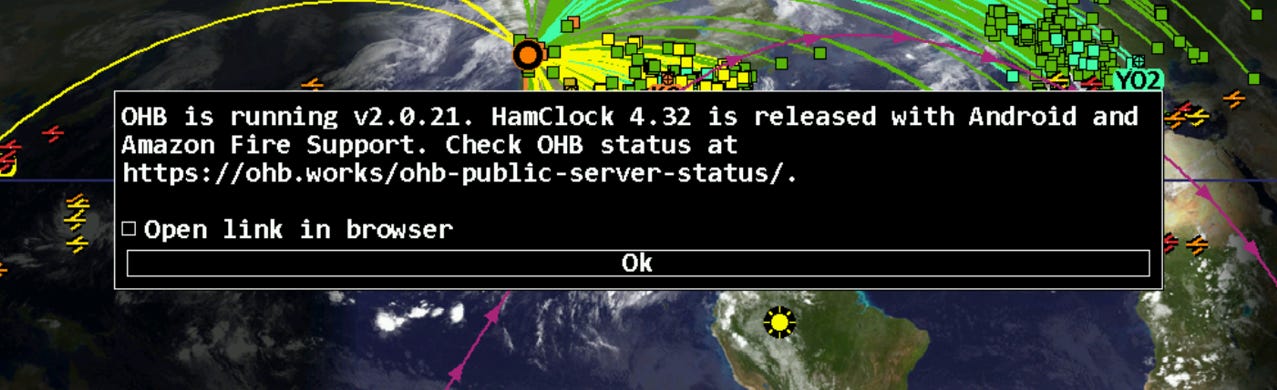
For those of us using the traditional HamClock connected to the Open Hamclock Backend, version 4.32 is now available. In the HamClock display, look to the right of the big current time in the upper left part of the screen to find the current version number. If an update is available, that version number will be shown in bold red letters (I’ve already clicked mine, so v4.32 is no longer red).
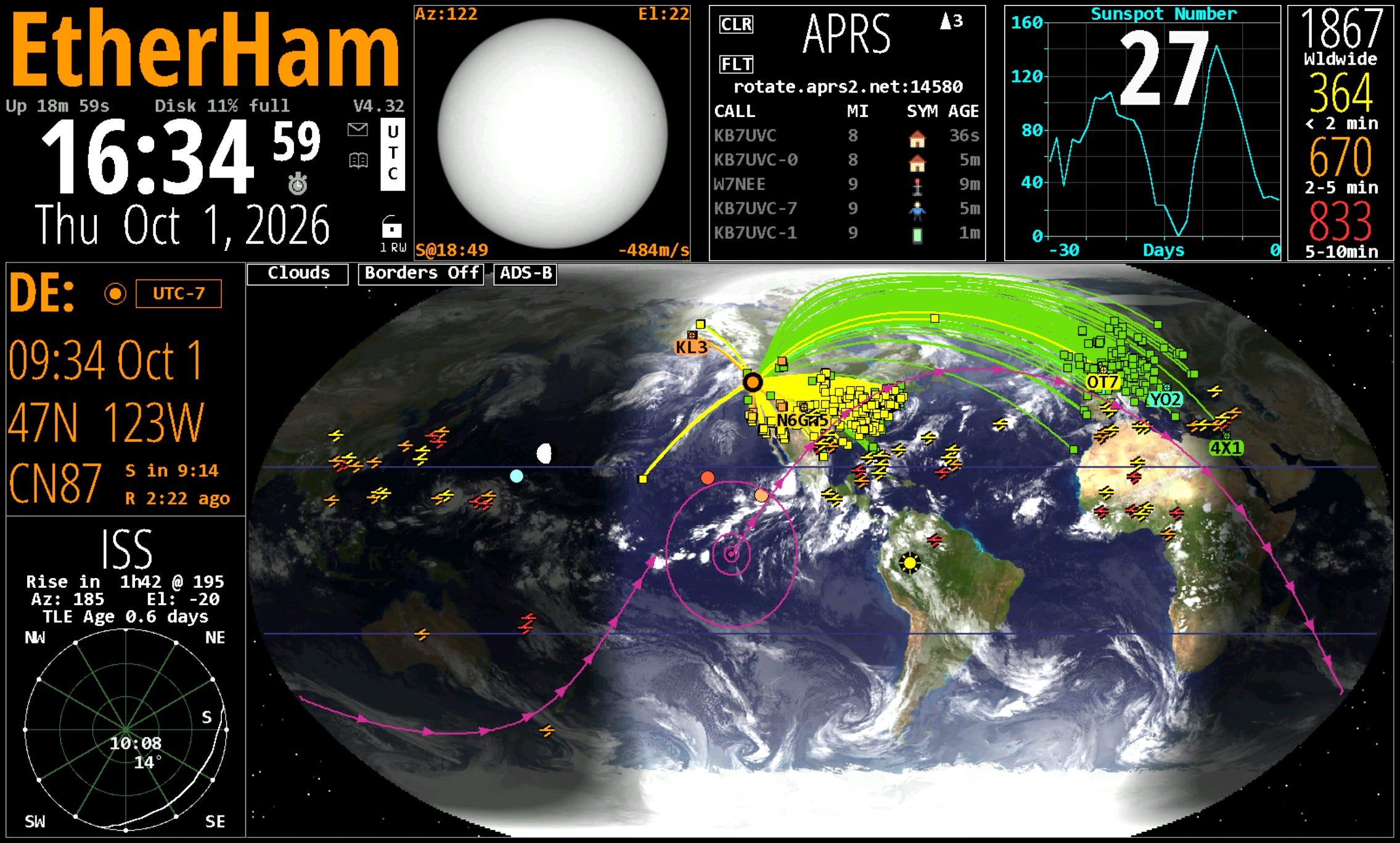
When you click that version number, you’ll get a popup in the middle of the screen:
6.2 WordPress Alternative?
I’ve known WordPress since the early days when it was, quite frankly, horrible to use. It was so bad when I first tried it, I moved to Joomla and Drupal for a few years. Then I rolled my own for a couple of years before recognizing that I couldn’t keep up on the security side and continue developing, at least as a one-person shop. That’s when I took another look at WordPress and found it much easier to understand and use.
But WordPress — the engine behind EtherHam.com — remains problematic. That’s why I continue to keep my eyes open for alternatives. Now comes a new CMS (content management system) from Cloudflare called EmDash that looks attractive. I may try a local install on my Proxmox server and see how it actually functions. It sounds like EmDash is still early days, but I'm hopeful something more secure will come along to replace WordPress. Fingers crossed.
6.3 Busy Season for Me
My busy season has officially started. I have six regional meetings in October, plus the usual committee and board meetings. My team is simultaneously putting the final touches on our statewide annual conference, coming up right after Thanksgiving. We get a slight break for the Christmas holiday and then the Legislature convenes a long session where we are proposing some special legislation. In the middle of all this, I’m working with attorneys and partners on an amicus brief for a case that will affect my state association members.
Thank goodness I have amateur radio to lean on when paid work gets overwhelming!
6.4 TriCorder?
Something for those of us who grew up with Star Trek: Open Source Tricorder Is In It For The Science.
You won’t be scanning for veteron radiation with this, but you do get a scintillation crystal to get a spectroscopic analysis of beta- or gamma-ray sources; there’s also a visible light spectrometer, thermal camera, and magnetic field camera along with a standard magnetometer and the usual environmental sensors to give you temperature, pressure, and humidity, plus particulate, VOC and CO2 concentration.
That’s a lot packed into one handheld device. Trekkies will find one of the comments humorous: “Ah! A keyboard! How quaint.”
73, and remember to touch a radio every day!