

1. QRV: Are You Ready
As I predicted in issue 203, this has been a busy week.
The most exciting news is the Zero Retries Digital Conference is happening today! But I need to be more precise in my description: this is the second annual Zero Retries Digital Conference. The ZRDC team put together a great schedule this year. I truly wish I could be there in person.

2. QST: News and Notices
2.1 M17: OpenRTX v0.4.5 Released
I missed sharing this last week, so here it is: better late than never. From the M17 Project: OpenRTX v0.4.5 released. The GitHub CHANGELOG is at https://github.com/OpenRTX/OpenRTX/blob/master/CHANGELOG.rst
This is a bigger deal than might be suggested by such a brief note. It is great to see M17 continue to steadily move forward.
2.2 M17 Texting Comes to WPSD, Sort Of
This week the M17 Project announced that its WPSD fork now supports SMS. If, like me, you read that, ran an update, and saw nothing change, here’s the backstory.
In July 2025, Jonathan Naylor G4KLX removed M17 from MMDVMHost, the program at the heart of most hotspots, and WPSD dropped M17 along with it. The M17 Project kept M17 alive in its own forks of that code, but the forks gradually fell behind the main code. Jim Ancona N1ADJ has now brought them current. Along the way he got M17’s packet mode working all the way through the chain: radio to hotspot, hotspot to gateway, gateway to reflector, and onto the dashboard. Packet mode is how M17 carries short text messages and other data alongside voice.
But here’s the confusing part: almost nobody can send an M17 text yet. The hotspot software is ready, but the radio has to be able to send SMS, and the OpenRTX developers are still working on that. Some hotspot boards also need new modem firmware. The MMDVM_HS_Hat, the dual hats, and full MMDVM repeater boards can get it now through WPSD’s firmware updater. ZUMspots, Nano hotSPOTs, NanoDVs and SkyBridges don’t have packet-capable firmware yet.
And there’s one more catch. Hotspots built on the ADF7021 chip listen to one mode at a time and rotate through whatever modes you’ve enabled. M17 voice can survive a late start, but a short text message can get lost completely. The M17 Project’s advice is to enable only M17 on your hotspot if you want reliable texting.
When I clicked Update on my WPSD-M17 hotspot, it reported “no updates required” for both the dashboard and the binaries. That puzzled me until I checked the version numbers against the M17 Project’s GitHub. The nightly update had already installed everything a day or two earlier. My dashboard is on the build that adds SMS to the last heard list, and MMDVMHost is on the new v1.0 branch. Nothing looks different because nothing has sent my hotspot a text yet. When one arrives, it will appear in the last heard list as “M17 SMS,” and hovering the mouse over that entry should show the message. My hotspot uses an MMDVM_HS_Hat, so I can flash the packet firmware whenever I’m ready.
All this matters because of the energy keeping the M17 project moving forward. M17 lost its seat in the most popular hotspot software a little over a year ago, and volunteers have kept it going since. This update brings M17 back up to date with that software, and it adds something the other digital modes on our hotspots don’t offer in an open, documented form: text messaging from the radio. The M17 Project’s binaries are now built automatically on GitHub, so future fixes should reach WPSD users faster. It isn’t finished, but every piece needed for M17 texting now exists except the radio firmware.
Read the M17 Project’s announcement: M17 WPSD fork now supports SMS
2.3 Interesting: View HamClock on Your Roku TV
Got a spare Roku TV? From https://github.com/openhamclock/roku-viewer-for-hamclock/blob/main/README.md:
A thin-client Roku channel for HamClock. Roku can’t run HamClock’s C++ engine the way the Android app does (no native code, no WebView), so HamClock keeps running on a Pi / PC / Docker host / Android device and the Roku just displays it and sends remote-control taps.
Unofficial. This is an independent project. It is not made, endorsed or supported by the author of HamClock or by Roku, Inc. It contains no HamClock code; it only talks to a HamClock you run yourself.
2.4 Winlink: RadioMail 2.0 Now Available
Georges WH6AZ wrote in to let me know about the new version of RadioMail: “The goal remains the same: build the best Winlink app for portable operating on iPhone and iPad (and even Mac).”
After many months of development, testing, and feedback from the TestFlight community, RadioMail 2.0 is available on the iPhone App Store.
This isn’t RadioMail 1.x with a fresh coat of paint. RadioMail 2.0 is a completely new application, built from the ground up, based on real world experiences over the past few years.
2.5 Virtualization: VirtualHere
If you — like me — have multiple computers and perhaps want to share one USB microphone with them, you probably thought you needed a USB switch. Well, VirtualHere allows USB devices to be used remotely over a network just as if they were locally connected.
This USB server solution is perfect for allowing USB devices to be used remotely over a LAN network, over the Internet, or in the Cloud without the USB device needing to be physically attached to a remote client machine.
This is a paid application that runs on many different operating systems. Virtualizing the USB cable makes this rather interesting. I haven’t tried it yet, but I will.
2.6 Travel: GL.iNet Mini Dashcams
True, this isn’t radio, but this is good-looking tech from a vendor I trust. I’ve purchased many GL.iNet devices and have not been disappointed. Now comes a pair of small dashcams with suction-cup mounts you can move between vehicles. The smaller of the pair records 2K video, and the larger records 4K. Since I share a work vehicle with others, having a dashcam I can easily stick to the windshield and pop into my bag later is a solution that works for me.
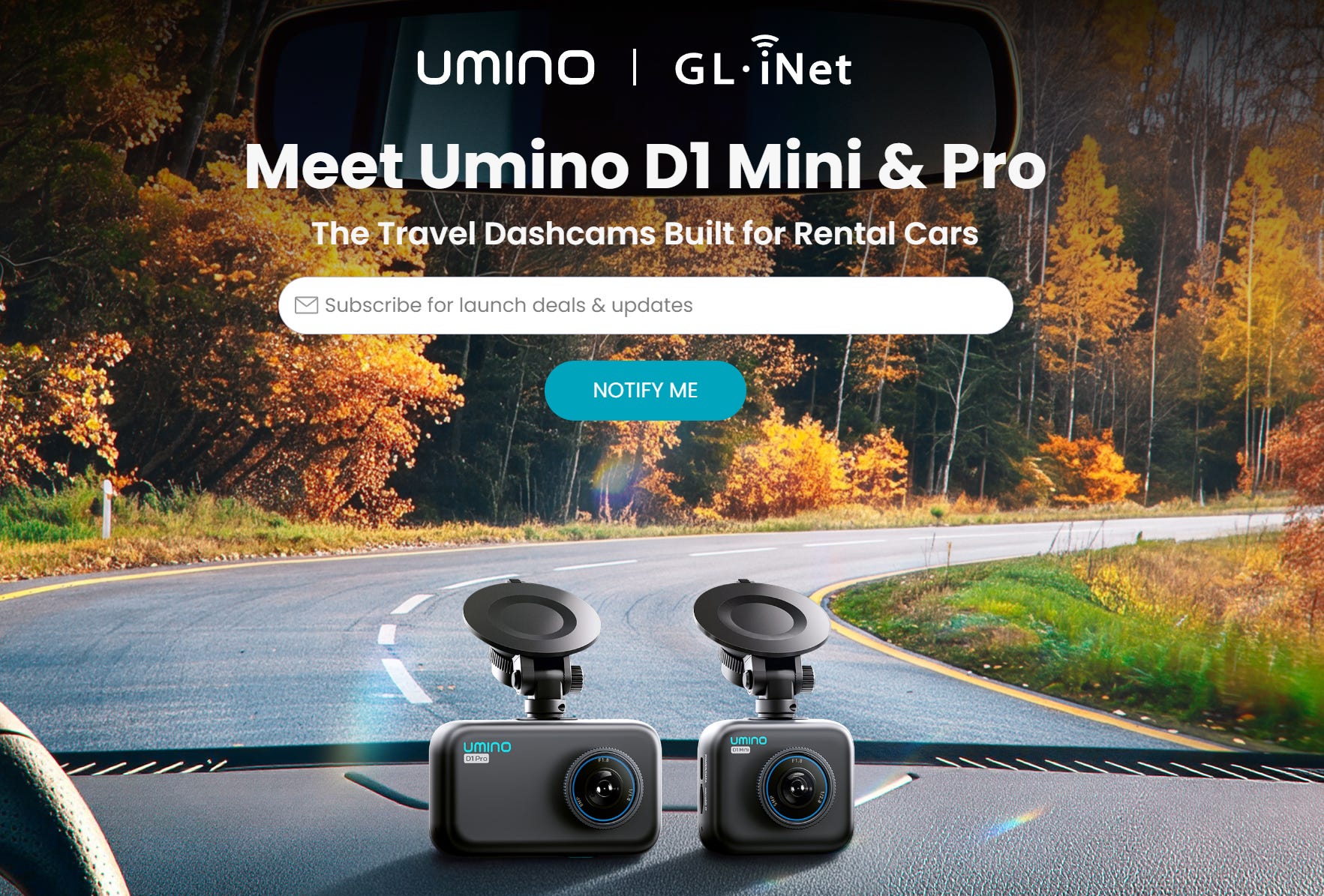
I subscribed to get the launch news. Translation: this dish isn’t fully cooked yet. I anticipate reasonable pricing and good quality, simply because that has been GL.iNet’s style so far.
2.7 John Burwell KI5QKX on RATPAC to talk about 44Net Connect
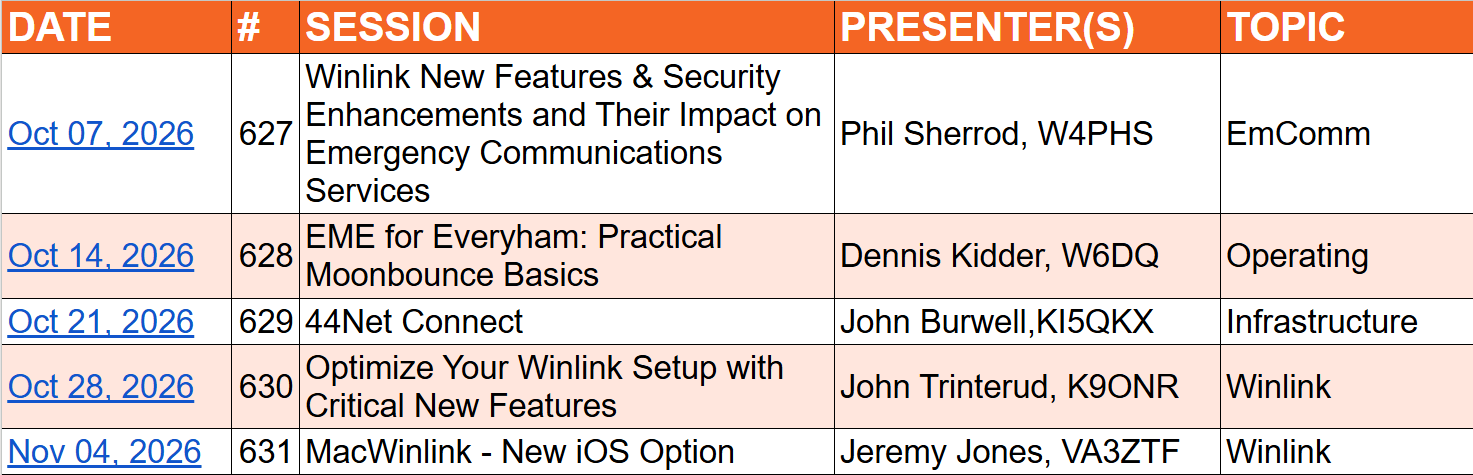
Join the RATPAC (Radio Amateur Training Planning and Activities Committee) session on Wednesday, October 21 (9 p.m. Eastern / 6 p.m. Pacific), where 44Net Program Manager John Burwell KI5QKX will be giving a presentation on 44Net Connect.
You can catch the presentation at: https://www.ratpac.us/
On that page, scroll down to the table and click the date. (The screenshot below is what the table looks like; the links don’t work in this image.) That will open a Zoom link for the presentation.
2.8 Let’s Encrypt Shortens Free Certificates Again
Let’s Encrypt is shortening the lifetime of its free certificates again. Starting February 10, 2027, every certificate it issues or renews will be valid for 64 days instead of 90, unless the subscriber has chosen one of the even shorter 45-day or 6-day options. Existing certificates won’t be revoked, and Let’s Encrypt expects the last 90-day certificate to expire on May 11, 2027. The 64-day limit is a waypoint, not the end: the default drops to 45 days on February 16, 2028.
You can test this now. The staging environment switched to 64-day certificates on October 14, 2026, and Let’s Encrypt recommends testing there before the change reaches production. If your renewals are automated and your ACME client supports ACME Renewal Info (ARI), you’re probably fine, because ARI has Let’s Encrypt tell the client when to renew. If your renewal is hard-coded to a fixed number of days, change it to renew at about two-thirds of the certificate’s lifetime. For a 64-day certificate, that’s around day 43. Let’s Encrypt suggests searching your cron jobs, wrapper scripts and runbooks for common hard-coded values like 83, 80 or 60.
For hams, this matters to anyone running Allmon3, Supermon, AllScan or another web dashboard behind a Let’s Encrypt certificate. If your setup renews automatically with a current client, you probably won’t notice. If you set up renewal years ago and haven’t touched it since, now is a good time to check it. Let’s Encrypt will also check more often that you still control your domain, so renewals need to be able to pass that check on their own, without you stepping in. Rate limits, ACME endpoints and certificate chains stay the same.
Sources:
64-Day Certificate Lifetimes Coming Feb 2027 – Let’s Encrypt
Let’s Encrypt announces 64-day TLS certificates from February 10, 2027 – Pasquale Pillitteri
Let’s Encrypt to Cut SSL Certificate Lifetimes to 64 Days in February 2027 – Linuxiac
3. Thank You
Thanks to everyone who reads, shares, and writes in. Your notes and questions shape what ends up in these pages. And thank you to those who buy me a coffee, shop through my Amazon links, or pick up some merch. Every bit of it helps keep Random Wire and EtherHam on the air. Learn more on EtherHam.com.
4. New on EtherHam
This week brings a backup for my documentation wiki, plus a newly installed 8K/16K AllStarLink parrot and some thoughts on why the 8K audio codec isn’t a limitation we must simply accept. I had some late evening fun making the hero images for these articles, too.
The weekly report is a regular feature.
4.1 Three Ways My Wiki Backup Failed
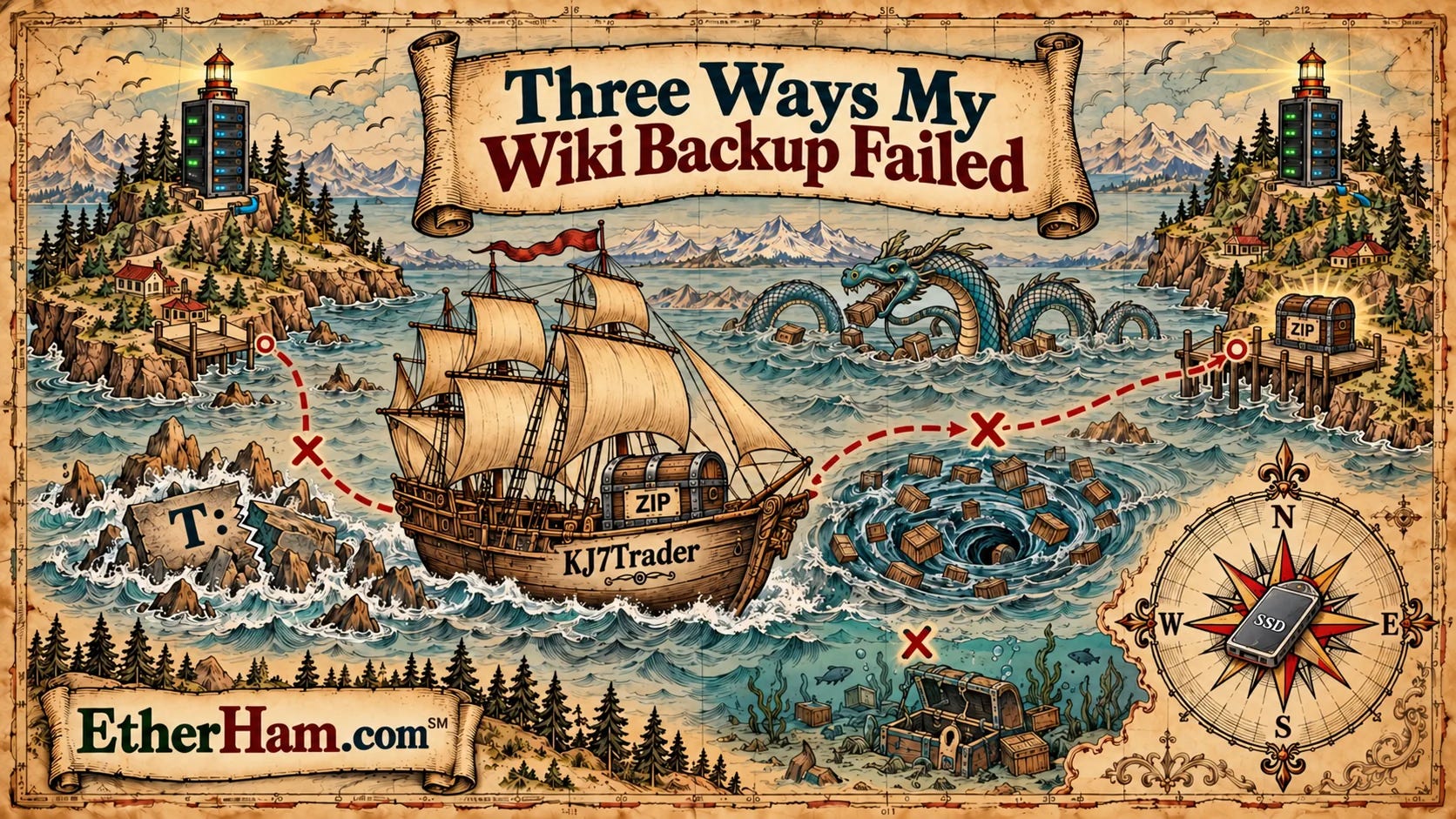
Last week, I built a DokuWiki-based information manager on an external SSD to document my two home networks, and I closed that article by confessing that the only copy of the wiki lived on that one drive. Two days later, I sat down to fix the risk of loss or corruption. Since the wiki is just a folder of text files, I thought: How long could copying a folder take? Five minutes?
Surprisingly, it took most of an hour, three versions of a batch script, and one restore test that fell flat on its face. What I learned is worth sharing, in case this is something you wanted to try. First, the script skipped my lake house NAS entirely, because Windows had quietly marked the mapped drive letter as disconnected. Then the copy to my Portland NAS crawled along over Tailscale, sending a couple of thousand tiny files one round trip at a time. Zipping everything into one file fixed that, and the script finally printed three cheerful OK lines.
I’m glad I didn’t stop there. An untested backup isn’t a backup you can count on. When I unzipped a backup and tried to start it, DokuWiki refused to run, because I’d excluded a few “disposable” folders to keep the zip small, and it turns out DokuWiki has to see those folders. That backup would have let me down at exactly the moment I needed it.
It all works now, and I have three copies: the drive on the rack, a zip at the lake house, and a zip 150 miles away in Portland. “Two is one and one is none,” so I’m finally ahead. The lesson is an old one, but I got to learn it fresh: a backup you haven’t tested is really just a hope. The full story, with the working script and a step-by-step setup guide, is on EtherHam: Three Ways My Wiki Backup Failed
4.2 Why AllStarLink Still Uses a 1962 Telephone Standard
This was an enjoyable article to research and write, especially because I gained some insights into how creative minds work.
When I set up my own Ampersand-ASL parrot (more on this below), I asked myself a question I couldn’t immediately answer: why is standard AllStarLink audio still limited to 8 kHz when the radios and computers on both ends can do far more?
I expected to find an old protocol that couldn’t be changed — some kind of locked-in limitation. I was wrong. The 8 kHz rate goes back to Bell engineers who, in 1962, picked 8,000 samples per second to squeeze voices down copper phone lines. That choice became part of the G.711 telephone standard, then Asterisk, and then Jim Dixon’s app_rpt code that AllStarLink is built on.
Somewhere along the way, what was a sensible telephone default turned into something most of us assumed was a hard limit…but it turns out it wasn’t. IAX2, the protocol nodes use to talk to each other, was never restricted to 8 kHz. An old Asterisk header file had even reserved a code for 16 kHz audio, though it never made it into the official documentation.
Bruce MacKinnon KC1FSZ found that unused path and put it to work in Ampersand-ASL, his built-from-scratch AllStarLink application with no Asterisk inside. The project calls that 16 kHz audio “ASL-HD.” The clever part is that nothing breaks. An Ampersand node offers 16K audio first and falls back to standard 8 kHz if the other node doesn’t support it, so no one else has to upgrade anything.
What stayed with me wasn’t just the innovative code. It was that Bruce questioned a limit the rest of us had stopped noticing. The full story, including how a 1960s phone decision ended up on our nodes, is on EtherHam: Why AllStarLink Still Uses a 1962 Telephone Standard
4.3 Raising My Own Parrot
A parrot is the simplest test in AllStarLink. You connect, key up, say a few words, and it plays your audio back so you can hear what everyone else hears. Bruce MacKinnon KC1FSZ wrote a better one as part of his Ampersand project. It reports your codec, whether your node is registered, and your audio levels, with a plain-language rating.
When Bruce’s public parrot went quiet, I lost my only way to hear the 16K wideband audio described in the item above, so I decided to build my own. It’s now on the air as AllStar node 578492, running in a small Debian 13 container on my Proxmox server.
The build had a few snags. Bruce’s install packages now return “403 Forbidden,” so I compiled the parrot from source instead in a Proxmox LXC (Linux Container). Luckily, the voice files it needs could still be downloaded. Once it was installed, I backed up the whole container, so I can restore a working parrot even if those files disappear. It’s a quiet reminder that when one person maintains a project, it’s smart to keep a copy of the pieces you rely on.
My parrot earned its keep the same morning. My very first test call came back full of noise, which turned up a problem at my station that I didn’t know I had. Later, my Ampersand node on the Arduino UNO Q connected at 16K, but my push-to-talk did nothing. The cause was a USB cable I’d moved to a different port, and the software was still looking for it at the old port address. Once I fixed that, I heard myself clearly in wideband audio (click here to find an audio clip on EtherHam).
My parrot (AllStar node 578492) is open to any AllStar node, whether it’s a standard 8K node or an Ampersand node running 16K audio. Please give it a try, with the understanding that it’s a personal node, not a guaranteed service. The full story, plus step-by-step instructions for building your own, is on EtherHam: Raising My Own Parrot
If you try the parrot, I’d appreciate feedback: EtherHam@pm.me
4.4 Weekly Report
Every week, I publish a weekly report on EtherHam. It starts with the Short Stack, a curated list of links from more than 90 ham radio, tech, and space feeds. Then come band conditions from NOAA and SIDC, a Digital Radio News roundup of the week’s code commits and forum threads across DMR, D-STAR, YSF, M17, AllStar and more, and a digest of the busiest Groups.io lists. AI helps gather and summarize the material, and I review it all before it goes out. Find this week’s report is here
5. In The Lab
5.1 Search Links You Can Share
The Random Wire search page at etherham.com/rw_search/ picked up a small but useful upgrade this week. The search now lives in the page’s web address, not just in a form field on the web page, which means a search can be shared as a link. You can click a link like https://etherham.com/rw_search/?q=%22QSO+One%22 and the page opens with the results for “QSO One” already loaded, with no typing required. You can narrow things down by year or post type, too. For example, adding &year=2025 limits the results to issues from 2025.
A single word search looks like this: https://etherham.com/rw_search/?q=AllStar
I made this change for a practical reason. When readers email me asking whether I’ve ever written about a particular radio or project, I can now run the search, copy the address from my browser, and paste it into my reply. That’s faster for me, and it lets them see every relevant issue at once rather than the one or two I happen to remember. The same trick works for you: run a search, copy the address from your browser’s address bar, and you have a link you can bookmark or pass along to a friend.
If you publish your own newsletter on Substack and want a search page like this one, the code is free and open source at github.com/EtherHamRadio/substack-search. The README now explains how these shareable links work.
5.2 AllStar: One Name, One Front Door
This week, I typed 578494.nodes.allstarlink.org into my browser, expecting to reach my DVSwitch+AllStar node. Instead, what appeared was the landing page for node 588418, a different node at the lake house.
Nothing was broken. AllStarLink gives every registered node a hostname in that format, but the hostname points to an address, not to a particular machine. When a node registers, the AllStarLink servers record the public IP address the registration came from…and every node behind my home router registers from the same public address.
So every lake house node name leads to the same front door, and my router decides who answers. I have port 80 forwarded to 588418, so 588418 answers for all of them. Node linking isn’t confused by this, because AllStarLink also publishes each node’s IAX port (the port nodes use to connect to each other), so several nodes sharing one address can each have their own port. Web pages can sit on other ports, too, but nothing in AllStarLink’s DNS tells a browser about it. A browser looks up only the address and knocks on port 80, so reaching a node’s page on any other port would require typing that port into the URL yourself.
The lesson is that only one node per public address can answer at its plain node name, and the web pages of every other node behind that address stay hidden from the internet unless I deliberately forward a port to them. That got me thinking about which of my nodes need to be public at all. My hub node 588416 does need to be public, and I hardened it accordingly, as I described in Putting fail2ban on Allmon3 and AllScan, and the Bug That Bit Back. Most of my other nodes don’t need to be public.
If you don’t want people knocking on your node’s door, you don’t have to give them a door. Consider keeping the web ports closed to the internet, reaching your Allmon3 or AllScan pages over Tailscale instead. Tailscale is a private network service, free for personal use, that links your own devices to each other from anywhere, encrypted, without opening a single port on your router.
5.3 Setting AllStar Node 588416 to Automatically Power On
As noted last week, and in Putting fail2ban on Allmon3 and AllScan, and the Bug That Bit Back, I needed to configure my AllStar node 588416 to automatically boot up after a power loss. I did that last Sunday, hauling a spare monitor, a DisplayPort-to-HDMI cable, and keyboard with me to Portland. This is one of the few times when getting a shell into the machine doesn’t cut it. You have to be physically connected to a monitor and keyboard to do this work.
So I powered up my Dell OptiPlex 7050 SFF computer and began rapidly tapping the F2 key. That opened the BIOS settings, where I changed the power management setting and rebooted.
Then I shut down my Synology DS220+ and AllStar node 588416 before powering off the old APC Back-UPS 450 uninterruptible power supply. I took that out of the system, replacing it with a new CyberPower CP1000AVRLCD, from their Intelligent LCD line, rated 1000 VA / 600 W. It is substantially heavier than the old APC! The little APC I could grip and lift with one hand. Not so the CyberPower. If weight = capacity, this is a big step up.
After powering up the DS220+ NAS and giving it a few minutes to get settled, I enabled the UPS server in the NAS settings. Then I installed nut-client on node 588416 and enabled it as a service.
That’s done. Here’s the summary:
DS220+ (DSM 7.4.1)
UPS connected by USB; UPS type: USB UPS
Standby: Until low battery
Shut down UPS when the system enters Standby Mode: on
Network UPS server: enabled, with 588416 as the only permitted IP
Email alerts through the Synology Account at Warning level (battery mode, low battery, UPS disconnected)
Restart automatically when power returns: on
Node 588416 (Dell OptiPlex 7050 SFF, Debian 12)
BIOS AC Recovery: Power On
BIOS POST Warnings and Errors: Continue on Warnings and Errors
BIOS Keyboard Errors: Disabled
NUT client (nut-client 2.8.0) in
MODE=netclientMONITOR ups@<NAS address> 1 monuser secret secondary, connecting over Tailscalenut-monitor service enabled at boot
5.4 Net Summary: “Let’s Talk Digital”
I used my net logger to capture the Let’s Talk Digital net carried on the Kansas City Wide Network on Thursday, October 8th, then processed the transcript through Gemini.
This was a well-attended net. At one point, I saw 102 stations logged into netcontrol.live (but there may have been more), which doesn’t include those connected over RF. If you are interested in digital radio, the Let’s Talk Digital net is worth putting on your list of regular nets.
Net Information & Dashboard
Net Name: “Let’s Talk Digital”, hosted every Thursday at 8:00 PM Central by the Colorado Digital Team.
Websites & Resources: Colorado Digital reflector/dashboard (
dash.coloradodigital.net) and Kansas City Wide (kansascitywide.com).Net Control Logging: Uses
netcontrol.live(an open-source upgrade ofham.liveadapted for Ham and GMRS).Topics Covered: VHF/UHF digital modes including D-STAR, DMR, System Fusion/Wires-X, P25, NXDN, M17, EchoLink, AllStar, and hotspots.
Key Technical Discussions
Yaesu FTX-1 Field Radio & Wires-X: Chris (KB2IDX) shared his experience testing the FTX-1. He confirmed it can host its own Wires-X room/node over a simple USB-C connection to a PC without needing a secondary radio, provided it runs user software version 2.01. Bucky (W0SUN) noted this is also used on the upcoming DR-3X repeater featured on HRO’s catalog cover.
AllStar Link Authentication Updates: Based on Tom’s (KJ7T) Random Wire newsletter, AllStar Link (ASL) is phasing out unauthenticated WebTransceiver (WT) and legacy IAX2 logins in favor of secure token-based authentication. Testing begins in mid/late October, going live in November, with legacy compatibility options being retired over the following 6–12 months. Third-party applications (like M1KE and QSO1) will require firmware and software updates.
M17 Support in Hotspots: Matt (AJ6LX) asked about M17 hotspot support. Chris and Bucky noted that while WPSD dropped M17, original Pi-Star still supports it, and specialized M17 software images/hats are available at
m17project.org/WPSD.Wires-X to DMR/MMDVM Bridging: Ty (NJ8X) asked about bridging Wires-X to DMR. Bucky advised using dedicated hardware (a dedicated Wires-X node radio tuned to the same frequency as a dedicated hotspot/RF bridge) or using multi-protocol reflectors with a transcoding server to ensure stable audio levels and avoid local interference.
QSO1 Software & D-STAR Transcoding: Frank added experimental D-STAR and P25 support to QSO1. Bucky explained why D-STAR transcoding is difficult. D-STAR relies on proprietary AMBE1 hardware chips, while DMR, Fusion (C4FM), and P25 use AMBE+2. That mismatch makes cross-mode transcoding complex without hardware vocoders, such as AMBE USB sticks or servers. [Editor’s note: P25 Phase 1 uses the IMBE vocoder; only P25 Phase 2 shares AMBE+2 with DMR and Fusion. — KJ7T]
Announcements
Zero Retries Digital Conference: Marty (K1NP) announced the event taking place on October 16 in San Ramon, CA, with a Zoom registration option available via
zeroretries.org.
Post-Net Troubleshooting
FT-991A & Hotspot Issue: Dirk (W4IPD) reported his FT-991A cannot transmit to his hotspot on C4FM, though his FT-70D works fine. Suggestions included moving the hotspot farther away to avoid overwhelming the receiver with 5 Watts, checking for frequency offset/duplex errors, separating hotspot frequencies, and running a Bit Error Rate (BER) test.
5.5 Surprised to Reach My Home Machines From a Hotel
On Wednesday morning, in a hotel meeting room 60 miles from home, I opened a browser, hit a saved bookmark with the local address of a computer on my lake house network…and it answered.
Let’s just pause on that for a moment. I had not opened a port on my home router to that machine, or set up a dynamic DNS name, or configured a VPN server. The machine at home thought the request came from inside the lake house. The service that makes this possible is Tailscale, which I mentioned above. If you manage radio gear or computers in more than one place, it’s worth knowing about.
At its core, Tailscale builds a private network — called a “tailnet” — with only the devices you choose to connect. You install a small app on each one: your laptop, your phone, a Raspberry Pi running an AllStar node, a NAS. Then you sign in with the same account. Each device gets its own private address, and from then on they can all reach each other as if they were plugged into the same switch, no matter where they physically are. The traffic between them is encrypted with WireGuard, a modern, fast VPN protocol that’s well regarded in security circles.
The clever part is how the devices find each other. A traditional VPN needs a server at home with a port open to the internet, which means touching your router’s port forwarding settings and accepting some exposure. Tailscale skips that. Each device reaches out to Tailscale’s coordination service, which tells the devices how to contact one another. They then punch a direct connection through whatever routers and firewalls are in between. If a hotel or campground Wi-Fi network is too locked down for that, the traffic goes through one of Tailscale’s relay servers instead. It’s a little slower but still encrypted end to end, so the relay can’t read it. This even works behind the carrier-grade NAT (“CGNAT”) used by many cellular, fixed wireless, and satellite providers. With CGNAT, ordinary port forwarding isn’t possible, though in that case the traffic often goes through a relay and runs a bit slower.
What surprised me that morning was a feature called a subnet router. Using a subnet router, I didn’t have to have Tailscale installed on every device. One always-on machine at home, in my case my Proxmox server, can announce to the tailnet, “I can reach everything on this local network.” Your laptop then sends any traffic for those home addresses through the encrypted tunnel to that machine, which passes it on to the local network and relays the answers back. Printers, network switches, radios with web interfaces, and old gear that could never run Tailscale itself all become reachable from anywhere, at the same addresses you use at home, over a WireGuard tunnel.
For hams, this solves a lot of everyday headaches. I administer a router in Portland from 150 miles away, check on AllStar nodes, read logs, and keep monitoring pages that I never want exposed to the public internet. None of it requires opening a single port. If you’ve ever wanted to check on a remote station, manage a hotspot at a club site, or reach your shack from the road without turning your home network into a target, Tailscale is the easiest way I’ve found to do it.
5.6 A Few Changes to My Wiki
As described in A Wiki That Lives on the Rack, I’m using DokuWiki on a Stick to help document my home networks:
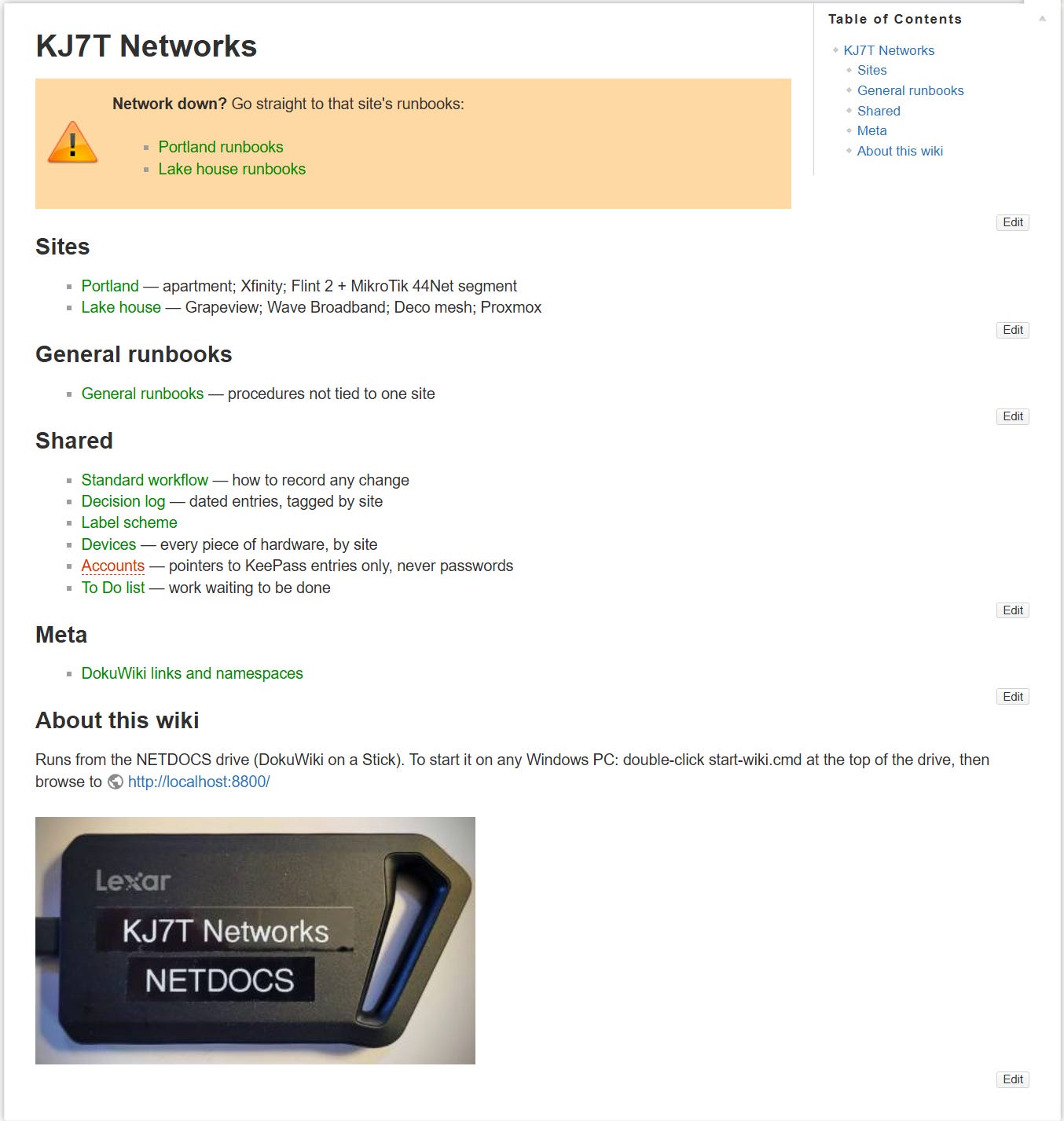
I’ve added “General runbooks” with how-to guides for things that don’t live on just one LAN. Under Shared, I’ve added a compendium of Devices. And as a visual reminder, I included a photo of the actual Lexar SSD device the wiki lives on.
I made this system a little too granular, which makes it too complicated, so I’ll probably refactor the pages in the next few weeks to simplify the workflow.
5.7 Understanding Capacitors
Finally, a simple set of explanations on how capacitors work. This Nuts & Volts article, Understanding Capacitors, made things much clearer for me.
But capacitors? What could they possibly be good for with that gap between their conductors? How could current flow through such a thing? What were these for? Even today, when I look at a complicated schematic, the placement of capacitors always intrigues me the most. The purpose of this article is to give you a few points that have helped me to finally understand come to terms with, these ghastly components.
6. QRT: End Transmission
Sometimes the AI Isn’t Very Smart
Hey Claude, how can I add a comment form to a WordPress page? I thought the answer would be simple, but several paragraphs later, I stopped the process. What was presented to me involved creating a new page template and copying/modifying page layouts. No. That went too far. So I stepped outside of the Claude-verse and did a simple online search. It turns out there’s a simple setting in WordPress for a comment form to be open (available) or closed (invisible) on a page. Boom. And this is accomplished without having to monkey with custom page templates. Which page? This experimental recipe page: https://etherham.com/recipes/mikrotik-44net-allowlist/
I hope this hodgepodge of amateur radio and tech proved interesting. If you learned one new thing, I’m happy.
73, and remember to touch a radio every day!

Notice: As an Amazon Associate, I earn from qualifying purchases.