

🚨 Security Alert: Check Your AllStar Node in One Command
This week’s PHP2Shell flaws sent me checking my own nodes. After all, the NSA published an advisory, saying apply the emergency patch today.
After running updates on what I thought was all of them, I found one I’d missed: a Raspberry Pi node, running the standard ASL3 image, was one release short of the PHP fix, with 13 security updates waiting and automatic updates turned off. I hadn’t turned them off. Installing ASL3 simply doesn’t turn them on.
So I put together a script that checks an AllStarLink 3 node and reports, in plain language, what needs attention and exactly what to type to fix it. It checks whether your node is getting security updates, whether PHP has the PHP2Shell fix, whether anything is still running old code after an update, whether your firewall and fail2ban are running, and how your node accepts logins. It doesn’t change anything on your node.
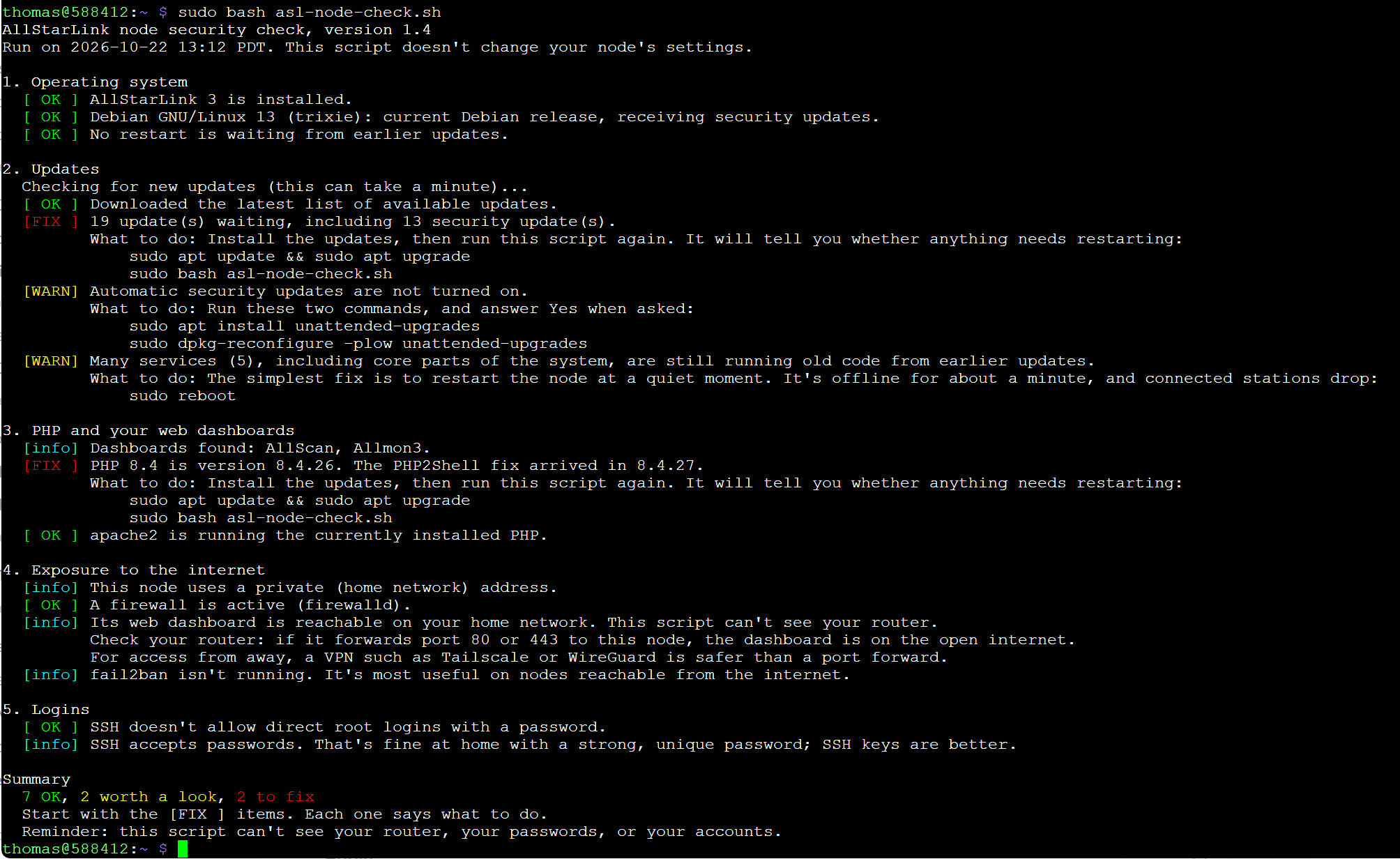
The script is free, MIT licensed, and available on GitHub right now. It’s for ASL3 nodes only; on HamVoIP or ASL2, it stops and tells you why. From your node’s command line (at the node itself or over SSH), run these two commands:
wget https://raw.githubusercontent.com/EtherHamRadio/asl-node-check/main/asl-node-check.shsudo bash asl-node-check.shI’ve tested it on a Dell Wyse 3040, a cloud server, and a Raspberry Pi 4, and it found something worth fixing on all three.
Later this morning on EtherHam, “Checking the Locks: A Morning Security Review” will publish, along with a link to a checklist you can use with your home network devices.

1. QRV: Are You Ready?
New Here? Welcome!
The short version of what you’ll find in the Random Wire newsletter: eclectic, electric, and sometimes a skeptic. I rarely take a straight trail through a single topic. Usually, we enjoy a winding, up-and-down walk through the territory where amateur radio, computing, and technology overlap, and some weeks we might even wander off the map.
This week is a good example. I started the week wondering what I’d write about, and then the sparklers started going off: an M17 reflector update, two essays, a change in AllStarLink’s sound system, a security notice that will touch many radio amateurs, and a script to help you act on it. Then a database idea woke me at 3 a.m., and by the end of the morning it lived in a repo on GitHub and ran on my Proxmox server.
I always sign off by asking you to touch a radio every day. The past few days reminded me of a quieter version of that advice: think about radio every day. The ideas will come.
2. QST: News and Notices
2.1 Security Alert: Update Your Hotspot or Node Today
PHP released fixes on October 21 for two critical flaws, the PHP2Shell flaws, that can let an attacker take over a Pi-Star or WPSD hotspot, or an AllStar node, without a password. Debian has the fix, so update today. If you run an ASL3 node, the script in this issue’s lead item will tell you whether you’re covered. On EtherHam, I explain who’s affected, why older Pi-Star and HamVoIP systems may never get the fix, and why the five Nginx patches this month are lower risk.
See: Two Security Updates for Hotspot and Node Owners: One Urgent, One Not
Sources:
2.2 Your Phone Is Now a DMR Transceiver
I’ve not tried the Z3DMR app yet. This app surfaced during the weekly M17 net on the Kansas City Wide network. Looks interesting. Available on Google Play.
Connect over the internet, key up, and talk to operators anywhere in the world - in your own language. No extra hardware. No ads. No tracking. Completely free.
2.3 QSO One 4.1.8 Released
QSO One 4.1.8 claims a built-in, from-scratch voice codec, tuned for D-STAR. However, the release notes don’t say whether DMR or Fusion use it, and the app is closed source, so the claim can’t be independently checked. I’m amazed at what the author, Frank KD8JKK, has accomplished, but I worry about project stability. It appears to be a one-person effort, and with closed code, there’s no opportunity for someone else to pick it up and carry it forward.
3. Thank You for the Coffee

A big Random Wire/EtherHam thank you to Mike for the coffees! He wrote: “I love how clearly you document each step in a project.”
Mike, that one made my day. I write things out step by step because I’ve been the ham stuck halfway through a project, wondering what the instructions left out. Knowing it helps is the best reward there is, and the coffee is a very nice bonus. Thank you!
4. New on EtherHam & Random Wire
4.1 Updating My M17 Reflector to mrefd 1.1.5
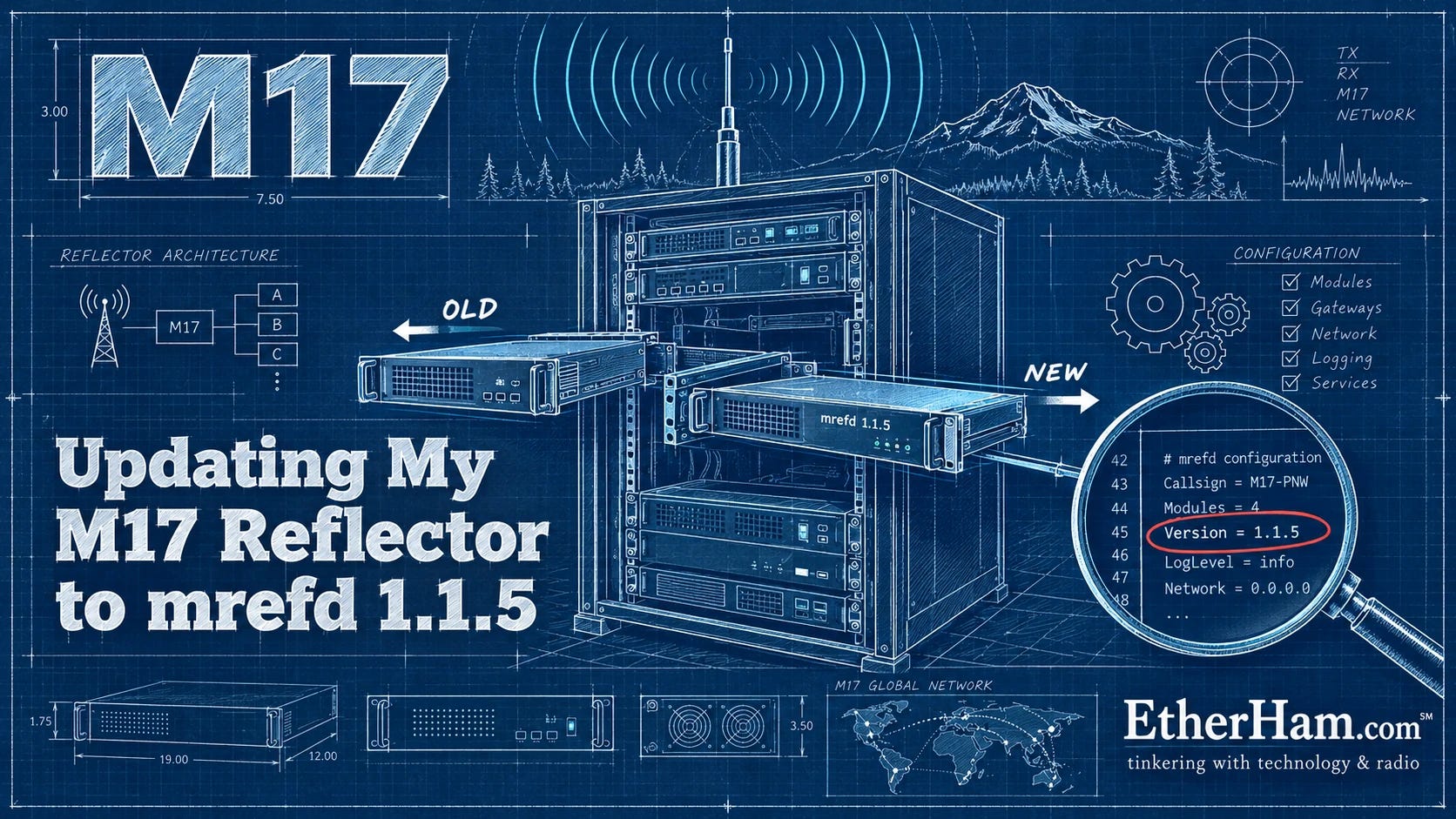
My M17 reflector, M17-PNW, was running mrefd 1.1.1 when Thomas Early N7TAE’s GitHub repository had already moved on to 1.1.5. The update itself is short and well documented in the README, but it has to start from the folder where you built the software, and I had forgotten where that was. Two old Linux standbys saved the day. find located the build folder once I searched for a file that could only exist there, and grep showed me that my config still used an option the new version had retired. After I commented that line out, a second grep proved the edit had landed, which mattered because the tool I used to make the change works silently.
The reflector was offline for just under five minutes, and the startup log confirmed 1.1.5 was running, with my hotspot back on within a second. The bigger lesson isn’t about M17 at all: search, change, then search again, and read what the log actually says before reacting to an ERROR in capital letters. The full story, including all 17 commands in order, is on EtherHam: Updating My M17 Reflector to mrefd 1.1.5
4.2 About Those Limits We Think We Have

Some of my best ideas show up when I’m behind the wheel. This week’s second EtherHam article — About Those Limits We Think We Have — took shape on a morning drive, somewhere between home and an Egg McMuffin breakfast sandwich.
It started with a question I couldn’t shake: how many of the limits we accept in ham radio are real, and how many are just habits we’ve stopped noticing? David Rowe VK5DGR didn’t accept that digital voice had to depend on a closed codec, so he wrote Codec 2. Wojciech Kaczmarski SP5WWP didn’t accept that hams couldn’t design their own digital voice standard, so he started M17. And Bruce MacKinnon KC1FSZ found that the 8 kHz ceiling we’d all assumed was baked into AllStarLink wasn’t there at all.
None of this is new, either. Hams have been walking around “impossible” since 1912. The article closes with a question for you, and I promise it’s a friendly one: what mountain have you stopped seeing?
4.3 POTA/SOTA: From Park and Peak to Preparedness
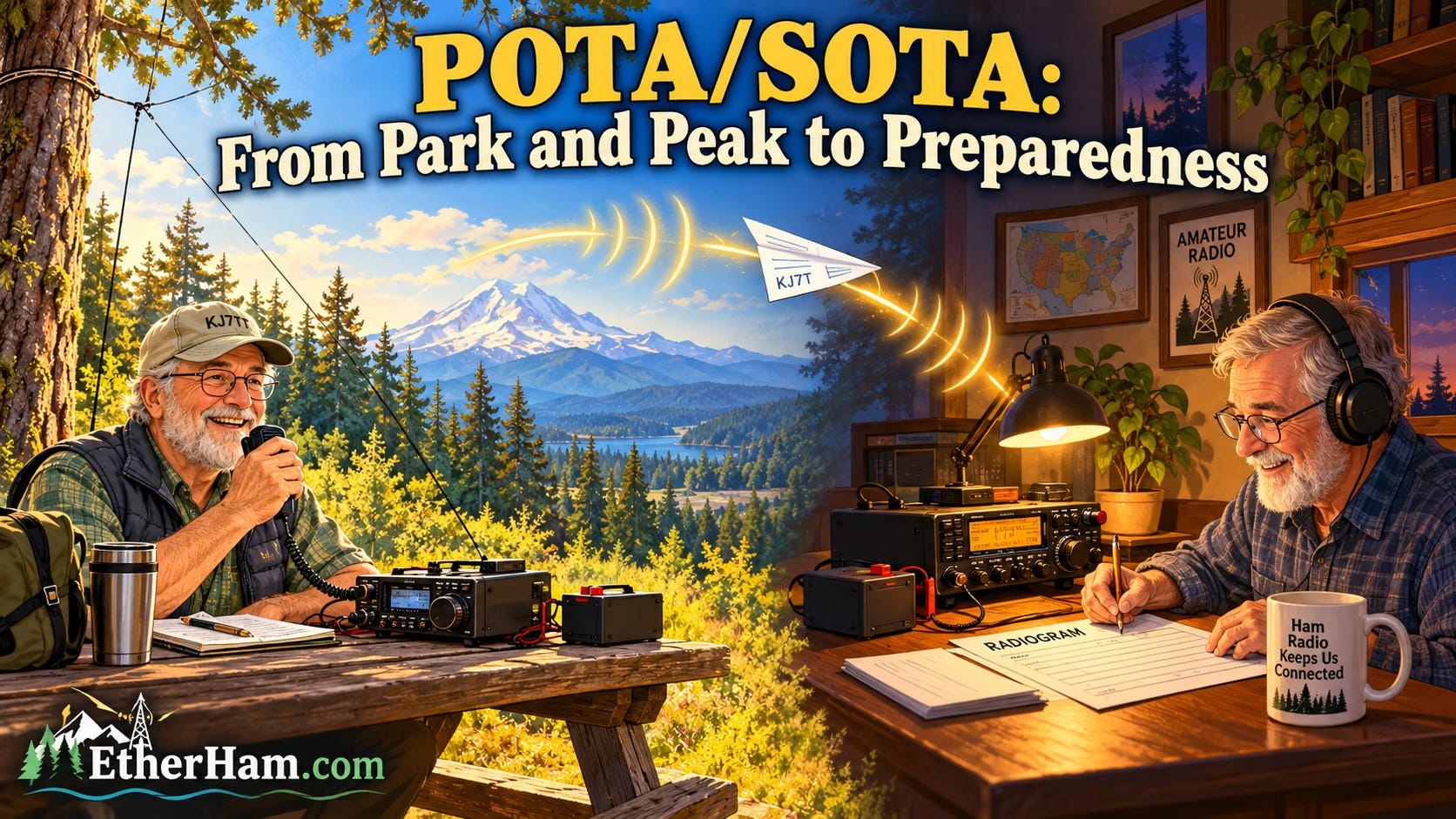
What if every POTA and SOTA activation helped make us a little more ready for an emergency? In this week’s third EtherHam piece, POTA/SOTA: From Park and Peak to Preparedness, I float a friendly idea: a voluntary “super activation” bonus for passing a formal NTS message from the field, with something in it for hunters and chasers, too.
I already know the official answer is probably “no thanks.” But if it gets a few more of us curious about traffic handling, it will have done its job.
4.4 AllStarLink Quietly Cuts an Old Cord
AllStarLink 3.10 finally dropped its dependence on OSS, a Linux sound interface from the 1990s. One of the developers called it a first step toward supporting more audio devices, which could someday free nodes from the C-Media fob. On EtherHam, I explain what changed, where it might lead, and the one thing to check on your node after you update. See: AllStarLink Quietly Cuts an Old Cord
4.5 Two Security Updates for Hotspot and Node Owners: One Urgent, One Not
As noted in the QST section, this is explained over at EtherHam.com in Two Security Updates for Hotspot and Node Owners: One Urgent, One Not
4.6 Weekly Report
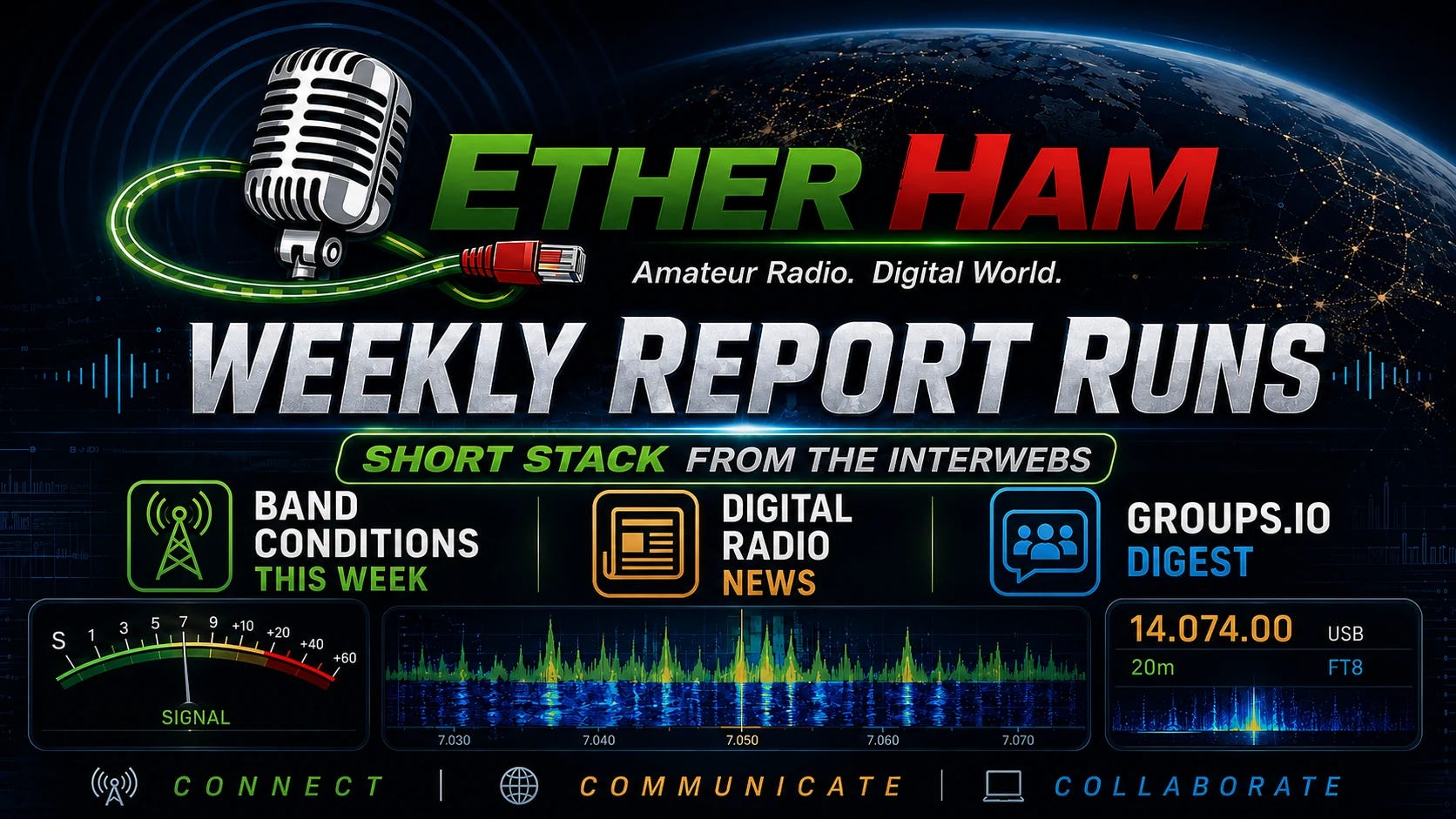
Each week’s report has four parts, and each one comes from a different source. The Short Stack is a curated list of links drawn from more than 90 amateur radio, technology, and space feeds that I collect on EtherHam’s mega feeds page. An AI assistant pulls the week’s items and sorts them into sections; I decide what stays, add notes where I have something to say, and I usually drop the shopping posts and filler.
Band Conditions summarizes solar and geomagnetic data from NOAA’s Space Weather Prediction Center, plus SIDC’s sunspot count when their site is reachable, as of the time the report was generated.
Digital Radio News and the Groups.io Digest are produced by my own scripts. Digital Radio News collects the week’s code commits, releases and forum threads for DMR, D-STAR, YSF, M17, AllStar and the other linking modes, and an AI model summarizes them; the raw source list is linked at the end of that section so you can check anything that looks off. The Groups.io Digest checks about 30 mailing lists and shows which topics were busiest over the past seven days. I review everything before it’s published, but the generated sections can still contain errors. If you spot one, please tell me in the comments.
See: Weekly Report: October 21, 2026
4.7 A Database Born at 3 A.M.
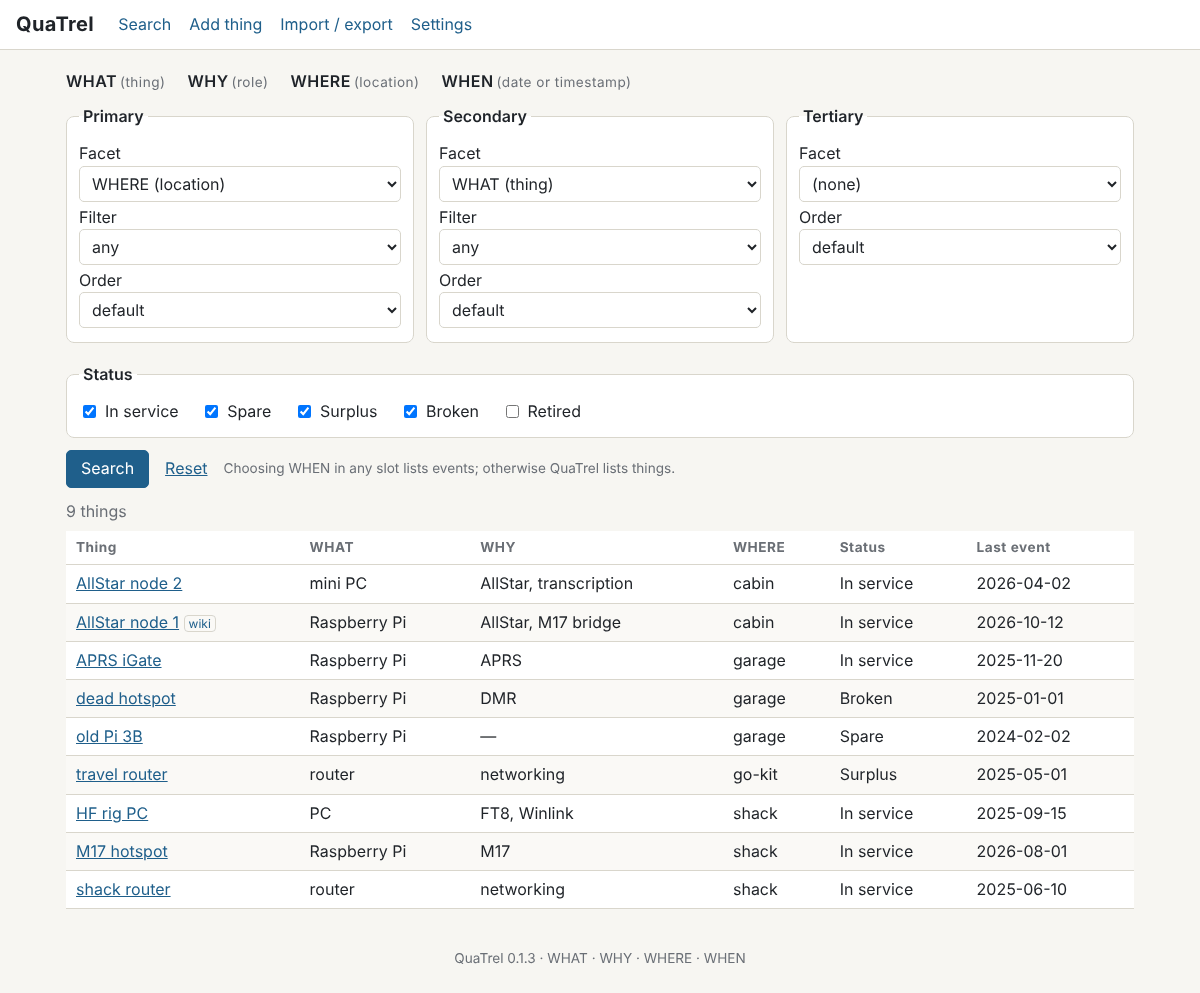
I woke up in the middle of the night thinking about tables. Not the kitchen kind, but tables that hold information. Between two homes, a garage, and a Proxmox server, I have AllStar nodes, routers, hotspots, APRS stations, and spare Raspberry Pis scattered around, and I wanted a better way to answer some simple questions. Which of my boxes run AllStar? Where is that spare Pi? What did I change last month?
What popped into my head was a “tri-dex,” a single table I could search three ways: what a thing is, where it is, and when something happened to it. By breakfast it had grown a fourth dimension: why a thing exists (its role, like AllStar or networking), and the tri-dex became a quad-dex. It now has a proper name: QuaTrel, a mashup of quaternary and relational, which I pronounce KWAH-trel.
The idea is simple. You pick one of the four facets (WHAT, WHY, WHERE, or WHEN) as your primary search, optionally a second and a third, and each one sorts the results its own way. “WHY = AllStar, then WHERE” lists my AllStar nodes grouped by location. “WHEN in September, newest first” lists everything I did that month. A separate status filter (In service, Spare, Surplus, Broken, Retired) makes the gear on the shelf just as easy to find as the gear on the air, because a spare is valuable precisely because it could be used. And every item keeps its full history, so when a node moves from one house to the other or picks up a new job, QuaTrel can track it.
Getting started takes about five minutes if you already keep a gear list in a spreadsheet. QuaTrel imports a simple CSV file (name, what, why, where) and builds its vocabulary from your own words, so my “lake house” and your “county EOC” both work without any setup. I’m running it in a small Proxmox container (a lightweight, isolated space on my home server, similar to a virtual machine), so I can reach it from any computer at home, password-protected. It also runs fine on an ordinary Windows, Mac, or Linux computer.
I built QuaTrel with Claude’s help over a single morning, from that middle-of-the-night idea to a working app on my home network, then tested it with my real gear. It’s free and open source under the MIT license, and you’ll find it on GitHub, along with a step-by-step guide for installing it in a Proxmox container.
It’s a version 0.1 tool — still early days, not fancy, just useful — and I’d like to hear what works for you and what doesn’t. If you try it, open an issue on GitHub or simply reply to this email.
Sources
QuaTrel on GitHub: https://github.com/EtherHamRadio/quatrel
QuaTrel Proxmox install guide: https://github.com/EtherHamRadio/quatrel/blob/main/deploy/quatrel-proxmox-install-v1.1.md
5. Gear
5.1 New AMBE Stick and Telephone-style Handset
A month ago, I mentioned I had ordered a new AMBE stick. GigaParts carries them. It arrived and I put it into service, but more on that in a moment.
I used my original DVStick 30 when I built an AllStar+DVSwitch node on an old Evolve III laptop. That stick had a label on it — BlueDV — because I’d been using it with BlueDV for Windows back when I had two sticks. One failed, so I ordered a replacement. When the new stick arrived, it went into the AllStar+DVSwitch node, and the labeled stick went back to its old home in the USB port on my Windows Surface laptop.
I had a tiny curve ball to deal with when I switched sticks: the COM port changed. Even though the new stick and old stick are identical model numbers, one registered as COM3 and the other as COM6. Switching the devices in the same USB port caused BlueDV to report no device…because the COM port was different. That was an easy fix.
While I was at it, I saw an update link in BlueDV so I updated to the latest beta release. It is working well.
Along the way, I had also picked up an audio device I thought would be fun to try: an old-style phone handset with a USB-C plug.

I took a snapshot with the laptop’s camera (raw and unfiltered) while using this retromod device to listen to a QSO on the Kansas City Wide network over BlueDV for Windows. The audio quality is fine on the handset, and I can listen without the audio disturbing my wife nearby. It’s perfect for those times I just don’t want to use a headset.
The handset is called the POP Phone by Native Union. Cost: about $40. (Less expensive options from about $15 to $30 are available through Amazon.) The “pick up and hang up button” doesn’t work with BlueDV — you have to manually click the transmit button in the bottom right corner of the app:
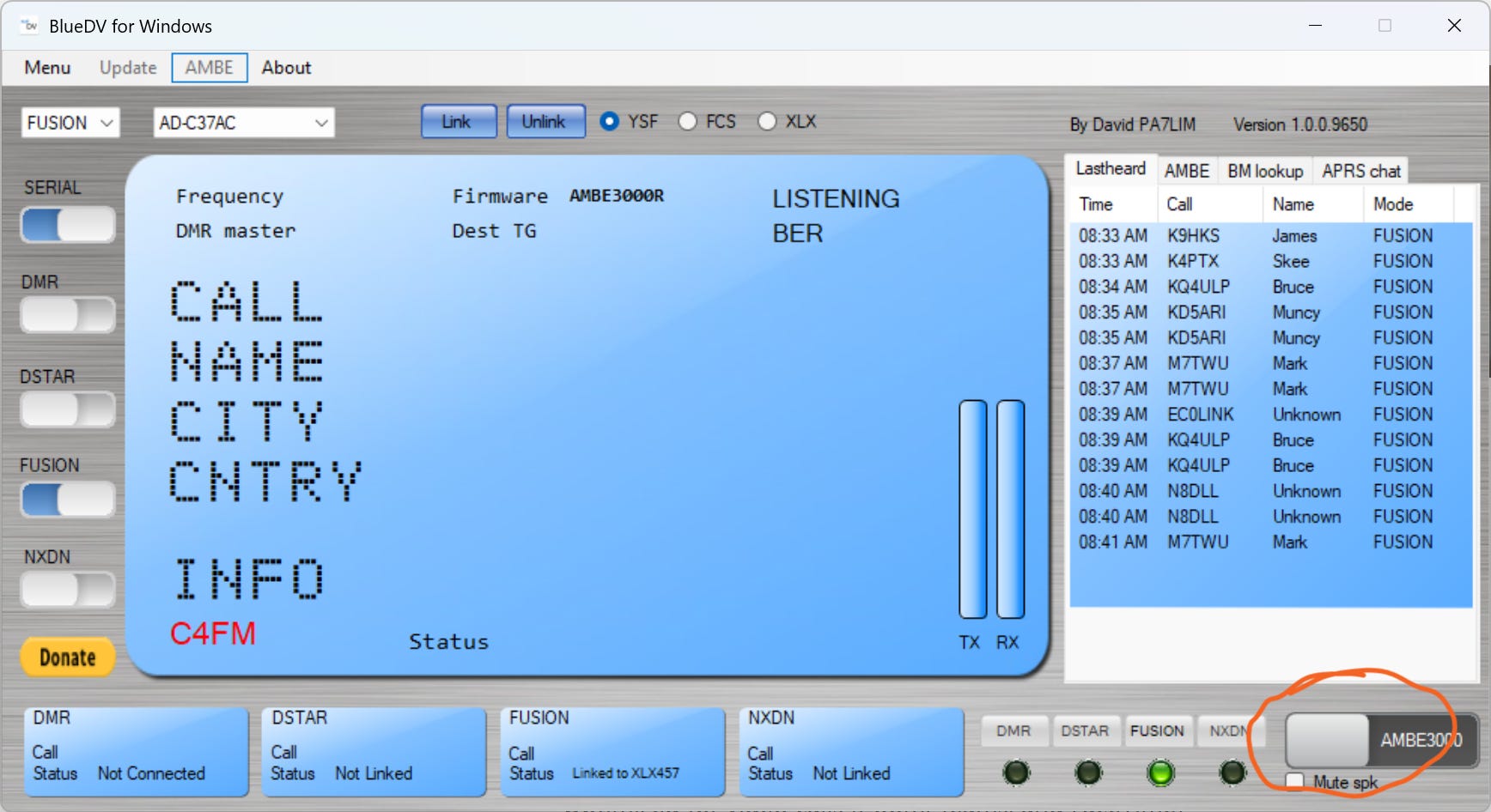
That’s not much of a bother, and I like that the app button makes it very obvious if you are transmitting or just monitoring.
And you know, it feels wonderfully familiar and comfortable to plug it into my Android phone for a phone call. Old and new, coming together in a modern working device. What’s not to like about that?
5.2 Omada ES208G 8-Port Easy Managed Switch
I just added a TP-Link Omada ES208G to my gear, an 8-port Gigabit “easy managed” switch that was about $30 on Amazon (this is an affiliate link). It replaces an old 16-port switch in the Portland rack that once powered a pile of devices using Power over Ethernet (PoE) but now powers nothing, since most of that gear has moved to the lake house. Eight ports is plenty for what’s left there, and every port is Gigabit speed, a step up from the old switch’s slower Fast Ethernet ports.
So why would an ordinary home user want a managed switch instead of the plug-and-forget kind? The feature that sold me is port isolation. On a normal switch, every device can talk to every other device, so if one gets compromised, it can go looking for network neighbors. With port isolation turned on, each isolated port can reach the router and the internet but not the other isolated ports. That limits an intrusion to a single device, without my having to build separate networks or VLANs (virtual networks that divide one physical network into several).
The ES208G also has built-in cable diagnostics. That’s handy when you’re staring at a tangle of patch cables wondering which ones are dead. It also automatically protects against loops, the classic mistake of plugging both ends of a cable into the same switch and knocking the network over. The switch can be managed with TP-Link’s Omada cloud app, but it doesn’t have to be: everything I need is on the switch’s own web page.
For $30, that’s a lot of value for an 8-port switch.
6. Weekly M17 Net Summary
This was an information-packed net full of exciting news. As usual, the net was well run.
I used my AllStar Net Transcriber fork to capture audio, with light AI processing of the resulting transcript. Then I asked Gemini to summarize from the transcript (to save space, I am not including the list of check-ins).
Please consume this information with a grain of salt. First, the content pasted below has been processed by an AI. Second, I was having trouble getting my logger to work, so I missed some of the initial content in the net. (This was a problem I caused when I swapped in a new DVStick device. I was getting a little frantic as the net started, with three SSH sessions open on two computers, plus DVSwitch running, and two AllStar nodes (578494 and 588416) active and connected. Except they weren’t. The audio chain had broken when I put the new DVStick into service.) I got it fixed about ten minutes into the net, so I did catch most of the content.
Executive Summary
The net was hosted by Jeff (AE5ME). The session focused on technical updates regarding the M17 Project software/hardware ecosystem, recap and insights from the ARDC / Zero Retries Digital Conference (ZRDC 2026) held on October 16, and discussions on the evolving landscape of amateur radio technology. The NTS portion of the net was skipped due to time constraints. There were 33 check-ins recorded for the net.
1. M17 Project & Technical Updates
Codec 2 Neural Mod (
Codec2 Mod Neural):Developed by Wojciech.
Acts as a drop-in alternative decoder for Codec 2 voice streams (3,200 bps, 8-byte frames) without changing the transmitted over-the-air bitstream.
Takes 8 bytes in and outputs 320 samples at 16 kHz, significantly improving receiver voice quality over the classic buzzy/synthetic decoder.
Uses Opus C-inference code with 818,000 parameters (~1.6 ms CPU time per 20 ms frame).
Neural speech synthesizer research by Felix Schaefer (DG8SF) was also referenced.
Hardware Progress:
Photos of the latest LUN HD RevC [Editor: this should say LinHT, not LUN HD] boards were shared; boards have been manufactured and are undergoing testing prior to ordering.
libm17was updated for lightweight Cortex-M4 microcontroller environments (e.g., OpenRTX).
MMDVM Host, M17 Gateway, & WPSD Infrastructure:
Jim (N1ADJ) updated M17 Project forks for
MMDVM_HS/MMDVMHostandM17Gatewayto sync with upstream repositories.End-to-end M17 packet mode (including SMS messaging) is now supported across radios, hotspots, gateways, reflectors, and dashboards.
Live updates for WPSD are available via nightly updates or manual triggers.
MQTT updates broke backward compatibility; three repository branches are maintained (v1.0 branch for classic, master for current restored M17 code, and an archive master).
Voice announcements (full reflector name + module) added to
M17Gateway.Firmware/hardware constraints: M17 packet/SMS support works on MMDVM HS hat, Dual Hat, generic GPIO, and MM repeater boards, but ZoomSpot, NanoHotspot, NanoDV, and Skybridge boards do not yet have packet-capable firmware.
2. ARDC / Zero Retries Digital Conference 2026 Recap
Event Details: Held on October 16, 2026, in San Ramon, California.
Key Topics:
Discussions on the future of ham radio and appealing to “New Tech Hams”.
Engaging new technical users entering via MeshTastic / MeshCore.
Work on DigiPot [Editor: probably meant DigiPi] software (Packet Radio, Pat Winlink).
Panel Discussion on Encryption: Explored regulatory constraints (only permitted for space/satellite control links), medical privacy (HIPAA compliance during disaster response), and the pros/cons of encryption in amateur radio.
Overview of the IP400 project—a mesh network digital radio system targeting high-speed data (~56 kbps) planned for Q1 2027.
Mercury Modem and M73 modem progress as potential competitors to VARA/VARA FM.
Microcontrollers in radio.
Updates on the FreeDV project.
Development of the Open Source TNC (OpenTNC).
Conference proceedings and Zoom recordings will be available at zeroretries.org.
7. Administrivia
7.1 Now Comes the Substack Freewall — but Not Here
Substack (the service that hosts the Random Wire newsletter) has added a feature for authors called the Freewall. When an author turns it on for a post, web readers who aren’t subscribed can read only up to a point the author chooses; to see the rest, they have to subscribe (for free). Email subscribers still get the whole post. On the face of it, that sounds like a great way to convert casual visitors to subscribers.
However, this makes no sense for the Random Wire newsletter. It’s free. It’s open. And amateur radio operators rightly tend to be wary about handing over their email address.
The real problem: requiring people to subscribe to my free newsletter would ultimately make my content less accessible. Anyone who followed a link posted in a discussion group or forwarded in an email would hit a wall, and people would soon stop sharing those links.
While the Freewall isn’t a modal popup like you see on some sites (newspapers, I’m looking at you), it would still disrupt the user experience. I can see a case for using it on older, archived posts, but overall, it’s simply not a good choice for current issues of the Random Wire.
To paraphrase a line often used in the TV show Shark Tank: For these reasons, I’m out.
7.2 I Modified My Documentation Wiki
I spent Saturday afternoon reorganizing my NETDOCS wiki. It was split by location (Portland and the lake house), which stopped making sense once I realized I would eventually consolidate everything in Portland. Now every runbook lives in one place, grouped by system, and location is just a tag I can change when the gear moves. I also found the wiki had been running on Berlin time all along. I’ve added the details, including one Move-plugin mistake worth avoiding, as an update to A Wiki That Lives on the Rack on EtherHam.
7.3 Two Quote Marks Short of a Working Search
If you’ve used the Random Wire Archive search on EtherHam (etherham.com/rw_search/), you may have hit a wall without knowing it. The day after publishing issue 204, I did a fresh import and went looking for “ZRDC,” which I’d written about. Nothing came back. A search for “1962,” which is right in that issue’s title, also came back empty. But when I browsed the archive without a search word, there was issue 204, sitting at the top of the list.
My first suspicion was the import, since I had just run it a few minutes earlier. Claude and I went down that road for a little while. Claude even reproduced an import failure on a test database, which made the theory look solid. But the search results kept saying something different. The clue that cracked it was that “1962” found five issues with the year set to “All years,” and none at all with the year set to 2026, even though four of those five issues are from 2026. Whatever was wrong had nothing to do with the new issues. It was the year filter in the search code.
The culprit was in a single line of code that was missing two quote marks. When you search with a keyword and pick a year, the database pulls the year out of each issue’s date as text, in this case the characters “2026.” My code compared that text to the number 2026, written without quotes. To the database, text and numbers are different things, so the comparison could never be true, and every keyword search with a year selected found nothing. Browsing by year worked fine because that part of the code had the quotes. The version on GitHub had them too. My server was running an older copy.
The fix took about a minute once found, and all of this happened while I was listening to the weekly M17 net on the Kansas City Wide network. I also fixed a separate bug in the setup script on GitHub, which could have tripped up anyone building the search from scratch. As far as I know, nobody else has built it from scratch yet, but now the repo matches what’s running on EtherHam. The lesson I keep relearning is that a good theory doesn’t mean much without testing it. My first theory was plausible, but the search results were telling me where to look the whole time. If the archive search ever misbehaves for you, please let me know.
7.4 My Meta Descriptions Were Broken
I discovered that my meta descriptions of each EtherHam page and post were getting truncated, often in the middle of a sentence or word. I spent some time on Monday fixing that. It won’t matter to regular visitors, but it does affect what gets picked up by search engines.
There was also a strange issue with some images having a 50% transparent overlay, making them dark and dim. I fixed that, too.
As I was working on these things, I was also reflecting on WordPress. It is a popular and powerful content management system (CMS). But it doesn’t really finish the job. You can set up a website in minutes, but there are a host of things to take care of. I think I’m going to brainstorm a checklist of such things, if only to help me remember to check on them from time to time!
7.5 Random Wire Newsletter Updates
I published my solution to the Arduino UNO Q problem with USB host mode in July 2026. In September, a hardware solution was published: Force USB Host Mode on UNO Q
I’ve not tried the hardware fix, but I added information to my original post as a comment: AllStar on Arduino UNO Q: Part 2
7.6 A New Front Door: TomSalzer.com
This week I gave my corner of the internet a new front door. I converted TomSalzer.com from a bio page to a simple, clean landing page that points to the three things I spend my time on: books, amateur radio, and advisory work. The first book, a field guide for conservation district leaders, is with my publisher now, and a radio book may follow. The radio section points to EtherHam, and the advisory work is something I expect to take on in 2027.
Why did I use my name and not my call sign? KJ7T was assigned to me by the FCC, the agency that licenses radio operators in the United States. I value it, but a call sign is a license, not a legacy. My name will (I hope) last longer.
With this, I also turned on a new email address that matches the tomsalzer.com branding: tom@tomsalzer.com. Replying to this newsletter still reaches me just as it always has.
Building the page turned into a small adventure of its own. It involved a GitHub repository I hadn’t touched in three years, a hosting service that had quietly lost its connection to that repository, and domain redirects dating back to 2012 that still pointed to a page that no longer existed. I also converted an existing paid Google Workspace account to a different domain, and that involved modifying records with the domain registrar. If readers are interested, I may write up the technical side for EtherHam.
8. QRT: End Transmission
A few personal notes…
8.1 Morse Code…Again?
I’m going to try it again. Learning Morse code is what stopped my progression in Scouting. I couldn’t wrap my head around it. I’ve tried several times in my adult years to learn and it just hasn’t landed.
This time around, I’m using podcasts to learn code by ear. I have a couple of keys to practice with and just ordered a Vail adapter for the computer. A Morserino could be in my future, too.
I feel like I’m missing something special by not knowing code…and I can’t know what that is until I learn it and use it. I did get the button add-on with the Vail adapter so that I can practice with a key and headphones — without a computer — if necessary.
All my fingers and toes are crossed for luck this time. As a way to encourage myself, I’ve changed the section separators in the newsletter to Morse code.
8.2 Medical
Those who have been following my wife’s situation will want to know we’ve increased her pain medication to help keep her comfortable. Hospice care continues as her condition slowly trends downward. The times she recognizes me are becoming rarer, making them all the more memorable.
8.3 Stars
I love gazing at stars. When I saw this product — https://us.seestar.com/ — my first reaction was “Oh wow!” This is something that can bring the universe closer for more people. Innovative. And delightful. I hope you get an “oh wow” moment from it, too.

73, and remember to touch a radio every day!

Notice: As an Amazon Associate, I earn from qualifying purchases.