

It's the day after Thanksgiving (in the United States), so Random Wire 210 is officially the food coma edition. As RW 210 is publishing, I’m already working on RW 211 because next week, I’ll be leading a statewide conference for several days. That will leave precious little time to tinker with radio and technology!

1. QRV: Ready
The big project for me this week wasn't a radio at all: it was replacing the battery in my Surface Pro 4, which meant removing the screen, a fiddly, difficult, slow job that often results in a broken screen.
The most enjoyable project was repurposing a Lenovo Chromebook by loading Debian 13 and AllStarLink 3 on it, turning it into a great ASL3 node.
I also rearranged some content in this issue of the Random Wire. Under QST, you’ll find the high-level summaries of what I picked up from the many feeds and groups I monitor.
2. QST: News & Notes
2.1 From the Weekly Report
Longer versions of these items, plus band conditions, digital radio news and the Groups.io digest, are in this week’s EtherHam Weekly Report
A million more satellites. The FCC gave SpaceX conditional approval for up to one million “Starmind” satellites, meant to work as data centers in orbit from about 550 to 1,000 km. Astronomers, Viasat and Amazon’s Kuiper all asked the FCC to say no. For ham satellites, interference is the nearer threat. AST SpaceMobile’s commercial satellites already use 70 cm amateur frequencies for telemetry, and the IARU and AMSAT are pushing back. Collisions are a slower risk, but it grows as the sky fills up, since most amateur CubeSats can’t steer out of the way. More in What it means for ham satellites
Your locked laptop may not be locked. A new Windows 11 lock-screen zero-day lets someone holding your laptop get past the lock screen. BitLocker doesn’t stop it, because the drive is already unlocked once you’ve signed in. There’s no patch yet, so shut down or sign out instead of just locking a laptop you leave somewhere. Details in the Weekly Report
If you're buying a used Windows laptop, my Previously Owned checklist covers what else to look for.
The week at a glance
Old gear, new jobs. Old phones, an old iMac and “e-waste” server GPUs all found second careers this week. Last issue’s theme kept right on going.
SDR in your pocket and in a browser tab. LittleSpec, OFFgrid-SDR, Antennaut and Mayhem Mobile on Google Play.
Community firmware. SQ6EMM’s custom firmware for the IC-705 and IC-9700, the open-source IU0VYT Flash programmer, and LinHT testing on the M17 side.
Mesh and off-grid data. HugMesh for clubs, NeoAPRS over FM, LoRa and HF, and VarAC 17.1.9.
Meteors and winter operating. The Geminids are coming, along with a HamSCI meteor scatter QSO party in December and the UKSMG 50 MHz Winter Marathon.
Patch week. The Windows lock-screen hole, a critical Java bug, and Debian’s APT dropping some features after AI-found security issues.
A big week for Mac hams. A flood of new apps showed up on Mac Ham Radio.
VoIP: quiet in the news, busy in the code. AllStarLink v3 updates, app_rpt 3.11.0, AllScan’s scheduled connections and the NodeX Android app.
All the links are in the Short Stack.
2.2 Tinkerers are turning old Kindles into DIY weather stations with a little help from AI
I have too many old Kindle devices, so this idea looks very attractive. Essentially, you jailbreak the Kindle operating system, then use your favorite AI to code and install a weather app. Sounds like fun.
Read the article: Tinkerers are turning old Kindles into DIY weather stations with a little help from AI
2.3 What is RadioFoundry?
Thank you to reader Doug for bringing this resource to my attention. Bottom line: I’m not sure what to make of it. Clearly, it’s a serious engineering effort, but it’s also very new and anonymous. In other words: a few people moving fast, with AI help, rather than an established project with a track record.
Do I know this as fact? No. Because it’s not possible to know when people keep their identities hidden. Secret doings do not inspire trust.
Nevertheless, this is interesting work and bears watching.
What it is
The site describes it as open-source, multi-mode firmware for digital radios: DMR, P25, NXDN and FM, MIT licensed. The design is one shared core that runs the digital voice stacks, the UI, the codeplug and the host tools, with each radio adding a thin board layer. The radio list covers DM-32UV, DM-1701, DM-1801 Pro, DB25-D PRO, MD-380, AT-D578UV, MD9600, GD88, RT-10. It also has a web installer, a codeplug editor, user docs and translations.
Why it doesn’t look like a garage toy
There’s real engineering discipline. The repo describes four levels of testing: unit tests, software-in-the-loop tests against simulated chips, a UI simulator, and hardware-in-the-loop tests on a radio over USB. Every night, the automated test server compiles the firmware many times over: once for each radio, and for each radio, once with every optional feature turned on and once with it turned off. It then checks that each finished firmware file is small enough to fit in that radio’s memory. It also scans the code to confirm two things: that every piece carries a license compatible with MIT, and that none of it was copied from someone else’s radio firmware.
They’re careful with the vocoder. AMBE+2 is proprietary, so RadioFoundry never ships it. The
rfoundrytool takes the codec from the stock firmware file the user downloads, on the user’s own machine, checks it by SHA-256 and writes it to the radio. Without a codec, the firmware runs FM only. That’s the same kind of workaround older open firmware projects such as OpenGD77 used, done cleanly.They’re candid about limits. The docs tell users to check transmit frequency against a reference before relying on it, which is the kind of warning a careful team writes.
It’s drawing attention. Trendshift shows +106 stars in 17 days (Nov 8–24) and 205 merged PRs, peaking at 27 on Nov 21. As of Nov 24, it lists 157 stars, 72 forks and 9 contributors.
Why I’d still be cautious
Almost nobody is named. The RadioFoundry repo names no maintainers, handles or callsigns, and the FAQ refers only to "the project authors" and "several contributors." The people it does credit (Travis Goodspeed KK4VCZ, Warren Merkel KD4Z, Roger Clark VK3KYY and Jonathan Naylor G4KLX) are thanked for earlier work, none of their code is in RadioFoundry, and they aren't the team. The one name I've found so far is Spencer Fowler, N4NQV. On November 26, RTL-SDR Blog thanked him for writing in about RadioFoundry Gateway, a companion repeater and hotspot project under the same GitHub organization. Whether he's part of the team or just an early fan, the post doesn't say.
It’s young and moving fast. The activity starts around early November, and nine radio families in that time is a lot. On whether it’s AI-generated, the FAQ says no and that AI “was used as a pair programmer to speed up support for additional radios”. The repo also contains AGENTS.md and CLAUDE.md files. AI help isn’t a problem by itself, but it partly explains the pace. It also means you should take “host-tested” and “works on air” as separate claims, and the docs do keep them apart.
There are no governance, funding or release details. There’s no version number on the site, and the GitHub Releases section was empty when I checked on Nov 23.
They openly invite commercial use. The FAQ says “Anyone can use it for anything, commercial products included.” The site also offers a “Commercial” build. I saw no FCC or certification disclaimers. My understanding is that loading third-party firmware on a Part 90 radio takes it out of its certified configuration for commercial service. For ham use that doesn’t matter, but readers might assume otherwise.
Transmit frequency accuracy isn’t settled. The team reports one MD-380 measured 1.9 kHz high on this firmware, which is enough to cause trouble on DMR. If you test it, check your radio’s transmit frequency against a frequency counter, a service monitor, or a calibrated SDR before putting it on a repeater.
Sources
Trendshift page tracking RadioFoundry’s GitHub activity (stars, forks, contributors, merged pull requests)
RTL-SDR Blog on RadioFoundry Gateway (Nov 26, 2026)
3. On EtherHam
3.1 A $75 Chromebook Becomes an AllStar Node
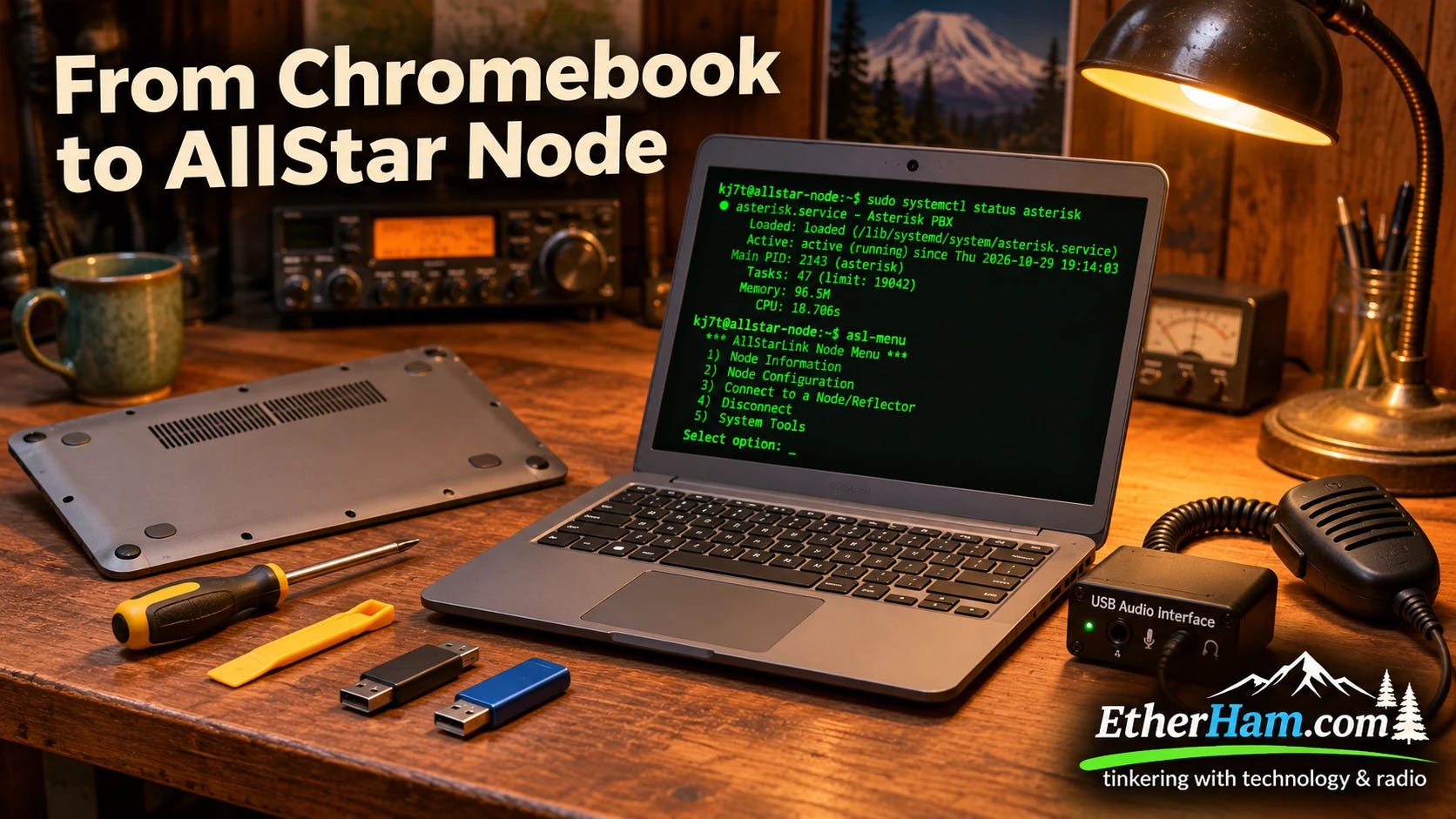
The Lenovo Chromebook 100e arrived early in the week. I popped the box open and was immediately impressed. It’s a solid, simple build for an inexpensive Chromebook, and that’s just as it should be for a computer designed to be used by students.
When it comes to computers, you can probably have any two of these three things: fast, cheap, sturdy. The 100e is cheap and sturdy. With two cores, its Celeron processor is fast enough for light work, and an AllStar node is light work. (I like this platform enough that I bought a second one!)
It's still a perfectly good Chromebook, since Google sends it updates through June 2029. But once you replace its firmware, it's an ordinary little Intel laptop. When those updates end, you could load ChromeOS Flex, Google's free version of ChromeOS for regular PCs, and keep a Chromebook-like machine with current software. Or, like me, you could load Debian 13 on it.
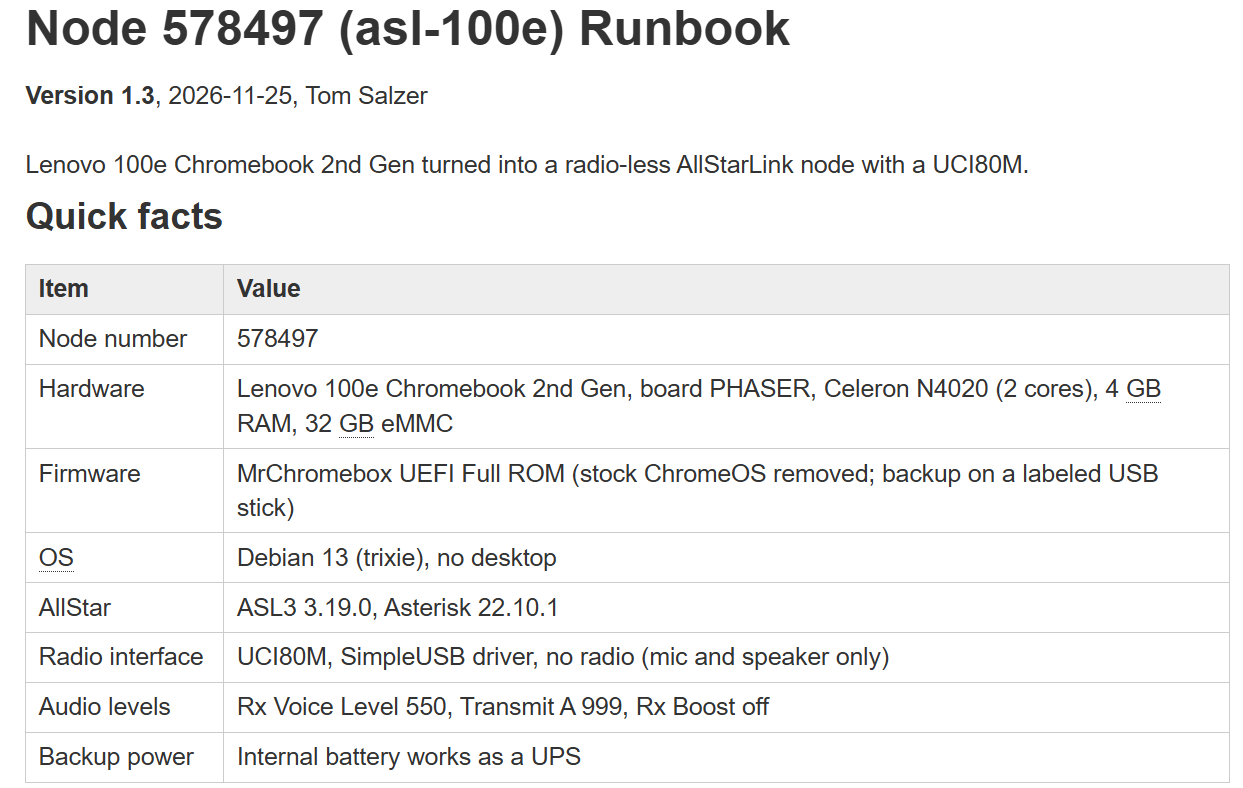
Mine cost $74.99 plus shipping. One afternoon later, it had new firmware, Debian 13, and AllStarLink 3, and it was on the air as a quiet, radio-less node with its own built-in battery backup. ASL3 even installed faster than it does on a Raspberry Pi.
It wasn’t all smooth. The battery connector looked hinged but slides out sideways. A firmware screen asked me to press F10 on a keyboard that doesn’t have one. And the lid has to be propped open about the height of a baseball, or a reboot hangs at a gray screen.
The full story is on EtherHam, including the one check to make before you buy, because not every Chromebook with the same name has the same chip inside.
3.2 Linux: One Command — top
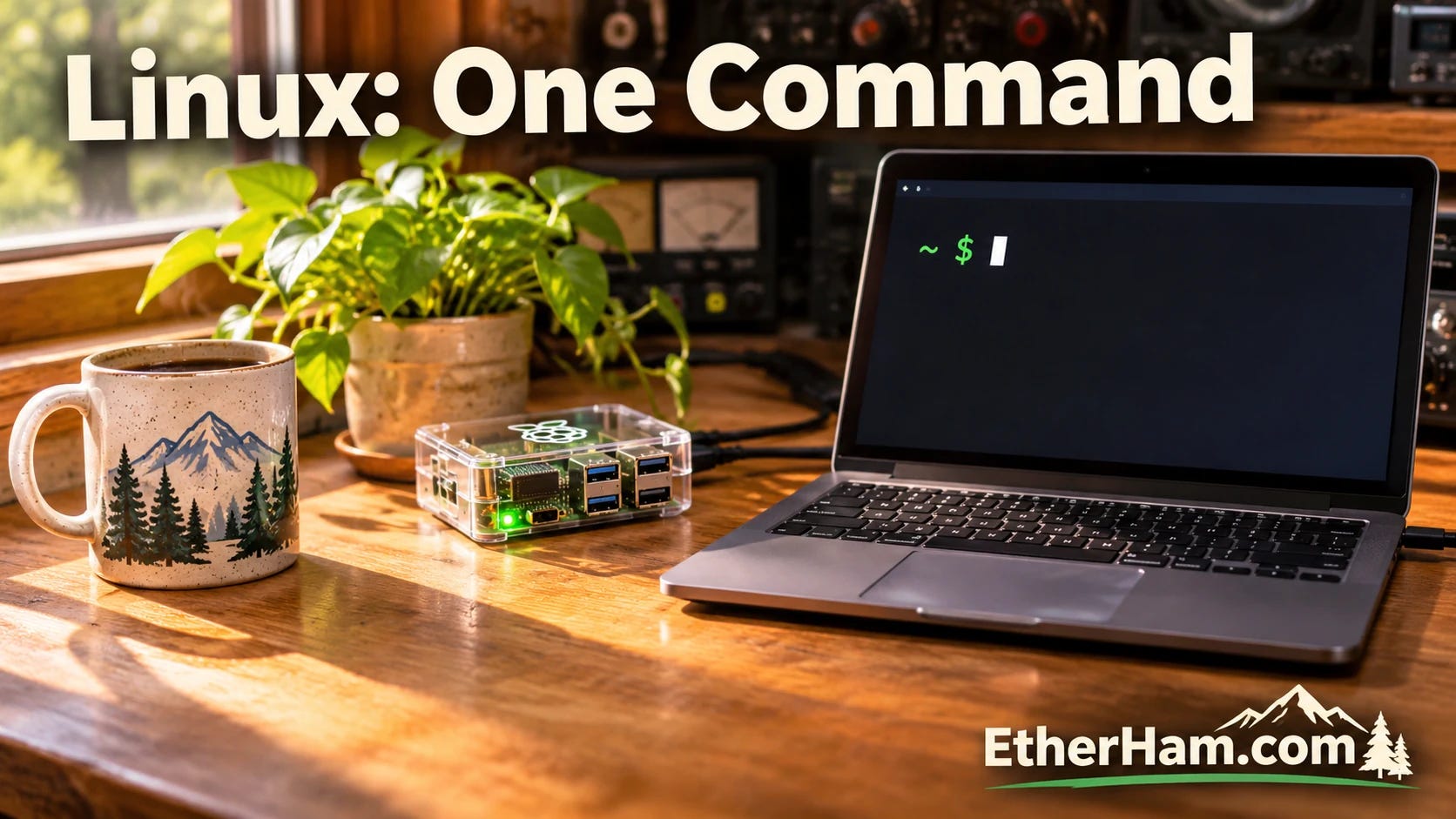
Is your node busy, idle, or in trouble? The top command answers that in one screen, and you only need to read five lines and one column. In this installment of Linux: One Command, I compare a quiet Raspberry Pi node with my net-transcriber node during Saturday’s M17 net, with timestamped screenshots from before the net to full load. I also cover htop and btop (my favorite), plus three quick checks to tell “busy” from “broken.”
Read it: Linux: One Command — top
3.3 Weekly Report: November 26, 2026
The highlights from the weekly report are included in the QST News & Notes section above. The Short Stack alone has about 185 links.
Read the full report: Weekly Report: November 26, 2026
4. Lab and Bench
4.1 asl-node-check script resolves recent vulnerabilities
Just a quick note that additional PHP vulnerabilities were recently found. If you run my asl-node-check script, it will pick up any available update packages. Note that there can be a delay between the publication of a vulnerability announcement and the availability of the appropriate package, so if you’re unsure, run the script daily for a few days.
There's also an automated wiki about the asl-node-check repository.
4.2 GL.iNet router vulnerability and fix
Another week, another vulnerability: Hackers Exploited GL.iNet Cloud Flaw to Install Malware on Routers and KVM Devices
I have a couple of GL.iNet devices and two of them were potentially affected. My router was not impacted because I had not enabled GoodCloud remote management on it. Instead, I use Tailscale to reach the router remotely. And after checking it to make sure it was not infected, I upgraded the firmware to the latest release.
4.3 Surface Pro 4 battery replacement
Replacing the lithium-ion battery in my old Surface Pro 4 laptop was a difficult project. I’m not a big fan of working on laptops because there is simply little room for errors. A big desktop? Sure, I’ll crack that open any day of the week. A laptop, though, is another matter. I put this off a few weeks before waking up last Sunday and saying: today is the day.
You may remember from last week that the reason for this project was that I couldn’t access the internal storage drive. Microsoft had no record of the drive being encrypted, so whatever was on there could be recoverable by someone else if I disposed of the laptop. It no longer took a charge and it wouldn’t boot up, even with the charger plugged in. So I decided to replace the battery, and if that didn’t allow the system to boot up, I could still remove the drive and then recycle the rest of the device.
This wasn’t easy. The instructions from iFixit say the repair is “difficult.” Somewhere I read that this was a two-to-three-hour repair, but that time estimate was way off. It took me nearly three hours just to get the screen off the Surface Pro 4, fortunately without cracking it. This ended up being more than an all-day job, once I included cleaning up old adhesive and reattaching the screen.
The internals were covered by EMI shields. Essentially, every shiny silver surface is a shield, and almost every one had to be carefully pried loose and removed. The copper cooling system and fan were removed. The charging port connector and all the ribbon connectors for cameras and speakers were disconnected. And then a handful of screws were removed before I could remove the motherboard. All of that, to get access to the lithium-ion battery.
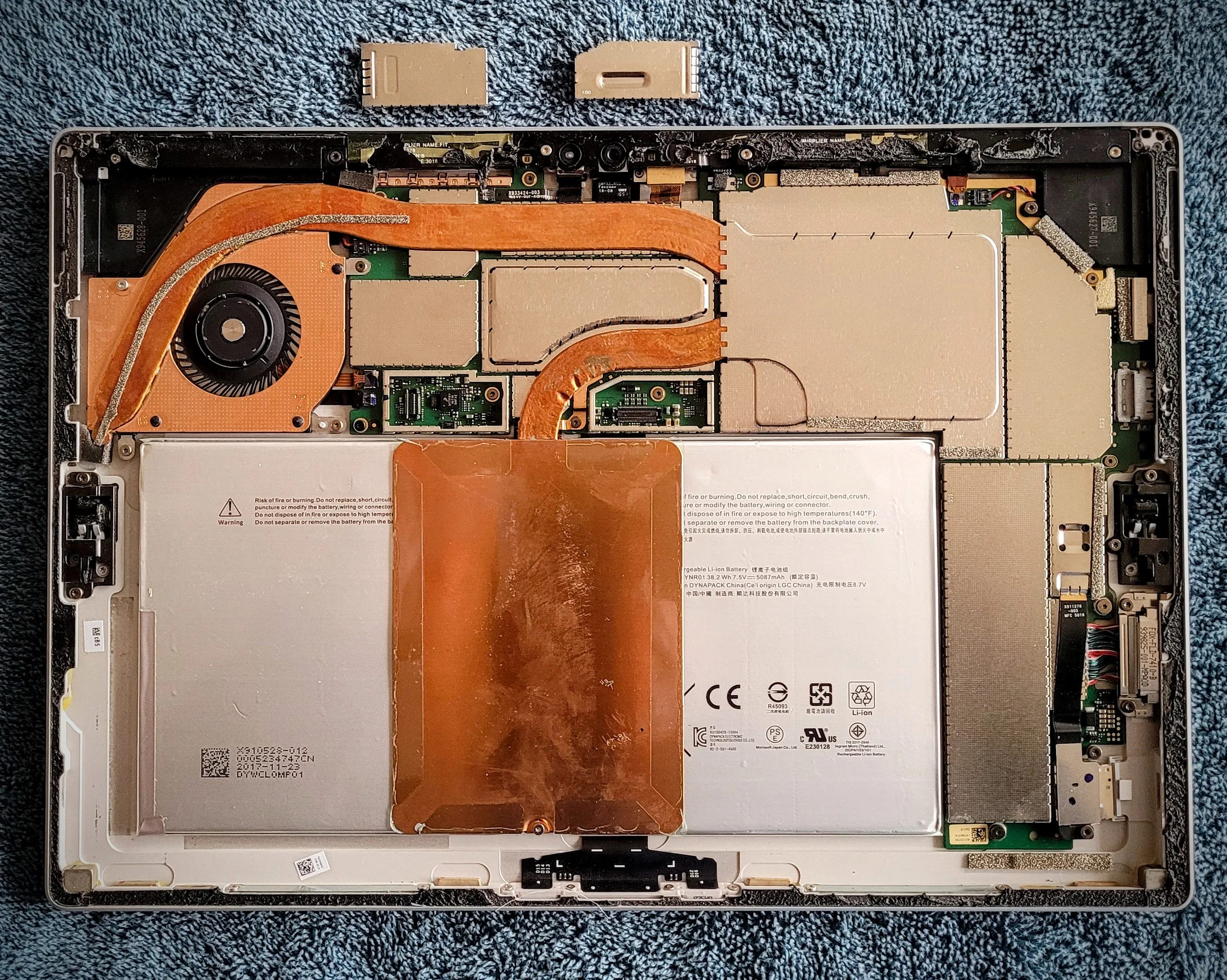
I documented this project with many photographs and considered writing it up for EtherHam. However, the iFixit instructions are well done, so there’s no need to duplicate their work.
Following the instructions, I was able to replace the battery and get the Surface Pro 4 booted and running smoothly. The first boot up spawned an error saying “could not connect to camera.” Instead of tearing it down again, I simply wiggled the ribbon connectors and crossed my fingers. At the next boot, it came up with a working camera and no errors.
Why go through a day of such painstaking, fiddly work? Because I didn’t know what was on the SSD inside the Surface Pro 4, and the only way to get to it was to remove the screen. I decided if I was going to do that, I may as well try to replace the battery and see if I could get the computer running again.
Good news: before wiping anything, I encrypted the entire drive with BitLocker. Then I reset the computer with Windows' drive-cleaning option and reinstalled a fresh copy of Windows 11 Pro from the cloud. Anything that survived the wipe is scrambled with a key that no longer exists.
Bad news: the screen isn't stuck down quite as well as it was from the factory…but for my purposes, it is plenty good enough. This computer becomes the just-in-case backup for my Justin Case backup to my Surface Laptop 7.
Takeaways:
If you are going to remove a glued-on screen, take your time. I heated up the adhesive sections many times, slowly working a tool shaped like an oversized guitar pick along the seams. As soon as I felt resistance, I stopped to soften the glue with another application of heat.
The lithium-ion battery was also glued in and the adhesive remover included in the iFixit kit wasn’t softening the glue enough. Heat to the rescue! Using a combination of heat, adhesive remover, and time, I was able to get a plastic card underneath the battery pack and slowly release it from the case.
The factory thermal paste was crusty and spread far past the CPU. The factory went overboard on the thermal paste. Since the heat sink has to come off, it’s a good opportunity to clean both surfaces and apply the right amount of fresh paste.
The directions said to stack a few books on the screen overnight after reattaching it. That’s when I discovered the screen surface is extremely slick and my dining table isn’t perfectly level. I placed a couple of large, hardbound books on the screen and walked away. A few minutes later, one book had slowly crept halfway off the screen!
The iFixit tools were good enough for this work. My tweezer tips bent but that’s okay, I have others. I think it would be smart for iFixit to include a branded storage bag for the tools, because they are reusable after the repair is done. I used a ZipLoc-brand quart storage bag.
This was a very difficult repair, and I can’t recommend it. The directions were quite good but not exactly true to the internals I found under the screen. The value of the Surface Pro 4 is relatively low, so it really didn’t make financial sense to repair the device. My primary reason to do so was making sure no personal information remained on the internal storage drive. I figured that if, by the end, the laptop worked, that would just be icing on the cake. I confess I was surprised to end up with a working laptop.
4.4 Vince's Time Zone Map: On His Wall and Live on GitHub
Last week I wrote about fiddling with the North American time zone map that Vince d’Eon VE6LK built with Claude. This story has a happy ending.
Vince merged my changes into his project on GitHub. It was the first pull request he'd ever received, and the first one I'd ever sent, so we both learned something. (A pull request is how you offer changes to someone else's code: they review what you've done and decide whether to accept it.)
The first version I sent him didn't go well. On his Raspberry Pi 400, half the clocks went blank. The fault was mine: my code assumed every browser knows every time zone name, and that just isn't so. Ciudad Juárez in Mexico got its own time zone name in late 2022, so a browser from before that time doesn’t know of it. When my code hit that name, it stopped, and every clock after it stayed empty. The fix was to handle each zone on its own. Now a zone the browser doesn't know shows a dash, every other clock keeps running, and a short note under the map says which zone it couldn't handle.
The lesson for me: test on old hardware. Plenty of us run shack displays on whatever Pi or laptop is sitting in a drawer, and those machines often run older browsers.
Vince’s other concern was that the labels were too small to read across his shack. I started working on a fix, but Vince beat me to it — he bought bigger monitors. That’s the ham way: solve a software problem with hardware. Here’s his wall now, with HamClock on top and the map underneath.
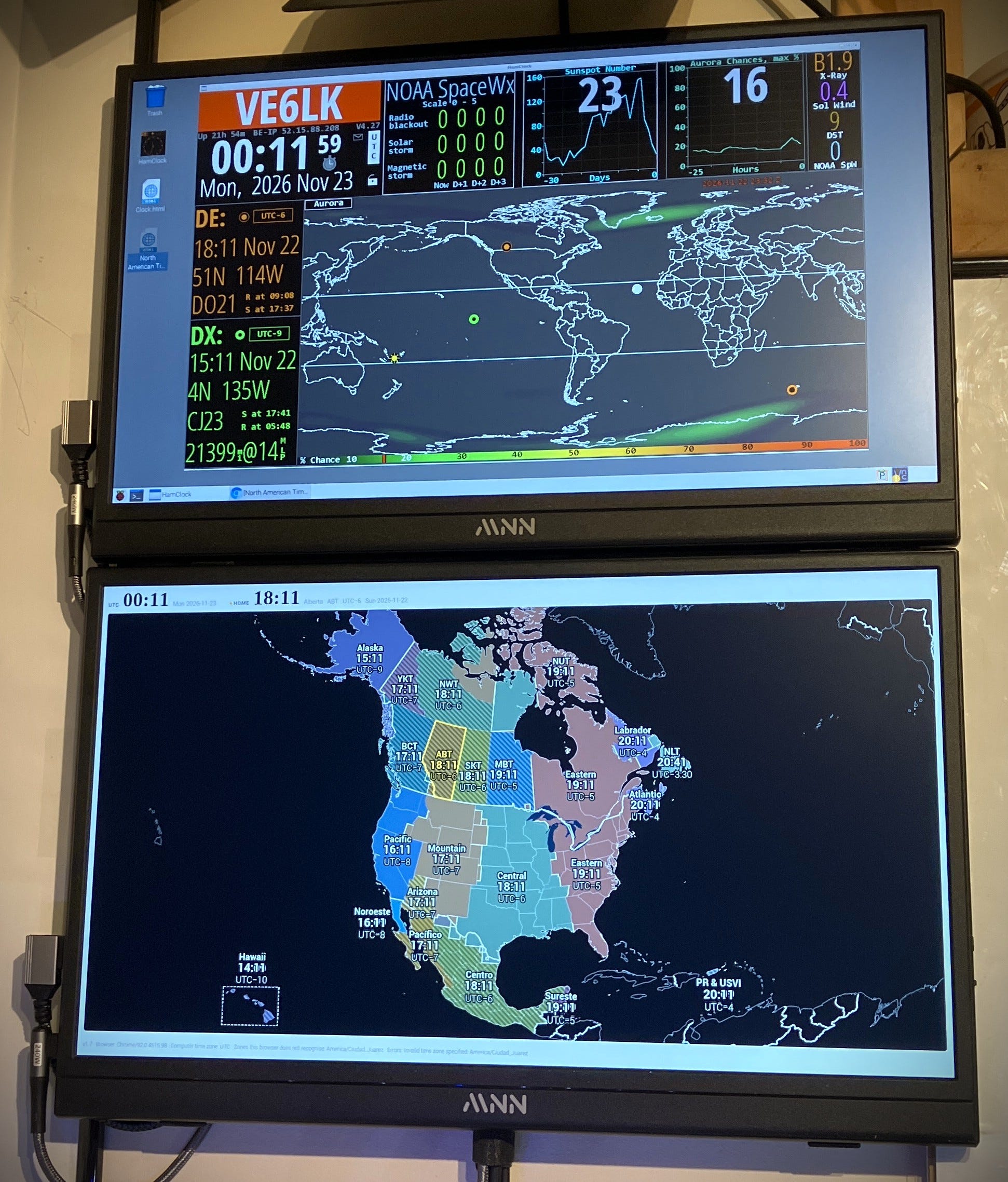
The work I did on that problem didn’t go to waste, though. My version of the map lives on in a fork on GitHub, which is a copy of Vince’s project that I can keep building on. It adds two settings: you can choose which countries the map shows (all three, any two, or just one), and a “fill the screen” option zooms the map to use the whole display, so the labels get bigger. In kiosk mode, it looks like this:
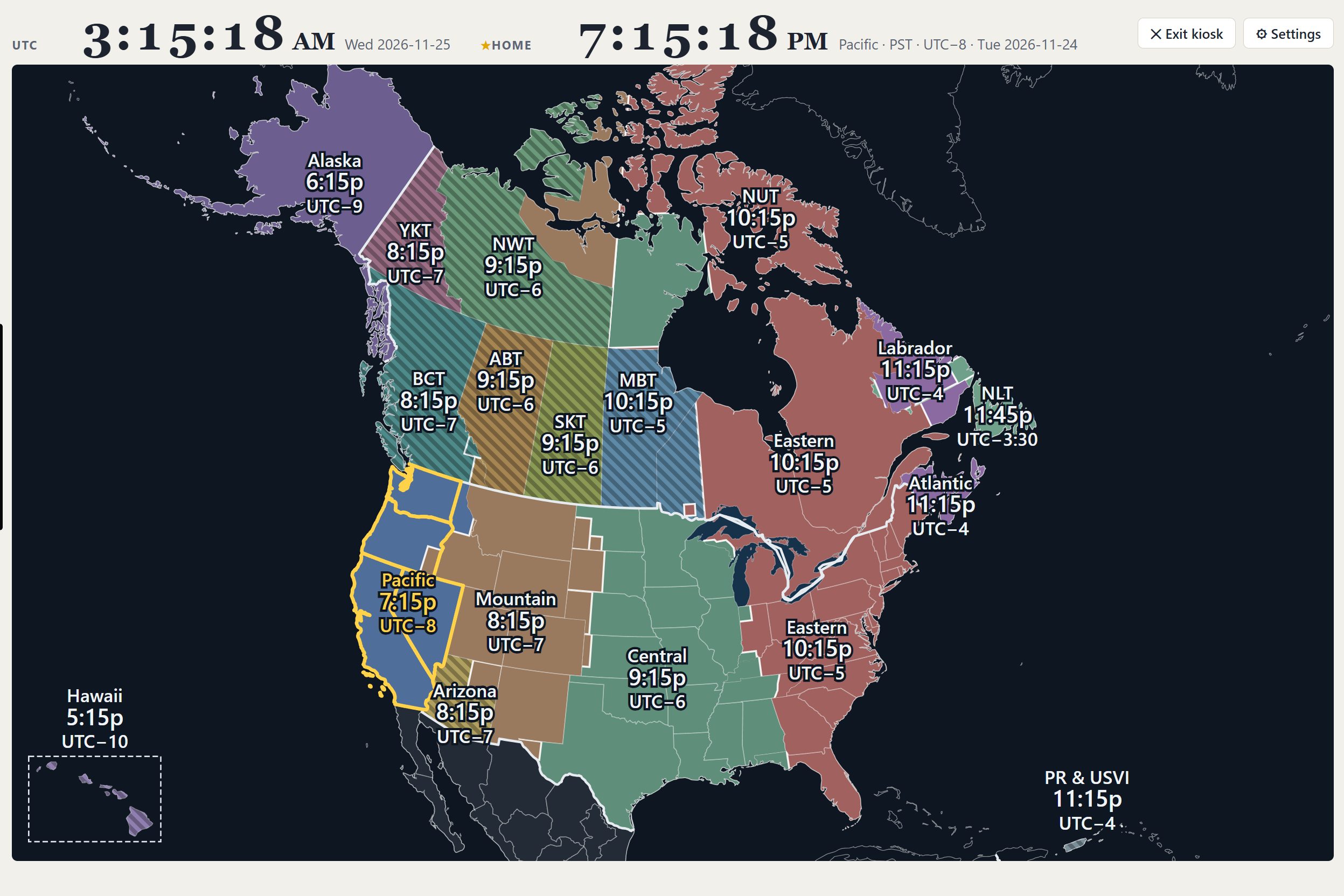
You can try it right in your browser, with nothing to install.
Press S for Settings and K for kiosk mode, which fills the screen with the map. It’s also a single HTML file you can download and run offline, on Windows, a Mac, Linux or a Raspberry Pi.
None of this would have happened if Vince hadn’t put his map out there under a license that says, in effect, “use it and change it as you like.” He took a chance sharing his first project on GitHub, and I got to have a lot of fun building on it. Thank you, Vince.
Sources
4.5 WA7ABU 529 Technical Discussion Net
The 529 Technical Discussion Net is an open, weekday morning amateur radio net meeting at 10:00 AM Pacific Time on the WA7ABU repeater (145.29 MHz, with EchoLink and AllStar linking via node 543260). Operated on the principle that "there is no such thing as a dumb question," the net welcomes amateurs of all experience levels to troubleshoot station issues, explore RF theory, discuss emerging digital modes, and review FCC licensing question pools in a collaborative, supportive environment.
I captured transcripts of six nets with my forked transcription logger running on ASL node 588416, then used Gemini to extract the main topics from the transcripts.
The 529 Technical Discussion Net is always very interesting and informative. I recommend it.
(Why the “529” net? It gets its name directly from the repeater's output frequency: 145.29 MHz. In amateur radio shorthand, operators commonly drop the leading "14" on 2-meter repeaters, so the net on the 145.29 MHz repeater is abbreviated as the 529 net.)
High-level summary of six nets
During six weekday morning sessions (November 16–24) on the WA7ABU 145.29 MHz repeater, participants dug into a wide mix of operating techniques, RF theory, station troubleshooting, and emerging digital trends:
Digital Modes & Software Lock-In: The VARA v4.9.1 update dropping backward compatibility on January 1, 2027, the rise and takedown of the AI-assisted XARA clone, open-source alternatives like Hermes Mercury, Windows vs. Linux reliability for unattended gateways, and calibrating digital audio levels.
RF Theory & Receiver Technique: Building complex waveforms with Fourier series and FFTs, band-dependent preamp and RF gain staging on HF rigs (including dual-purpose squelch/RF gain knobs on the Yaesu FTX-1 Optima), AM/SSB vs. FM noise floors, diagnosing LED Christmas light RFI before buying ferrite chokes, and winter D-layer dissipation causing evening skip zones on 80/75 meters.
Batteries & Power Supply Design: Why mismatched LiFePO4 battery capacities shouldn’t be wired together, lithium battery safety and off-gassing, inductive kickback and flyback diodes, high-voltage capacitor inrush current and soft-start circuits, and vintage screen-modulated Class C linear amplifiers.
Contesting, Licensing & Regulatory News: Decoding the six-part ARRL Sweepstakes exchange and “search and pounce” etiquette for new contesters, the pros and cons of general vs. specialized AI tools in electronics, FCC ID enforcement on imported handheld radios, and license exam question pool reviews across Technician, General, and Extra classes.
Repeater & Local Club Updates: Troubleshooting intermittent morning audio dropouts on AllStar node 543260, voter approval of the Polk County Fairgrounds bond saving local swap meets, and upcoming net control schedules.
4.6 In Queue: AllStarLink 3 on Arduino UNO Q
This will be a fun little project. I’m already running an AllStar node on an Arduino UNO Q, but that build runs Ampersand-ASL. Amp-ASL is AllStar without Asterisk.
I have another Arduino UNO Q and that one will get AllStarLink 3. The sound interface for both is identical — the AllScan UCI80M with a Motorola speaker-mic.
Once built and working, I plan to use my Cubilux CB5 USB Audio Interface to capture clean audio samples, then analyze the captures in Audacity. A sound engineer I am not, but this will nevertheless be interesting to try.
5. QRT: End Transmission
I am writing this end piece before I write the newsletter. It is the Sunday before Thanksgiving. While I sit at the old oak dining table in the Lake House, I’m quietly working on the Surface Pro 4 laptop and watching the grebes fish the lake. A light breeze ruffling the lake surface isn’t enough to hide the tracks of the diving grebes. It is a bright morning, despite the thin layer of clouds touching the tops of the tall Douglas fir trees rimming the lake.
I love this time of year. The big wakeboard boats are gone. It’s almost mystically quiet. From time to time, I can hear the train whistle a mile away, but most of the time, the loudest noises are bald eagles calling to each other. Migrating birds drop in for a day, a week, sometimes a month. Sometimes we see salmon porpoising through the lake on their way to reproduce in an inlet stream. If it wasn’t chilly, it would be paradise. This is a healing time for me, when the rhythms of the natural world become more evident.
Thanksgiving Day will be more difficult for us this year. After two medical incidents in 2025, my wife is unable to care for herself. Last year at this time, she was able to sit in a wheelchair. This year, she is stuck in bed, unable to move. I am thankful for another Thanksgiving with my wife of 49 years.
As I traverse this chapter in our life together, I’m also able to talk with people all over the world (thank you, amateur radio!). And what I’m learning is every one of us is going through something. It might be something big or something small, but we all have situations that cause some level of stress. A bill you can’t pay, a car you can’t afford to fix. A job you thought was safe suddenly seems like it might not be. A friend or relative who is suddenly behaving differently. A medical situation.
Sometimes life feels like coarse sandpaper, rasping away at our vitality and dignity. Sometimes it goes smoother, and in those moments, we wonder why it can’t always be like that. But we wouldn’t know the smooth times were great if we didn’t also experience those tough times.
I hope, wherever you are, this holiday season finds you able to manage whatever you or your loved ones are going through. Amateur radio gives us a way to reach our friends, no matter where they are. Just know that since we're all going through something, you are not alone.

73, and remember to touch a radio every day!

Notice: As an Amazon Associate, I earn from qualifying purchases.