
00 — QRV
It’s Monday, and I’m just getting started on the Random Wire newsletter. Usually, I’m about 80% done with the first draft by Monday morning. Not so this week. I took some time this weekend for family instead of radio and that significantly reduced my Random Wire writing time. Then the week started with back-to-back meetings, leaving me with little energy to work on radio.
But without work, there would be less money for radio, so this is a tradeoff I’m willing to make. With that out of the way, let’s talk radio.
Announcing…ROTA-Radio
I’ve been waiting awhile to bring this to your attention. I hope it will bring a smile to your face (as it does to mine), and perhaps you’ll enjoy what Paul N4FTD shares. I do.
In Why ROTA? — Innovation Born of Necessity, Paul opens with his why:
In the amateur radio world, we talk a lot about “portable” or “mobile” operations. Usually, that implies a mountain top or a remote forest. But for me, the most important mobile operation happens within the 1/2-mile radius of my home in Southwest Florida.
ROTA (Recliners on the Air) is the realization that being a dedicated husband and caregiver doesn’t have to mean being “Off the Air.” It is a philosophy of balance—staying connected to the world while staying exactly where life needs me to be.
Caregiving for a spouse is where Paul and I bonded. I’m living that life, too, so I relate well to the challenges of balancing caregiving with being active on the air.
The other topic we connected on was remote operation of the Icom IC-7300. Turns out he’s already cracked that nut. See Recliners on the Air: Operating the Icom IC-7300 Over WiFi using SDR-Control and RS-BA1 for how he operates his IC-7300 from his recliner, while the radio happily runs out in the shack.
ROTA-Radio. Something many of us can relate to, or even something we do, but never described with a label. I hope you’ll get to know Paul and enjoy what he shares with us. At this stage of his radio blogging journey, he can use helpful feedback. Find ROTA-radio on WordPress.com at https://rotaradio.wordpress.com/.
Recreational: Listening to Classical Music and the ISS
Those two things don’t normally go together.
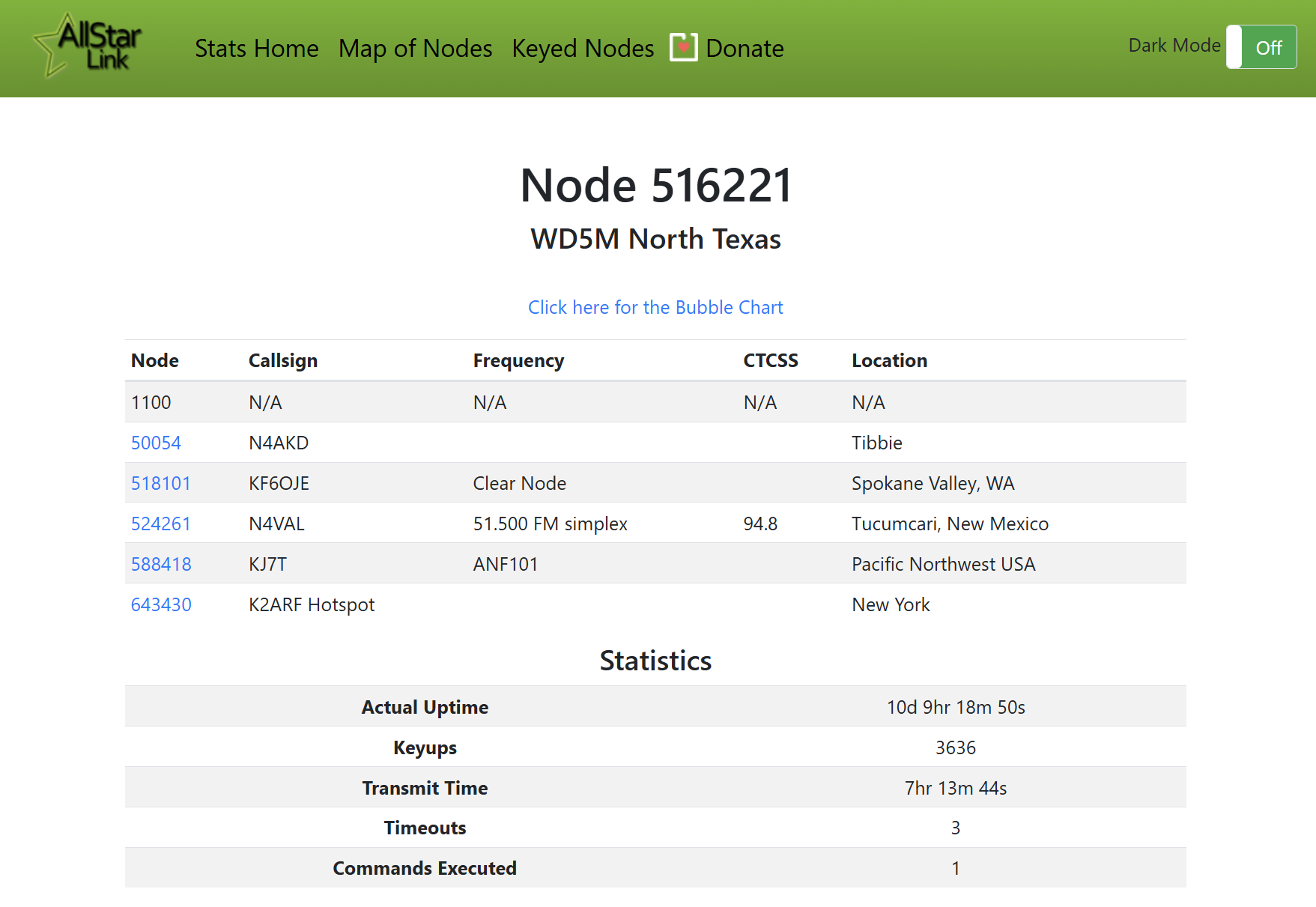
As I write this, I’m listening to a classical FM radio station located about 49 miles away “as the crow flies” and simultaneously listening to communications with the International Space Station. The ISS stream is available on AllStar node 516221. I note that not many hams are listening in at the moment:
What does it sound like? This one-minute audio capture shows even proficient radio operators occasionally double on their transmissions! This is node 516221 to my node 588418, retransmitted over RF to my BTECH UV-Pro handheld:
By the way, the BTECH UV-PRO has been a very solid radio for me and is one of just a few radios I always keep charged and readily available. I reported on it back in July 2025 in Random Wire 139. It remains available and is well-reviewed:
BTECH UV-PRO (TAN) IP67 Dual Band VHF/UHF Two-Way Radio | Bluetooth, GPS, APRS, USB-C, NOAA Alerts, Aviation RX, App Text Messaging (affiliate link)
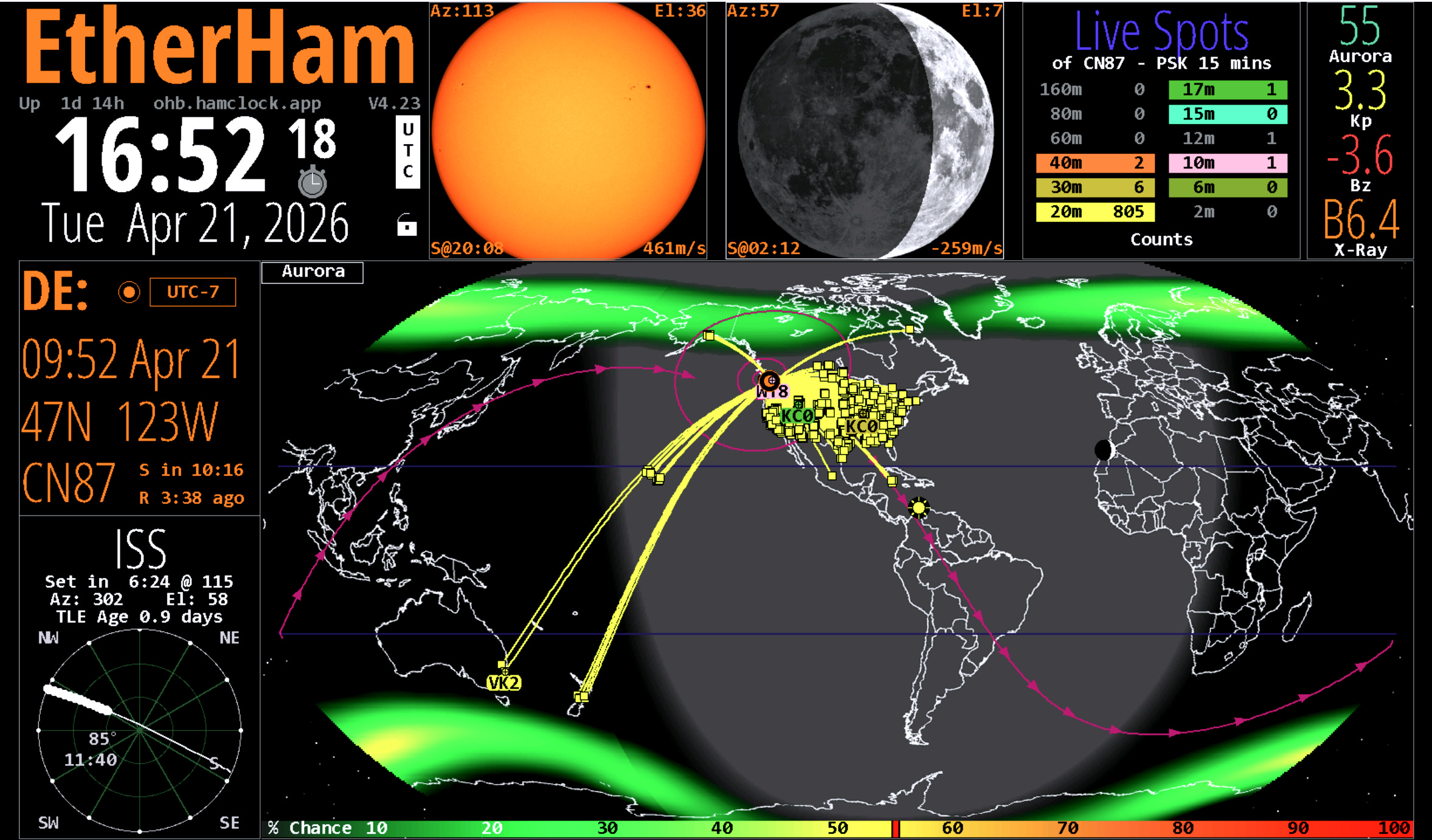
The ISS is passing directly overhead as I type this, as shown on my HamClock OHB (Open Hamclock Backend):
There are other ways to listen, including with your handheld transceiver and online.
On EtherHam
A reader asked for the Digital Radio News Gatherer script and a how-to guide. These are now provided in a single ZIP file available at the end of TechNote 15 — Upgrading the Digital Radio News Gatherer with Groq AI.
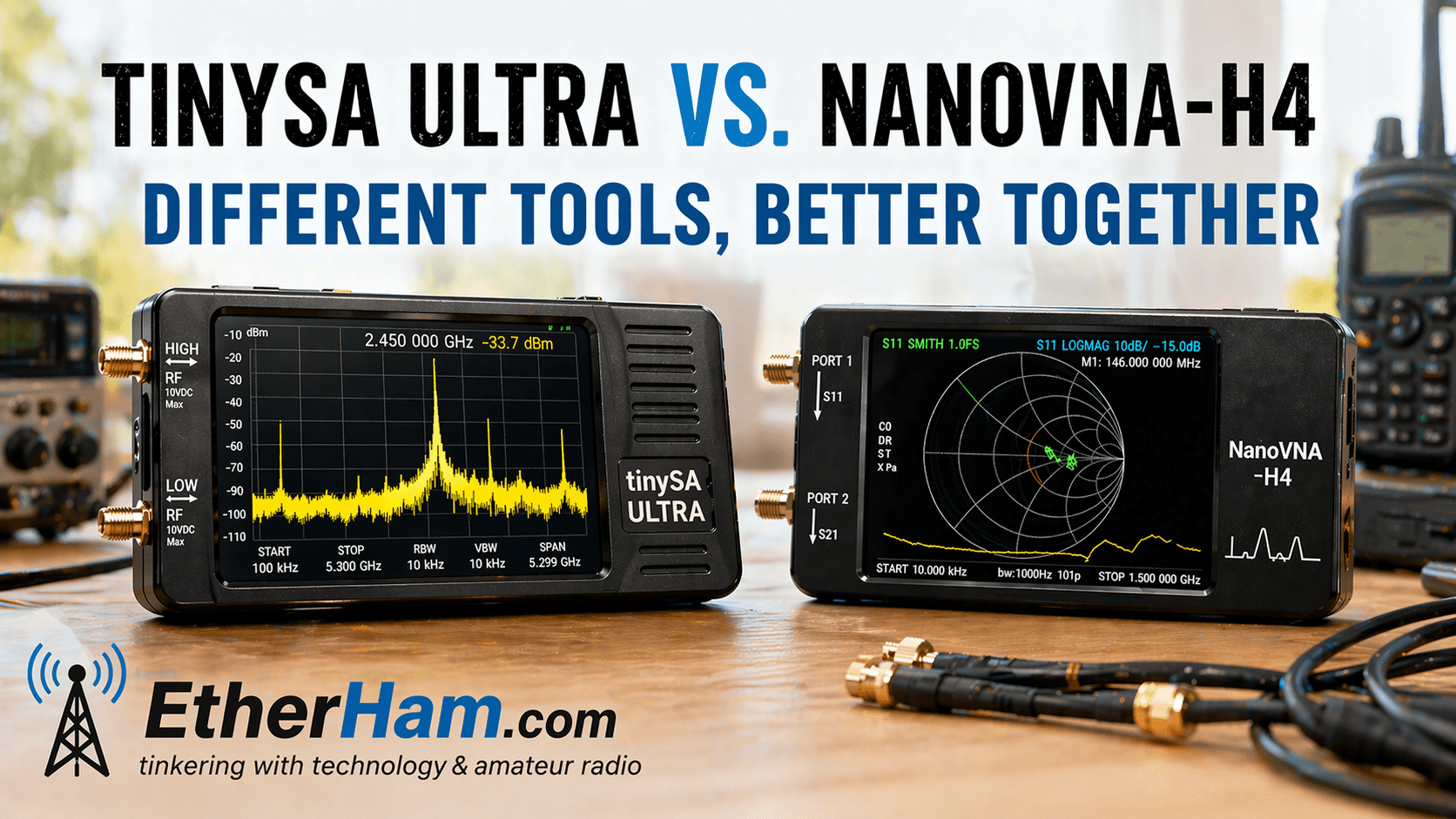
New this week: TinySA Ultra vs. NanoVNA-H4: Different Tools, Better Together. I now have both units in hand. I’ll have more information on them next week. The EtherHam article reviews the use cases of the two devices.
Update on HF Watch
I really don’t know how useful this is, but I find it interesting, and it was a blast to build it. HF Watch has been running around the clock for 11 days. In that time, it has collected nearly five million data points! If you missed this last week, HF Watch runs on a Raspberry Pi 5.
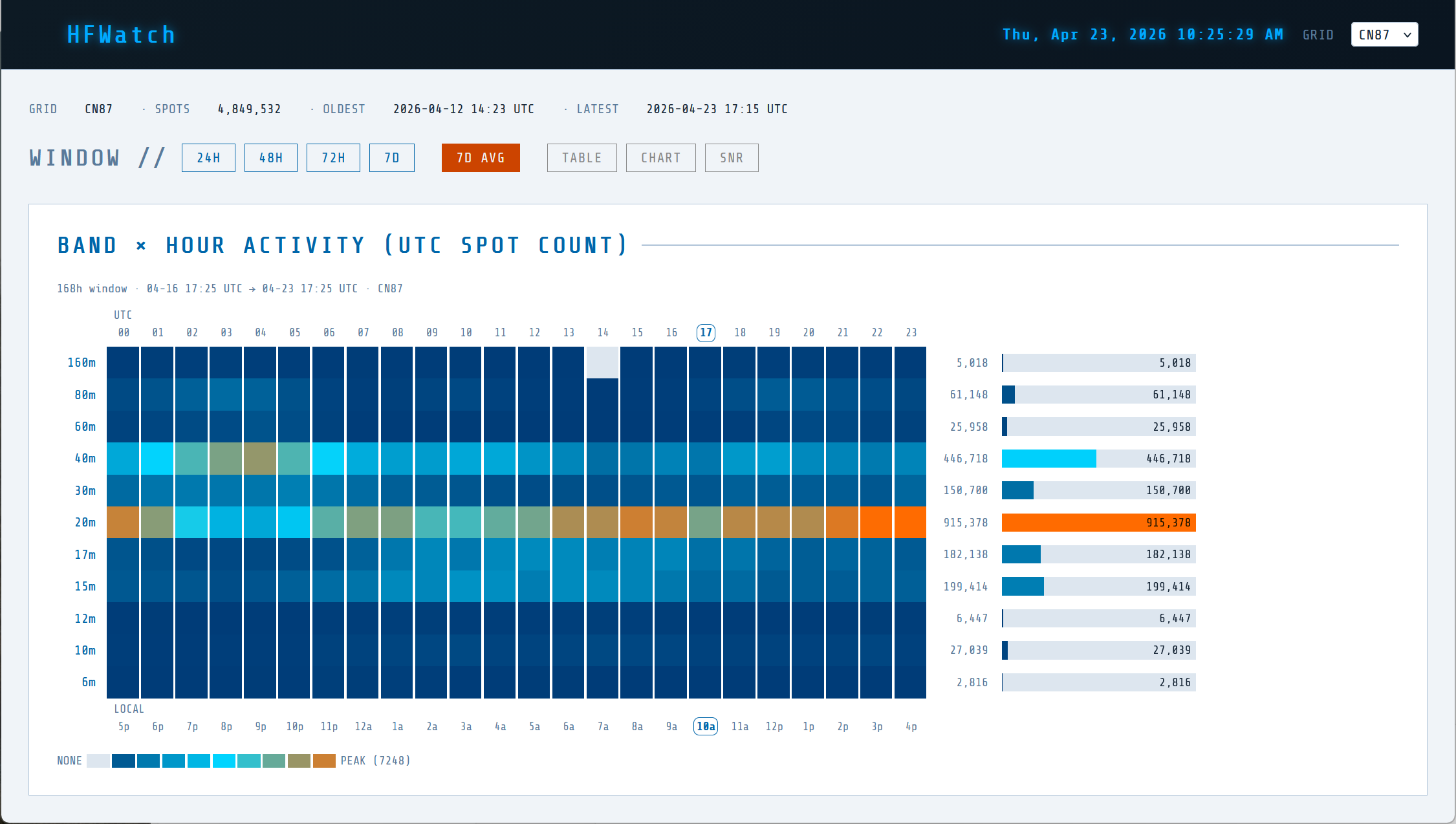
This one-week average view clearly shows 20 meters is the most popular band in my grid square, followed by 40 meters. Activity on 20 meters kicks up in the morning hours, then picks up even more in the afternoon. The pattern for 40 meters is more subtle, showing some increase in the late evening (presumably as 20 meters fades out).
Is this surprising? Not at all, and that’s why I say I don’t know how useful it is. I was not surprised to see little activity on 6 meters and 10 meters. I did think I’d see more on 15 meters as that has been a very solid band for me.
Next Week
Next week I’ll have some hands-on reporting on the TinySA Ultra and NanoVNA-H4.
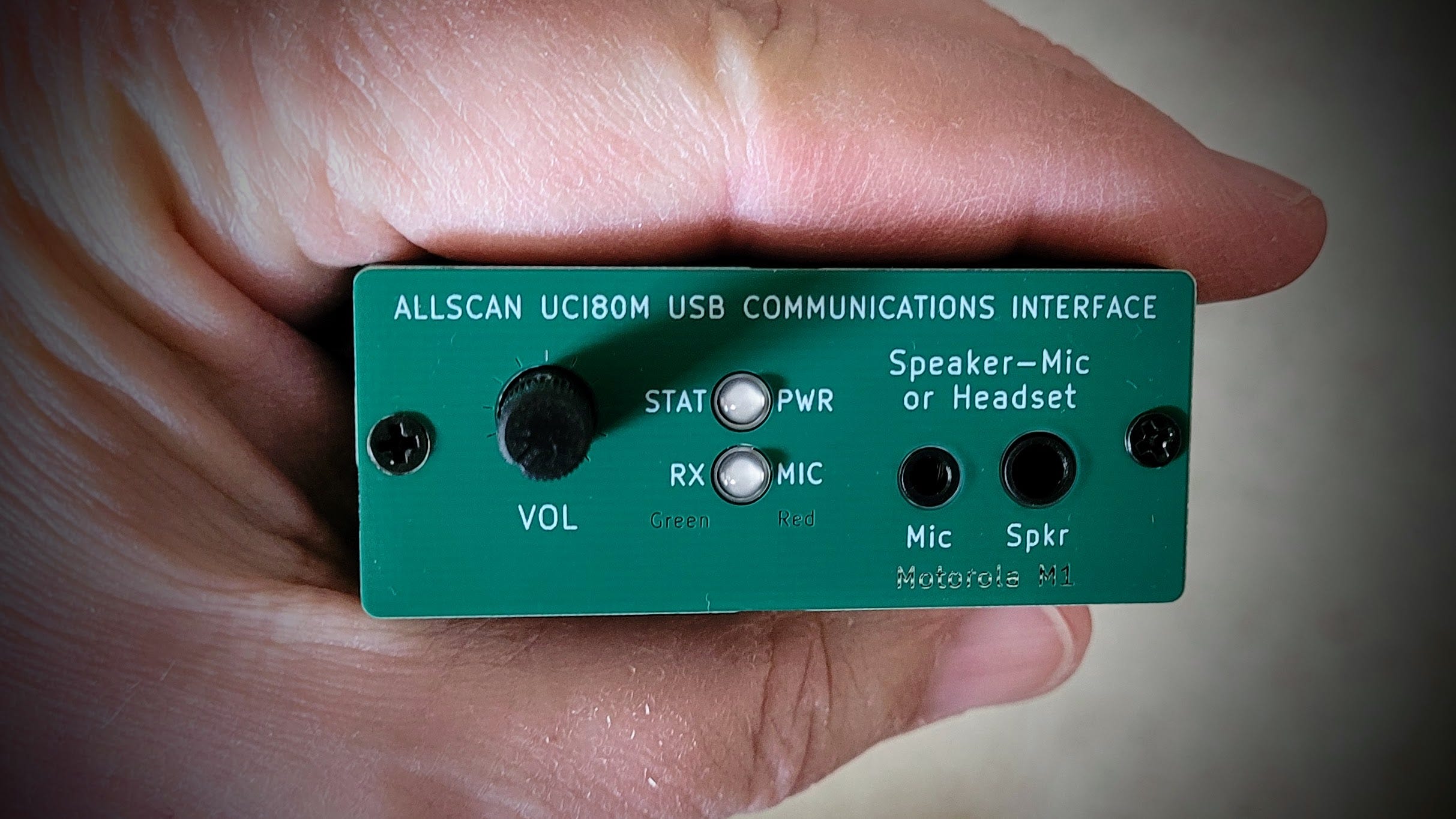
I’ll also share thoughts on one of the latest AllScan devices, the UCI80M (find this about 1/3 of the way down this page). This tiny device uses a Motorola M-1 speaker-mic. After only a few days of operating with the UCI80M, I already know it’s going to be one of my favorite AllStar node devices.

01 — M17 over RF with Your Phone and HT: Is This Viable?
An idea popped into my mind recently and I haven’t been able to stop thinking about it.
Many of us who use M17 are doing it over the internet using DroidStar or the MSeven iPad app. Connect, key up, talk. It’s easy and it works great. But what if you could do genuine M17 digital voice over RF, with your Android phone as the control head, using a radio you might already have sitting in the shack?
This is not a hypothetical. It’s a thing that exists right now.
The key pieces are: Mobilinkd's m17-kiss-ht Android app and their TNC4. If you've been in the APRS or packet world for any length of time, you know about Mobilinkd. They pioneered the modern Bluetooth TNC, a little matchbox-sized device that connects your radio to your phone wirelessly for packet operations. The TNC4 is their current model, and they've added M17's 4FSK modulation to its bag of tricks. The m17-kiss-ht app handles the Codec 2 voice encoding and M17 protocol on the phone side. With the app and the TNC, your Android phone becomes the PTT and voice processor, the TNC4 becomes the modem, and your radio becomes the transmitter.
That makes this real M17 digital voice, over the air, with no dedicated M17 radio required.
But there's a catch. M17 is picky about radio audio in a way that APRS simply isn't. You need flat, unfiltered audio plus very fast key-up. That rules out most budget HTs and many (most?) modern radios whose audio is tuned for voice, not data.
The M17 Foundation has a radio compatibility list and it's genuinely useful, but it's heavily weighted toward mobile radios and older commercial gear: Kenwood and Yaesu mobiles, some ICOM, and some Motorola commercial units. What's almost entirely missing is modern, data-capable handheld transceivers. And there are some obvious candidates that seem like they should work but simply haven't been publicly tested and written up.
The one confirmed HT success story involves the Quansheng UV-K5/K6, but that requires a hardware modification: capacitor swaps to extend the audio frequency response, plus custom firmware to get keying latency down to acceptable levels. The interesting question is whether a radio with a purpose-built 9600-baud data path might work without any modification at all.
Quansheng UV-K6 UV-K5(8) Walkie Talkie 5W Airband Radio Type C Charge UHF VHF DTMF FM Two Way Radio with NOAA Weather Alarm Function (affiliate link)
Take the Kenwood TH-D74A with a built-in 9600-baud TNC and a well-documented flat audio data port that many operators rely on for APRS and packet data. Does its audio path satisfy M17's stricter requirements? My guess: yes, because it's probably the same Kenwood data port architecture used in the TM-V71A and TM-D710 mobiles that are already confirmed on the compatibility list. Is the key-up fast enough when driven from an external TNC? Nobody appears to have tried it and reported back in any systematic way.
That's the opportunity here. If it works, this is M17 digital voice accessible to anyone with a capable HT, a TNC4, and an Android phone — no purpose-built M17 radio required. The app is developer-grade rather than ready for everyday use, the Bluetooth pairing on Android has some rough edges, and setup takes patience. The developer is candid that it's early-stage. But the concept is solid, the TNC4 is proven hardware, and the code is open source. What's missing is operators willing to put radios on the test bench and share what they find.
If you've got a 9600-baud capable radio — especially an HT with data port access — and a TNC4, you may be closer to an experimental M17 RF platform than you realize. Someone ought to try this.
Resources
m17-kiss-ht source code: https://github.com/mobilinkd/m17-kiss-ht
M17 Foundation radio compatibility list: M17 Foundation Wiki
Mobilinkd TNC4: mobilinkd.com
02 — Gear: TinySA Ultra Spectrum Analyzer
I bought a TinySA Ultra spectrum analyzer from Radioddity. I’m happy with it, though I’m still figuring out the basics. What is detailed below draws more on specifications and reviews rather than deep personal experience. I’m still learning how to use this device.
If you don’t know what a spectrum analyzer does, you may want to start with my comparison of the TinySA Ultra spectrum analyzer and the NanoVNA-H4 vector network analyzer. Find this on EtherHam.com at: TinySA Ultra vs. NanoVNA-H4: Different Tools, Better Together
My RigExpert Stick 500 antenna analyzer is a wonderful piece of kit, but I wanted to make sure I was getting the full picture, so I added tiny spectrum analyzer to my bag of tools. The one I selected was from Radioddity:
(If you’re interested, there should be a 10% off coupon available, but I’ve also seen a 15% off promotion.)
This isn’t the cheapest version of this type of device, but two things sold me on spending a little bit more: my good history with Radioddity, and excellent reviews on their website for this device. I also appreciate the enclosure. Instead of a thin metal case with sharp edges and corners, the TinySA comes in a comfortable-to-hold plastic case. This unit also has some heft to it — more than I’ve felt with cheaper units — which inspires more confidence that this is a high-quality device.
The only thing it lacks is SMA-to-SO239 adapters for my antennas, but I have a couple of those so it’s not a big deal. I do worry, though, about my inexpensive adapters. It would be worth getting higher-quality adapters that won’t taint the readings on the analyzer.
The TinySA is subject to damage if overloaded, so I purchased a few attenuators to help protect the device:
AURSINC SMA Attenuator Kit, 10dB/20dB/30dB 3-Pack, SMA Male to Female RF Attenuator 2W 50 Ohm DC-6GHz in-Line Attenuators with Highly Linear Attenuation (affiliate link)
(You need really good light to see the 10dB, 20dB, and 30dB markings on these little things! The etched markings blend with the attenuator body.)
I also purchased a couple of adapters that should take some pressure off those small SMA connectors:
DHT Electronics Handheld Antenna Cable SMA Male to UHF SO-239 Female Connectors 6’‘ Pack of 2 for Amplifier (affiliate link)
TinySA Ultra: What It Actually Does (and Doesn’t)
The Radioddity TinySA Ultra is one of those rare tools that punches above its weight—small enough to toss in a go-kit, but capable enough to answer real RF questions when you’re away from the bench. It’s not a lab-grade instrument and it doesn’t pretend to be. But used within its limits, it’s remarkably useful.
Core Performance
Frequency Coverage (Two Personalities)
The TinySA Ultra is really two analyzers sharing a box:
Low range: ~100 kHz to 800 MHz
This is where it performs best — cleaner response, better dynamic range, more trustworthy measurements.High range (“Ultra mode”): ~800 MHz to ~5.3 GHz
Coverage is impressive for the size, but performance drops off — more spurs, less accuracy, and more interpretation required.
Resolution Bandwidth (RBW)
Down to ~200 Hz in the low range, which is genuinely useful for narrowband work
Wider (and less precise) in Ultra mode
This is one of the quiet strengths of the Ultra—it can zoom in more than you might expect.
Input Limits (Read This Twice)
Absolute maximum: +10 dBm
In practice, keep signals well below 0 dBm
This device does not have a forgiving frontend. A hot signal straight off a transmitter will ruin your day…and your analyzer. A simple attenuator is cheap insurance.
Amplitude Accuracy
Typically ±2 dB, assuming a decent calibration baseline
Good enough for field work, comparisons, and troubleshooting, but not for certification.
Hardware & Interface
Display & Controls
4.0-inch touchscreen, 320 × 240
Functional, not fancy, but perfectly usable in the field
Power
~3000 mAh internal battery
USB-C charging
Long enough runtime for real work, not just demos
RF Connections
Two SMA inputs:
Low range input
High range input
Separate SMA output for signal generation
Built-in 30 MHz reference output (CAL)
It’s a simple layout, but it keeps you honest about which range you’re using.
Signal Generation (Useful, with Caveats)
The Ultra can act as a basic signal source, which is handy, but this is not a substitute for a dedicated signal generator.
Sine output: ~100 kHz to 800 MHz (clean and usable)
Higher-frequency output: extends into GHz range, but expect more harmonics and less purity
“Square wave” claims: take this with a grain of salt as the output is synthesized RF, not a true logic-level square wave
Where it does shine is as a tracking generator for:
Filter tuning
Passband visualization
Quick-and-dirty characterization work
Calibration Reference
Built-in temperature-stabilized 30 MHz oscillator
Useful for:
Self-checks
Sanity-checking frequency accuracy
Feeding external gear in a pinch
Practical Reality Check
Fragility (Electrical, Not Mechanical)
The Ultra’s biggest weakness isn’t build quality—it’s overdrive sensitivity. Stay within limits and it’ll serve you well. Ignore them once, and you may be shopping for a replacement.
Portability (Where It Wins)
This is where the TinySA Ultra earns its keep:
Field diagnostics
Antenna and filter work
Hunting interference sources
Bench overflow when the “real” analyzer is tied up
It’s not a replacement for a full-size spectrum analyzer, but it’s often the tool you actually have with you that matters more than specs.
Bottom Line
The TinySA Ultra lives in that sweet spot between toy and tool.
Use the low range when you can, treat the high range as advisory, respect the input limits, and it will give you answers that would have required far more expensive gear not so long ago.
If you expect lab-grade precision, my guess is you’ll be disappointed. If you use it like a smart field instrument, you’ll probably wonder how you managed without it.
03 — SDR: NESDR Nano 2 Plus
I have a bit more to report about my tiny SDR dongle, the NESDR Nano 2 Plus.
NESDR Nano 2 Plus - Tiny Black RTL-SDR USB Set (RTL2832U & R820T2) with Ultra-Low Phase Noise 0.5PPM TCXO, MCX Antenna (affiliate link)
First, the price on Amazon has bumped up from $38.95 to $41.95. I don’t often see prices for these devices change so this caught me by surprise. I still see this as a great value.
Second, it runs warm. The cooling fins on top of my fanless PC are running 95-101°F and the NESDR Nano is just a hair under 101°F. That’s warmer than I’m used to feeling when I pluck a USB device out of a computer.
Third, the MCX antenna port surprised me…but only because I’m not very familiar with this configuration. First time around, I ordered the wrong adapter to connect it to my FM dipole antenna. What I needed was an MCX male end to go into the NESDR:
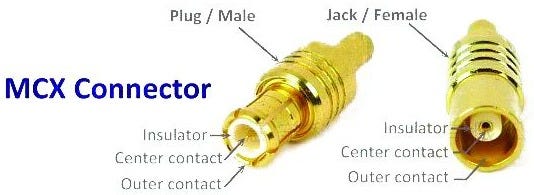
For my antenna wire, the other end of the adapter needed to be an SMA female connector. That’s what worked for me.
Once I connected the FM dipole with telescoping antennas to the NESDR, the signal strength jumped dramatically. In fact, I had to go into the SDR++ (pronounced “SDR Plus Plus”) app and reduce the gain. I now receive more stations, more clearly.
This was a simple thing. What improved the SDR for recreational listening was connecting it to a better FM antenna with an MCX Male to SMA Female adapter. To get the right adapter, I purchased a kit (because one can never have too many adapters):
It is working well. I’m listening to KING-FM Classical on my laptop located about 35 feet away from the NESDR. The NESDR device is feeding the signal over my home network and the SDR++ app on my laptop is getting that stream wirelessly from the network. Below is a two-minute capture of the audio stream.
The 66,000-watt KING-FM transmitter is located on Tiger Mountain, about 80 miles distant by road, or 49 miles “as the crow flies.”
I also bought some additional small antennas to help me explore other bands the SDR can access.
I already have this bundle at my Oregon QTH where I use the telescoping aerial antenna for capturing air band traffic. It connects directly to the RTL-SDR I use for this purpose.
04 — AI: Lumo Is Proton’s Privacy-First Alternative to ChatGPT and Other AI Chatbots
The company behind Proton VPN, Proton Mail and Proton Pass, has released an open-source AI chatbot that it says isn't trained on user data.
This is interesting: a ChatGPT-like AI from a privacy-focused company (Proton). Since I have a paid Proton account, this showed up in my Proton dashboard:
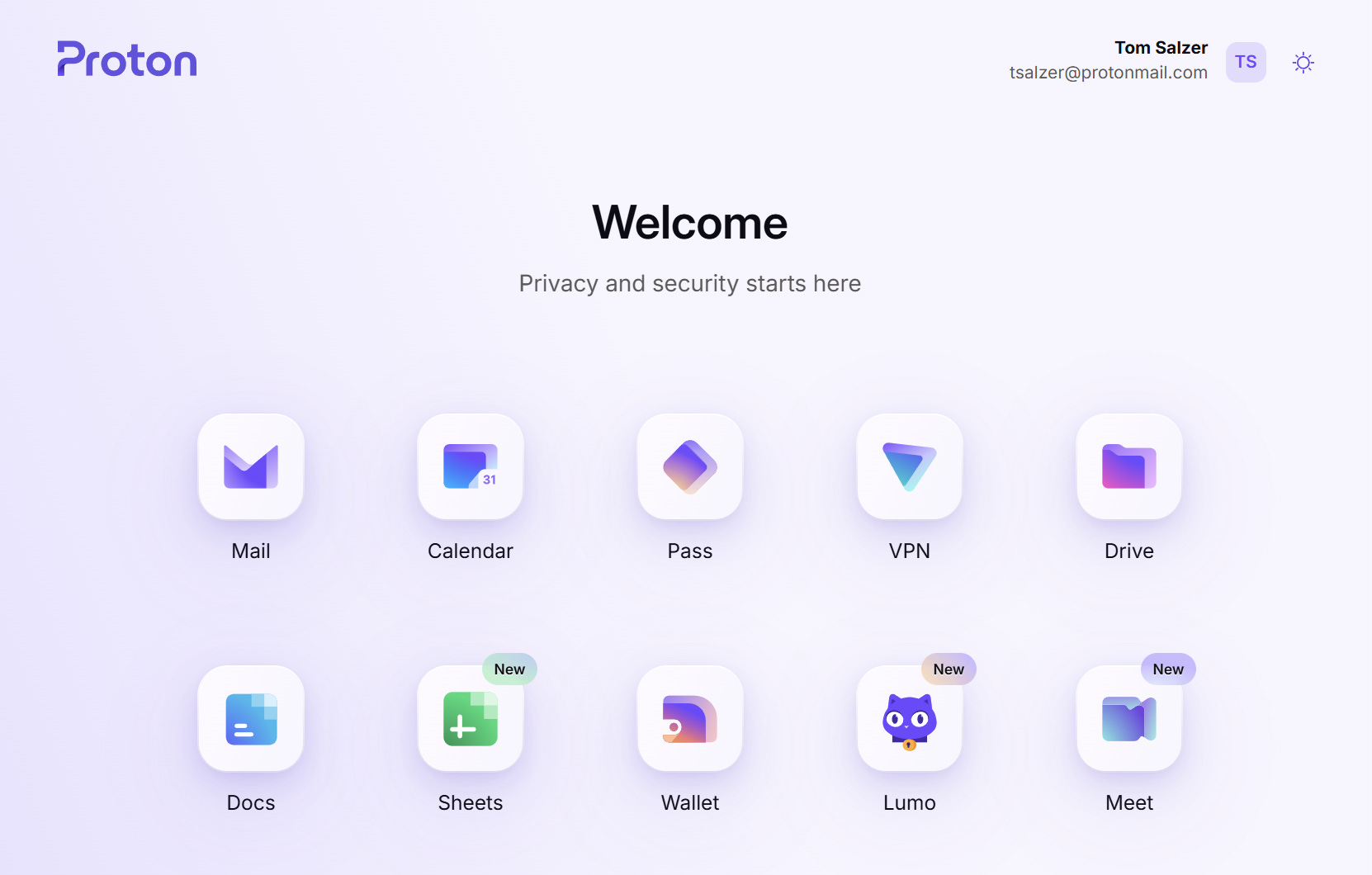
I’ve been testing Lumo with technical questions related to amateur radio. The results seem about on par with ChatGPT…maybe a little thinner on detail and background, but still pretty good.
If it’s close to what ChatGPT can do, what’s the point? Privacy. Lumo keeps conversations fully private with end-to-end encryption and no server logs. Nothing is stored or used for training, and even Proton can’t access your saved chats.
There is a free tier (see I Tried Proton’s Lumo AI, a Private Alternative to ChatGPT).
I believe that even though I’m a paid Proton user, I’m actually using Lumo’s free tier. There is a Lumo Plus option for $12.99/month but I have not signed up for that level of service, since I already subscribe to ChatGPT and Claude.
The one aspect you may not like about using the Lumo free plan is you have to create a Proton account. It’s free to create that account, just be sure to keep a record of how to log in. Why? Because Proton doesn’t keep a record of your authentication details so they can’t recover it for you.
05 — Proton Meet Introduced: Is It Right for You?
And speaking of privacy, if you are at all interested in meeting privacy, Proton Meet will be interesting.
Proton Meet Introduced
Proton introduced Proton Meet on April Fool’s Day — an odd choice. (Well, it was actually launched on March 31st, but I didn’t see it until April 1st. It felt like they might be fooling with us.) It was hard for me to take it seriously until some time had passed and I could see it was real.
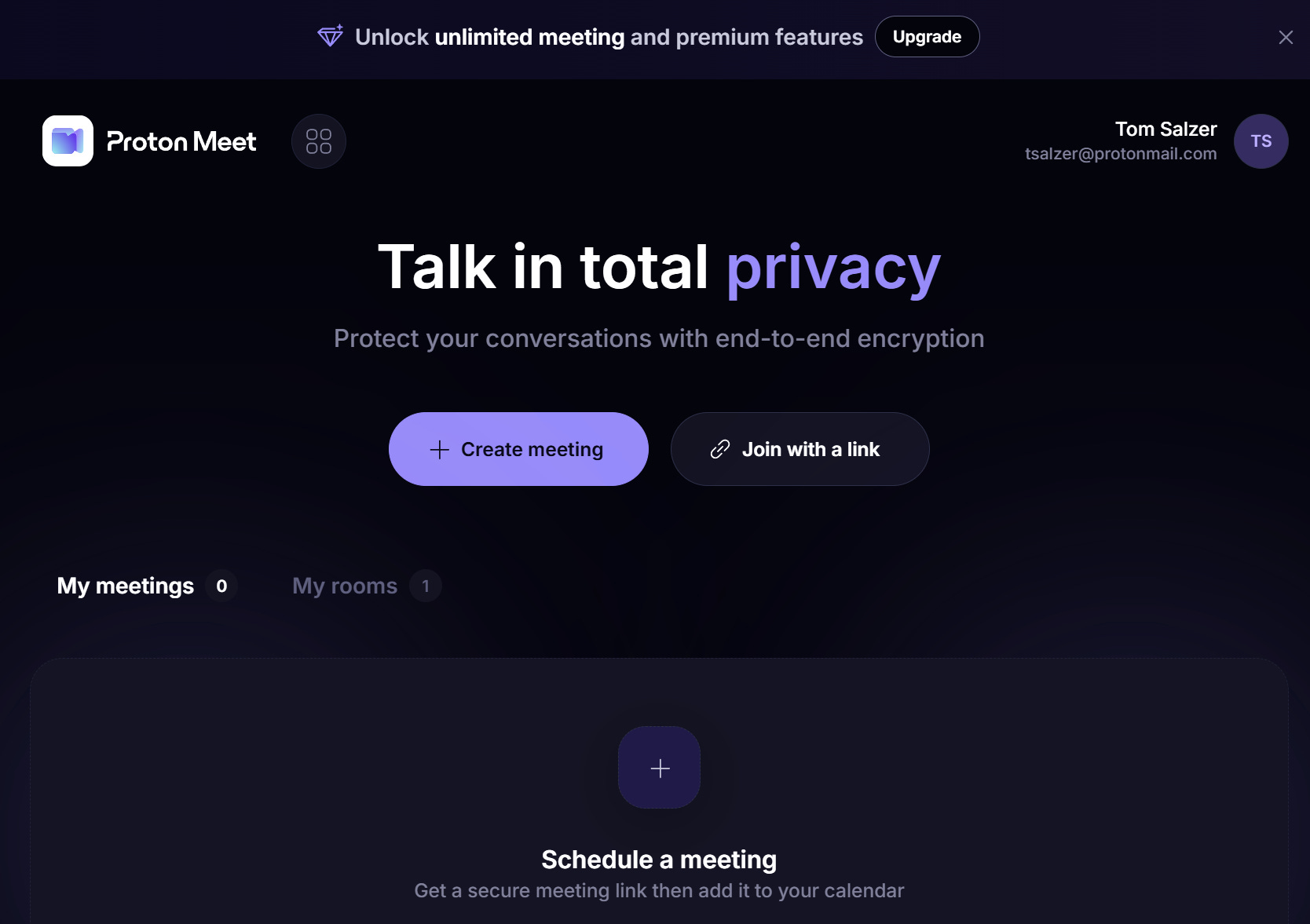
Proton quietly launched Proton Meet on March 31, 2026, making it immediately available on web browsers, iOS, Android, Windows, macOS, and Linux. Unlike a limited beta, this was a full public release.
Do You Need a Proton Account?
No, and this is one of its most notable features. Anyone with a free Proton account can host calls with up to 50 participants for up to one hour. But if you don’t have an account, you can still host or join a call instantly with up to four people with no sign-up required. Zoom requires an account to host; Google Meet requires a Google account; Microsoft Teams needs a Microsoft account. Proton Meet needs nothing.
Limitations by Tier:
No account (anonymous): Up to four participants, no sign-up required.
Free Proton account: Up to 50 participants, calls limited to one hour.
Meet Professional ($7.99/user/month): Unlimited meetings per day, calls up to 24 hours long, up to 100 participants, screen sharing, and meeting scheduling.
Proton Workspace Premium ($20/month annually): Up to 250 participants.
How Does the Security Work?
Proton Meet uses Messaging Layer Security (MLS), an open-source end-to-end encryption protocol designed for real-time group communication that has been independently reviewed. All media and chats are encrypted on the client side, meaning Proton cannot access or process any unencrypted data from calls. MLS creates a cryptographic group with a shared epoch key that changes each time a participant joins or leaves, meaning new members cannot read previous messages, and those who have left cannot access future messages.
One Security Caveat Worth Noting
The main point of vulnerability is the meeting link itself. If the link is shared with someone who shouldn’t have it, that person could join the call. Proton suggests addressing this by locking the meeting once all expected participants are present, removing any unrecognized attendees, or rotating the link.
The Bigger Picture
Meet is the final piece of a puzzle Proton has been assembling for years. The company already offered encrypted email, calendar, cloud storage, collaborative documents, spreadsheets, a password manager, and a VPN. With Meet in the lineup, Proton Workspace now covers essentially everything Google Workspace does, except every layer is end-to-end encrypted. Being based in Switzerland should also keep it outside the reach of the US CLOUD Act, which is relevant for organizations with GDPR compliance concerns.
The Proton suite of services is not as polished as you’ll get with Google or Microsoft, but what you do get that other vendors can’t provide is a clear focus on your privacy.
06 — Website Drama
Bad Plugins
Sometimes a bit of software acquires some undesirable pieces, it gets pushed out as new installs and updates, and suddenly a new attack is taking place.
Such was the case with a bunch of plugins that were purchased and then infected. EtherHam.com had one of those plugins but I caught it very quickly and deleted it. I’ve scanned my files and the site is clean. I also had my web host do a deep, top-to-bottom scan, and that also came up clean.
Here’s the story: Someone Bought 30 WordPress Plugins and Planted a Backdoor in All of Them.
I have backups of the EtherHam site but did not need them. I monitor various WordPress-related sites for exactly this kind of information, so that I can respond swiftly and appropriately.
CDN Experiment Failed
I’m going to count my experiment for the past several months with a content delivery network (CDN) as a failure. I had hoped the CDN would offload some volume of content from the web host to the CDN servers spread around the world. It did exactly that for quite a while. No complaints.
Something changed, though, in the past couple of weeks. I suspect my web host blocked some of those servers. The hosting company does, after all, provide its own CDN system — for an additional fee. I was feeling pretty happy with Bunny.net’s CDN until requests for EtherHam web content failed to reach Bunny’s CDN servers.
I asked my web host to whitelist the Bunny CDN addresses. “Sorry, we can’t do that unless you upgrade your hosting account.” Wrong answer.
I’ve disabled Bunny and the site performance has smoothed out. I want to emphasize this was not a problem created by Bunny.net. I’ve been impressed with the quality of services they provide at very affordable prices.
07 — The Short Stack
Radio
Pebble HF coming “early this summer” — I received this in an email a few days ago: “When will it be available? We are still planning on releasing the Pebble HF in ‘early summer’. We know that isn’t very specific, and we will give more specific details as we get closer.” You can get on the notification list by filling out the form at the bottom of the Pebble HF homepage.
DX
DX Cluster - POTA, SOTA, DXpéditions, RBN, DXSpider — “Real-time amateur radio DX cluster — HF spots all bands, mode filters, DX expeditions, POTA, LoTW/eQSL integration. DXSpider node F1LED-2.”
Digital
Pat Winlink client version 1.0.0 released — “Pat is a cross platform Winlink client written in Go. It runs on any modern operating system, including Linux, macOS and Windows. Pat provides both a modern GUI and a powerful command-line interface. Pat supports Winlink templates/forms and is open source and free.” See the project on GitHub and get versions from their GetPat website. (I gave Pat a try and think it has promise. It’s pretty spare right now, and you have to start it from the terminal which will put some people off.)
Reviving Teletext for Ham Radio — “Hack the airwaves with some of the best tech of the 1980s.” The author vibe-coded an app to use teletext over RF.
SDR
Scan the Invisible: RTL-SDR Wideband Signal Scanner — “Transform your RTL SDR dongle into a professional grade spectrum scanner that automatically detects, classifies, and tracks radio signal[s].”
Antenna
OPEK OP-CTP2405 5 Section 24 ft Telescoping Carbon Fiber Mast available from HRO, but be aware that freight charges apply. If you’re near the Anaheim or Milwaukee store, they are in stock.
Remote Control
Advantages to having radio control software — “Most controls you may need are just a mouse click away. There is no diving into radio menus to find something. Easy tuning with a mouse wheel, and the list goes on.”
Meshtastic
Meshtastic vs Meshcore: Which One Should You Pick? — “If your goal is a broad, beginner-friendly, highly established off-grid messaging ecosystem, Meshtastic is usually the easier starting point. If you want a platform that leans heavily into a more security-focused, decentralised approach with a growing ecosystem and different workflow preferences, MeshCore may be the better fit.”
Meshcore.io - Why The Split? — This is very fresh news about some drama in the Meshcore realm: “Since the internal split, we launched the meshcore.io site, as Andy controls the meshcore.co.uk site and original discord server. We’ve been left with little other recourse. And, since launching the site, Andy copied the look and feel (again, using Claude) even though we asked him not to.” I’m certain we have not heard the last about this.
LoRA
Smart Forest & Water Quality Monitoring System Using LoRaWAN — Of great interest to me because of my natural resources conservation work out in the real world.
Recreational Listening
How to Find and Add/Repair Missing Streams on Skytune Radios — This article caught my eye because the Ocean Digital WR-390 internet radio I use in my spouse’s room uses Skytune. The WR-390 model is no longer available on Amazon, but a smaller version is, and it looks just as good to me at $79.99: Ocean Digital WR-336M Wi-Fi Internet FM Radio, Bluetooth Speaker, Podcast, 2.4” Color Display, USB Playback, Dual Alarm Clock, Sleep Timer, Dimmer, Black (affiliate link)
08 —📋Digital Radio Digest
The weekly Digital Radio News Digest run found little of interest to report about DMR and D-STAR. I look at sources for news about DMR, D-STAR, YSF/C4FM/WiRES-X, M17, and VoIP Linking.
WiRES-X: YSF/C4FM/WiRES-X has seen updates to WiRES-X 2.0, with discussions on what users should do with the update. Customizing options for WiRES-X are also available. Additionally, there are resources on solving WiRES-X ISP connection problems.
M17: The M17 C++ library has been updated to match libm17 1.1.8, and the M17 spec has seen changes to descriptive words in Appendix A. The M17 tools have been updated to handle exceptions arising from invalid options and to fix Windows build issues.
VoIP: VoIP Linking systems, such as AllStarLink, have experienced issues with connections and audio quality. Users have reported problems connecting to EchoLink nodes and Hamvoip nodes, and there have been issues with poor audio quality since the ASL3 update. The Trixie Appliance installation has also failed for some users.
You can get the raw information sources used for this report from EtherHam.com as a .txt file. Fair warning: there are 154 individual items listed!
09 —📡 Band Conditions This Week
Solar Flux Index (SFI): 122.0 — Good — solid conditions on 10m through 20m
K-Index (current): 1.0 — Quiet — excellent conditions
K-Index (7-day max): 5.7 — Storm conditions — significant HF disruption
A-Index: 9 — Unsettled (predicted)
Sunspot Number: 85
Active Solar Regions: 4
With an SFI of 122 and the K-index sitting at a calm 1, the higher bands are in good shape right now — 10, 15, and 20 meters should all be offering solid openings, and DX chasers will want to take advantage while conditions are cooperative. That said, it’s worth knowing this week wasn’t entirely smooth sailing; a max K-index of 5.7 means the ionosphere took a few punches from geomagnetic storming at some point in the past seven days, and with the predicted A-index still at 9, we’re not completely out of the woods yet. Enjoy the quiet window while it lasts, keep an eye on the forecasts, and don’t be surprised if conditions get a little bumpy again before the week is out.
Source: NOAA Space Weather Prediction Center (swpc.noaa.gov). Generated: 2026-04-23 15:29 UTC (8:29 AM PDT Pacific Daylight Time, UTC−7).
10 — 📻 This Week in Radio History
April 20, 1920 — After World War I shut amateurs down, the bands began to come back to life in early 1920 as restrictions were lifted. By April, U.S. operators were getting back on the air, and experimentation picked up almost immediately. This was the era when spark began giving way to continuous wave (CW), and when a re-energized community started pushing the boundaries again, laying the groundwork for the more organized, international amateur radio movement that would follow.
April 21 17, 1970 — The crew of Apollo 13 made it home after a mission that went very wrong, very quickly. For anyone paying attention, it was a masterclass in problem-solving under pressure, with communication systems playing a central role. It’s a reminder that when things fall apart, the ability to adapt, improvise, and stay connected isn’t just useful: it’s everything. (The April 21 date came from ChatGPT; Claude caught the error.)
April 23, 1965 — Intelsat I (“Early Bird”) became the first commercial satellite in geostationary orbit. Suddenly, the idea of continuous, real-time global communication wasn’t theoretical anymore. For amateur radio, this was an early glimpse of a future that would eventually include OSCAR satellites and routine space-based contacts. “Worldwide” was starting to mean exactly that.
April 24, 1978 — The first NAVSTAR satellite went up, kicking off what would become the Global Positioning System. This system was not built for hams but was quickly adopted by them. Today, GPS quietly underpins a lot of what we do, from precise timing for digital modes like FT8 to APRS position reporting and satellite work. It’s one of those technologies that slipped into the background while becoming absolutely essential.
11 — QRT
Substack
There are a couple of features I like about Substack.
The first is being able to listen to someone’s text-only publication while I drive. The Substack app has a text-to-speech service built in and I use it frequently. Yes, it is a bit mechanical sounding but it works surprisingly well, allowing me to consume great content while I’m behind the wheel.
Second, the new Substack template capabilities are proving to be convenient. Instead of opening a previous issue and copying bits of the formatting pieces I want for the new issue, I can get them from saved templates. The signature block? It’s now a template. The orange divider? Template. The overall structure? Template. If you are a writer, having an easy way to craft a consistent newsletter is a boon because it means you can focus on your writing instead of getting distracted by formatting.
Next Week
For next week, I’ll have a report on the AllScan UCI80M, a tiny device that uses a Motorola M-1 speaker-microphone. Right out of the box, I was impressed by the simplicity of the device, the small size, and the great sound quality. I have it running on a Raspberry Pi 4. Because of the good audio, this is destined to become one of my favorite pieces of AllStar gear.
73, and remember to touch a radio every day!